Dolby Atmos Compatible Headphones: What to Know in 2026
Discover which headphones are Dolby Atmos compatible, how Atmos is delivered (source-based vs built-in), and how to verify compatibility across PC, console, and mobile setups. Learn to distinguish ecosystems and make informed buying choices.


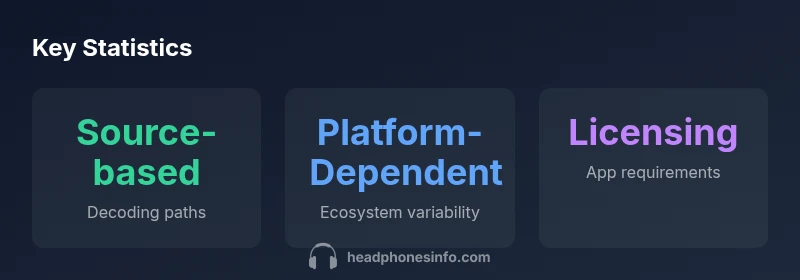
Dolby Atmos compatibility for headphones is not a headset-by-headset label. It depends on the source and software decoding path. In practice, Atmos is delivered by the device or app and decoded by the headset’s processing or a dedicated decoder, so many headphones can be compatible when paired with Atmos-enabled sources like Windows PCs, Xbox consoles, or compatible mobile apps. The key is to understand the ecosystem and enable the right Atmos pathway rather than assuming every headset is inherently Atmos-ready.
What makes a headphone Dolby Atmos compatible
What headphones are dolby atmos compatible is not a simple checkbox you can tick on a headset box. The compatibility depends on the entire listening chain: the source device, the software decoding path, and the headset's ability to render spatial cues. Dolby Atmos for Headphones is often delivered by the source as an encoded spatial signal and decoded either by the software (an app or OS feature) or by the headset's own processing. The Headphones Info team notes that a headset itself does not guarantee Atmos—rather, the ecosystem around the headset determines whether you can hear true 3D imaging. If you want to know what to look for, focus on your source platform, the availability of an Atmos decoding app, and whether the headset supports the required decoding path. The goal is to ensure the whole chain supports Atmos for Headphones and that you enable the right pathways in settings and software.
According to Headphones Info, the most reliable experience comes from an Atmos-enabled source paired with headphones that can participate in the decoding path. This means you should verify settings, licenses, and app selections as part of your setup rather than relying on marketing blurbs alone. It’s not just about drivers or frequency response; it’s about whether the ecosystem can convey spatial cues accurately across content genres.
Atmos delivery methods: source-based vs built-in processing
Dolby Atmos on headphones is typically delivered in two ways: source-based decoding and built-in processing. Source-based decoding relies on the computer, console, or mobile device to render the spatial signal, while the headset (via firmware or an accompanying app) decodes that signal into directional cues. In most consumer ecosystems, Atmos is delivered via the source and decoded by software or the headset’s processor. Only a minority of models advertise an onboard Atmos engine, usually with explicit marketing language. The Headphones Info Analysis, 2026, highlights that the practical experience varies with platform and content. If you use Atmos through the device’s app, ensure you’ve enabled the feature and chosen the correct headphone mode. For those seeking consistency, a robust software decoding path on a supported platform tends to give more reliable imaging, whereas an onboard engine can reduce latency for fast-paced games but may limit the breadth of compatible content.
When choosing headphones, ask whether they are designed to work with the Atmos path your platform uses. If your software path is strong, you may not need a headset with a hardware Atmos engine, but if you want minimal dependence on the software layer, a model with built-in decoding can be advantageous for certain use cases.
Device ecosystems and compatibility requirements
Atmos compatibility spans multiple ecosystems, but requirements differ by platform. On Windows PCs, users typically rely on the Dolby Access app or the built-in Windows decoding path to render Atmos for Headphones; activation and licensing may be required. Xbox consoles often provide Atmos support through the system or game-specific implementations, sometimes needing an Atmos license for certain apps. On PlayStation active content, Atmos support depends on game support and platform capabilities. Mobile devices present a more fragmented landscape: some Android and iOS devices support Atmos-enabled playback through compatible apps and licenses. The Headphones Info team emphasizes that success hinges on both device-level and app-level compatibility, and recommends testing with your preferred content to confirm imaging accuracy and consistency across games and video streams.
In practice, you should map out your typical usage: gaming on a console or PC, streaming movies on a mobile or TV app, and music listening. If Atmos for Headphones is integrated into the platform, your headphones become part of a broader ecosystem rather than a standalone feature. This ecosystem approach explains why two seemingly similar headsets can perform very differently depending on the source and software path used.
How to verify compatibility on your setup
Verifying Atmos compatibility requires a methodical check of your hardware and software stack. Start by identifying your source device (PC, Xbox, PS5, or mobile). Then confirm that Atmos is supported in the OS or app and that the correct decoding path is selected. If you are using Windows, enable Atmos for Headphones in the Dolby Access app or Windows sound settings and select the corresponding device. On consoles, check the system audio settings and the game’s audio options to ensure Atmos is active. With mobile devices, ensure your app and device both advertise Atmos support and that licensing is in place where required. Finally, play Atmos-enabled content—games or movies—and listen for spatial accuracy, ensuring the soundstage has clear directional cues with stable imaging. The quick confirmation method is to use a known Atmos-encoded piece and compare the spatial cues with and without Atmos enabled to feel the difference.
If you encounter latency or inconsistent imaging, revisit the path: switch from built-in decoding to software decoding if available, or update firmware and apps to the latest versions. The Headphones Info team suggests keeping a short checklist handy: source device, app, headphone mode, and a test piece to verify performance before finalizing a purchase.
Practical recommendations by use-case
For gaming, prioritize a headset that handles quick direction changes with reliable imaging and low latency. If you can, pair it with a source that provides robust Atmos decoding (e.g., a PC with Atmos for Headphones or an Xbox with Atmos software). For movie and streaming use, ensure your source app is Atmos-enabled and that your TV or monitor supports passthrough. When listening to music, Atmos content varies in quality and availability; look for remixes or immersive tracks labeled for Atmos to evaluate the headset’s imaging capabilities. In all cases, remember that Atmos is as much about the ecosystem as the headset itself, so test with your preferred content and ensure your software and licenses are up to date. Throughout the process, document your setup so you can reproduce or adjust the experience across devices.
The practical buying guidance emphasizes selecting a headset with a strong overall sound quality and favorable compatibility notes in the ecosystem you use most. If possible, choose a model that has broad software support and frequent firmware updates, which help maintain compatibility with evolving Atmos-enabled platforms.
Common myths and misunderstandings
Myth: Atmos means louder or more surround effect. Reality: Atmos is about spatial cues, not just volume, and perceived loudness is influenced by mix and content quality. Myth: All headphones are Atmos compatible. Reality: Atmos works through the ecosystem; some headsets may not support the required decoding path or licensing on particular devices. Myth: Any Atmos app will work with any headset. Reality: App compatibility and licensing vary; you need the right app with the right permissions for your device and headset. Myth: Built-in Atmos processing makes every experience identical. Reality: Imaging quality depends on the combination of source, app, and headset, so results vary by platform and content. Commonly, real gains come from matching your platform’s Atmos path with a headset designed to leverage it.
How to compare headphones for Atmos readiness
When evaluating headphones for Atmos readiness, focus on three factors: platform compatibility, software support, and licensing requirements. Check whether your preferred source (Windows, Xbox, PS5, Android, iOS) offers Atmos for Headphones and identify the decoding path (software vs hardware). Review the headset’s firmware support and the availability of Atmos-related features in its companion app. Finally, consider content that you plan to use; Atmos imaging is strongest when you have high-quality, Atmos-encoded media. Remember that the most important determinant is the ecosystem: a well-supported Atmos path across your chosen devices will deliver a more reliable 3D soundstage than a headset with hardware decoding alone.
Atmos delivery scenarios and compatibility notes
| Aspect | Atmos Delivery | Headphone Type | Notes |
|---|---|---|---|
| Delivery | Source-based decoding or device processing | Gaming headsets, premium headphones | Depends on platform and app licensing |
| Licensing | Atmos license may be required for apps | Any headphones with compatible path | Check app store or vendor for licenses |
| Compatibility | Platform-dependent | Broadly supported in gaming and premium segments | Test with content to confirm |
| Verification | Use Atmos-enabled content | Software path often more flexible | Ensure correct device pairing and settings |
People Also Ask
Do all headphones support Dolby Atmos?
No. Dolby Atmos is delivered via the source and software path, and the headset must participate in that decoding path. Some headsets rely on software decoding on the device, while others have onboard processing. Always verify platform compatibility and licensing alongside the hardware.
Not every headset supports Atmos; you need the right source and app path.
What devices can deliver Dolby Atmos for headphones?
Atmos is supported on platforms such as Windows PCs with the Atmos app, Xbox consoles, and some mobile setups with compatible apps and licenses. Availability varies by device and region, so check the current platform documentation before buying.
Check your device’s Atmos support and the apps it uses.
Do I need a separate license to use Atmos for Headphones?
In some cases yes, certain Atmos-enabled apps require a license to unlock the full decoding path. Some headsets and bundles include Atmos licenses, but not all content or devices do. Always confirm licensing requirements for your chosen platform and content.
Licensing may be needed for some platforms and apps.
Can I use Dolby Atmos on mobile devices?
Atmos on mobile is possible on select devices and apps, but support is more fragmented than on PC or console. Verify that both the device and the app support Atmos for Headphones and ensure licensing is in place.
Some mobiles support Atmos, but it depends on device and app.
What is the difference between Atmos for Headphones and physical Atmos hardware?
Atmos for Headphones is typically software-based and relies on the source path, while hardware Atmos refers to a decoding engine built into the headset. Both can produce spatial audio, but hardware solutions may reduce latency and provide a more consistent experience across software paths.
One is software-based, the other hardware-accelerated.
How do I test Atmos compatibility?
Use Atmos-enabled content (games or movies) on a known compatible platform, compare with Atmos off, and listen for imaging quality. Confirm settings in both the source app and system audio controls. If available, use a reference track or scene designed to showcase spatial cues.
Test with Atmos content and compare with it off.
“Atmos compatibility is not a headset spec by itself; it depends on the entire listening chain—from source to app to decoding.”
What to Remember
- Verify the source and app support first
- Understand whether your headset uses software or built-in decoding
- Test with Atmos-enabled content to confirm imaging
- Budget for licensing and ecosystem compatibility