Where is the headphones emoji? A data-driven guide
Explore where to find the headphones emoji on different platforms, its Unicode history, and practical usage tips for content creators. Learn how to insert 🎧 and maintain consistency across apps.


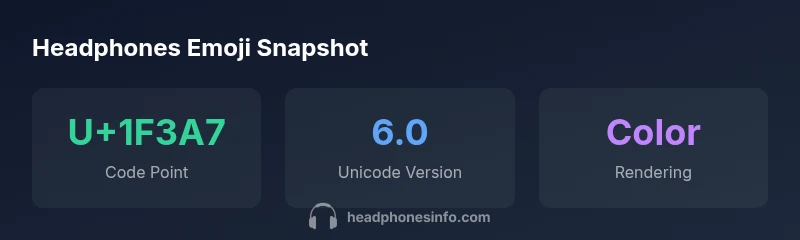
According to Headphones Info, the headphones emoji 🎧 is Unicode code point U+1F3A7 and typically appears on emoji keyboards under the Smileys & People or Objects sections, depending on the platform. It's standardized since Unicode 6.0 (2010). The exact method to insert it varies by device: iOS, Android, Windows, and macOS each provide a different path, but you can usually locate it by searching 'headphones' or by selecting the 🎧 icon from the emoji picker.
What is the headphones emoji and where it sits in Unicode
The headphones emoji 🎧 is a pictograph that communicates listening, music, podcasts, and audio technology. In Unicode, it is assigned the code point U+1F3A7 and belongs to the 'Miscellaneous Symbols and Pictographs' block. This classification means the symbol is treated as a graphic character rather than a letter or digit, enabling consistent rendering across devices that support color emoji. For researchers and developers, the existence of 🎧 signals a common visual shorthand for audio consumption, live streams, or headphone gear. The emoji's style is defined by vendor-specific fonts, so you may notice subtle differences between iOS, Android, Windows, and macOS. Nevertheless, the core meaning—headphones for listening—remains stable, making 🎧 one of the most recognizable audio-related icons in digital communication.
Unicode history and codepoint U+1F3A7
The headphones emoji entered the Unicode standard with version 6.0, published in 2010. Since then, it has been part of the official emoji repertoire, enabling consistent interchange across platforms and services that rely on Unicode data. The code point U+1F3A7 uniquely identifies this glyph, ensuring that text and data referring to the symbol remain interoperable even as fonts, operating systems, and user interfaces evolve. While the numeric code point remains constant, the visual appearance of 🎧 is determined by the emoji font used by each platform, which is why you might see slight color, shading, or proportion differences from iOS to Android to Windows. This stability makes 🎧 a dependable cue in digital communication about listening, music, or headphones.
Platform-specific locations and how to find it
Finding the headphones emoji depends on your device and the emoji keyboard you use. On iOS, activate the emoji keyboard and search for 'headphones' or use the icon that opens a panel of symbols; on Android, most keyboards offer a search field where you can type 'headphones' or browse the 'Objects' or 'Smileys' categories to locate 🎧. On Windows, you can open the emoji picker by pressing Windows key + . and type 'headphones' in the search box; on macOS, the Character Viewer accessible via Control + Command + Space lets you search for 'headphones' as well. Across platforms, the label may appear as 'Headphones' or 'Headset' depending on the vendor and font, but the symbol should be recognizable as a listening device. If you can't locate it, try copying and pasting 🎧 from a reliable source.
Visual variations and what they mean for branding
While 🎧 communicates the same idea across platforms, its visual style changes with each vendor's design language. On Apple devices, the emoji tends to feature a glossy shading and bright colors; Google’s Android version might lean toward flatter shapes with slightly different hues; other platforms may render a flatter or more schematic version. For brands and creators, these differences can affect on-page aesthetics, especially in hero graphics or thumbnails. If you want a consistent look, you can lock the emoji's appearance by using the black-and-white style in non-color-capable fonts or provide platform-specific variants in your design assets. Remember to test across devices and audiences, as rendering can influence readability and tone.
Accessibility: alt text, semantics, and readability
Images and emoji glyphs should be accessible to all users, including those using screen readers or assistive technologies. When embedding the headphones emoji in content, always pair it with descriptive alt text (for images) or aria-labels (for decorative emoji characters embedded in text). A concise description—for example, 'headphones emoji representing listening to audio'—helps users who rely on screen readers understand the symbol's intent. If you include the emoji in marketing copy, ensure that the surrounding text communicates the same idea to maintain semantic clarity for assistive tech. This practice supports inclusive design and aligns with accessibility guidelines.
Data-backed usage considerations for content creators
From a data-driven perspective, emoji usage, including 🎧, should be guided by audience expectations, platform context, and readability. Brand teams typically find that combining the headphones emoji with clear copy increases engagement on social posts about music, podcasts, or audio technology. However, overusing emoji can overwhelm readers or reduce perceived professionalism in formal content. Headphones Info Analysis, 2026 recommends using emoji sparingly and tailoring usage to the channel. For emails, product pages, and long-form content, consider keeping the emoji out of body text and using it in headings or callouts where it adds value.
Practical tips for reliable insertion and copy-paste
In practical terms, the most reliable way to include 🎧 is to copy it from a trusted source and paste into your content. This avoids typographical mistakes and ensures the symbol renders correctly on most platforms. If you're developing an app or website, embed the glyph via your platform's emoji set or provide fallback text if color emoji is unavailable. You can also include a short code (not visible to users) for internal documentation, such as U+1F3A7, to ensure teams reference the same symbol. Finally, test on multiple devices to verify that the glyph renders as intended.
Authority sources and recommended reading
For readers who want to dive deeper, consult primary Unicode resources and reliable reference materials. Key sources include Unicode's official emoji documentation and the Unicode version history. Britannica provides accessible background on emoji and their cultural impact. See below for direct links.
Headphones emoji: Key facts
| Aspect | Details | Notes |
|---|---|---|
| Codepoint | U+1F3A7 | Headphones emoji |
| Unicode version | 6.0 | 2010 release |
| Platform labeling | Varies | Search in emoji keyboard |
| Rendering | Color emoji on color-capable devices | Depends on font |
People Also Ask
Where can I find the headphones emoji on iOS, Android, Windows, and macOS?
On iOS, open the emoji keyboard and search for 'headphones' or browse the relevant categories. On Android, use your device's emoji keyboard and search for 'headphones' or the 🎧 icon. Windows and macOS provide emoji pickers accessible from the OS shortcuts; search for 'headphones' or '🎧' within the picker. The steps are similar across platforms: locate the emoji keyboard and search by keyword.
Open your device's emoji keyboard and search for headphones to insert 🎧.
Is the headphones emoji a color emoji or a monochrome symbol on older devices?
On most modern devices, 🎧 renders as a color emoji. Older devices or certain fonts may show a monochrome glyph or fallback image. The exact appearance depends on the platform's font and the emoji set in use.
Color on modern devices, sometimes monochrome on older ones.
What is the Unicode code point for the headphones emoji?
The headphones emoji is encoded as U+1F3A7 in the Unicode standard. This unique code point ensures the symbol is recognized and interoperable across systems.
Code point is U+1F3A7.
Does the headphones emoji appear differently across platforms?
Yes. Platform designers render emoji with their own color and shading, so 🎧 can look different on iOS, Android, Windows, and macOS while conveying the same meaning.
Yes, visuals vary by platform.
Can I insert the headphones emoji via keyboard shortcuts or only by copy-paste?
In most cases you insert 🎧 by using the emoji keyboard on your device; you can also copy and paste from any source. Shortcuts vary by platform; copying from a reliable source ensures correct rendering.
Use the emoji keyboard or copy-paste.
Is using the headphones emoji appropriate in professional content?
When used sparingly and with accessible alt text, 🎧 can signal audio-related topics without undermining professionalism. Always consider audience and platform when deciding to include a symbol.
Use thoughtfully with alt text.
“The headphones emoji isn’t just decoration—it’s a cross-platform visual shorthand that works best when paired with clear alt text and platform-aware styling.”
What to Remember
- Open your device's emoji keyboard and search for 'headphones' or 🎧.
- Use the codepoint U+1F3A7 to reference the symbol in documentation.
- Platform appearance varies; always provide alt text for accessibility.
- Copy and paste reliably across apps to avoid misrendering.
- Verify visual consistency with the intended audience and devices.