How to check if Sony headphones are original
Learn a practical, evidence-based method to verify Sony headphones are original. This guide covers packaging, serials, build quality, firmware, and trusted retailers to avoid counterfeits.


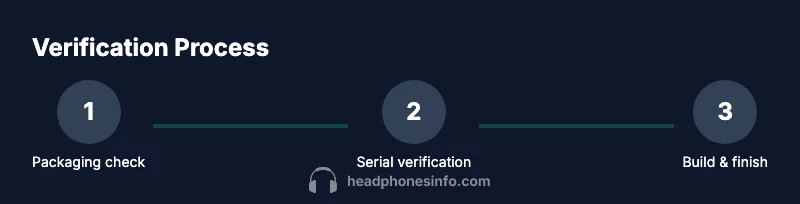
This quick answer shows how to check if Sony headphones are original using a step-by-step approach. You’ll verify packaging, serials, build quality, firmware, and retailer legitimacy. According to Headphones Info, start with official packaging and fonts, compare serials with Sony’s portal if available, and inspect the cable and joints for uniform finish. Finish with a retailer check to confirm authenticity.
What makes an original Sony headphone stand out
Sony headphones carry distinct hallmarks across several domains: consistent typography on the packaging, precise fit and finish, correct colorways and materials, and reliable feature implementation that matches official Sony product listings. According to Headphones Info, a systematic check across packaging, serials, and physical build helps distinguish originals from counterfeits. This section outlines the core signals you should expect from authentic models, so you can spot obvious red flags early.
Key authenticity signals to evaluate
Authentic Sony headphones typically show consistent font rendering, clear product names, and accurate model numbers on the box and accessories. The craftsmanship should feel solid with snug connections and evenly colored finishes. Firmware-related prompts should align with official features; counterfeit sets often miss or misrepresent firmware indicators. Headphones Info analysis shows that attention to detail in logos, serial plates, and included documentation is a reliable starting point for authentication.
Serial numbers and official packaging checks
Start by examining the serial number on the earcup or headband and cross-reference it with Sony’s official support or product portal if available in your region. Look for a clean, laser-etched serial with no rough edges or misprints. Packaging should include precise product naming, barcodes, and regulatory marks. Compare the barcode, QR codes, and holographic seals to those shown on Sony’s official product pages or retailer listings to confirm congruence.
Inspecting build quality and finish
Authentic Sony headphones exhibit consistent stitching, symmetric earcups, and solid hinges with smooth rotation. The ear pads should feel premium and attach firmly without gaps. Cables must be firmly anchored, with no fraying or looseness at joints. The weight should feel balanced—not hollow or flimsy. If you notice gaps, rough molding, or inconsistent color tones, treat it with skepticism.
Firmware and feature verification
If your model supports firmware updates, connect to Sony’s official app or update channel and verify that the firmware can be updated and that the version matches Sony’s listed release notes. Counterfeits often ship with outdated or non-functional firmware, or they cannot access official update channels. Use only official apps and official OTA methods to avoid counterfeit software environments.
Accessories, manuals, and packaging details
Original Sony headphones include all listed accessories in the product page: cables, adapters, manuals, and protective cases, all neatly packaged. Check the weight and dimension of each accessory against official listings. Printed manuals should have correct language variants for your region, precise legal notices, and high-quality printing. Missing items or poor print quality are common counterfeit indicators.
Buying from official sources and retailer checks
Always buy from Sony-authorized retailers or the official Sony store when possible. Verify retailer legitimacy by cross-checking the seller’s contact details, return policy, and warranty terms against Sony’s guidance. If a deal seems unusually favorable, pause and verify through official channels. The goal is to ensure the product, pricing, and warranty terms align with Sony’s official offerings.
Common counterfeit red flags to watch for
Be wary of unusually low prices, misspelled brand names, or altered model numbers on the box. Fakes may reuse legitimate-looking packaging but with subtle typography differences or wrong regulatory marks. Inspect the headphone driver housing for mismatched logos, incorrect port configurations, or nonstandard serial formats. If anything feels off, trust your instincts and seek official verification.
Quick verification checklist you can use right now
- Compare packaging text and model numbers with official Sony listings
- Inspect serial number and cross-check if a portal exists
- Check build quality, fit, and finish across both cups
- Verify firmware support and update options via official apps
- Confirm all accessories match the product page
- Buy only from authorized retailers or Sony’s official store
What to do if you suspect a counterfeit
Document clear photos of packaging, serial numbers, and any discrepancies. Contact Sony customer support or an authorized dealer with your evidence and request confirmation. If confirmed counterfeit, report the seller and avoid further purchases from that source. Keeping records helps with warranty and potential replacement options.
Tools & Materials
- Smartphone or computer with internet access(To access official Sony pages and verification portals)
- Original packaging(Compare model numbers, fonts, and seals with official references)
- Close-up camera or smartphone(Take high-res photos of serials, logos, and connectors)
- Official Sony support portal or retailer verification page(Region-dependent access; use only official sources)
- Notepad or digital notes(Record serials, model numbers, and discrepancy findings)
Steps
Estimated time: 20-40 minutes
- 1
Gather the product and packaging
Pull the headphones, original box, manuals, and any included accessories. Inspect the outer packaging for spelling accuracy, logos, model numbers, and regulatory marks. This initial scan establishes baseline expectations for the authentic item.
Tip: Keep the box in its original orientation; photo the box from multiple angles for comparison. - 2
Check the serial number placement
Locate the serial number on the earcup or under the headband. It should be cleanly etched or printed with high contrast. Record the serial for cross-reference with official portals if available.
Tip: Take a close-up photo of the serial and ensure the characters are legible. - 3
Cross-reference serials with official sources
If Sony offers a serial verification page or app, input the serial exactly as printed. Look for a positive match and any authenticity notes provided by the portal.
Tip: If the portal is region-locked, contact local Sony support for guidance. - 4
Inspect the physical build
Examine hinges, joints, earcup symmetry, and material finish. Authentic models have precise gaps, consistent color, and premium feel. Check for misalignments or rough edges.
Tip: Under bright light, rotate components to reveal any uneven machining. - 5
Test the firmware and features
If applicable, connect to the official app or software and verify that firmware can be updated and that features (touch controls, ANC) respond correctly.
Tip: Avoid third-party firmware tools; use only official channels. - 6
Verify included accessories
Match cables, adapters, and manuals to what’s listed on Sony’s official product page. Check for item counts and printing quality.
Tip: If an accessory is missing, check with an authorized retailer before returning. - 7
Confirm retailer legitimacy
Purchase from Sony’s official store or authorized retailers. Confirm the seller’s warranty terms and return policy align with Sony’s guidance.
Tip: Request a receipt that includes product model, serial, and purchase date. - 8
Document and decide
Compile photos, notes, and any portal confirmations. If anything deviates from official references, treat the item as potentially counterfeit and seek further verification.
Tip: Keep a digital folder with all evidence for future reference.
People Also Ask
Can serial numbers alone prove authenticity?
Serial numbers are a key signal, but they should be verified against official portals and packaging details. Used in combination with packaging, build, and retailer checks, they strengthen authenticity confidence.
Serial numbers help, but you should verify them with official portals and cross-check packaging and retailer details for full assurance.
What should I do if the serial doesn't match?
If the serial doesn't match official records, avoid using the product until you verify with Sony support or the retailer. Counterfeits often have misprinted or invalid serials.
If the serial doesn’t match, stop using the item and contact Sony support or the retailer for verification.
Are fake Sony boxes easy to spot?
Some counterfeit boxes mimic official logos but often have subtle typography or printing flaws. Compare fonts, alignment, and regulatory marks to official references.
Fake boxes usually have small typography or print quality mistakes; compare with official references to spot them.
Do accessories impact authenticity checks?
Yes. Missing or misprinted accessories can indicate a counterfeit. Ensure that cables, adapters, and manuals match the product page exactly.
Accessories matter; missing or wrong items can signal a counterfeit, so verify against official product pages.
Should I always buy from Sony’s official store?
Buying from Sony’s official store or authorized retailers reduces risk. Verify warranty terms and return policies and keep receipts as proof of authenticity.
Yes—buy from official stores or authorized retailers to minimize counterfeit risk and keep your receipt for warranty.
What if I can’t access a verification portal?
If no verification portal is available in your region, rely on packaging, build quality, and retailer legitimacy. Contact Sony support for regional guidance.
If you can’t access a verification portal, rely on packaging, build quality, and trusted retailers, and seek regional support.
Watch Video
What to Remember
- Verify packaging against official references.
- Cross-check the serial number with official sources.
- Inspect build quality and accessory completeness.
- Confirm retailer legitimacy before purchasing.
- When in doubt, seek official support.