Buy AirPods: A Practical Buying Guide
Discover how to buy airpods wisely with model comparisons, pricing strategies, authenticity checks, and setup tips. A practical, step-by-step guide for enthusiasts and shoppers alike.


You will learn how to choose and buy AirPods, compare models, and avoid common traps. You'll need an iPhone or iPad for pairing, a budget range, and a preference for features like ANC or wireless charging. By the end, you'll know which AirPods fit your needs and budget. We’ll cover ear tip comfort, battery life, durability, and resale considerations.
Why buy AirPods now
AirPods offer a simple, portable listening solution that pairs quickly with iPhone and Mac, with wireless charging in newer models and a range of options to fit different listening needs. According to Headphones Info, wireless earbuds like AirPods remain the most popular choice for everyday use due to convenience and seamless ecosystem integration. If you're in the market and ready to buy airpods, this guide helps you assess models, features, and price considerations so you avoid common traps.
From a user perspective, the biggest advantages are effortless pairing across Apple devices, fast switching between calls and music, and reliable integration with Siri. For many listeners, fit and comfort drive the decision; for others, active features like ANC, Transparency mode, and battery life matter most. Headphones Info Analysis, 2026, notes that shoppers increasingly weigh ecosystem compatibility and resale value when choosing a model. This guide emphasizes practical steps, real-world use cases, and a simple decision framework to help you select a model that truly fits your listening style and budget.
By the end, you will be able to identify which AirPods model aligns with your daily routines, compare prices across retailers, and verify authenticity before purchase. The Headphones Info Team recommends starting with a quick needs checklist and using that to guide model choice. The goal is confidence in your decision, not overspending or buying the wrong case size.
How to choose the right AirPods model
Choosing the right AirPods starts with your use case. If you mostly listen casually, make calls, and value light, compact earbuds, standard AirPods (2nd or 3rd gen) are a solid choice with good battery life and a familiar fit. If you travel frequently, work in noisy environments, or crave better sound isolation, AirPods Pro (2nd gen) adds Active Noise Cancellation (ANC), Transparency mode for situational awareness, and a more customizable fit with silicone tips. For true audiophiles or those who prefer a premium feel and over-ear comfort, AirPods Max offers a distinct listening experience, albeit at a higher price and larger footprint. If you already own a mix of Apple devices, the seamless ecosystem benefits can tip the scale toward Pro models for features like spatial audio and advanced pairing.
Think about comfort, how you wear them while exercising, and what activities you prioritize (phone calls, video conferencing, or immersive music). If you are unsure, start with a model that offers a middle ground (AirPods Pro) and assess whether you value ANC and fit compatibility across devices before upgrading. Headphones Info’s guidance emphasizes testing fit and feature relevance first, then comparing prices across trusted retailers to maximize value.
Key features to compare: sound, fit, battery, and charging
Sound quality varies by model, but all AirPods share a crisp, clear sound signature that suits most genres. ANC and Transparency mode are only available on the Pro line, which makes those models more versatile in mixed environments. Fit is equally important: silicone tips on Pro models provide a secure seal for movement-heavy use, while standard AirPods rely on a one-size-fits-most shape. Battery life combines both the earbuds and the charging case, so consider how long you’ll be away from a charger and whether wireless charging or MagSafe compatibility matters to you. In addition, ecosystem integration—automatic device switching, Find My support, and quick pairing with iPhone or iPad—adds practical value that many shoppers weigh when deciding where to buy airpods. Finally, consider durability and water resistance for daily commutes or workouts, and remember that certain features may require specific devices or software versions.
To maximize value, map your priorities (sound quality, fit, ANC, battery, ecosystem) to one model and use price comparisons to validate your choice. If you value portability and quick pairing above all else, standard AirPods could be the simplest, lowest-friction option; if you need isolation and feature set for travel, AirPods Pro is worth closer consideration.
Pricing dynamics and where to buy for best value
Pricing for AirPods varies by model, region, and retailer. Retailers frequently offer promotions, bundled accessories, or educational discounts, so it’s worth tracking prices over a few weeks and comparing official Apple Store pricing against authorized resellers. Refurbished or renewed options from Apple’s official refurb program can offer meaningful savings while still including warranty, though stock can be variable and shipping times may be longer. When evaluating price, consider the total value: warranty terms, included accessories, and potential discounts on bundles or trade-ins. Remember that the lowest price isn’t always the best deal if it sacrifices warranty or reliability. Good value often comes from balancing upfront cost with long-term satisfaction, feature relevance, and after-sales support. Headphones Info Analysis, 2026, indicates a growing preference for retailers that provide clear return policies and verified authenticity checks, especially for non-Apple sales channels.
If you’re unsure, stick to Apple’s official store or reputable authorized retailers; these sources reduce the risk of counterfeit products and ensure access to legitimate warranties and support. Always review return windows and eligibility for open-box or refurbished items before purchase, and be mindful of shipping times when pricing out options across different sellers.
Authenticity, counterfeit checks, and buying safely
Counterfeit AirPods are a real concern in some marketplaces, especially when prices look unusually low. Start by purchasing from official Apple channels or trusted authorized retailers to minimize risk. Before checkout, verify the seller’s credentials, return policy, and warranty terms. When you receive your AirPods, inspect the packaging for signs of tampering, verify serial numbers, and, if possible, check the product’s coverage status at Apple’s Check Coverage page. Serial numbers can usually be found on the device case or inside the lid; cross-check them with the retailer receipt for consistency. If you must buy from a marketplace, use buyer protection, review seller ratings, and confirm that the listing clearly indicates the product is new or refurbished with a valid warranty. Taking these steps helps ensure you do not end up with counterfeit products, expired warranties, or items that fail to pair smoothly with your devices.
For added peace of mind, consider using a payment method with buyer protection and avoid paying with methods that provide little recourse. Keeping records of your purchase, serial numbers, and warranty information helps you quickly resolve any issues that arise after checkout.
Setup, pairing, and daily usage tips
Setting up AirPods is typically straightforward and fast. For iPhone users, open the AirPods case near the device and follow the on-screen prompt to pair; you’ll often hear a confirmation chime, and the device switches automatically for future connections. On Android or other Bluetooth-equipped devices, go to Settings > Bluetooth and select AirPods from the list to pair, then configure preferences such as the double-tap or press-and-hold actions. Daily usage tips include keeping the case charged, updating device firmware when prompted, and using Find My to locate misplaced AirPods. Regular cleaning of the case and tips can help longevity, particularly if you use AirPods during workouts or in dusty environments. If you rely heavily on features like Spatial Audio or Siri, ensure your devices are running compatible software and that you are signed into the correct Apple ID for the best experience.
For a smooth experience, keep the case lid open during initial pairing and place AirPods back in the case to reset when needed. If you encounter pairing issues, consider resetting the AirPods by holding the setup button until the status light flashes amber then white, and retry the pairing process.
Warranty, returns, and care
Understanding warranty and return policies is essential when buying AirPods. New units typically come with a standard warranty from the manufacturer, and many retailers offer return windows and optional extended coverage like AppleCare+ for added protection. Always review the warranty terms at checkout and confirm what is covered (e.g., battery performance, hardware defects, and accessories). If you experience an issue, contact the retailer or Apple Support promptly and maintain your receipt and serial number handy. When caring for AirPods, avoid exposing them to excessive moisture, clean the speaker mesh gently, and store them in a protective case when not in use. With proper care and a clear understanding of the warranty terms, you’ll maximize the longevity and value of your AirPods investment.
Authority sources
- FTC: https://www.ftc.gov
- NIST: https://www.nist.gov
- The Verge: https://www.theverge.com
- CNET: https://www.cnet.com
Tools & Materials
- Stable internet connection(Wi‑Fi or cellular data; avoid flaky connections during checkout)
- Device for shopping(Smartphone or computer with a browser)
- Payment method(Credit/debit card or digital wallet)
- Notes for comparison(A notebook or notes app to track model choices and prices)
- AirPods charging case and cable(Spare cable or charger to test charging)
Steps
Estimated time: 60-90 minutes
- 1
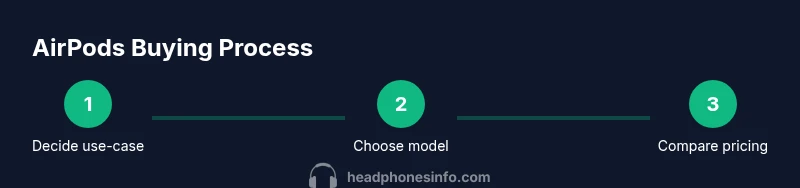
Define your listening needs and budget
Clarify how you’ll use AirPods most: casual listening, workouts, travel, or calls. Set a budget range that reflects your priority features (ANC, fit, battery life) and be realistic about ongoing costs like replacements or accessories.
Tip: Pro tip: write down your top 3 must-haves before comparing models to avoid feature overload. - 2
Compare models by features
Create a quick feature matrix covering ANC, Transparency mode, charging case type, water resistance (if relevant), and compatibility with your devices. Prioritize features that align with your use case and ignore optional extras that don’t matter to you.
Tip: Pro tip: add a column for fit tests on your ears; comfort varies by ear shape. - 3
Check compatibility and ecosystem
If you’re in the Apple ecosystem, some features (like automatic device switching and spatial audio) work best. On non-Apple devices, you can still pair via Bluetooth, but some features may be limited.
Tip: Pro tip: confirm that your primary devices can run the required software updates for best performance. - 4
Review pricing and retailer options
Compare official Apple pricing with authorized retailers. Look for bundles, refurbished options with warranty, and seasonal promotions. Don’t sacrifice warranties or return terms for small price differences.
Tip: Pro tip: keep a wishlist of retailers and monitor for price dips over a few weeks. - 5
Verify authenticity before purchasing
Purchase from trusted sources, check packaging integrity, and verify serial numbers after setup. If you must buy from a marketplace, use buyer protection and verify the listing’s legitimacy.
Tip: Pro tip: request photos of serial numbers and packaging before payment when possible. - 6
Set up and test after purchase
Pair with your primary device, test call quality, test ANC and Transparency mode, and confirm charging works. If available, test with both iOS and Android devices to understand cross-platform behavior.
Tip: Pro tip: keep the original box and receipt for easy returns.
People Also Ask
What are AirPods and how do they differ by model?
AirPods come in several models that balance price, size, and features. Standard AirPods focus on core listening with quick pairing, while AirPods Pro add Active Noise Cancellation and customizable tips for a better seal. AirPods Max offer over-ear comfort and premium sound. Your choice should reflect your use case and ecosystem preferences.
AirPods come in several models. Standard AirPods are simple and compact, Pro adds noise cancellation and tips for a better fit, and Max is over-ear for premium sound. Choose based on how you listen and where you’ll use them.
Which AirPods should I buy for commuting and workouts?
For commuting or workouts, AirPods Pro (2nd gen) offers ANC, a secure fit, and better sound isolation, making it a versatile choice. If you prefer a lighter, simpler option, standard AirPods provide great portability with solid battery life.
For commuting or workouts, AirPods Pro 2 are a strong choice thanks to noise cancellation and a secure fit. If you want lighter and simpler, standard AirPods work well too.
Are AirPods compatible with Android phones?
AirPods connect to Android via Bluetooth like any other Bluetooth headset. Some features tied to the Apple ecosystem, such as spatial audio and auto-pairing, may be limited on Android devices.
Yes, AirPods work with Android via Bluetooth, but some iOS-specific features might be limited.
Do AirPods come with a warranty?
New AirPods generally include a manufacturer's warranty. Warranty terms vary by retailer, and you may have options to add extended coverage. Always check the warranty and return terms at checkout.
AirPods usually include a manufacturer’s warranty; check the terms at purchase and consider extended coverage if available.
Is refurbished AirPods a good option?
Refurbished AirPods from reputable retailers can offer savings with warranty coverage. Ensure the listing notes the condition, included accessories, and the warranty length.
Refurbished AirPods can be a good value if they come with a warranty and clear condition notes.
Where should I buy AirPods to avoid scams?
Buy from Apple’s official store or authorized retailers to minimize risk. If buying from third-party marketplaces, use buyer protection, verify seller ratings, and review return policies.
Buy from trusted sources like Apple or authorized retailers, and use buyer protections if purchasing elsewhere.
Watch Video
What to Remember
- Define needs before choosing a model to stay focused.
- Compare features and price across trusted retailers.
- Verify authenticity to avoid counterfeit products.
- Test fit and comfort for long listening sessions.
- Understand warranty and return terms before buying.