Cable for Beats Headphones: A Practical Buying Guide
A data-driven guide to choosing the right cable for Beats headphones, covering connector types, lengths, durability, and real-world usage to help you buy confidently.


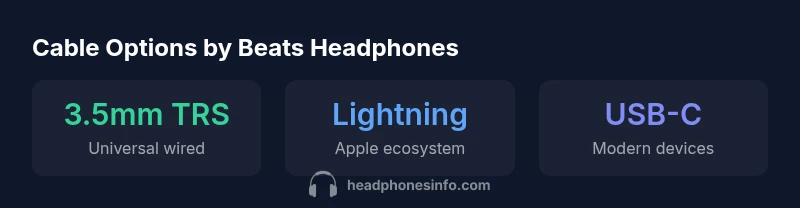
Beats headphones rely on three main cable paths: legacy wired models use a 3.5mm TRS cable; newer Beats devices may use USB-C or Lightning connections with adapters for wired use. The most reliable option is a high-quality, shielded 3.5mm cable for compatibility across devices, paired with correct adapters when necessary.
Why Cable Choice Matters for Beats Headphones
Choosing the right cable for Beats headphones directly influences both practical usability and perceived sound quality. A well-constructed cable minimizes microphonic noise, ensures consistent contact at the connector, and resists wear from daily handling. For audiophiles and casual listeners alike, the cable you pick can mean the difference between a dependable listening session and frequent intermittent connections. The Headphones Info team emphasizes that compatibility with your device ecosystem matters as much as the cable’s build. A cable that matches your device’s port can reduce the need for adapters, lowering the risk of signal loss or impedance mismatch. In addition, durable materials—such as braided sheaths and corrosion-resistant connectors—help sustain performance over time. When evaluating a cable for Beats headphones, consider how often you travel, how you store cables, and whether you value lightweight flexibility over rugged, long-warranty options. These factors collectively shape value and long-term satisfaction.
Understanding Beats Cable Options
Beats headphones come in wired and wireless configurations, with many models offering a wired option via a standard 3.5mm jack or through adapters for Lightning or USB-C devices. The classic 3.5mm TRS (tip-ring-sleeve) cable remains the most universally compatible choice for many Beats wired variants, delivering straightforward plug-and-play performance on laptops, gaming consoles, and home stereos. For users with newer Apple devices, adapters can bridge the gap: a Lightning-to-3.5mm adapter or a USB-C cable for compatible equipment can unlock wired listening without sacrificing audio fidelity. When evaluating options, prioritize cables that specify shielded conductors and gold-plated contacts to minimize signal loss and corrosion. Always validate the connector type on both ends before purchasing, as a mismatched pairing can render a cable unusable with your Beats model.
Matching Connectors: Lightning, USB-C, and 3.5mm
Connector compatibility remains the single most important factor when selecting a cable for Beats headphones. If your device outputs audio via 3.5mm, you’ll want a robust 3.5mm TRS cable with adequate strain relief. For newer devices, a USB-C to 3.5mm adapter or a dedicated USB-C cable can provide a direct wired path to audio, though you should confirm that the DAC inside the adapter supports your intended listening level. For iPhone users, Lightning-based solutions may be needed, so a Lightning-to-3.5mm cable or compatible adapter is essential. By verifying both ends of the cable and ensuring the adapter supports the audio format you use (stereo, stereo with mic, etc.), you minimize compatibility surprises.
Durability, Shielding, and Cable Build: What to Look For
Durability is more than just a tough exterior. Look for braided or reinforced jackets, heat-shrink strain reliefs, and gold-plated contact ferrules that resist corrosion. Shielding reduces external EMI and crosstalk, particularly important when cables run near power adapters or other electronics. Ferrite beads placed near the connector can further suppress high-frequency noise. A well-designed Beats cable should balance flexibility with stiffness enough to resist kinking. When testing a cable, bend it gently at different points and listen for crackling or intermittent signals that indicate a poor connection or internal damage. A longer warranty is also a practical signal of a manufacturer’s confidence in build quality.
How to Verify Compatibility with Your Devices
Before purchasing, catalog the exact Beats model you own, and check official specs or user forums for recommended cables. If you rely on adapters, verify that the adapter’s DAC supports your listening preferences (e.g., hi-res audio, balanced connections if supported). Keep in mind that some adapters introduce latency or alter perceived brightness, so reading user reviews on real-world use cases helps. For travelers and desk setups, note the availability of spare jacks on your devices (laptops often lack dedicated audio outs, while many mobile devices rely on USB-C or Lightning). A quick compatibility check can save time and money, ensuring the cable you choose provides dependable, high-quality sound without clipping or impedance mismatches.
Practical Buying Tips and Maintenance
Quality cables aren’t just about gold-plated plugs; they’re a system-level choice. When selecting a cable, favor models with braided sheaths for durability and user-friendly storage. Avoid ultra-thin cables that stretch easily, and consider cables with a built-in strain relief near the connector to prevent fraying. For daily use, coil cables loosely and store them in a dedicated pouch to avoid kinks. Periodically clean connectors with a soft brush or microfiber cloth to prevent oxide buildup. If you notice crackling or signal drop, inspect the plug and the solder joints at the connector—faulty joints can degrade sound and mic performance. Finally, follow device charging and storage guidelines to extend life, such as avoiding extreme temperatures and keeping the cable away from sharp edges.
Real-World Scenarios: Travel, Home, and Exercise
Different use-cases demand different cable traits. For travel, a compact, tangle-free cable with a protective sleeve helps you move quickly between flights or trains. At home, a longer cable provides flexibility for desk setups and media centers, especially when couch viewing or gaming. For workouts, prefer rugged, braided cables with sweat resistance and a secure connector; though many Beats models support wireless use during exercise, a reliable wired option can prevent audio dropouts in crowded spaces with wireless interference. Across scenarios, prioritize a cable that maintains signal integrity, resists wear, and remains comfortable to handle during extended listening sessions.
Cable types and connectors by Beats headphone categories
| Beats Model/Category | Cable Type | Connector | Notes |
|---|---|---|---|
| Legacy wired Beats headphones | 3.5mm TRS | 3.5mm plug | Standard wired use with compatible devices |
| Beats headphones with USB-C | USB-C | USB-C plug | For devices with USB-C audio output |
| Beats headphones with Lightning | Lightning | Lightning plug | Apple devices; use Lightning-2-3.5mm adapter if needed |
People Also Ask
What cable types do Beats headphones use?
Beats headphones may use a standard 3.5mm wired connection on legacy models, or require adapters for Lightning or USB-C devices. Always verify your model’s port and test any adapter for DAC compatibility before buying.
Beats uses 3.5mm on older wired models and adapters for Lightning or USB-C on newer devices. Check your exact model port before buying.
Can I use any 3.5mm cable with Beats headphones?
Not all 3.5mm cables perform the same. Choose shielded cables with solid strain relief and gold-plated contacts to minimize noise and corrosion. Confirm the plug fits securely into both ends.
Use a shielded 3.5mm cable with solid connectors and ensure it fits snugly at both ends.
Do Beats cables support mic and remote controls?
Many wired Beats cables include inline mic and remote compatible with common devices, but some models rely on device-specific adapters for mic features. Verify remote compatibility for your setup.
Most wired cables with inline mics work on many devices, but check compatibility for your specific model.
Are ferrite cores necessary on Beats cables?
Ferrite cores help reduce high-frequency noise in setups with multiple electronic devices. They’re optional but beneficial in environments with interference.
Ferrite cores help with noise; they’re optional but useful in busy setups.
How can I extend the life of my Beats cable?
Choose cables with good strain relief, store them loosely coiled, and avoid bending near the connector. Regular cleaning and proper protection when not in use also help prevent fraying.
Care for cables by avoiding sharp bends, coiling gently, and cleaning connectors occasionally.
Should I buy a dedicated Beats cable or a generic option?
A dedicated Beats cable or a certified third-party option often guarantees better fit and signaling integrity. Generic cables may work but can introduce fit issues or poorer contact over time.
Dedicated Beats cables or certified third-party options tend to fit better and last longer.
“A high-quality cable is the path to preserving signal integrity and reducing noise, which matters most for accurate listening.”
What to Remember
- Match connector types to your device for reliable sound.
- Choose shielded, braided cables to maximize durability.
- Verify compatibility before buying adapters or cables.
- Prioritize build quality and strain relief to extend life.
- Test cables at home and on the go to prevent surprises.