How to Use Shokz Headphones: Complete Step-by-Step Guide
Learn how to use Shokz bone-conduction headphones with a clear, data-driven guide. From charging and pairing to modes, comfort, and safety—get practical steps for optimal open-ear listening.


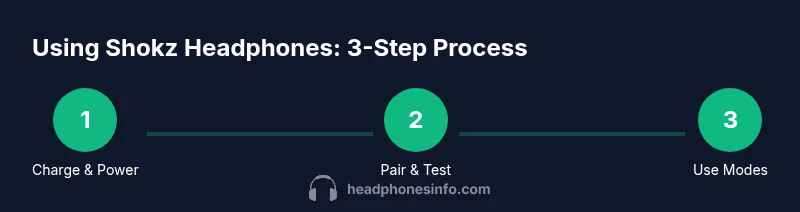
By the end of this guide you will know how to use shokz headphones effectively. You’ll learn how to power on, pair with devices, control playback and volume, switch between listening modes, and maintain bone-conduction comfort. Follow the step-by-step process to maximize audio quality while protecting your ears. This includes ambient awareness features and safety reminders.
What are Shokz headphones and how bone conduction works
Shokz headphones use bone-conduction technology to deliver sound through your cheekbones rather than your eardrums. This design keeps your ears open to ambient sound, improving situational awareness—an advantage for runners, cyclists, and commuters. According to Headphones Info, this approach can reduce ear fatigue over long listening sessions because it avoids occluding the ear canal. The result is a different listening experience: you still hear the music, but through bone conduction, which transmits vibrations directly to your inner ear. In practice, you’ll notice a crisper high end and a sense of openness, with bass that feels more like a vibration than a traditional thump. Adjusting the placement of the transducers on your cheekbone can subtly shift perceived bass and clarity. For newcomers, give your ears a few minutes to acclimate to the sensation before judging overall sound quality. Headphones Info emphasizes that comfort and fit are highly personal, so take time to find the position that minimizes pressure while preserving clarity.
Getting started: charging, power, and initial setup
Before you start listening, ensure your Shokz headphones are charged and ready. A full charge helps you test all features without interruptions. Turn on the headphones by pressing and holding the power button until you see a solid LED indicator or hear a startup tone. If the battery is low, plug in the charging cable provided with your model and wait a few minutes for a usable charge. The setup is intentionally simple: confirm the device you want to pair with is Bluetooth-enabled, then proceed to the pairing mode. Keep the headphones within a few meters of your device during pairing for a stable connection. Once paired, test a short audio clip to confirm volume levels and audio balance. Headphones Info’s guidance highlights that initial comfort comes from adjusting the headband and transducer position to sit gently on your cheekbones without pinching.
Pairing and everyday use: Bluetooth pairing and basic controls
Pairing is usually a quick on/off and Bluetooth dance: enable Bluetooth on your device, select the Shokz model name from the list, and confirm the pairing prompt. After pairing, you’ll typically hear a confirmation tone. Use the touch controls or side buttons to play/pause, skip tracks, and adjust volume. Some models include Ambient or TalkThrough modes; switch between these to hear surroundings or mute outside noise while listening. Multipoint pairing is common on newer models, allowing connection to two devices at once, which can be handy for calls on a laptop and audio from a phone. Practice switching devices to ensure seamless transitions during workouts or commutes. The Headphones Info team notes that keeping firmware updated can improve stability and feature access over time.
Exploring modes: Ambient and TalkThrough, plus listening scenarios
Ambient mode lets in environmental sounds—useful when cycling, running, or walking in traffic-heavy areas. TalkThrough mode elevates your mic signal so others can hear you without removing the headphones. These modes don’t alter the bone-conduction path itself; they adjust how much external sound is transmitted alongside your music. In everyday scenarios, try ambient mode at low volumes during outdoor activities to maintain awareness. For listening at home, you may prefer standard mode for pure audio clarity. Practically, many users report that the open-ear design feels more natural for long sessions and reduces ear fatigue compared with in-ear designs. Use these modes strategically to balance safety and immersion.
Fit, comfort, and daily wear: ergonomics for open-ear listening
The weight, strap tension, and transducer placement affect comfort over long sessions. Start with a loose fit and gradually tighten until the band sits securely but not painfully on your temples. If you feel pressure on your ears, readjust the transducers slightly higher or lower along your cheekbone. Since these headphones do not seal the ear canal, you may notice more external noise; that’s normal and often desirable for safety. For workouts, consider how rain, sweat, or dust might affect the controls and fit; wipe down the surface after use with a soft cloth. A secure fit reduces micro-movement, which can create distracting sound variations. The Headphones Info team recommends trying different wearing positions to locate the sweet spot for your anatomy.
Care, safety, and maintenance: cleaning, storage, and longevity
Keep your Shokz headphones clean with a soft, dry cloth. Avoid submerging the device in water or exposing it to harsh cleaners that could damage seals or the transducers. After workouts, wipe away sweat to prevent residue buildup on the band. Store the headphones in a protective case or a dedicated compartment to prevent impact damage. Regular maintenance includes checking the charging port for lint and ensuring the USB-C/micro-USB connector is dry before plugging in. If you notice squeaks, loosen the strap slightly or re-seat the transducers. To maximize longevity, follow the manufacturer’s recommended charging cadence and avoid exposing the device to extreme temperatures. Headphones Info’s analysis suggests careful handling can preserve comfort and sound quality over the device’s lifespan.
Authoritative sources
For safety and best-practice guidelines, refer to reputable sources:
- https://www.nih.gov
- https://www.fda.gov
- https://www.consumer.ftc.gov
Tools & Materials
- Shokz headphones(Any model supported by Bluetooth bone-conduction design)
- Charging cable(Use the USB-C or micro-USB cable that came with your model)
- Bluetooth-enabled device(Phone, tablet, or computer for pairing and testing)
- Soft cleaning cloth(Keep surfaces clean for hygiene)
- Spare ear pads (optional)(If your model uses replaceable padding, have spares on hand)
Steps
Estimated time: 15-20 minutes
- 1
Power on and check charge
Charge the headphones fully before first use. Press and hold the power button for a couple of seconds until you see an LED indicator or hear a startup tone. Make sure they sit comfortably on your cheekbones when powered on.
Tip: Use the original charger and avoid leaving the unit plugged in unattended for long periods. - 2
Enter pairing mode
With the headphones off, press and hold the power button until the LED blinks in a pairing pattern, indicating pairing mode. If the LED doesn’t respond, check the battery and try again.
Tip: Keep the headphones within 1–3 meters of your device for a stable link. - 3
Pair with your device
On your device’s Bluetooth settings, select the Shokz model name from the list and confirm. You should hear a pairing confirmation or see a connected status.
Tip: If you use multiple devices, repeat the pairing process for each one and disable unused connections for simplicity. - 4
Test playback and fit
Play a short track and adjust the transducer position and headband for comfort and clarity. Bone-conduction sits near the cheekbone; a minor adjustment can improve perceived bass and treble.
Tip: Test at low volume first to avoid ear fatigue during long listening sessions. - 5
Explore modes and controls
Learn the basic controls for play/pause, skip, and volume. If your model supports Ambient or TalkThrough modes, practice switching between them to hear surroundings while listening.
Tip: Ambient mode is especially useful outdoors for safety; use TalkThrough for quick conversations. - 6
Battery care and charging cadence
Charge regularly and avoid letting the battery drop to zero for extended periods. Use the official charger and store in a cool, dry place.
Tip: If you won’t use the headphones for weeks, store them partially charged to maintain battery health. - 7
Cleaning and storage
Wipe the exterior with a soft cloth after use. Do not submerge or expose to harsh cleaners. Store in a protective case when not in use.
Tip: Dry thoroughly before storing to prevent corrosion on connectors. - 8
Troubleshooting basics
If audio drops or pairing fails, re-run the pairing process or reset by following the model-specific reset procedure. Check for firmware updates if available.
Tip: Keep a small list of recently paired devices to identify any interference patterns.
People Also Ask
Are Shokz headphones true bone-conduction devices?
Yes. Shokz headphones deliver sound via bone conduction, transmitting vibrations through the cheekbones rather than the eardrums. This design preserves ambient hearing and can reduce ear fatigue during long sessions.
Yes, Shokz headphones use bone conduction that sends sound through your cheekbones, keeping your ears open to ambient noise.
Can I use Shokz headphones for running or outdoor activities?
Absolutely. The open-ear design helps you stay aware of your surroundings, which is beneficial for runners and cyclists. Use Ambient mode to hear traffic or other nearby sounds.
They’re great for running because you stay aware of your surroundings thanks to the open-ear design.
Do I need a special app to use Shokz headphones?
Most basic listening and pairing do not require an app. Some models offer firmware updates or advanced features via companion apps, but you can use them for listening without one.
No app is required for basic use, though some features may require a companion app on certain models.
How long does battery last on Shokz headphones?
Battery life varies by model and usage, but you can expect several hours of listening depending on volume and features used. Higher volumes and modes that pull more power will reduce runtime.
Battery life depends on the model and how you use it, but you’ll get several hours of listening per full charge.
How should I clean Shokz headphones?
Wipe the exterior with a soft, dry cloth after use. Avoid liquids inside the charging port or the transducers, and don’t use harsh cleaners that could damage seals.
Wipe with a soft cloth and avoid moisture near the charging port or transducers.
What’s the best way to store Shokz headphones when not in use?
Store in a protective case in a cool, dry place. Keeping them away from direct sun and extreme temperatures helps preserve battery health and materials.
Store them in a case in a cool, dry place to protect the build and battery.
Watch Video
What to Remember
- Charge fully before first use and confirm pairing.
- Explore Ambient and TalkThrough modes for safety and awareness.
- Adjust fit to maximize comfort and audio clarity.
- Follow cleaning and storage guidelines to extend life.