Radio Headphones: RF vs Bluetooth — A Practical Comparison
A thorough, data-driven comparison of radio headphones using RF transmission versus Bluetooth. Learn about range, latency, setup, and buying tips for home theaters, classrooms, and gaming. Practical guidance for choosing RF radio headphones.


Radio headphones rely on RF transmission to deliver audio from a source to a headphone unit. Compared with Bluetooth, RF often provides longer range and lower latency, making RF-based radio headphones ideal for living rooms or classrooms. For portability, Bluetooth remains convenient, but you’ll trade range and potential interference. Interference can arise from other devices, and some RF systems require line-of-sight or more setup.
The Radio Headphones Landscape
Radio headphones describe a class of wireless listening devices that use radio frequency transmission to carry audio from a source to the headphone driver. Unlike Bluetooth models, RF systems typically rely on a separate transmitter connected to the audio source, which can enhance stability and range in a defined space. This separation matters for home theaters, classrooms, and broadcast workflows where reliable links matter more than pocket-size convenience. The Headphones Info team notes that RF-based designs have matured, delivering clearer audio and improved latency across a broad price spectrum. When evaluating options, prioritize the transmitter’s compatibility with your sources, the number of channels supported, and how easy pairing remains after setup. For radio headphones, the context—fixed room vs. mobile use—often determines which design yields the best overall experience. According to Headphones Info, RF-based radio headphones offer practical advantages in a living room setup.
How RF Transmission Works in Radio Headphones
Radio headphones use a dedicated transmitter that plugs into an audio source (TV, PC, mixer, or audio receiver) and broadcasts audio over a radio frequency. The headphone receiving unit contains an RF receiver and a DAC to convert the signal into audible sound. Since the transmitter and receiver operate independently of Bluetooth profiles, the link can be tuned to a specific channel or frequency band to reduce interference in crowded environments. When buyers examine RF systems, they should check the number of selectable channels, the transmitter power options, and the ease of updating firmware. RF designs have evolved to minimize noticeable latency, which is critical for gaming and synchronized video playback. In practice, a well-matched RF system provides stable performance even in rooms with multiple wireless devices. Headphones Info analysis shows RF setups commonly excel in reliability over longer viewing or teaching sessions, where occasional Bluetooth dropouts were a nuisance.
Key Differences: RF vs Bluetooth in Practice
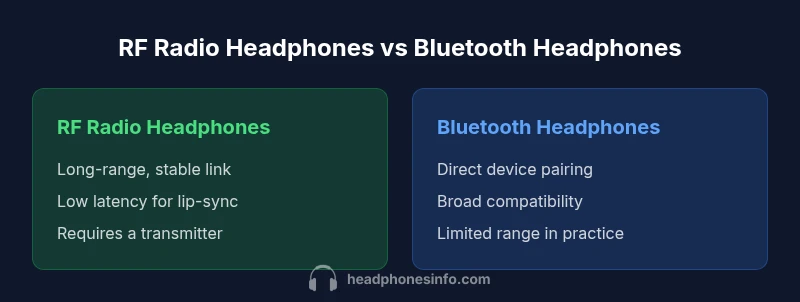
The core distinction between RF radio headphones and Bluetooth headphones is how they connect to the audio source. RF uses a dedicated transmitter, typically offering longer range and a more consistent signal in fixed environments. Bluetooth connects directly to a single device and is simpler to set up, which makes it ideal for portable listening. Latency varies by implementation, codecs, and the quality of the RF link, but many RF systems are designed to minimize delay to keep lipsync intact with video. Understanding this trade-off helps shoppers decide whether they value reach and stability (RF) or convenience and broad compatibility (Bluetooth). The Headphones Info team emphasizes matching your use-case with the connection type that minimizes friction while maximizing perceived sound quality.
Range, Latency, and Reliability in Real-World Setups
In actual rooms, RF headphones typically deliver a steadier connection across larger spaces with clear line-of-sight. Latency is generally low enough for watching TV and light gaming, though extreme gaming setups may require models that explicitly advertise ultra-low latency. Reliability improves when the transmitter is positioned to minimize obstacles and interference from other RF devices. Bluetooth, while highly convenient, can suffer from signal dropouts in crowded radio environments or when multiple devices share the same spectrum. When evaluating products, look for dedicated channel options, effective antenna design, and documented latency figures from reputable sources. Headphones Info analysis notes that RF systems can outperform Bluetooth in stability, especially in non-portable scenarios.
Transmitter Placement, Pairing, and Source Compatibility
RF radio headphones demand careful transmitter placement and source compatibility. Place the transmitter where it has a clear line-of-sight to the listening area and away from large metal objects that could reflect signals. Pairing is usually straightforward: connect the transmitter to the audio source, power both devices, and select the corresponding channel. Some RF kits support multiple devices on different channels, enabling a single transmitter to drive several headphones. Bluetooth, by contrast, connects directly to each device and often requires pairing with each source separately. For classroom or home theater setups, a centralized transmitter offers a cleaner solution and reduces the chances of simultaneous interference.
Comfort, Build Quality, and Battery Life
Comfortable padding, light weight, and ergonomic headbands contribute to longer listening sessions with radio headphones. RF systems add the transmitter module, which may require a small external power source, depending on the model. Battery life on the headphone side varies by driver size and impedance, but most modern units deliver many hours of use per charge, with a few models offering rapid recharging. Build quality tends to correlate with price, so buyers should assess materials, clamping force, and warranty terms. As with any wireless device, ongoing battery health is influenced by charging practices and storage conditions.
A Practical Buying Guide for Radio Headphones
To choose effectively, start with your primary use case and listening environment. If you need reliable performance in a fixed room or across a classroom, RF headphones paired with a robust transmitter provide stability and minimized dropouts. For portable use and seamless pairing with phones, laptops, and tablets, Bluetooth headphones offer convenience, broad compatibility, and a compact footprint. When evaluating models, consider: transmitter versatility (one-to-many or one-to-one), channel options, latency claims, build quality, comfort, and battery life. It’s also wise to verify firmware update paths and the availability of customer support. Finally, ensure the product supports your video and audio sources (HDMI audio extractor, optical, 3.5mm, etc.) to avoid mismatches that frustrate setup.
Use-Case Scenarios: Home Theater, Classrooms, and Gaming
In a home theater, RF headphones can deliver synchronized audio with minimal lip-sync issues and without competing with nearby Bluetooth devices. In classrooms, RF systems enable a teacher to move around while students receive clear, consistent sound. For gaming, low-latency RF options reduce drift between on-screen action and audio cues, which can improve accuracy and immersion. These scenarios illustrate why RF radio headphones remain relevant for dedicated listening setups, while Bluetooth remains a flexible choice for everyday mobile use. The decision often hinges on whether stability and range (RF) or convenience and device-wide compatibility (Bluetooth) are more valuable in your daily routine. Headphones Info suggests mapping your room layout and typical use to the best-fit category.
Troubleshooting and Common Pitfalls
RF systems can run into hurdles like interference from other wireless devices, transmitter misalignment, or mismatched channel settings. A simple fix is to switch channels or relocate the transmitter away from routers or microwaves. Ensure the headphones and transmitter are fully charged and that firmware is up to date. Pairing failures are commonly caused by low batteries or incorrect channel selection. Bluetooth issues are often due to device pairing limits, outdated Bluetooth versions, or crowded device lists. For RF users, dedicating a single RF channel for the listening area frequently reduces cross-talk and dropout.
Maintenance, Care, and Longevity
Regularly clean the headphone pads and earpieces with a soft cloth to prevent oils from degrading leather or foam over time. Store devices in a cool, dry place and avoid exposing the transmitter to excessive heat. Check cables, connectors, and the transmitter’s power supply periodically for wear. Battery health declines with repeated full discharge; where possible, avoid deep discharge and use proper charging routines. Firmware updates should be performed when available to preserve performance and security. With mindful care, radio headphones can remain reliable through years of use.
Alternatives and Complementary Options
If your goal is overall flexibility, consider models that support both RF and Bluetooth, offering a mix of stability and mobile convenience. Some users pair RF headphones with a Bluetooth adapter to use Bluetooth with portable devices while preserving RF for fixed sources. Another approach is to use a high-quality Bluetooth headphones for everyday listening and reserve RF headphones for home theater or classroom contexts. The key is to align your hardware ecosystem with your typical listening habits and room layout.
Budget Strategy: When to Spend and What to Expect
Radio headphone systems span a broad price range. Expect to pay more for models with multiple channel support, higher transmitter power, and premium build materials. If you need fixed-room performance in a classroom or living room, investing in a robust RF kit can deliver long-term value by reducing interference and improving lip-sync with video. For casual listening and travel, a compact Bluetooth option often delivers better cost efficiency and portability. The decision should balance lifestyle needs, room configuration, and the value of uninterrupted audio in your primary use cases.
Comparison
| Feature | RF Radio Headphones | Bluetooth Wireless Headphones |
|---|---|---|
| Range and coverage | Long-range, stable link in fixed environments | Portable, device-to-device range with direct pairing |
| Latency | Low latency designed for lip-sync with video | Low latency varies by codec; generally sufficient for everyday use |
| Transmitter/Source required | Dedicated RF transmitter required; compatible with select sources | Connects directly to devices via Bluetooth, no transmitter needed |
| Interference susceptibility | Can be affected by other RF devices; depends on channel selection | Can be affected by crowded spectrum; mitigated by codecs and pairing |
| Portability & setup | Better in fixed rooms; setup can be permanent | High portability; plug-and-play with compatible devices |
| Battery life | Headphones often long-lasting; transmitter may require power | Headphones and devices typically long-lasting; varies by model |
| Best for | Home theater, classrooms, fixed listening rooms | On-the-go listening, commuting, casual use |
Upsides
- Longer range and stable connections in fixed environments
- Low latency suitable for video and gaming
- Dedicated transmitter reduces Bluetooth interference
- Improved audio consistency in crowded RF spaces
Disadvantages
- Requires an external transmitter and power supply
- Less portable and more room-bound than Bluetooth
- Potential RF interference in dense wireless environments
- Higher initial cost for multi-channel systems
RF radio headphones excel in fixed setups; Bluetooth wins for mobility
Choose RF when you need stable range and lip-sync in a single space. Opt for Bluetooth for daily carry and device compatibility.
People Also Ask
What are radio headphones?
Radio headphones use a dedicated RF link between a transmitter and headphones to carry audio. They are typically more stable in fixed spaces and require a transmitter connected to the audio source. Bluetooth headphones use direct pairing with devices and excel in portability.
Radio headphones use a separate transmitter to send audio via RF, which is great for fixed setups. Bluetooth headphones connect directly to devices, offering more portability.
Do RF radio headphones require a transmitter?
Yes. RF headphones rely on a transmitter connected to the audio source. The transmitter sends an RF signal to the headphones. Some kits support multiple channels for multiple users.
Yes, RF headphones need a transmitter. It sends the audio to the headphones over RF.
Can RF and Bluetooth be used together?
In practice, you can use RF headphones for a fixed source while using Bluetooth devices for portable listening. Some ecosystems support adapters or dual-mode devices, but most users pick one primary wireless pathway per listening setup.
You can mix setups in some cases with adapters, but usually you pick one system per use case.
Are radio headphones good for TV listening?
RF radio headphones are well-suited for TV listening in a room because of stable lip-sync and minimal interference with other wireless devices. Ensure the transmitter is compatible with your TV’s audio output.
RF headphones work great with TVs when you connect the transmitter to the right audio output.
Do RF headphones work with laptops and gaming consoles?
Many RF systems support laptops and gaming consoles through appropriate transmitters or adapters. Check input options like 3.5mm, optical, or USB interfaces and confirm channel compatibility.
They can, with the right transmitter or adapter and the right inputs.
What affects RF headphone performance?
Performance is influenced by transmitter placement, channel selection, interference from other RF devices, and the build quality of both transmitter and headphones. Proper setup and updated firmware help maximize stability and sound quality.
Placement and channel choice affect stability; firmware matters too.
What to Remember
- Assess your space before choosing: fixed room vs mobile use
- RF offers stability and low latency; Bluetooth offers convenience
- Plan for a transmitter if selecting RF headphones
- Budget appropriately for build quality and features