How DJs Use Headphones: A Practical Guide for Sets
Learn how DJs use headphones to cue, monitor, and mix tracks. This in-depth guide covers gear, setup, techniques, and pro tips for live and studio environments.


DJ headphones are used to cue and preview the next track while the current one plays. DJs switch between cue and master, set cue points, and adjust listening levels for precise timing. According to Headphones Info, the most common setup is a separate cue channel with a split cue, and closed-back, over-ear designs are preferred for isolation in club environments. The Headphones Info team emphasizes comfort for long sets and reliable drivers for consistent monitoring.
How do djs use headphones in live sets?
When a DJ steps behind the booth, the headphones become a crucial listening tool. They provide a private audio feed (the cue) so the DJ can preview the next track, align BPMs, and anticipate phrasing without disturbing the audience. In practice, the DJ loads a track into the software or hardware deck, marks cue points, and uses the cue button to toggle listening on and off. This enables precise beatmatching and mix timing, which are the cornerstones of a smooth performance. For many pros, the headphone feed also helps isolate the low end and midrange of the upcoming track, ensuring it will blend well with the current track. The question of how do djs use headphones is answered by the workflow: listen silently, prepare, and then drop the transition with confidence.
In this context, Headphones Info analysis shows that isolation matters as much as driver quality. A sturdy, comfortable pair with good passive noise isolation helps the DJ hear fast loops and subtle tempo shifts in noisy clubs where stage monitors and audience noise would otherwise mask cues.
Core features DJs rely on in a headphone
DJs evaluate headphones by a small set of features that directly affect cueing and performance. Impedance matters because it affects how loudly you hear cues from a given mixer or interface. A mid- to high-impedance design (typically 32–64 ohms on pro models) balances loudness with clean, distortion-free listening. Frequency response should be relatively flat in the 20 Hz–20 kHz range, ensuring you can hear kick drums, snares, and basslines clearly when cueing. Isolation is essential: closed-back cups reduce bleed into the audience and prevent the cue track from leaking out. Build quality matters too, since gigs demand durability and comfort for hours on a bench or in a club booth. Finally, consider durability and replaceable parts like ear pads and headbands to extend life during long tours.
The best practice is to test models in the same setting you’ll perform in, as studio headphones may not translate perfectly to loud club environments. Headphones that feel secure, don’t clamp too tightly, and stay comfortable after hours of use allow you to focus on the music rather than discomfort.
Cueing and monitoring workflow
Cueing is the core technique behind the headphone workflow. Start by loading the upcoming track into a cue deck and placing cue points at the exact beat where you want the mix to begin. Send the track to the headphones via the cue output, then adjust the cue level so you can hear it clearly without overwhelming the current track in the club speakers. As you practice, refine your beatgrid alignment and phrasing by listening in solo with the cue on. When you’re ready, gradually bring the new track in on the master channel while keeping the cue feed discreet, so the crowd experiences a seamless transition. Consistency in timing becomes a habit with repeated cueing and monitoring.
A practical tip is to set a predictable cue pattern (e.g., a 4-bar cue loop) to reduce decision fatigue mid-set. Also, keep a mirror of your cue points across multiple decks so you can switch tracks quickly if a track is rejected by the crowd.
Closed-back vs open-back debate for live use
Most live DJs favor closed-back headphones because they maximize isolation, which helps you hear your cues clearly in loud environments. Open-back designs can offer a more natural soundstage, but they leak sound toward the audience and can pick up surrounding noise. For beatmatching and pre-listening, isolation is usually more valuable than a wide soundstage. If you travel or perform in quieter rooms, an open-back option might be worth testing, but for club gigs, closed-back remains the standard.
That said, some DJs appreciate the lighter weight and ventilation of open-back models for comfort on long flights or studio sessions. The key takeaway is to choose based on your typical venue—club, festival, or studio—and always test in a real setting before a show. Headphones Info’s guidance emphasizes prioritizing isolation, comfort, and reliable drivers for consistent cueing.
Wired vs wireless for DJs
Wired headphones are the default in DJing because they offer the lowest latency and maximum reliability. Latency is critical for accurate cueing; wireless transmission can introduce delays that disrupt timing. If you perform with wireless headphones, choose models with ultra-low latency codecs and stable, robust connections. Many pro DJs still prefer wired solutions for the absolute minimum delay and consistent response. For practice sessions, wireless options can be convenient, but verify that there’s no perceptible lag when cueing and beatmatching.
Always verify your wireless setup in the venue’s RF environment beforehand, as interference from other devices can degrade performance. The broader truth is that reliability, predictability, and consistent monitoring trump convenience when you’re playing to a crowd.
Ear comfort and durability for long sets
Long sets demand headphones that stay comfortable without overheating the ears. Look for plush ear cushions with breathable fabric or memory foam, adjustable headbands, and durable hinges. Weight distribution matters: a well-balanced pair reduces fatigue on the jaw and neck during extended sessions. When possible, choose models with replaceable pads to maintain comfort over time. If you’ll be in hot venues, consider materials that resist sweat and are easy to clean. Comfort isn’t just luxury—it directly affects your focus and cue accuracy when juggling multiple tracks.
Sound quality and frequency response for mixing
The sound signature of your headphones shapes your ability to predict how a track will sit in the mix. Prioritize a flat or gently tailored response in the bass, mids, and highs so you can anticipate how the incoming track will blend with the current one. A pronounced bass boost may help in casual listening, but it can obscure low-end cues that DJs rely on during mixing. Look for models that reproduce transients clearly so you can hear kick hits and snares without smearing. It’s not about chasing the loudest sound; it’s about reliable, reproducible audio cues that translate to the club speakers.
Headphones Info analysis shows that consistent monitoring across devices helps maintain timing even when the room’s acoustics change. If you notice your cues sound noticeably different from the house system, you may need different ear pads, drive, or even a different impedance range.
How to test headphones before a gig
A quick pre-gig test can save you a lot of stress. Bring a familiar beat grid and cue points, and run through your typical transitions in a quiet room and then in the venue’s setting if possible. Check for channel balance, ensure both ears reproduce the same level, and verify that the cue feed doesn’t bleed into the master unexpectedly. Test the cue mix control (often labeled X-Fader or Cue/Master) to confirm you can isolate the preview track without compromising the main output.
A practical routine: 1) verify cue output at a comfortable level, 2) confirm you can hear both decks clearly in the cue, 3) run a 4-bar beatmatch sequence, and 4) rehearse a full transition. Practicing these steps reduces on-stage anxiety and helps you stay focused on performance details.
Setup on different DJ setups (CDJs, Serato, Traktor, etc.)
Whether you’re using CDJs, Serato, or Traktor, your headset setup hinges on routing the cue channel correctly. In Serato and many DJ software packs, you’ll route your cue to the headphones via the mixer’s cue send. If you’re using CDJs, ensure the booth monitor/output path is set so you can monitor with the right cues while the audience hears the master. Some controllers offer direct cue outputs, while others require you to route through the mixer. Always test the route in advance and label your cue points on multiple decks to simplify switching during a set.
The takeaway is to wire and test in your exact workflow before you perform. A good setup reduces mid-set decisions and keeps your listening consistent.
Budget considerations and mid-range picks
Budget does influence the features you get, but you can find reliable, professional-grade headphones in the mid-range that meet the demands of live performance. Look for closed-back, over-ear designs with sturdy hinges and replaceable pads. Prioritize comfort, insulation, and driver quality over flashy branding. Consider models with detachable cables and a comfortable clamping force so you can use them for hours. Remember: your money is better spent on a dependable pair that delivers consistent cueing and durability than on a flashy but fragile model.
Maintenance and care tips
Keep your headphones clean and store them in a protective case when not in use. Wipe cushions with a damp cloth and avoid moisture exposure that could degrade foam and fabrics. If you travel frequently, consider a protective sleeve and a lightweight, collapsible design to reduce pressure on the headband. Periodically check the cable for wear and replace it if you see visible damage. Regular maintenance helps preserve audio performance and comfort for years. The long-term happiness of your DJ headphones depends on how well you care for them.
Troubleshooting common headphone issues
No sound in one ear can stem from a loose plug, a damaged cable, or a faulty driver. Check the cable connections at both ends, test with a different cable, and confirm the plug is fully seated in the mixer or interface. If you hear crackling or distortion, inspect the cable for micro-resistance or kinks and replace as needed. If the cue channel fails to route, revisit the mixer’s cue settings and verify that the cue master balance is correct. When in doubt, re-seat cables and restart the hardware to clear potential software glitches.
Verdict: Choosing headphones for DJs
The right headphones should feel like an extension of your hands—comfortable, reliable, and precise. Prioritize isolation, durable build, replaceable pads, and a cable that stands up to touring. The Headphones Info team recommends selecting a model with consistent, flat-ish response for accurate cueing and a design that can endure long sets and varied venues. With the right pair, you’ll cue with confidence, execute clean transitions, and keep the energy focused on your performance rather than your gear.
Tools & Materials
- Headphones (closed-back, over-ear)(Choose impedance in the 32–64 ohm range for reliable club listening; test comfort for hours.)
- DJ mixer with cue/mix controls(Ensure cue and master outputs can be independently controlled; practice with split cue.)
- DJ software/hardware (CDJs, Serato, Traktor, etc.)(Load tracks, set cue points, and route cue to headphones via mixer.)
- Cue cables or USB/audio routing adapters(Have spare cables and adapters to accommodate different gear setups.)
- Spare cable and adapters(Carry a backup in case of wear or connector differences.)
- Comfort accessories (replacement pads, headband cushions)(Replace worn parts to maintain seal and comfort.)
Steps
Estimated time: 25-45 minutes
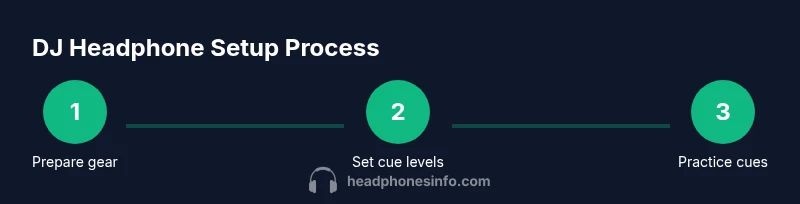
- 1
Prepare gear and connections
Plug headphones into the cue output on your mixer or controller. Confirm the cue/mix control routes the correct deck to the headphones. Take a moment to verify all cables are secure and that the headphones sit comfortably on your ears.
Tip: Use a short, high-quality coiled cable to reduce tugging and accidental disconnections. - 2
Set initial cue levels
Play a track on the deck you’ll be cueing and lower the cue volume to a comfortable listening level. Make sure the master output remains at an appropriate level for the room. Adjust the cue mix to balance the level between your current track and the cue track.
Tip: Aim for audible cues without overpowering the main speakers; you want precise feedback, not fatigue. - 3
Mark cue points
Use beat grids and hot cues to mark the exact beat where you want the transition to begin. Store these points in your software or hardware so you can trigger them quickly during a mix.
Tip: Label cue points with comments if your setup allows; it speeds up decision-making mid-set. - 4
Practice a 4-bar cue loop
Play the upcoming track in your headphones for four bars, adjusting timing and phrasing to align with the live track. Listen for kick hits and snare hits that indicate proper alignment.
Tip: A consistent 4-bar loop trains muscle memory for fast transitions. - 5
Beatmatch with headphones
With the cue feed active, begin syncing the tracks by ear or using BPM detection. Adjust tempo and pitch to match the host track’s tempo without audible drift to the audience.
Tip: Trust your ears first; use any visual BPM cues as a secondary check. - 6
Execute the transition
When ready, bring the cue track into the mix by gradually increasing the cue level while fading the current track under. Listen for the first proper beat alignment and confirm with the crowd’s energy.
Tip: Do not rush the drop; a patient, clean transition wins over a flashy but sloppy one. - 7
Monitor post-transition
Keep the headphones on to confirm the new track’s integration. Adjust EQ and level balance as needed to maintain energy without loud pops or gaps.
Tip: Make small, incremental adjustments rather than large, sudden changes. - 8
Troubleshoot on the fly
If you lose cue signal, check cable integrity and routing, then re-seat connections. If you hear distortion, switch to a backup cable or headphone and test again.
Tip: Having a spare set of cables helps you recover quickly during a gig. - 9
Rehearse for the venue
If you can, practice in the actual venue or a similar space to account for room acoustics and booth monitoring. Adjust cue levels and headphone comfort before performance time.
Tip: Venue-specific rehearsal reduces last-minute surprises. - 10
Closure and reflection
After a set, review what cues worked well and which transitions felt off. Use this feedback to refine future cue points and monitor settings.
Tip: Keep a simple log of successful cue points and transitions for reference.
People Also Ask
What is the primary purpose of headphones for a DJ?
The primary purpose is to cue and preview the next track while the current track plays for the audience. This lets the DJ time transitions precisely and maintain energy.
DJs use headphones mainly to cue the next track and preview how it will blend with the current one, so the crowd doesn’t hear the setup process.
Why do DJs wear closed-back headphones?
Closed-back headphones reduce sound bleed and external noise, helping the DJ hear cue points clearly in loud environments like clubs.
Most pros choose closed-back headphones because they block out the club noise and prevent cue sounds from leaking to the audience.
Are wireless headphones suitable for DJing?
Wireless headphones can work for practice or casual sets, but they introduce potential latency. Many pro DJs prefer wired models for reliability in gigs.
Wireless can be convenient, but for high-precision mixing, wired headphones are usually safer.
What features matter most in DJ headphones?
Key features include good isolation, flat frequency response, comfortable fit, durability, and replaceable pads or cables for long-term use.
Look for comfort, isolation, and robust cables—these keep you accurate when cues matter most.
How do you test headphones before a gig?
Test cue routing, ensure consistent channel balance, and rehearse a full transition to confirm timing and comfort in the actual venue.
Do a quick run-through with your regular setup to catch any routing or comfort issues early.
How should headphones be connected to the mixer?
Connect via the designated cue output and ensure the cue/mix control routes the proper deck to the headphones.
Make sure you can switch between cue and master without audio dropouts.
Watch Video
What to Remember
- Cue with intention and build transitions, not improvisations
- Prioritize isolation, comfort, and dependable routing
- Test gear in the actual performance environment
- Maintain a backup plan for cables and headphones
- Practice a repeatable cueing workflow for speed and consistency