How to Clean Headphones After Lice: A Step-by-Step Guide
Learn a safe, device-friendly method to clean headphones after lice, with step-by-step instructions, materials, and hygiene tips to protect your gear and health.


If you’re wondering how to clean headphones after lice, this step-by-step guide provides a safe, practical approach that protects your gear while reducing contamination risk. You will learn which parts to clean, which cleaners to use, and how to dry and reassemble without harming electronics. According to Headphones Info, hygiene around shared devices matters, and a careful cleaning routine helps keep your gear healthy.
Why cleaning headphones after lice matters
If you’re wondering how to clean headphones after lice, this guide offers a practical approach that protects your gear while reducing the chance of spreading contaminants. According to Headphones Info, maintaining hygiene around headphones is essential because devices and accessories are often handled in close contact with the head. The Headphones Info team found that lice primarily live on hair and scalp, and while they don’t survive long on smooth surfaces, hitchhiking can occur via moisture, skin flakes, or shared components. This guide emphasizes a device-safe method to clean headphones without damaging delicate parts. The goal is to clean thoroughly, avoid over-wetting electronics, and allow proper drying before reuse.
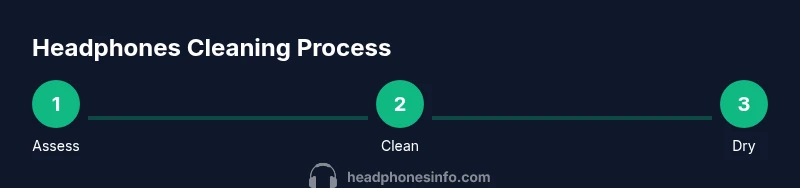
Assess your headphones: detachable parts and materials
Headphones come in many configurations. Start by identifying which parts are plastic or metal housings, which have fabric cushions, and which cushions are removable. Look for seams, speaker grilles, and cable joints. If cushions detach easily, you’ll have more effective cleaning options; if not, you’ll rely on careful wipe-downs. The materials determine which cleaners to use and how to apply them. For fabric components, use milder methods to avoid saturating the inner electronics. This initial assessment saves time and minimizes risk during the cleaning process.
Clean hard surfaces: plastics, metal, and electronics housing
Hard surfaces like the headband, ear cup shells, and control buttons can be wiped with a damp microfiber cloth. Use a mild soap solution or isopropyl alcohol on a cloth, never directly on the device. Wipe in gentle, circular motions to remove oils and residue. For tight crevices, a cotton swab lightly moistened with alcohol can reach difficult areas. Do not submerge any part of the headphones, and avoid getting liquid into the speaker grills or cable ports. This keeps the electronics safe while removing surface contaminants.
Fabric components: cushions, headbands, and cloth pads
Fabric and foam cushions require more care. If cushions are removable, wash them separately according to the manufacturer’s guidance, using mild detergent and warm water. If not removable, use a damp cloth with a small amount of mild soap to wipe the fabric surfaces, then blot and air-dry. Avoid soaking fabric, as excess moisture can penetrate the internal electronics. After cleaning, run a soft brush over the fabric to restore texture and remove lingering debris. This step reduces moisture traps that could harbor residues.
Disinfection methods: what works and what to avoid
Disinfection should reduce surface contaminants while preserving materials. Isopropyl alcohol (at least 70%) applied to a cloth is generally effective for hard surfaces. Do not spray liquids directly onto the headphones; use a cloth as the delivery method. For fabrics, consider a gentle laundry cycle for removable parts, or surface-safe fabric-safe cleaners if approved by the manufacturer. Bleach and ammonia-based cleaners should be avoided on most headphone fabrics and plastics as they can degrade finishes and elastics.
Drying, reassembly, and test
Allow all components to air-dry completely before reassembly. This typically means several hours for fabrics and up to a day for thick cushions, depending on environmental humidity. Reassemble carefully, reconnect any cables, and perform a basic audio test to ensure the drivers are functioning properly. If you notice distortion, moisture, or unusual smells after cleaning, repeat the drying step and inspect seals for any signs of moisture ingress. This final check confirms the gear is safe to use.
Regular maintenance and storage to minimize future risk
To reduce the need for frequent cleaning, store headphones in a clean, dry place and avoid sharing cushions without protection. Use a small microfiber cloth regularly to wipe surfaces, and inspect cushions for wear that could trap dirt. Implementing a quick wipe-down after each use helps maintain hygiene over time. Headphones Info’s guidance emphasizes simple routines that balance hygiene with device longevity.
Common mistakes and safety reminders
Common mistakes include soaking cushions, spraying liquids directly onto devices, and ignoring drying times. Always use minimal moisture on surfaces near electronics and allow full evaporation before use. If you’re uncertain about a specific cleaner, consult the manufacturer’s recommendations to avoid damage. Maintaining a routine reduces risk and prolongs the life of your headphones.
Tools & Materials
- Soft microfiber cloth(Lint-free and nonabrasive)
- Mild dish soap or gentle detergent(Small amount in water)
- Isopropyl alcohol (70%–90%)(For hard surfaces only; avoid saturating fabric)
- Cotton swabs(For tight crevices and ports)
- Distilled water(For diluting soap if needed)
- Small bowl(For mixing solutions)
- Replacement cushions (optional)(If fabric wears out)
- Ventilated drying area(Dust-free, dry space)
Steps
Estimated time: 45-90 minutes plus drying time
- 1
Power down and unplug
Turn off the device and disconnect any cables. This reduces the risk of short circuits and protects you during cleaning.
Tip: Wait a few minutes after powering down to ensure capacitors discharge before you begin. - 2
Detach removable cushions (if possible)
If cushions come off easily, remove them to clean fabrics separately. This allows thorough cleaning without soaking electronics.
Tip: Refer to the manufacturer’s guide to avoid damaging fasteners. - 3
Dust and debris removal
Gently brush or dust off loose particles from all surfaces with a dry microfiber cloth before damp cleaning.
Tip: Work in a well-lit area to catch hidden dust. - 4
Clean hard surfaces with damp cloth
Moisten a microfiber cloth with a mild soap solution or isopropyl alcohol and wipe the plastic/metal areas. Avoid dripping liquids.
Tip: Never spray liquids directly; apply to cloth only. - 5
Disinfect delicate areas
Use a lightly moistened cloth with isopropyl alcohol to disinfect hard surfaces. For fabric parts, skip direct liquid contact with electronics.
Tip: Test a small, inconspicuous area first to ensure colorfastness. - 6
Clean fabric components
If cushions are removable, launder them according to the manufacturer or wipe with a damp cloth if not removable. Do not oversaturate.
Tip: Blot excess moisture and allow to air-dry completely. - 7
Drying time
Let all parts air-dry in a well-ventilated space for several hours or longer, depending on materials.
Tip: Ensure there is no residual moisture before reassembling. - 8
Reassemble and test
Reconnect cushions and components, then run a quick audio test to verify function and ensure there’s no moisture.
Tip: If you hear distortion, wait longer or re-clean and re-dry.
People Also Ask
Is it safe to disinfect headphones with alcohol?
Yes, isopropyl alcohol can be used on hard plastic and metal surfaces when applied to a cloth; avoid soaking fabric cushions and never spray liquid directly onto the device.
Alcohol on hard surfaces is generally safe when applied with a cloth and not sprayed directly. Avoid getting liquids into ports or fabric cushions.
Can lice survive on headphones?
Lice typically require warm human environments to survive and do not thrive on hard surfaces for long. Cleaning and disinfecting helps reduce any risk from incidental contact.
Lice don’t live long on hard surfaces, but cleaning helps ensure you’re safe and hygienic.
What if cushions aren’t removable?
If cushions aren’t removable, wipe fabric surfaces with a damp cloth using a mild soap solution and let them dry completely before use.
If cushions aren’t removable, clean the fabric with a damp cloth and let it dry fully before using again.
How often should I clean headphones after lice exposure?
Clean promptly after exposure and establish a routine wipe-down after use to minimize contaminants and keep cushions in good condition.
Clean soon after exposure and maintain a regular wipe-down routine.
Should I replace cushions after cleaning?
If cushions show wear, discoloration, or persistent odors after cleaning, consider replacing them for hygiene and comfort.
If cushions look worn or smell after cleaning, replace them.
Watch Video
What to Remember
- Identify removable parts to simplify cleaning
- Use moisture carefully on electronics and fabrics
- Allow thorough drying before reusing
- Follow manufacturer guidance for fabrics