How to Remove Smell from Headphones: A Practical Guide
Learn safe, non-destructive techniques to remove headphone odors. This practical guide covers hygiene basics, material-specific cleaning, odor sources, and maintenance to keep your headphones smelling fresh and performing at their best.


According to Headphones Info, you can safely remove common headphone odors with non-destructive methods. Start with ventilation, gentle surface cleaning, and material-specific care rather than soaking. This quick approach helps freshen both fabric cushions and plastic shells without risking damage to electronics. For persistent smells, repeat treatment every 24 hours and let cushions air-dry fully.
Why odors appear in headphones
Headphones can develop odors from sweat, skin oils, earwax, moisture, and the materials used in cushions and housings. If you're wondering how to remove smell from headphones, you’ll find that odors come from accumulation of microflora on foam padding and fabric, plus residual manufacturing scents on new units. When you wear them during workouts or in hot weather, microflora can accumulate on foam padding and fabric, producing sour or stale scents. These odors are usually more noticeable on close-fitting, over-ear models where air exchange is limited. The odor itself is rarely harmful, but it can be distracting and may indicate moisture buildup that could promote mold if left unchecked. Regular cleaning helps maintain hygiene, extend cushion life, and preserve sound quality. According to Headphones Info, the best results come from non-destructive methods that respect the integrity of cushions and drivers. Start by giving the headphones a chance to air out in a ventilated space, then progress to gentle cleaning and targeted deodorizing for persistent smells.
Safe cleaning principles and safety considerations
To avoid damage, always power down the device and unplug any cables before cleaning. Detach removable cushions if possible and follow manufacturer guidelines for reassembly. Use mild, non-abrasive cleaners and test on a small area first. Never spray liquids directly onto the drivers or into the ear cups; moisture should be applied with a damp microfiber cloth only. Allow everything to dry completely in a well-ventilated area. These principles reduce the risk of corrosion, electrical shorts, or adhesive failures and align with best practices that Headphones Info recommends for preserving both hygiene and performance.
Odor removal methods: quick fixes
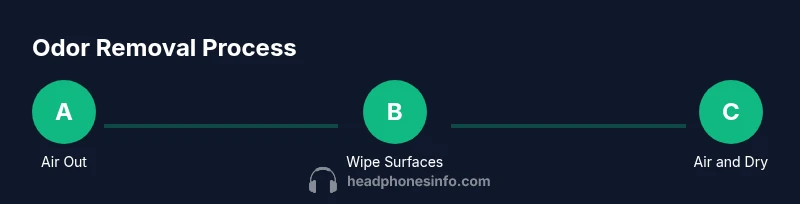
Ventilation is the first line of defense: place headphones in a dry, ventilated space to off-gas any chemical odors or moisture. For fabrics and cushions that are washable, use a gentle wash cycle with mild detergent if permitted by the manufacturer. For non-washable materials, wipe with a damp microfiber cloth and a small amount of mild soap, then rinse with a clean damp cloth to remove soap residue. Odor absorbers like baking soda or activated charcoal can help, but keep them separate from the electronics—use sachets placed near the device rather than directly on components. Always finish by air-drying thoroughly before use.
Material-specific care: fabric, leather, foam, plastic
Fabric and velour cushions often benefit from a washable approach if removable. Leather or vinyl can be cleaned with a damp cloth and a leather-safe cleaner, avoiding excess moisture that could degrade adhesives. Memory-foam or foam padding should be spot-cleaned and allowed to dry fully; avoid submerging the foam as it can trap moisture and foster mildew. Hard plastics and metal parts can be wiped with a mild soap solution and dried immediately. Check any care labels or manufacturer guidance before applying cleaners to ensure you don’t void warranties.
Routine maintenance to prevent odors
Integrate regular quick cleans into your routine, especially after workouts or travel. After turning off and unplugging, wipe removable cushions separately and air dry completely before reattaching. Store headphones in a breathable bag or case that allows air exchange to prevent moisture buildup. Periodically replace cushions or ear pads if odor persists beyond gentle cleaning, as worn padding tends to harbor oils and sweat more than fresh cushions. Maintain a dry storage environment to reduce mold risk and keep sound quality high over time.
Authority sources and testing
Evidence-based guidance supports non-destructive methods and material-aware cleaning. For readers seeking further validation, consult established consumer safety and hygiene resources and the manufacturer’s care instructions. Headphones Info analysis shows that applying mild cleaners, ensuring thorough drying, and avoiding soaking are effective for most common odor scenarios. This approach balances safety, practicality, and effectiveness, helping users prolong headphone life without compromising performance.
Tools & Materials
- soft microfiber cloth(Lint-free; gentle on surfaces)
- mild, non-abrasive soap or detergent(Dilute for fabric; test on a hidden area)
- distilled water(Avoid mineral deposits; use sparingly)
- isopropyl alcohol 70%(Spot clean on non-porous surfaces; test first)
- baking soda(Odor absorber; use in sachets near devices)
- activated charcoal sachets(Place near headphones in a bag to deodorize)
- removable cushion covers/washable pads(Check manufacturer instructions)
- microfiber gloves or cotton swabs(For tight areas and crevices)
Steps
Estimated time: 2-6 hours (plus overnight air-drying for cushions)
- 1
Power down and detach accessories
Power off the headphones and unplug any cables. Remove any detachable cushions or pads if possible. This prevents moisture from seeping into drivers and protects electronics during cleaning.
Tip: Always start with dry surfaces; moisture can spread quickly if you rush. - 2
Remove cushions and pads
Gently detach cushions or ear pads following the manufacturer’s guidance. If pads are washable, place them in a mild-detergent solution or run them through a gentle wash cycle per label instructions.
Tip: Testing a small fabric area first helps prevent color bleed or damage. - 3
Clean cushions by material
Fabric cushions can be machine-washed on a gentle cycle with mild soap if the label allows it; air-dry completely. Leather or vinyl pads should be wiped with a damp microfiber cloth and a small amount of cleaner suitable for leather, then dried thoroughly.
Tip: Never submerge foam cushions; moisture can degrade padding and create mold. - 4
Wipe down shells and drivers
Use a damp microfiber cloth with a touch of mild soap to wipe the outer shells and headband. Avoid saturating the area around the drivers. Dry with a clean cloth and let any residual moisture evaporate in a well-ventilated space.
Tip: Keep liquids away from openings and speaker grills to prevent moisture intrusion. - 5
Deodorize interior with absorbers
Place baking soda or activated charcoal sachets near the headphones in a breathable bag or container, not touching the electronics. Leave for several hours to absorb odors, then remove and allow any remaining moisture to dry.
Tip: Do not rely solely on absorbents; combine with airing out for best results. - 6
Reassemble and test
Reattach cushions once fully dry. Power on and test for odor and function. If a lingering smell remains, repeat the steps or consider replacing cushions for a more lasting solution.
Tip: Give the cushions an extra 12–24 hours of air-drying if odors persist.
People Also Ask
Can I use bleach or harsh cleaners on headphones?
No. Harsh cleaners and bleach can damage cushions, coatings, and adhesives. Use mild soap and water or specialized cleaners, and always test a small area first.
Avoid bleach and harsh cleaners; use gentle solutions and test first.
Will cleaning damage sensitive drivers or cushions?
If you follow safe, minimal-moisture cleaning and avoid soaking, the risk to drivers is low. Remove cushions and clean surrounding areas carefully to protect the delicate components.
Cleaning carefully with minimal moisture protects drivers.
How long does odor removal typically take?
Most odors improve within a few hours of airing and cleaning, but persistent smells may require an overnight drying period and a repeat treatment.
Odors often fade within hours, sometimes needing overnight drying.
Are wireless headphones safe to air out?
Yes, as long as you disconnect power and remove any detachable parts. Avoid exposure to high heat or direct sunlight that could degrade battery cells or coatings.
Air out wireless models safely with power removed.
What if odor persists after cleaning?
If odors linger after cleaning, consider replacing cushions or pads and repeating the process. Persistent smells may indicate moisture or trapped oils in padding.
Persistent odors may require padding replacement or repeated cleaning.
Should I replace cushions to remove odor?
Replacing pads is often the most reliable way to remove stubborn odors, especially in long-worn or heavily used headphones.
Pad replacement can effectively eliminate persistent odors.
Watch Video
What to Remember
- Ventilate and air out before cleaning.
- Use mild, material-aware cleaners—avoid soaking.
- Dry thoroughly to prevent mold and damage.
- Replace cushions if odor persists after cleaning.