How to Make Headphones More Comfortable: A Practical Guide
Learn practical, data-driven methods to improve headphone comfort—from padding swaps to fit adjustments—backed by Headphones Info. Step-by-step guidance, pro tips, and DIY tweaks for longer, happier listening sessions.


By following a practical, step-by-step plan, you can make most headphones feel noticeably more comfortable. This guide covers fit assessment, padding swaps, headband cushioning, and clamp adjustments. Essential tools include replacement ear pads, a soft cloth, and a small screwdriver for some models. According to Headphones Info, padding and clamp tweaks deliver the biggest comfort gains.
Why Comfort Matters for Headphones
Comfort is not a luxury; it's a baseline for how long you can listen without fatigue and how clearly you perceive details in music and podcasts. If padding is worn, the headband digs into the scalp, or the ear cups press unevenly, even the best-sounding headphones can feel exhausting after a short session. For readers wondering how to make headphones more comfortable, the path is practical, repeatable, and within reach of most budgets. Padding quality, clamp force, and headband design are the three levers you can adjust without specialized tools. According to Headphones Info, comfort is a foundational element of the listening experience, and the team found that the biggest gains come from small, deliberate changes rather than wholesale gear swaps. You don’t need to replace your entire set to improve fit; you need to tailor padding density, seal, and weight distribution to your head shape, jawline, and hair volume. In this guide, you’ll move from a quick assessment to a controlled set of tweaks you can perform in under an hour, resulting in a lighter, more natural feel that supports long listening sessions.
Core Comfort Levers: Padding, Clamp, and Fit
Padding is the most direct way to improve comfort. Ear pads made from memory foam, gel-infused foam, or breathable velour can reduce pressure on the ears while maintaining a solid seal. The pad’s diameter, thickness, and inner shape must match the cup geometry, or you risk hotspots and seal failures. Clamp force—how tightly the cups press against your head—must be balanced: excessive clamping causes headaches, while too little leads to movement and unstable seal. Finally, the headband contributes to weight distribution; a wide, well-padded band distributes force more evenly and reduces pressure points along the top of the head. Small choices—like choosing a pad with a softer edge or a fabric that wicks moisture—can yield noticeable gains without altering sound. According to Headphones Info, these comfort levers work in concert, so you’ll often get the best results by tweaking several at once rather than chasing a single perfect component.
Practical Adjustments You Can Make at Home
You don’t need specialized tools to begin; many comfort improvements are DIY-friendly. Start by inspecting the pads for wear and replacing them with a material that suits your climate and ear shape. If the headband digs in, add a cushion or reduce clamp by carefully adjusting the yoke height and band tension. Clean the ear cups and pads before reassembly to keep the seal clean and consistent. When you reattach pads, ensure even seating around the cup edge so the driver remains unobstructed and the seal isn’t compromised. Small changes—like using a breathable pad material in hot weather or choosing a slightly thinner pad for glasses wearers—can dramatically improve comfort during long listening sessions. This approach aligns with practical, data-informed guidance from Headphones Info.
Choosing after-market Accessories: Pads, Cushions, and Straps
After-market pads come in many densities, materials, and shapes. If you regularly wear glasses, priority should go to pads with a soft, rounded edge that minimizes pressure on the temple area. Gel-infused or memory foam pads can help distribute pressure more evenly than standard foam, but ensure the new pads fit your cup diameter and attachment method. For the headband, consider a cushioned strap or a half-wrap pad that reduces top-of-head pressure without increasing weight. If the headphones are still tight after pad swaps, you may also explore a new headband with built-in padding or a lightweight frame redesign. When shopping, confirm compatibility with your model and look for breathable materials that minimize heat buildup. These adjustments can be combined with pad changes for a holistic comfort upgrade.
When to Replace or Seek Professional Help
If comfort issues persist after padding and fit adjustments, it may be time to reassess the headset as a whole. Persistent pressure, unusual clamping behavior, or audible changes after simple tweaks could indicate frame fatigue or hinge stress. In such cases, a professional modification service can evaluate structural components and propose safe, cost-effective options. For most users, DIY padding and minor fit tweaks deliver the bulk of comfort improvements and preserve sound quality. If you rely on your headphones for long sessions, investing in a model with a more forgiving headband or improved ear pad geometry can be worth it in the long run. Headphones Info recommends balancing comfort goals with budget and intended use to pick the best path forward.
Common Mistakes and How to Avoid Them
Avoid changing pads without checking fit first; pads that don’t seat evenly can worsen pressure points. Don’t over-tighten the headband in an attempt to fix comfort—the resulting headaches may outweigh the benefit. Resist gluing pads onto cups unless they’re designed for permanent attachment, as improper adhesives can damage components. Finally, don’t neglect cleaning; mold or residue on pads can irritate skin and degrade the listening experience. By avoiding these missteps and following a measured plan, you’ll maximize comfort without sacrificing audio quality.
Tools & Materials
- Replacement ear pads(Choose memory foam, velour, or leather options; ensure pad diameter matches your cups)
- Headband cushion pads(Self-adhesive or slip-on; thickness 3-6 mm depending on model)
- Soft cleaning cloth(Lint-free microfiber for cleaning before padding replacement)
- Mild cleaning solution(Isopropyl alcohol (3:1 water) for stubborn grime, test on small area)
- Small screwdriver set(Precision driver for open-back cups or detachable pads)
- Adhesive remover (optional)(Only if removing stubborn glue; use sparingly)
- Double-sided tape (optional)(For extra-secure pad attachment on some models)
Steps
Estimated time: 45-70 minutes
- 1
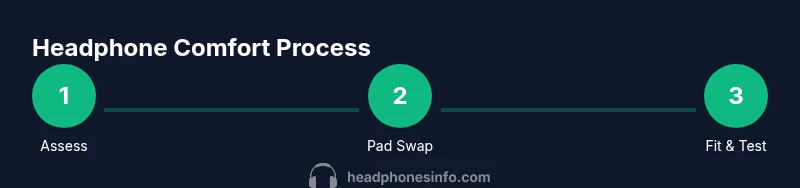
Assess current comfort and wear pattern
Put on the headphones and note where they press, which pads feel thin, and whether the headband bites or slides. Identify two to three focus areas for improvement.
Tip: Take notes on hot spots and sweat areas for material choice. - 2
Remove existing padding where safe
Gently detach the ear pads following manufacturer guidance or by prying with a non-metal tool to avoid damage. Keep screws and rings organized.
Tip: If pads are glued, skip removal to avoid damage; use gentle lifting. - 3
Clean and inspect the frame
Wipe the ear cups, frame, and headband with a soft cloth. Check for wear, cracks, or loose components that could affect fit.
Tip: Use mild cleaner and dry thoroughly before reassembly. - 4
Install new ear pads
Align new pads with the cup’s ridge, press firmly around the edge, and ensure a snug seal without compressing the driver.
Tip: Check for even seating all around; a lop-sided pad reduces comfort. - 5
Add headband padding and adjust fit
Slip on or attach the headband cushions, distribute weight evenly, and adjust the headband tension to reduce clamping without slippage.
Tip: If the band is still tight, consider a thinner pad or spacer. - 6
Test and fine-tune
Play music at a comfortable volume and vary head movement to confirm even contact. Make small adjustments and re-test for 10–15 minutes.
Tip: Document tweaks and re-test on different genres for consistency.
People Also Ask
Can replacing ear pads improve comfort on any headphone?
Padding replacements can improve comfort on most over-ear designs, but you must match the pad size and shape to the cup. If the pads don’t fit, pressure points may worsen. Always check compatibility before buying.
Padding replacements can help most over-ear designs, but you must match size and shape to the cup.
What if pads aren’t available for my exact model?
Look for third-party pads with similar diameter and attachment method, or consider manufacturer-approved accessories. Avoid pads with incompatible mounting.
If exact pads aren’t available, look for compatible third-party options or official accessories.
Will altering padding affect sound quality?
Comfort-focused padding changes primarily affect fit and seal; sound can be slightly altered if the seal changes, but the driver’s performance remains. Recheck after adjustments.
Pads mainly affect fit; sound may shift a bit if the seal changes.
Is it worth professional modification for clamping issues?
For persistent clamping issues or complex models, a professional mod can ensure safety and a balanced fit without damaging the headset.
If clamping remains a problem after DIY tweaks, a pro can help without risking damage.
How should I clean pads safely?
Use a mild soap solution or water with a soft cloth. Gently wipe the pads and let them dry completely before reusing to prevent mold.
Clean pads with mild soap and water, then dry thoroughly before wearing again.
How long do replacement pads typically last?
Lifespan depends on material and usage. Replace pads when they lose cushioning, crack, or become obviously worn to maintain comfort.
Pads wear out with use; replace when cushioning degrades or cracks appear.
Watch Video
What to Remember
- Assess pain points before changing parts
- Pad selection and fit have the biggest comfort impact
- Test in short sessions and document tweaks
- Choose breathable materials for hot environments