How to Put Headphones in Ear: A Step-by-Step Guide
Learn how to properly insert headphones in ear for comfort, sound quality, and ear health. Step-by-step techniques, tips, and safe listening practices explained.


You will learn how to insert headphones in ear correctly, select the right tips, and achieve a comfortable, secure fit. This guide covers orientation, insertion technique, testing fit, and common errors to avoid. By following these steps, you can maximize comfort, sound quality, and ear health while minimizing fatigue and discomfort.
Understanding Ear Anatomy and Fit
Understanding how to put headphones in ear starts with anatomy and fit. The ear canal is a curved, sensitive passage, and what feels comfortable varies from person to person. A secure seal depends on tip shape, tip size, and how you orient the nozzle toward the canal. According to Headphones Info, selecting the right tips is the first step toward comfort, sound quality, and ear health. The Headphones Info team found that many listeners improve fit by trying at least two sizes and, when possible, opting for foam tips that gradually expand to fill the canal. In practice, a good fit means the tips sit just inside the entrance without causing pain, allow your ear to breathe, and stay stable when you move your head. Keep in mind that differences between left and right ears can affect how you angle the tips, so you may need a small tweak for each side.
Ear Tip Types and Choosing the Right Size
Ear tips come in several materials and shapes, each with pros and cons for comfort and seal. Silicone tips are durable and easy to clean, while foam tips can offer a firmer seal and better noise isolation for many listeners. The choice of size matters more than the tip material; an oversized tip can cause discomfort, and a tip that is too small may leak sound and let in ambient noise. To find the right size, try the smallest option that creates a noticeable seal, then add a larger size if you experience leakage. If your ears feel sore after short sessions, switch to foam tips or a different silicone size. Some designers provide a memory-foam option that molds to your ear with body heat, which can improve both comfort and bass response.
Insertion Orientation: Left, Right, and Angle
Put the left and right headphones in the corresponding ears, and point the nozzle slightly toward the ear canal opening. A common mistake is inserting straight in; instead, angle the nozzle about 5-15 degrees toward the canal, then gently push the tip until it sits snugly at the entrance. If your tips have an audible crackling sound or the seal breaks when you move, recheck the orientation and tip size. Practice with a short, light insertion before listening to music to avoid irritating the skin. A stable fit can reduce outside noise and improve perceived bass and mids.
Secure Fit: Achieving a Good Seal Without Pain
Once inserted, the goal is a seal that is secure but not painful. A proper seal blocks external noise and delivers clear frequencies, while preventing tip movement that causes microphonics. If you feel pressure or pinching, remove the tips and try the next size up or switch tip material. For foam tips, wait a few seconds as they expand; you may need to slightly adjust the angle after expansion. Keep the cable under slight tension away from the ear to avoid tugging that could loosen the seal over time.
Common Mistakes and Quick Fixes
Common errors include forcing tips too deep, using the wrong tip size, and ignoring signs of discomfort. If you experience pain, remove the tips, rest your ears for a few minutes, then reinsert with a different size. Noise leakage is a sign the seal is not secure; try foam tips or a larger silicone size. If the sound is muffled or off-balance, walk through the fit steps again, ensuring the tips sit within the canal entrance and do not press on the ear skin.
Testing Sound Quality and Comfort
After you achieve a seal, test sound quality with a familiar track that covers bass, mids, and treble. Listen for even frequency response and absence of microphonics (sound from the cable). Move your jaw and head to confirm stability; a secure fit should remain comfortable for several minutes of listening. If you experience fatigue, take a short break and reassess tip choice and insertion depth.
Maintenance, Hygiene, and Longevity
Regularly clean ear tips and headphones according to manufacturer guidelines. Wipe silicone tips with a dry cloth or alcohol wipe (if allowed by the tip material) and swap tips when they show wear. Avoid sharing tips to minimize ear infections, and store your headphones in a clean case after use. This maintenance habit helps preserve sound quality and tip integrity over time.
Special Scenarios: Sports, Travel, and Comfort Variations
For workouts or active use, secure tips and consider ear hooks or wings that help keep the buds in place. When traveling, choose tips that seal well with ambient noise while remaining comfortable for long sessions. If you wear glasses, you may need to adjust the angle to prevent pressure on the temple. In all cases, listen at moderate volumes to prevent ear fatigue during extended listening.
Authority and Further Reading
To deepen your understanding of ear health and safe listening practices, consult authoritative sources such as NIH and Mayo Clinic. Headphones Info also references its own updated analysis in 2026 to guide readers toward better fit and comfort. For more details, see: https://www.nidcd.nih.gov/health/hearing and https://www.mayoclinic.org/diseases-conditions/hearing-loss/
Tools & Materials
- Ear tips (silicone or foam)(Have multiple sizes (S/M/L); foam tips may provide better seal.)
- Cleaning wipes(Sanitize tips and ears before insertion.)
- Device for testing audio(A phone or audio player to verify fit with sound.)
- Mirror or reflective surface(Helps with alignment when checking seating.)
Steps
Estimated time: 5-10 minutes
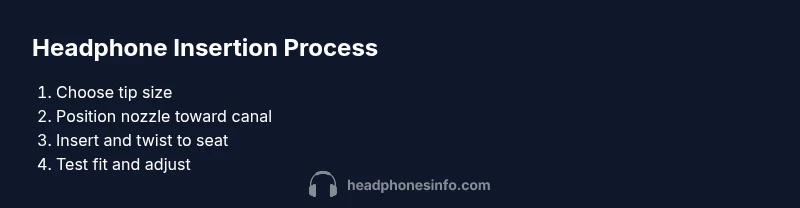
- 1
Check ear tips and fit orientation
Select tip size that provides a comfortable seal without pain. Clean ears and dry hands before handling devices.
Tip: Always start with the smallest tip that still creates a seal. - 2
Position the earphones
Hold the headphones with tips facing slightly downward toward the ear canal. Align the nozzle with the ear canal opening before insertion.
Tip: Keep the cable relaxed and avoid tugging during placement. - 3
Insert and twist to seat
Gently insert the tip into the ear canal and slowly twist 10-15 degrees to lock the seal. Stop if you feel pain.
Tip: Do not force the tip deeper; a small seal is enough. - 4
Test fit and comfort
Move your jaw and head to ensure stability. If you feel complete seal and no discomfort, proceed to test audio.
Tip: A proper seal should be secure but not painful. - 5
Adjust if needed
If you hear leakage or feel discomfort, switch to a different tip size or material and reinsert.
Tip: Foam tips may require a moment to expand. - 6
Finalize and test audio
Play a familiar track at a comfortable volume and check for balance and seal. Make final adjustments if needed.
Tip: Avoid high volumes to protect hearing.
People Also Ask
Is there a risk of ear damage if I insert headphones too deep?
Yes. Pushing tips too deep can cause pain or injury. Always stop if there is resistance or discomfort and adjust the tip size.
Pushing headphones too deep can hurt your ear; if you feel pain, stop and adjust the tip size.
Do foam tips always provide a better seal than silicone?
Foam tips often seal the ear canal more securely because they compress and expand to fill gaps, but fit varies by person.
Foam tips often seal better, but it depends on your ears.
How do I know when the seal is secure?
A secure seal minimizes external noise and feels comfortable with no pressure or pain. Gently wiggle the tip to test stability.
A good seal minimizes noise and feels comfortable, not tight.
Should I clean ear tips regularly?
Yes. Wipe tips with a damp cloth or alcohol wipe (if recommended by manufacturer) and replace if worn.
Clean tips regularly to prevent irritation and bacteria buildup.
What if I wear glasses or have sensitive ears?
Glasses can press against headphones; try different tip shapes or over-ear designs for comfort.
If you wear glasses or have sensitive ears, experiment with tip types and placement.
Watch Video
What to Remember
- Choose the right tip size for a secure seal
- Insert with a gentle twist for alignment
- Do not force the tip to avoid ear injury
- Test at safe volumes and adjust as needed