Headphones That Connect to Vizio TV: Quick Guide
Discover which headphones connect to Vizio TV—Bluetooth, wired, or adapters. Get setup steps, compatibility notes, and practical tips for seamless listening.


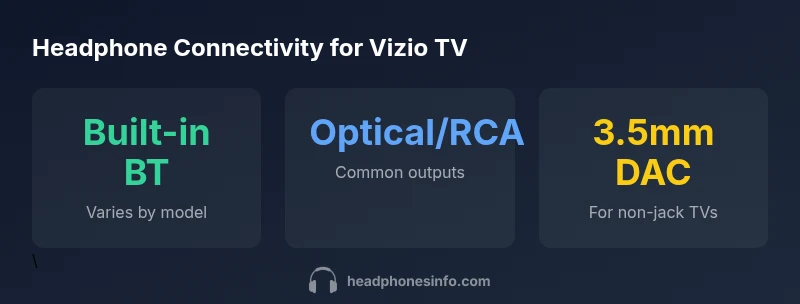
Bluetooth headphones work on many Vizio TVs that feature built-in Bluetooth; otherwise, use an external Bluetooth transmitter connected to optical or RCA outputs. For wired listening, plug into a 3.5mm jack if available, or use a DAC for USB/HDMI paths. See below for setup tips.
Compatibility landscape for what headphones connect to vizio tv
According to Headphones Info, compatibility hinges on your TV's outputs and features. In practice, many modern Vizio models support built-in Bluetooth, optical audio, and a 3.5mm jack on select models. If you’re asking what headphones connect to vizio tv, start by checking these options and plan for either wireless transmission or a wired pathway. This guide walks you through practical paths, so you can listen with confidence on your home setup.
Built-in Bluetooth: when it works best
Most newer Vizio TVs include Bluetooth for audio output, but implementation varies by firmware and model. If your TV shows a Bluetooth section in Settings, pairing is usually straightforward: put headphones in pairing mode, select the TV from the list, and confirm. Be mindful of lip-sync and latency; for TV watching, choosing headphones that support aptX Low Latency or similar can reduce lag. If your model lacks Bluetooth entirely, proceed to using an external transmitter.
External Bluetooth transmitters: bridging non-Bluetooth TVs
If your Vizio TV does not have built-in Bluetooth, an external transmitter lets you pair wireless headphones. Connect the transmitter to the TV’s optical or RCA outputs, then pair your headphones with the transmitter. Look for low-latency codecs and a compact USB power source. This setup gives you the same wireless freedom as native Bluetooth without compromising audio quality.
Wired listening options: 3.5mm jack and USB DACs
Wired listening remains reliable when Bluetooth is unavailable or inconsistent. If your Vizio TV has a 3.5mm headphone jack, you can plug standard headphones directly. For TVs without a jack, a USB DAC or USB-C audio adapter can create a standard 3.5mm output. Remember that USB DACs require compatible ports and may need driver support or passive adapters depending on the TV model.
Optical out and HDMI ARC: bridging to headphones
Some Vizio TVs expose an optical (TOSLINK) or HDMI ARC output. A simple DAC or converter lets you translate optical out into a analog 3.5mm signal, which you can route to headphones. If you use HDMI ARC, ensure your receiver or adapter supports the necessary audio format. This path is useful when you want to preserve high-quality audio while using wired headphones.
How to choose headphones for a Vizio TV
Prioritize low-latency wireless options if you plan to watch TV. Look for headsets that support aptX Low Latency or similar codecs, or pick a wired model with a well-fitting earcup and long cable. Consider comfort for long sessions and the TV's room acoustics; closed-back designs help isolate sound so you don’t wake others.
Setup steps: quick start guide
- Check the TV outputs and determine if Bluetooth is built-in. 2) If Bluetooth is available, pair headphones via TV Settings. 3) If not, choose an external transmitter and connect it to optical or RCA outputs. 4) For wired headphones, confirm the TV’s jack or connect a DAC. 5) Test lip-sync and set volume balance in your TV's audio settings.
Troubleshooting common issues
If audio cuts out, check transmitter pairing, battery levels, and proximity. If lip-sync is off, enable audio delay or choose a low-latency mode. Ensure firmware on the TV and transmitter is up-to-date, and verify that your headphones are compatible with the chosen transmission method.
Real-world scenarios and model considerations
In a room with bright lighting, Bluetooth can cause occasional interference; prefer low-latency headphones. For older Vizio models, a dedicated DAC or analog path may be the simplest route. Always confirm model-specific outputs in the user manual before buying new headphones.
Connectivity options for headphones with Vizio TVs
| Connectivity Type | Headphone Type | Typical Setup |
|---|---|---|
| Bluetooth Headphones | Wireless over-ear | Pair via TV Bluetooth settings (if supported) |
| Wired Headphones (3.5mm) | Wired | Plug into 3.5mm jack or use DAC if unavailable |
| External Bluetooth Transmitter | Wireless | Transmit from Optical/Line-out to headphones |
People Also Ask
Do all Vizio TVs have built-in Bluetooth?
No. Bluetooth availability varies by model and firmware. Check Settings > Audio or Bluetooth to confirm.
Most newer Vizio models support Bluetooth, but some older ones may not.
Can I connect any Bluetooth headset to a Vizio TV?
Not every headset will pair or perform well. Check codec support and lip-sync performance; low-latency codecs help with TV audio.
Some headsets may lag; pick ones with low-latency support.
How do I pair wired headphones with a Vizio TV that lacks a headphone jack?
Use a USB DAC or HDMI audio extractor to create a 3.5mm output, then connect wired headphones.
If there’s no jack, use a DAC or adapter to get a 3.5mm output.
What is the best way to minimize lip-sync issues with wireless headphones and a Vizio TV?
Choose low-latency transmitters/headphones and ensure TV and transmitter firmware are up to date.
Get a low-latency setup and keep firmware current.
Do Vizio TVs support multi-device pairing for headphones?
Most TVs pair with a single headset at a time; check model specifics and consider external transmitters for multiple listeners.
Usually you can pair just one headset at a time.
“Bluetooth compatibility on Vizio TVs is generally reliable, but for best lip-sync, choose low-latency codecs and verify transmitter latency.”
What to Remember
- Check built-in Bluetooth first; many Vizio TVs support it.
- If Bluetooth is missing, use an external transmitter connected to optical or RCA output.
- Wired headphones require a 3.5mm jack or a DAC solution.
- Latency matters; prefer low-latency codecs when possible.
- Always test lip-sync and volume balance after pairing.