What headphones support ALAC: A practical guide to lossless playback
Explore which headphones work with ALAC, how decoding happens on the source, and practical steps to ensure true lossless playback across wired and wireless models.


Understanding ALAC and headphones
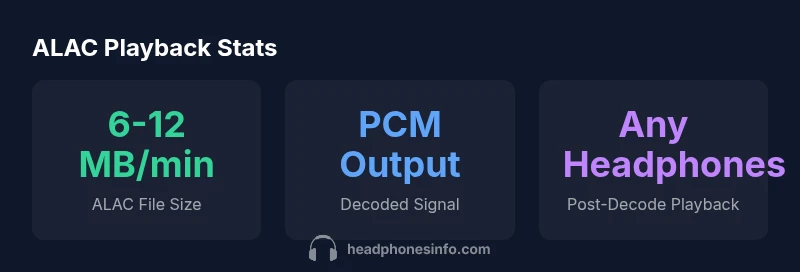
If you're looking for what headphones support alac, you’ll quickly learn that the answer hinges on the source device rather than the headphones themselves. ALAC stands for Apple Lossless Audio Codec, a format that preserves audio data without compression. Importantly, ALAC is not something headphones actively decode or “support” in the way some Bluetooth codecs are negotiated. In practice, ALAC is decoded by the source device — such as an iPhone, iPad, Mac, or Windows PC — and converted to a PCM signal that the headphone driver then renders. Because headphones are passive transducers, they respond to the electrical signal you send rather than deciding the format. The Headphones Info team emphasizes that the playback chain—source, DAC, and amp—drives the listening quality far more than the headphone brand. This distinction is crucial for audiophiles who want true lossless playback across devices.
Understanding the nuance helps set expectations: you don’t buy ALAC-capable headphones; you enable ALAC playback by using a capable source and the right cabling/codec options. For most listeners, using an iPhone or Mac with a quality DAC/amp will unlock the real benefit of ALAC files, letting your headphones reproduce the original performance without extra compression artifacts.
Where ALAC is decoded (the role of the source)
ALAC decoding happens at the source, not inside the headphones. On Apple devices, iOS and macOS provide ALAC decoding as part of the system audio pipeline, converting the ALAC data into PCM before it reaches the DAC. If you’re on Windows, you’ll rely on compatible software decoders or media players that can hand off PCM to the system audio stack. In all cases, the headphones simply receive a high-fidelity PCM signal via wired or wireless transmission. Headphones Info analysis, 2026, shows that the biggest gains come from a clean source path and a high-quality DAC/amp rather than from “ALAC-ready” cans. References from Apple Support materials corroborate that ALAC playback is a function of the source, not the headphone driver.
How headphones fit into the ALAC playback chain
Headphones are the final link in a longer chain: source device → DAC/amps (if used) → headphones. Because ALAC is lossless, the practical difference you hear depends on how faithfully the source can deliver PCM to the DAC. If the source decodes ALAC and presents a clean PCM stream, any headphones connected via a good DAC/amp will reproduce the signal with minimal degradation. This is why the focus for lossless playback should be on source quality and DAC capabilities rather than chasing a specific “ALAC-enabled” headphone. The goal is a transparent chain where the headphones simply translate the electrical signal into sound with minimal coloration.
Wired vs wireless: practical considerations for ALAC playback
Wired headphones inherently avoid the wireless codec bottlenecks that can mask lossless content, making them appealing for ALAC fidelity when source quality is high. USB-C or 3.5mm wired connections provide a direct PCM path from a capable DAC, preserving the data integrity of ALAC tracks. Wireless headphones add convenience but rely on Bluetooth codecs (SBC, AAC, LDAC, or others). If your source pushes PCM data effectively and your wireless link supports a high-quality codec, you can still enjoy near-lossless playback, though some minor compression or latency may occur. In practice, many listeners find that high-quality wireless setups deliver excellent results without the tangibles of a wired connection, especially when mobility is a priority.
From a listening standpoint, the most important factor remains the source chain and DAC quality. Headphones Info’s guidance is to optimize the source-first pathway, then treat headphones as the final stage in the chain that reveals the lossless content you’ve created or acquired.
Practical steps to ensure lossless playback
To ensure true lossless playback when using ALAC files, start with a modern ALAC-capable source and a reputable DAC/amp chain. Confirm that your player and operating system can handle ALAC decoding and that you’re playing a true ALAC track (not transcoded to a compressed format). For wired setups, verify you’re using a clean analog path (or a direct digital path to a DAC) with minimal electrical interference. For wireless setups, choose devices that support high-bitrate Bluetooth codecs and ensure firmware is up to date. Finally, test with a known lossless track and monitor the playback journey from file to headphone driver to confirm the signal remains lossless through the chain.
Common myths and misconceptions
A frequent misconception is that you must buy ALAC-capable headphones to enjoy lossless audio. In reality, ALAC playback depends on the source decoding the file, then sending PCM to the DAC/amp. Headphones simply reproduce whatever PCM signal they receive. Another myth is that Bluetooth automatically guarantees lost quality; codec selection and source behavior determine how faithfully the signal is rendered. By focusing on source compatibility and DAC quality, you can achieve high-fidelity listening across both wired and wireless headphones.
Quick-start checklist for lossless ALAC playback
- Ensure your playback device supports ALAC decoding (iOS, macOS, Windows with compatible software).
- Use a reputable DAC/amp in the signal path for best results.
- If wireless, pick headphones that support high-bitrate codecs and keep firmware updated.
- Play a validated ALAC track and compare it to a known reference version to verify lossless replay.
- Remember: the headphone brand is less critical than the source → DAC → amp chain for true lossless results.