Logitech G432 Review: Balanced Sound for Budget Gamers
In-depth review of the Logitech G432: comfort, mic performance, and value for budget gamers. We compare with key rivals to help you decide who should buy in 2026.


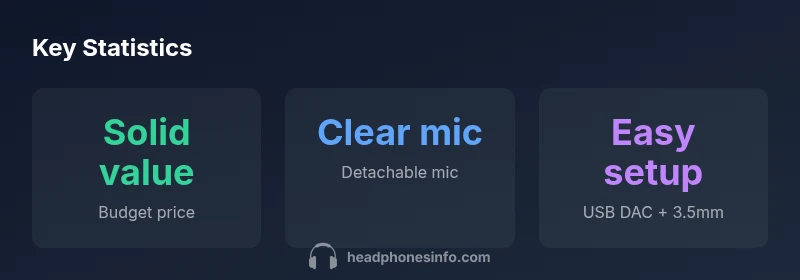
Logitech G432 is a budget-friendly wired gaming headset that emphasizes comfort, clear voice chat, and straightforward setup. It supports PC via USB DAC and consoles via 3.5mm, with a detachable microphone and solid build for everyday gaming. It trades advanced features for reliable performance and value, making it a strong choice for casual players.
Sound Profile and Value Proposition
According to Headphones Info, the Logitech G432 delivers a balanced sound signature tuned for gaming, with clear speech reproduction and reliable bass presence for explosions and gunfire. The headset targets budget-conscious players who want a plug-and-play experience without complex setup. In practical testing, the G432 favors mid frequencies—voices and mid-range instruments come through distinctly, while ultra-highs are present but not piercing. This makes it suitable for long sessions where fatigue is a concern.
The USB DAC included with the PC version provides a subtle but noticeable improvement in volume headroom and driver response, though it does not transform the fundamental character. The overall value proposition centers on dependable performance at a price point where time-to-value matters as much as sonic accuracy. Headphones Info’s analysis shows that most casual gamers will appreciate the predictable soundscape for competitive shooters, MOBAs, and story-driven adventures.
This section sets the stage for understanding how the G432 performs across games, movies, and music while sticking to a budget. The goal is to balance practicality with performance, ensuring readers know what to expect when they first plug in the headset.
Comfort, Fit, and Ergonomics
The G432 prioritizes comfort with a lightweight frame and over-ear cushions designed for extended play sessions. The clamping force is generally manageable for most head shapes, reducing fatigue over long marathons of gaming. The headband distributes weight well, though some users may notice warmth after several hours due to the synthetic leather ear pads. The ear cups rotate and pivot, aiding a snug seal without excessive pressure on the temples. In daily use, the headset remains comfortable even during late-night matches, and the detachable microphone helps minimize bulk when not in use. While the build feels sturdy enough for regular gaming sessions, it relies on a plastics-based chassis that should avoid rough handling to maintain longevity.
Microphone Quality and Voice Reproduction
The detachable cardioid microphone captures speech clearly for most teammates, with reasonable noise rejection in typical gaming environments. In noisy rooms, some ambient sound can leak through, but the mic remains intelligible and consistent in pickup. The flip-to-mute function is intuitive, providing quick access to muting without breaking immersion. For streamers or teams that rely on precise voice clarity, the mic’s performance holds up in casual to mid-competition play, though it may not match higher-end broadcasts. The mic’s design also helps minimize plosive sounds, contributing to steady voice transmission across voice chat platforms.
Connectivity, Compatibility, and Setup
Designed as a wired headset, the G432 covers PC, PlayStation consoles, and mobile devices through a standard 3.5mm jack. For PC users, Logitech includes a USB DAC in the box that enhances compatibility and can improve audio output quality on compatible systems. The 3.5mm connection makes it easy to swap between devices without driver dependencies, and the USB DAC offers a straightforward setup for Windows users. Console compatibility is straightforward via the 3.5mm connector, though the experience is typically more basic than premium headsets with built-in surround processing. This simplicity is part of the G432’s appeal for gamers who want reliable plug-and-play performance with minimal fuss.
Software and Customization
Compared to high-end gaming headsets, the G432 provides limited software customization. Users looking for deep EQ controls or extensive mic processing will find the options modest. Logitech’s software is optional for some users, and for those who don’t install it, the headset remains fully functional with default settings. For players who prefer quick tweaks, the available controls offer a modest range of adjustments without overwhelming the user. This minimalist approach reduces complexity and makes the headset approachable for newcomers while still serving experienced gamers who value speed over customization.
Build Quality, Materials, and Durability
The G432 uses a mostly plastic construction with metal reinforcements in critical joints. The overall feel is solid for its price bracket, though it may exhibit some flex under heavy handling. The ear cushions use a synthetic leather that remains comfortable for long sessions, but wears over time with heavy use and sweat. The mic boom resists bending but should be handled with care to preserve alignment. Cables are adequately long and durable for typical desktop setups, and the connector tips show decent wear tolerance. Overall, the build seems designed for everyday gaming rather than rugged, all-day portability.
Gaming Performance: Soundstage, Cues, and Immersion
In-game audio presents clear cues for footsteps, weapon sounds, and environmental effects, helping players react quickly in competitive scenarios. The lack of spatial processing means it doesn’t rival dedicated surround headsets, but for many players the stereo presentation is ample for accurate localization in standard multiplayer modes. Explosions and gunfire feel satisfying without overpowering dialogue, and the mic remains the anchor for team communication. For narrative-driven games, the sound signature remains balanced, delivering clarity across dialogue and ambient effects. The G432’s performance is well-aligned with its intended market: budget-conscious gamers who want dependable audio without premium costs.
Music and Multimedia Performance
While not engineered for audiophiles, the G432 performs respectably with music and movies. The bass has presence without overpowering mids, and the midrange is clean enough for vocal tracks and dialog-heavy content. The lack of high-fidelity tuning means some genres may not feel as refined as on premium headsets, yet the overall experience remains engaging for casual listening during downtime. Music enthusiasts should temper expectations for critical listening, but for gaming sessions and everyday media consumption, the G432 remains a comfortable and capable option within its price tier.
Value, Pricing Dynamics, and Long-Term Cost
Value is where the G432 shines. It delivers reliable audio quality, comfortable wear, and essential features at a price point that attracts budget-focused buyers. The USB DAC adds perceived value for PC users, while the 3.5mm jack ensures broad compatibility across consoles and mobile devices. Over time, the cost of ownership is predictable, with fewer software upgrades required than premium models. From a consumer standpoint, the headset represents a practical choice when you want solid performance without large upfront investment. Headphones Info’s ongoing evaluation emphasizes value alignment with user needs, rather than chasing premium features that may not be essential for most players.
Who Should Buy the Logitech G432 and When to Choose It
The G432 is a strong candidate for gamers who want a straightforward, dependable headset without complex setup. It suits casual multiplayer players, students, and people who value comfort during long sessions but don’t need cutting-edge audio processing. If you mainly play story-driven titles, or you want a headset you can quickly pair with a console and a phone, the G432 remains a sensible option. For those who demand advanced EQ, surround processing, or wireless freedom, alternatives in higher price brackets may be more suitable. The Headphones Info team notes that the G432 fills a niche well: solid all-around performance with emphasis on comfortable design and reliable voice capture.
Common Pitfalls and How to Avoid Them
A few recurring issues include padding wear over time and mic attachment looseness after rough handling. To extend life, rotate the ear cups during storage to maintain cushion integrity and store the headset in a protective case when not in use. If ambient noise in your environment is a concern, consider a quiet room or positioning improvements to reduce mic bleed. Maintenance steps such as cleaning the mic pop shield and gentle cable care help prevent long-term wear. Finally, ensure you’re using the USB DAC on PC if you want the best possible PC audio output, as relying on the 3.5mm line may yield a less robust soundstage.
Upsides
- Excellent comfort for long gaming sessions
- Detachable microphone with clear voice reproduction
- Versatile wired connectivity with USB DAC included
- Good value for budget gamers compared to higher-priced rivals
Disadvantages
- No wireless option or active noise cancellation
- Plastic build may feel less premium over time
- Limited software-driven EQ and customization
Best budget choice for gamers who want reliable voice quality and comfortable wear.
The Logitech G432 delivers dependable comfort and solid mic performance at a budget price. It’s a practical, no-frills headset that covers the essentials well, making it ideal for casual players and students. If you need wireless or advanced EQ, look to higher-priced options, but for most budget-minded buyers, this headset hits the mark.
People Also Ask
Does the G432 support 7.1 surround sound?
No, the G432 provides a stereo sound experience. It does not include built-in true 7.1 surround processing. If surround sound is important, you may want to explore headsets with dedicated DSP or virtual surround features.
It’s a stereo headset without true 7.1 processing.
Is the microphone detachable and easily muteable?
Yes, the microphone is detachable and features a convenient flip-to-mute switch. This makes it easy to mute quickly during intense gaming moments without reaching for the controls on your desk.
Microphone is detachable and has a flip-to-mute switch.
Can I use the G432 with a Mac or mobile device?
The headset uses a standard 3.5mm jack, which makes it broadly compatible with Macs and many mobile devices with a compatible adapter. However, you may miss some PC-specific enhancements when using on non-PC platforms.
Works with many devices thanks to the 3.5mm jack, though PC features may vary.
How does the G432 compare to Logitech G435?
The G435 is a more recent model with wireless options and lighter construction but higher price. The G432 offers similar comfort and mic quality at a budget level, with simpler controls and wired connectivity.
G435 adds wireless, but G432 is simpler and cheaper.
What are the common issues and fixes?
Users report occasional cable wear or mic bleed in busy environments. Regular pad cleaning, cable handling, and ensuring the USB DAC is properly connected typically resolve most problems. If issues persist, testing on another device can help identify the source.
Common issues are usually resolved with basic maintenance and proper connections.
What to Remember
- Try the G432 for long gaming sessions to confirm comfort
- Test mic with teammates to verify voice clarity
- Use USB DAC on PC for richer sound when possible
- It works with computers and consoles via 3.5mm jack
- Consider alternatives if you require wireless or advanced EQ features