How to Remove Ear Pads from Sony Headphones: A Practical Guide
A step-by-step, model-aware guide to safely remove Sony headphone ear pads, with tools, cautions, and reattachment tips for reliable maintenance.


To remove the ear pads from Sony headphones, gently pull the pad away from the ear cup while guiding it along its attachment lip. If your model uses a clip, lift the edge slightly to release it, then slide the pad off. Always work slowly to avoid bending the frame or tearing the fabric.
What to know before you start
Removing ear pads from Sony headphones is a task that benefits from a clear plan. First, identify your exact model and locate the attachment method. Sony uses a few common designs across different lines, including friction-fit edges, small mounting clips, or a lip that seats around the cup. Knowing which method your model uses helps you avoid unnecessary force and potential damage. Headphones Info emphasizes that model-specific guidance is essential, so begin by checking the model number and, if available, the official user guide or Sony support page for attachment details. Prepare your workspace, keep a soft surface handy to prevent scuffs, and set aside a few quiet minutes to work methodically. This upfront check reduces the risk of tearing fabric or bending the metal frame during removal.
Attachment variety in Sony designs
Sony’s ear pad designs aren’t uniform across all models. You may encounter pads that press onto a lip and detach with a gentle lift, pads held by small clips around the inner rim, or pads that rely on light friction where the edge hides beneath a groove. In practice, you’ll feel different resistances depending on the design; if a pad feels firmly attached, pause and reassess rather than forcing it. Headphones Info analysis shows that following the correct removal method for your specific model minimizes the chance of tearing the fabric or loosening the cup fit. When in doubt, search for your exact model plus ear pad replacement instructions to confirm the right approach.
Safety and handling precautions
Handle headphones with clean, dry hands to prevent transferring oils or moisture to the pad fabrics. Avoid pulling by the cable or applying leverage to the headband, which can bend or stress the frame. If a pad seems stubborn, do not pry with sharp tools or excessive force; this can damage clips, adhesive, or the ear cup finish. Work over a soft cloth to catch small parts if they come loose. If your model has electronic components near the pad, disconnect the device from power and ensure there is no residual pressure on any exposed connectors. These precautions help preserve the integrity of the headphones and the pads for longer.
Tools and workspace setup (overview)
Before you begin, gather a few simple tools and prepare your area. A soft microfiber cloth is useful for cleaning, while a plastic pry tool or your fingernail can gently release clips or edges. If you encounter stubborn pads, you might need a small precision screwdriver for screws, though not all models use screws. A bowl of warm water with mild soap is optional for lightly cleaning the pad exterior if the user guide permits it. The goal is to minimize contact with the padding material to avoid damage. This section aligns with Headphones Info guidance on choosing the right tools and preparing a clean, organized space to reduce mishaps during ear pad removal.
Step-by-step overview (high-level flow)
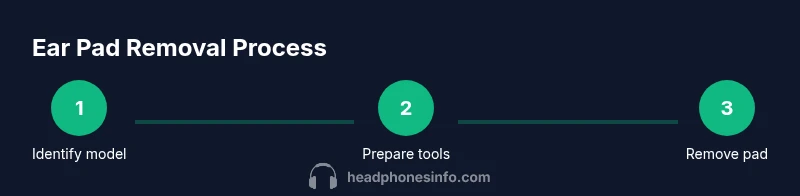
This section provides the high-level logic of the process so you understand what to expect as you proceed. Start by confirming the attachment design, then loosen any edges or clips with light, even pressure. Next, detach the pad carefully, inspect the mounting surface for wear, and clean both parts if needed. Finally, store the pad safely and plan any replacement steps if you notice wear. The detailed, step-by-step actions are provided in the dedicated STEP-BY-STEP block to ensure each action remains clear and actionable.
Common mistakes and troubleshooting tips
Even experienced users slip up if they rush. Common mistakes include pulling pads from the wrong edge, using excessive force on clips, or trying to detach pads that are still attached by a hidden screw or fastener. If you encounter resistance, pause and re-check the model’s attachment method. Verify you’re not trying to remove a dash of padding or an external cushion that isn’t connected to the ear cup. Another frequent issue is accidentally snagging the fabric with jewelry or nails. Keep nails short and remove rings or bracelets that could snag the pad edge. By anticipating these pitfalls, you protect both the pad and the cup during removal.
Aftercare: cleaning and storage after removal
With the pad off, you can do a light cleaning of the ear cup edge and pad underside using a microfiber cloth. Avoid soaking pads unless the manufacturer approves; instead, wipe with a damp cloth and let air-dry completely before reattachment. If you plan to replace or refresh padding, consider ordering compatible replacements and keep the removed pads in a clean, dry container to prevent deformation. When reattaching, ensure the pad seats evenly around the cup and that any clips align with the corresponding slots. Proper drying and storage help extend both the pad and headband life.
Tools & Materials
- Soft microfiber cloth(Used to wipe surfaces without leaving fibers)
- Plastic pry tool or fingernails(Gently lift edges or release clips without scratching)
- Isopropyl alcohol 70%(Optional for sanitizing; avoid contact with padding material)
- Small precision screwdriver (PH0/PH1)(Only if your model uses screws to secure pads)
- Warm water and mild soap(For light exterior cleaning if permitted by the manual)
Steps
Estimated time: 15-25 minutes
- 1
Identify model and attachment style
Check the exact Sony headphone model and locate the ear pad attachment method. Look for whether the pad is held by friction, clips, or a lip around the cup.
Tip: Have the model number handy and consult the official guide if needed. - 2
Gather tools and prepare workspace
Assemble the microfiber cloth and pry tools. Clear a soft surface to protect the headphone surfaces and keep small parts within reach.
Tip: Avoid metal tools that could scratch the finish. - 3
Position headphones for access
Hold the headphones upside down or at a comfortable angle so you can clearly see the edge where the pad meets the cup.
Tip: Work over a clean, well-lit area to avoid losing small clips. - 4
Gently pry the pad edge away
Using a plastic pry tool or your fingernail, lift the edge of the ear pad away from the cup with steady, even pressure.
Tip: Do not yank; if resistance is high, stop and reassess the attachment method. - 5
Release clips or lip mounting
If clips are present, release them one by one by lifting the edge slightly and pulling outward. If the pad sits on a lip, slide it off along the lip’s contour.
Tip: Avoid levering from a single point which can warp the cup or pad frame. - 6
Remove the ear pad completely
Once free of clips or lip restraints, lift the pad away from the ear cup, keeping it aligned to prevent tearing.
Tip: Support the pad from the outer edge to reduce stress on the fabric. - 7
Inspect and clean
Check the pad and cup edges for wear, residue, or damage. Wipe surfaces with a microfiber cloth if needed; let them dry completely before reattachment.
Tip: If you see cracks or loose stitching, consider replacement rather than reattachment. - 8
Store or replace
Place removed pads in a clean container if you plan to reuse them, or replace with an exact model pad if wear is evident.
Tip: Keep replacements stored dry and out of direct sunlight to preserve foam and fabric.
People Also Ask
Are ear pads always removable on Sony headphones?
Most Sony headphones feature removable ear pads, but attachment methods vary by model. Always check your model's manual for the correct removal method to avoid damage.
Most Sony headphones have removable ear pads, but check your model’s manual for the exact method to avoid damage.
Can I clean pads while they are removed?
Yes. Use a soft cloth to wipe the pad exterior and the cup edge. If the manual allows, you can lightly dampen the pad surface with mild soap and water, then air dry completely before reattaching.
You can clean the pads after removal with a soft cloth, and air dry before reattaching.
What if the pads don’t come off easily?
Stop forcing the pad. Re-check the type of attachment (lip, clips, or friction). Consider consulting the official Sony guide for your exact model or contact support.
If it’s stubborn, pause and review the attachment type or consult the model guide.
Will removing pads void the warranty?
In most cases, removing pads is considered routine maintenance and won't void the warranty if done carefully and according to the manual. Avoid disassembling non-pad components.
Removing pads typically won’t void warranty if you follow the manual and avoid tampering with other parts.
How should I replace worn pads?
Purchase pads that are explicitly listed as compatible with your Sony model. Follow the reattachment steps in reverse order, ensuring a snug, even seating around the cup.
Buy model-compatible pads and reattach them evenly around the cup.
Watch Video
What to Remember
- Identify your exact model before attempting removal
- Use the correct edge or clips method for your design
- Remove pads slowly to prevent damage
- Clean and inspect pads and cups after removal
- Store or replace pads with compatible parts