Best Way to Sleep with Headphones: A Practical Guide
Learn the safest, most comfortable ways to sleep with headphones. This guide covers sleep-friendly designs, positioning, volume guidelines, content choices, and hygiene tips for better rest.


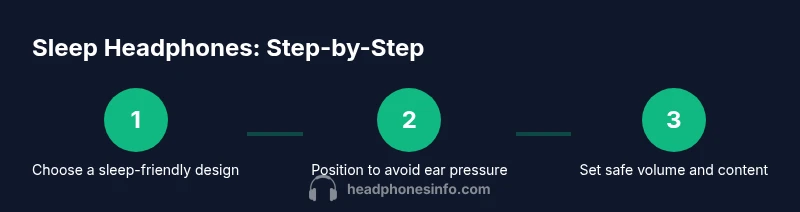
The best way to sleep with headphones is to choose sleep-friendly, soft designs (like wraparound or pillow speakers), keep volume low and time-limited, ensure a comfortable fit without pressure, and position the device away from the ear canal. Follow this steps-based approach for safer, more comfortable rest.
Why sleeping with headphones can work
For many listeners, headphones during sleep offer a way to mask ambient noise, enjoy calming audio, or fall asleep faster. The best way to sleep with headphones depends on your sleeping style, ear comfort, and the content you listen to. This guide focuses on safe, comfortable approaches that minimize pressure and heat while preserving sound quality. According to Headphones Info, the right combination of design choices and usage habits can make sleep-friendly listening feasible for a wide range of sleepers. The Headphones Info team found that soft, breathable materials and wireless designs consistently rate higher in comfort and perceived restfulness than bulky, wired alternatives. When choosing a setup, prioritize fit, material, and safety features over fancy specs. The goal is not to blast music but to create a gentle acoustic environment that supports quiet wake-ups and deeper rest.
In 2026, many sleepers report that a thoughtful setup—paired with mindful listening habits—helps them get to sleep faster and stay asleep longer. Headphones Info’s analysis emphasizes that comfort and breathability are nearly as important as audio quality when sleep is the goal.
Types of headphones for sleep
Sleep-specific options come in several forms. Pillow speakers are placed under the pillow to emit sound without pressing on the ear. Sleep headbands wrap around the head and hide speakers in a soft fabric layer. Traditional earbuds or on-ear designs can work if they use memory foam tips and a flat, flexible frame. For restless sleepers, bone-conduction headphones can be an alternative that reduces outer-ear pressure. In all cases, choose a design that reduces heat buildup, uses soft materials, and maintains a low profile to minimize discomfort during long nights. Headphones Info suggests starting with a lightweight, wireless option to avoid cord tangling.
Choosing the right type depends on your sleep position, tolerance for pressure, and how easily you move during the night. A breathable fabric headband with embedded speakers often suits side sleepers best, while pillow speakers can be ideal for back sleepers who want minimal contact with the ear canal.
Comfort and safety considerations
Comfort and safety should guide every sleep headphone choice. Pressure on the ear canal, heat buildup under the cheekbone, or rough fabric rubbing against skin can ruin a night's rest. Look for breathable fabrics, adjustable fits, and soft sealing edges. If you share a bed or sleep with a partner, opt for a design that stays in place without needing strong head movement. The Headphones Info analysis highlights that cushions and headbands with gentle clamping force tend to be more comfortable over long sessions. Always remove headphones if you experience dizziness, pain, or muffled hearing after waking. Regular inspections for wear and tear can prevent unexpected failures during the night.
Setup and positioning for best sound and comfort
Position matters as much as the headphone type you choose. Lie on your back or opt for a side with minimal pressure on the ear headphone area. If using pillow speakers, place them so the sound is directed toward your ears without applying direct pressure on them. Manage cables carefully to avoid tangling or accidental yanking. Consider wireless designs with a short, integrated cable that tucks along the side of your pillow and prevents bulk behind the head. Gentle adjustments to the fit can make a night-and-day difference in comfort and stability.
Audio content and volume guidelines for safe sleep
Choose audio content that is calming and non-disruptive. Gentle music, nature sounds, or narrated sleep guides work best for many sleepers. Keep playback at a level you can barely hear, so it blends into the background rather than demanding your attention. Use features like volume limit or timers if available. The goal is a consistent, unobtrusive sound layer that fades naturally as you drift into deeper sleep. If you wake up with headphones still on, remove them and reassess comfort before trying again. Headphones Info analysis shows that smooth, gradual audio transitions reduce awakenings caused by abrupt changes.
Maintenance and hygiene for sleep headphones
Hygiene matters when you wear headphones during sleep. Clean the cushions, fabric spans, and ear-facing surfaces regularly with a gentle wipe and mild soap if safe for the material. Let components dry fully before use. Store devices in a cool, dry place away from direct sunlight. If you share a bed, consider washing fabric parts weekly to prevent oil buildup and odor. Check for wear and tear on cables, bands, and seals; replace worn pieces promptly to avoid irritation or failure in the middle of the night. A simple nightly routine helps keep gear comfortable and safe over months. The Headphones Info team notes that clean gear correlates with higher perceived restfulness and fewer irritation incidents.
Troubleshooting common problems
Discomfort after long sessions can indicate that the fit is off or the material is irritating the skin. Slippage during sleep can be resolved by using a securing strap or adjusting pillow placement. If you hear muffled sound or gaps in the audio, inspect the cushions for wear and ensure correct seal. If the device becomes warm, cease use and allow cooling; excessive heat can irritate skin and harm the electronics. For cord-based devices, untangle and re-route cables to reduce resistance and strain. If noise is inconsistent, swap to a different audio track or adjust your position. These fixes are practical and quick to implement.
Practical recommendations and product picks
Because everyone's sleeping habits differ, it's best to test a few safe, sleep-friendly designs rather than commit to a single option. Consider a wraparound or pillow-speaker setup if you sleep on your back; if you sleep on your side, opt for ultra-thin, soft-ear cushions or a fabric headband with embedded speakers. Look for devices with breathable materials, low weight, and cordless operation. The Headphones Info team recommends starting with a simple, forgiving setup and gradually dialing in fit, volume, and content over a week. This patient approach helps you find a setup that supports restful nights without causing discomfort.
Putting it all together: a simple nightly routine
Develop a quick pre-sleep routine that includes checking your headphones, testing listening at a low level, and setting a sleep timer. Create a comfortable sleeping posture, align your head with the pillow, and ensure the device isn’t pressing on the ear. After you finish listening for the night, remove and store the gear to extend its life. Regularly review your comfort and adjust as needed, noting improvements in your rest over time. The Headphones Info team would conclude with a practical verdict: with careful selection and routine, sleep with headphones can be a safe, enjoyable routine.
Tools & Materials
- Sleep-friendly headphones (wraparound, pillow speakers, or ultra-thin wireless buds)(Choose a design with soft, breathable fabric and a light profile.)
- Soft headband or eye mask (optional for comfort and blocking light)(Helps keep gear from shifting and improves sleep environment.)
- Cable management accessories (clips or velcro)(Use only with wired designs to prevent tangling.)
- Cleaning supplies (mild soap, microfiber cloth)(Keep cushions and fabrics clean to prevent irritation.)
- Wireless power option (battery pack or USB power bank)(Prefer lightweight and compact packs to minimize weight on pillow.)
Steps
Estimated time: 15-25 minutes
- 1
Assess sleeping position and choose design
Evaluate whether you sleep mostly on your back or side and pick a sleep-friendly headphone type accordingly. If you move a lot at night, lean toward a lightweight, flexible option that minimizes pressure.
Tip: Test comfort for 5–10 minutes while seated before lying down. - 2
Prepare the setup and cable management
Arrange the device so it won’t press on the ear canal. If using cords, secure them with clips or tuck them along the pillow to avoid tugging.
Tip: Use wireless whenever possible to reduce entanglements. - 3
Load calm audio and test at low volume
Select a calming track or sleep guide. Play at a gentle level and ensure you can hear ambient sounds without straining to listen.
Tip: Prefer content with long, smooth transitions to minimize abrupt awakenings. - 4
Set a safe timeout or auto-off
Use a timer to prevent overnight exposure. This helps you avoid long listening sessions that may disrupt sleep.
Tip: If your headphones lack a timer, plan to unplug after a set duration. - 5
Monitor comfort and adjust fit
If you wake with discomfort, reposition or switch to a softer cushion and check for pressure points.
Tip: Make small, iterative changes across several nights to find the sweet spot. - 6
Hygiene and storage after use
Wipe down surfaces, air-dry, and store in a cool, dry place. Replace worn cushions promptly.
Tip: Establish a nightly routine where gear is checked and stowed before bed.
People Also Ask
Is it safe to sleep with headphones?
Sleeping with headphones can be safe when you choose comfortable designs, avoid high volumes, and ensure proper fit. If you experience pain, numbness, or dizziness, stop and adjust your setup. Always monitor usage and hygiene.
Sleeping with headphones can be safe if you pick comfortable gear, keep volumes low, and monitor for any discomfort. If anything feels wrong, stop and adjust.
What type of headphones are best for sleeping?
The best options are soft, breathable designs such as wraparound headbands or pillow speakers. They minimize pressure and heat while staying in place during sleep.
Soft, breathable headbands or pillow speakers are usually the best sleep headphones because they minimize pressure and stay comfortable overnight.
How should I position headphones while sleeping on my side?
If you sleep on your side, choose ultra-thin, soft cushions and position the speakers away from the ear canal. Avoid bulky gear that presses into the ear.
Side sleepers should use thin, soft cushions and avoid tight gear that presses on the ear.
Can listening to audio while sleeping affect sleep quality?
Calming, non-disruptive audio can help some people sleep, but loud or jarring content may wake you. Use gentle content and timers to minimize disruption.
Calming audio can help you sleep, but loud or sudden sounds can wake you. Use gentle content and timers.
How do I wake up without headphones on?
Plan a routine that includes removing headphones before sleep ends and placing them in a designated spot. Use a wake-up alarm on a separate device if needed.
Have a routine to remove headphones before waking and use a separate alarm if needed.
How should I care for sleep headphones?
Regularly clean cushions and fabric, inspect for wear, and store in a dry place. Replace worn parts to prevent irritation or failure.
Clean and inspect your sleep headphones regularly, and replace worn parts to stay comfortable.
Watch Video
What to Remember
- Choose sleep-friendly headphone designs for comfort.
- Keep volume low and use timers to limit exposure.
- Prioritize fit, breathability, and safety over features.
- Test setup and routine to improve rest over time.