Charge Bose Headphones: Safe and Efficient Charging Guide
A practical, step-by-step guide to charging Bose headphones safely, extending battery life, and choosing the right chargers for home, travel, and on-the-go use.


Learn how to charge bose headphones safely and efficiently, whether you own Bose Headphones 700, QC series, or SoundLink. This quick guide covers charging fundamentals, recommended chargers, indicators, and best practices to protect battery health and performance. We'll show you when to plug in, what charger to use, how long it should take, and how to store them for longevity.
Understanding Battery Health for Bose Headphones
Battery health is the backbone of reliable wireless listening. When you charge bose headphones, you replenish energy stored in a lithium-ion cell that ages with charging cycles. To maximize lifespan, avoid heat during charging and use a charger that provides a stable voltage. According to Headphones Info, following manufacturer guidelines helps preserve capacity over time, reducing the chance of performance drops. For most Bose models, a full charge yields several hours of use, depending on model and features. In practice, you’ll gain longevity by keeping charging sessions regular and avoiding deep discharges. Store headphones in a cool, ventilated area when not in use to minimize capacity loss.
What You Need to Charge Bose Headphones
Before you start, gather a few essentials:
- a compatible USB-C cable (often included with the headset) or the official Bose charging cable, - a charger that provides a stable 5V supply (avoid very high or unstable voltages), - a power source such as a wall adapter or a reputable power bank, - a clean, dry environment to prevent moisture exposure.
Optional: a small cleaning cloth to wipe connectors before charging to ensure good contact.
Choosing the Right Charger: USB-C Power Delivery vs Standard USB-C
Bose headphones use USB-C charging and are compatible with a range of chargers. When possible, use a standard USB-C charger or a 5V supply from a reputable wall charger. If your model supports higher power delivery, you may see faster initial topping-off, but always avoid chargers that supply inconsistent voltages or excessive current. In general, a steady, moderate supply helps protect the battery health and maintains consistent charging behavior across sessions.
How to Connect and Start Charging
Follow these steps to begin charging correctly:
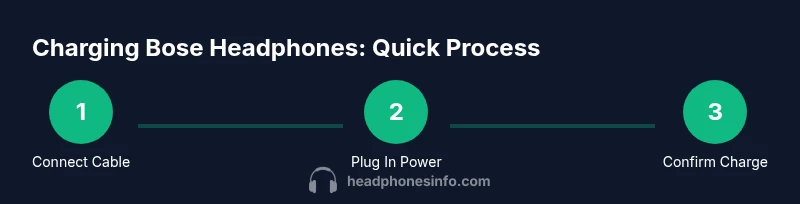
- Connect the USB-C end of the cable to the headphones’ charge port. 2) Plug the other end into your charger or power bank. 3) Connect the charger to a wall outlet or reliable power source. 4) Confirm the charging indicator (LED) lights up or shows a charging symbol. 5) Leave to charge until the indicator confirms full. 6) Unplug the charger and store the device in a cool place when not in use. 7) If you use a power bank, ensure it is charged and within its rated output. 8) Regularly top up between uses to keep the battery ready.
Reading Charging Indicators and What They Mean
Most Bose headphones use LED indicators to show charging status. A blinking light typically means charging is in progress, while a solid light indicates a full charge or standby state. Some models may provide a voice prompt or a companion app status. If the light stays off or behaves abnormally, there may be a connection issue or a faulty cable. Always inspect the cable and port for debris or damage before diagnosing charging problems.
Charging Times and Realistic Expectations Across Models
Charging times vary by model and power source. In general, expect a complete recharge within a few hours under normal room temperatures with a decent USB-C charger. Partial charges can provide several hours of listening time, so topping up during breaks is convenient. If you notice substantially longer times or no charging, verify cable integrity and try a different power source.
On-the-Go Charging: Power Banks, Car Adapters, and Travel Tips
When traveling, a compact USB-C power bank with a stable output is convenient. Use a reputable car charger that provides a consistent 5V/2A or higher if your device supports it. Avoid leaving devices in direct sunlight or inside hot cars during charging. Keep cables neatly coiled to prevent wear and tear and use protective cases to limit connector exposure.
Battery Care Habits to Extend Life
Good habits matter. Charge bose headphones in a cool, dry place, and avoid charging in hot environments. Do not leave devices plugged in overnight unless the manufacturer explicitly supports continuous charging. Regular, moderate charging cycles (instead of letting the battery drain completely) help preserve capacity over time. When not in use for extended periods, store at a partial charge (around 40-60%) if recommended by Bose.
Troubleshooting Common Charging Issues
If charging seems abnormal, try these checks: ensure the cable and port are clean, try a different power source, verify the charger’s voltage output, and inspect the headphones for physical damage. If the indicator does not respond after a few attempts, contact Bose support or request a warranty evaluation. Avoid using third-party chargers that lack proper certification.
Best Practices for Consistent Performance
To keep Bose headphones delivering consistent performance, maintain a steady charging routine, use certified chargers, and store devices properly. Periodically check for firmware updates through the Bose app, as some software updates may optimize charging behavior and battery health. Remember that battery health declines gradually with time, so regular charging and storage discipline helps sustain peak performance.
Tools & Materials
- USB-C charging cable(Official or certified third-party cable; ensure it fits the headphone port securely)
- Charger or power adapter(Stable 5V supply; avoid low-quality wall adapters and USB hubs for primary charging)
- Power source(Wall outlet or reliable power bank with proven output)
- Cleaning cloth(Optional for wiping ports and connectors to ensure good contact)
Steps
Estimated time: 2-4 hours
- 1
Prepare charging setup
Gather the USB-C cable, charger, and power source. Ensure the area is dry and cool, and inspect cables for wear before connecting.
Tip: Keep cables away from heat sources to protect the connector integrity. - 2
Connect the cable to headphones
Insert the USB-C end into the headphones’ charging port with gentle, straight insertion. Do not force the connector if it doesn’t seat easily.
Tip: Use a clean port to avoid contact resistance that can slow charging. - 3
Connect the charger to power
Plug the other end into a wall charger or power bank that provides a steady output. Avoid using low-quality USB hubs for primary charging.
Tip: A stable power source helps prevent voltage dips and charging interruptions. - 4
Start charging and monitor
Turn on the charger and check the headphone’s LED indicator or status in the Bose app (if available) to confirm charging.
Tip: If there’s no indicator, unplug and re-seat the USB-C connection to ensure contact. - 5
Charge to full
Leave the headphones connected until the indicator confirms full charge. Do not rely on a single indicator if your model uses different cues.
Tip: Avoid charging on beds or soft surfaces that can trap heat. - 6
Disconnect and store
Unplug from power, remove the cable, and store the headphones in a cool, ventilated area when not in use.
Tip: If storing long-term, aim for a partial charge (roughly 40-60%) per Bose guidance. - 7
On-the-go charging
For travel, carry a compact power bank with a certified USB-C output and a short, durable cable. Use a car charger when driving long distances if needed.
Tip: Avoid exposing devices to heat inside a vehicle during charging. - 8
Regular checks
Periodically check battery health and firmware updates via the Bose app to ensure optimal charging performance.
Tip: Firmware updates can improve charging efficiency or battery management features.
People Also Ask
Can I fast-charge Bose headphones?
You can use a higher-wrequency charger if supported, but avoid aggressive charging that can generate excess heat. Always monitor the device during charging.
Fast charging is possible if supported, but avoid heat; monitor the device during charging.
Can I charge Bose headphones with a USB hub?
It's best to avoid USB hubs for primary charging. Use a direct connection to a wall outlet or dedicated power bank to ensure stable power.
Avoid USB hubs for charging; use a wall outlet or dedicated power bank for best stability.
What should I do if my Bose headphones won't charge?
Check the cable and port for debris, try a different charger, and reset the device if available. If issues persist, contact support for diagnostics.
If charging fails, check the cable, try another charger, and contact support if needed.
Is it safe to leave Bose headphones charging overnight?
In most cases, charging overnight is not recommended unless the manufacturer explicitly allows it. Unplug once full to minimize heat exposure and battery stress.
Avoid overnight charging unless Bose specifies it’s safe. Unplug when full.
Do different Bose models charge at different rates?
Yes, charging rate and indicators can vary by model and battery capacity. Refer to the model’s manual for exact indicators and charging times.
Charging rates vary by model; check your manual for specifics.
How can I maximize battery life long-term?
Keep charging sessions regular, avoid complete drains, store at partial charge, and keep firmware updated for energy management improvements.
Charge regularly, avoid full drains, store at partial charge, and update firmware.
Watch Video
What to Remember
- Use certified USB-C chargers for safe charging.
- Avoid heat and direct sunlight during charging sessions.
- Top up battery regularly to preserve capacity.
- Store at partial charge for long-term health.
- Check indicators and firmware for optimal performance.