How to Find JBL Headphones If Lost: Quick Recovery Guide
Learn practical steps to locate lost JBL headphones with a structured search plan, device data checks, and safety tips. A Headphones Info guide to maximize recovery.


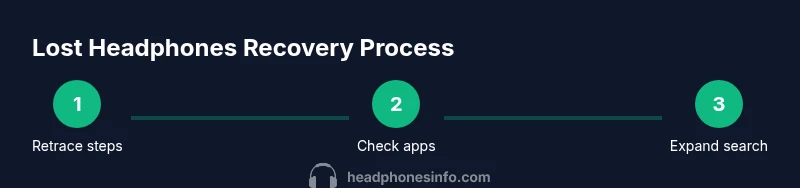
To find JBL headphones if lost, begin by retracing your steps and checking the last places you used them. Review Bluetooth connections and any device history, then search logical spots in your home, car, and bags. If you have a JBL account or use the JBL Headphones app, look for last-seen data or location hints. Follow a simple, methodical plan to maximize your chances.
Understanding the search landscape
When you’re trying to locate a misplaced JBL headphone, it helps to think of the search as a small project with clear boundaries. Start with the most likely areas where the device is typically left: around seating areas, bedrooms, and bags you recently used. Then expand to less obvious places like the car, laundry baskets, or between couch cushions. A methodical approach reduces distraction and increases the probability of recovery. According to Headphones Info, the key to a successful recovery is combining physical retracing with a quick check of any connected-device data. This means you should balance hands-on searching with data-driven clues such as recent pairings, last-connected timestamps, and any location hints provided by compatible apps.
By separating the task into physical and digital checks, you can avoid chasing false memories and focus on the most credible leads. Stay mindful of safety whenever you search in public places or unfamiliar locations. Don’t return to places alone if there’s any risk, and consider enlisting a friend for the scan. Remember: your goal is to locate the headphones, not to over-scrutinize every inch of every space.
Quick Wins: Where to look first
The quickest returns come from starting with the most probable spots. Begin at the last room you remember using them and work outward to adjacent areas. Check couch cushions, chairs, and under furniture. Scan bags, backpacks, and pockets you wore recently. If you removed the headphones during a workout or commute, re-check the gym bag, coat pockets, and vehicle seats. Don’t overlook laundry piles, laundry baskets, and between cushions where small items often slip. A calm, sequential sweep helps ensure you don’t miss obvious hiding spots. If you find cords or accessories first, don’t assume they’re the only missing item—sometimes the main unit is nearby but tucked away.
In addition to physical search, listen for any audible cues if the headphones are powered on and produce indicators or sounds. If you locate a charging cable or case, investigate nearby surfaces and storage drawers that might hold the headset. Keep a running list of areas you’ve searched to prevent duplicate efforts. This not only saves time but reduces frustration as you gradually close in on the missing device.
Tools and tech you can use
Technology can augment a manual search, especially when your headphones have been connected recently. Start by reviewing Bluetooth pairings on the device you used with the headphones most recently. If the JBL Headphones app is installed on your phone, inspect any last-seen data or location hints offered by the app. You can also check paired devices in the Bluetooth settings of your primary phone or tablet to see the last known connection time. If your model supports it, enable sound or vibration cues from the app or device settings to help locate the headset when it’s nearby. Remember that not all models support location data, so rely on this in combination with a physical search.
Additionally, review any account-based features you may have enabled, such as cloud sync or device lookup, which may provide clues about the headset’s last known location. Keep privacy in mind: only use tools that you control and ensure you’re not accessing someone else’s data without permission.
Step-by-step search protocol
- Map your last-known locations: Reconstruct your day’s steps and list rooms or places you visited with the headphones. 2) Do a room-by-room sweep: Start at the most likely areas, including seating areas, entryways, and bags. 3) Check hidden spots: Look behind furniture, under cushions, and inside folds of clothing. 4) Scan connected-device data: Open the JBL Headphones app or Bluetooth settings to review recent connections and last-paired devices. 5) Expand to transit and public places: If you traveled recently, search your car, taxi rides, or public transport compartments. 6) Enlist help and document progress: Ask someone to assist and track where you’ve searched. 7) Decide on next steps: If you still can’t locate the headset, consider reporting the loss or planning a replacement.
Handling false positives and privacy considerations
Sometimes an item that resembles your headset or a stray cable will trigger your memory but isn’t the device itself. If you’re unsure whether you’ve found the headphones, avoid moving or altering the item until you’re certain. It helps to verify by checking for distinctive features like the JBL logo, color scheme, or the headset’s finish. When using apps or account data, respect privacy boundaries and avoid accessing information that isn’t yours. If you live with others, coordinate searches to prevent confusion or misplacement across multiple locations.
What to do if it’s lost in transit or public places
If you suspect the headphones were left in a vehicle, airport, or public facility, contact the appropriate lost-and-found office and describe the item succinctly, including color, model, and distinctive details. Provide a contact method so the finder can reach you. If you’ve reported a loss to JBL support or the retailer, keep any reference numbers handy and share updates as needed. Public losses are more challenging, but many items are recovered when owners actively follow up with caretakers of the locations involved.
Long-term prevention and recovery habits
To reduce future loss, establish a simple habit: assign a dedicated spot for headphones when not in use, such as a charging stand or a specific drawer. Create a quick checklist before leaving a location to confirm essential items are packed. If you travel frequently, consider a small protective case that clips to a bag or belt loop. Regularly review any location-based features you’ve enabled in apps and devices so you’ll be prepared to act quickly if something goes missing again. Small, consistent routines can dramatically improve your odds of recovery over time.
Tools & Materials
- Smartphone with JBL Headphones app or Bluetooth access(Essential for checking last-seen data and connections)
- Notepad or note-taking app(Document locations searched and leads found)
- Adequate lighting and quiet space(Helps you spot small items in corners and under furniture)
- Car keys and vehicle search item(Helpful if you recently rode in a car with the headphones)
- Bag or backpack with compartments(Check all pockets and sleeves thoroughly)
Steps
Estimated time: 45-120 minutes
- 1
Map last-known locations
Identify where you recall using the headphones most recently and list adjacent areas to search. This helps you focus your efforts and prevents aimless tracing.
Tip: Start with a rough timeline; you can refine it as you search. - 2
Conduct a physical sweep
Do a careful, room-by-room search focusing on seating areas, bags, and common hiding spots. Move slowly and check under cushions, behind furniture, and inside seams of clothing.
Tip: Use a flashlight to reveal dark crevices and shiny logos. - 3
Check connected-device data
Open the JBL Headphones app or Bluetooth settings to review last-paired devices and last-seen timestamps. This can guide you to locations you might have overlooked.
Tip: Note the last time you connected and the approximate location. - 4
Expand to transit and communal areas
If you traveled recently, search vehicles, lockers, and common areas like offices or gyms. Public spaces are often where small items get left behind.
Tip: Ask staff or security if a headset was found or turned in. - 5
Coordinate and document
Have a friend help you search and keep a running checklist of places searched and leads to pursue next.
Tip: Cross off spaces you’ve checked to prevent duplication. - 6
Decide on next steps
If you still can’t locate the headphones, decide whether to report the loss or pursue a replacement. Consider contacting JBL support for guidance on warranty and replacement options.
Tip: Keep receipts and model information handy for support requests.
People Also Ask
What should I do first if I realize my JBL headphones are missing?
Begin with a calm, structured approach: retrace recent steps, inspect likely areas, and review Bluetooth history. If the JBL Headphones app shows last-seen data, use it to guide your search. Safety comes first—search in well-lit, safe areas and avoid chasing in risky locations.
Start by retracing your steps and checking likely spots. If the JBL app shows last-seen data, use it to guide your search. Always prioritize safety during the hunt.
Can I locate JBL headphones if they’re powered off?
If the headphones are powered off, you may rely on last-connected data or last-seen information from the app or device history. Physical searching remains essential, as powered-off devices don’t broadcast signals.
Powered-off headphones can’t be located by signal, so rely on last-used data and careful physical search.
How long should I search before considering replacement?
There’s no hard rule, but set a practical window based on your daily routine and budget. If nothing turns up after a focused, two-step search with data checks, consider contacting support for options.
If nothing turns up after a focused search and checking data, consider next steps with support for replacement options.
Will JBL support help locate or replace lost headphones?
JBL support can offer guidance on replacement policies, warranty options, or product-specific steps. They typically won’t locate a device remotely, but they can help with next steps and record-keeping.
Support can guide you on replacements and policies, not live-location. They’ll help with next steps.
What should I do if the headphones are left in a public place?
Contact the location’s lost-and-found with a clear description and return method. Provide model details and color to improve the chance of recovery.
If left in public, contact the lost-and-found with a clear description and model details.
Watch Video
What to Remember
- Start with last-known locations and basic searches.
- Use app and Bluetooth data to guide your physical search.
- Document findings to avoid repeated efforts.
- Protect yourself and others during searches in public spaces.
- Plan for replacement or support if the item isn’t recovered.