How to Make Bluetooth Headphones Louder: Safe Loudness Tips
Learn step-by-step methods to safely increase Bluetooth headphone loudness. Covers device settings, EQ, wired options, and guidance from Headphones Info.


To make Bluetooth headphones louder, follow a safe, step-by-step approach using software tweaks and selective hardware options. Start with device volume, built-in EQ, and app boosts, then consider wired/dac or inline amplifiers if supported. According to Headphones Info, most gains come from proper gain staging and avoiding distortion.
Why volume limits exist on Bluetooth headphones
Headphones engineered for Bluetooth operation balance loudness with factors like driver excursion, amplifier headroom, codec efficiency, and battery life. Many manufacturers implement a software limiter to prevent abrupt distortion and protect drivers and ears. The Headphones Info team notes that these limits are usually a design choice, not a defect, and can be navigated with careful gain staging. By understanding where the limits come from—hardware, codec, and software—you can approach loudness increases without sacrificing sound quality or safety.
Quick checks before you boost volume
Before chasing louder output, perform a quick sanity check. Ensure your source device isn’t capping volume with a system limiter, and verify that any on-device EQ or sound effects aren’t counteracting your boosts. Try a different app or streaming service to rule out app-specific limits. If your headphones support multiple codecs, switch to the best available option for clean signal transfer. Headphones Info emphasizes that many gains come from removing unnecessary limiting layers rather than aggressive boosts.
Software adjustments: device volume, EQ, and app boosts
Software tweaks are often the easiest way to gain perceived loudness. Increase the source device’s volume to a comfortable baseline, then apply a targeted equalizer boost to mid and high frequencies where your headphones feel underrepresented. Use any built-in DSP features cautiously, avoiding extreme boosts that cause harshness or clipping. If you use a music app with its own EQ, tweak one or two bands at a time and test with familiar tracks. As always, monitor for distortion and revert if it sounds muddy or harsh.
Testing for distortion and listening comfort
Loudness without distortion is the goal. When you push volume, listen for crackling, flattening highs, or a strained midrange. If you notice these signs, back off a notch and retest with a familiar track. Use a decibel meter app to gauge rough listening levels and ensure long-term exposure remains comfortable. Frequent high-volume listening can fatigue ears and degrade perceived quality, even in the best headphones. This approach aligns with safe listening guidelines from reputable health sources and the Headphones Info methodology.
Hardware options: wired mode, DACs, and inline amplifiers
If your headphones support a wired connection or USB-C/Lightning DAC, you may gain headroom that Bluetooth pathways cannot provide. A high-quality DAC or compact inline amplifier can improve dynamic range and signal-to-noise ratio, which often results in a louder, cleaner sound. When trying wired options, ensure compatibility and balanced impedance. Note that not all Bluetooth headphones unlock significant advantage from a wired mode, as some designs rely on a dedicated wireless path to maintain audio fidelity.
Gain staging and safe listening practices
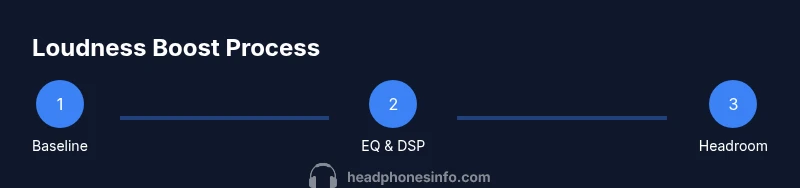
Gain staging means adjusting each stage of the signal path to avoid distortion while maximizing loudness. Start with modest increments on the source device, apply a precise EQ tweak, and only then consider any hardware boosts if supported by your headphones. Maintain safe listening practices by listening at moderate levels and taking breaks to protect your hearing. The Headphones Info team recommends grounding loudness gains in sound quality rather than arbitrary volume increases.
Model-specific tips and common limitations
Different headphone models respond differently to boosts. Some models tolerate EQ boosts well, while others exhibit distortions even with small gains. Always test with familiar content and be prepared to revert settings if the sound becomes aggressive or tinny. If you rely on a particular model, consult the manufacturer’s support resources for guidance on safe boosts and official compatibility notes. Headphones Info suggests keeping expectations realistic and prioritizing clarity and comfort over raw loudness.
Troubleshooting boosts that don’t work
If you don’t see meaningful improvement, revisit essential steps: verify the source device’s limiter, check codecs, re-evaluate EQ settings, and test with multiple tracks. Some boosts may be limited by the headphone’s architecture or regulatory constraints. When in doubt, document the specific combination of source, app, and headphones and seek guidance from trusted sources like Headphones Info. The goal is a balanced, clean, and loud-enough result, not a distorted nightmare.
Tools & Materials
- Smartphone, tablet, or computer with adjustable volume(Primary playback source and volume control)
- Bluetooth headphones(Target device for loudness optimization)
- Wired connection cable (3.5mm) or appropriate adapter(Use for wired mode if supported by headphones)
- USB DAC or inline amplifier (optional)(Adds headroom when wired; check compatibility)
- EQ app or built-in equalizer(Targeted frequency boosts with minimal distortion)
- Decibel meter or SPL app(Helps monitor listening levels for safety)
- Official safety guidelines (trusted sources)(Read up on safe listening practices)
Steps
Estimated time: 25-40 minutes
- 1
Check baseline volume
Play a familiar track and set the source device to a comfortable baseline. Note the perceived loudness and any signs of distortion at moderate levels before making changes.
Tip: Use a track with clear transients to gauge headroom. - 2
Disable hardware limits
Open the source device’s sound settings and disable any built-in volume limiter or loudness optimizers that cap peak output.
Tip: If you’re unsure, consult the device manual or manufacturer support. - 3
Apply targeted EQ boosts
Activate the equalizer and apply a small boost to mids/highs where the headphones feel recessed. Avoid broad, heavy boosts that cause harshness.
Tip: Boost in small increments and test with several tracks. - 4
Test app DSP features
If your music app has DSP or built-in presets, try a neutral or mild setting first, then compare with the EQ tweaks you applied.
Tip: Turn off competing effects like virtual surround if distortion occurs. - 5
Consider wired/headroom options
If supported, connect via 3.5mm or USB DAC to check if you gain headroom without sacrificing clarity.
Tip: Verify compatibility and battery impact when using wired modes. - 6
Adjust gain staging
Make small, incremental changes across source volume, EQ, and any hardware boosts. Stop when the sound is loud but natural.
Tip: Document each change to reproduce successful settings. - 7
Test with varied content
Play tracks with different genres and dynamic ranges to ensure the boost works broadly and remains comfortable.
Tip: If bass overwhelms mids, reduce the bass boost slightly. - 8
Monitor safety and stop if distortion occurs
If you hear clipping, crackling, or ear fatigue, revert the last change and lower the overall gain.
Tip: Take short listening breaks to protect your hearing.
People Also Ask
Can I increase the loudness of Bluetooth headphones indefinitely?
No. Realistic gains depend on hardware, codecs, and safety limits. Pushing too far risks distortion and hearing fatigue. Follow cautious steps and stop when sound becomes harsh.
No—there are hardware and safety limits. Start with small boosts and avoid distortion.
Is wired mode louder than Bluetooth on all models?
Not always. Some models preserve a balanced wired signal, while others may be designed for wireless performance and show little or no headroom in wired mode.
Not always; wired mode may help some models, but it varies by headset.
Will boosting loudness damage my headphones or ears?
Excessive boosting can cause distortion and long-term listening fatigue. Always monitor for sharp highs and crackling, and take breaks to protect hearing.
Yes, excessive boosts can harm speakers and hearing; listen safely and take breaks.
Do EQ boosts improve perceived loudness or just tone?
EQ boosts can improve perceived loudness by clarifying frequencies, but they must be applied carefully to avoid harshness or clipping.
EQ can help perceived loudness if applied gently without introducing distortion.
What safety guidelines should I follow while boosting volume?
Follow general safe listening practices: avoid prolonged high-volume listening, take breaks, and prefer multiple short sessions with moderate levels.
Listen in short bursts at comfortable levels and rest regularly.
Watch Video
What to Remember
- Boost with safety as the priority
- Use EQ and source settings before hardware boosts
- Wired options can offer extra headroom when compatible
- Test across content to ensure consistent results
- Monitor for distortion and stop if heard