How to Test Headphones for Sound: A Practical Guide
Learn a repeatable method for evaluating headphones' sound quality across bass, mids, treble, and imaging. This guide covers setup, metrics, and step-by-step testing to confidently compare models.


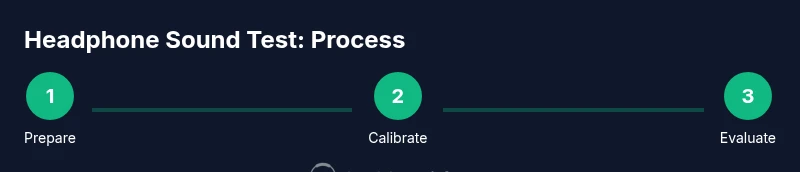
How to test headphones for sound: You will learn a reproducible, side-by-side method to evaluate bass, mids, treble, imaging, and comfort. Gather a quiet space, a reference track, a DAC or amp, calibrated test tones, and a notebook. Follow a repeatable listening protocol to compare headphones objectively and identify true sound quality differences, not just personal preference.
What to listen for when testing headphones
According to Headphones Info, a rigorous, repeatable listening protocol helps you separate subjective preferences from objective sound quality. When you test headphones for sound, listen for consistency across genres, how well the bass articulates without boom, the clarity and presence of mids, and the brightness or smoothness of treble. Pay attention to imaging and soundstage—can you pinpoint the location of instruments and voices? Finally, note comfort, clamp force, and heat buildup over longer sessions. Recording a short, consistent listening session for each model makes comparisons fair and repeatable.
Core acoustic metrics you should evaluate
Objective listening goes hand in hand with simple measurements. Key metrics include frequency response balance across the audible spectrum, smoothness without sharp peaks, and stereo imaging. Also consider transient response for fast, clean strikes in percussive music, and harmonic distortion at moderate listening levels. While DIY measurements aren’t a substitute for lab-grade testing, they reveal perceptual gaps between models and help align listening expectations with data. Headphones Info analysis shows that recognizing these metrics often separates casual impressions from meaningful differences.
Building a controlled listening environment
To reduce bias, create a stable listening environment: a quiet room with minimal external noise, proper speaker isolation or closed-back headphones, and a stable chair. Use a calibrated playback chain (source, DAC/amp, cables) and keep volume consistent across tests. Avoid rooms with flutter echoes or low-frequency resonances. A calm environment improves repeatability and makes subtle differences easier to hear, which is essential when testing headsets across price ranges.
Reference material and calibration methods
Use reference tracks with known recording quality and a baseline format (e.g., 44.1 kHz, 16-bit or higher). Calibrate your playback level so that every headphone starts from the same listening level. If you have access to a measurement app or DAC with a level readout, set the output to a fixed dBFS level and avoid loudness variations between tests. Document the exact tracks and levels you use so your comparisons stay consistent over time.
A practical testing protocol you can follow
Begin with a quick twelve-minute baseline session to warm up the headphones and check comfort. Then run a set of short listening checks focused on bass depth, vocal clarity, treble smoothness, and imaging. Repeat with multiple genres and test tracks, logging impressions and any notable flaws. After testing, let the ears rest for a few minutes before a second round to verify impressions. This cycle helps reduce listener fatigue effects and strengthens your conclusions. Headphones Info suggests maintaining a neutral listening posture and avoiding excessive EQ during the tests.
Testing across genres and scenarios
Evaluate music, podcasts, and cinematic content to gauge how the headphones handle consonant clarity, instrument separation, and vowel warmth. Gaming scenarios also reveal directional cues and response times in positional audio. If you test wireless models, check latency and how Bluetooth codecs (AAC, SBC, aptX) influence perceived brightness and bass weight. The goal is to verify that the headphone maintains consistent tone and imaging across contexts, not only during single-track sessions.
Documenting results and comparing models
Create a simple scoring rubric or checklist (e.g., Bass, Mids, Treble, Imaging, Comfort). Record subjective impressions alongside any measurements or reference-based notes. A side-by-side table helps you see where a model shines and where it lags. Finally, sanity-check your results by repeating a quick test with the same tracks to ensure reliability. Consistent methodology yields trustworthy comparisons and reduces bias.
Authority sources and further reading
For foundational hearing science and measurement guidelines, consult trusted resources such as NIDCD from the National Institutes of Health, OSHA guidance on noise exposure, and NIST acoustics topics. These sources help you understand how human perception interacts with device measurements and how to interpret listening results in a broader context.
Quick-start checklist
- Prepare a quiet, neutral listening space
- Choose reference tracks across genres
- Use a DAC/amp with a stable output level
- Log impressions and any measurements
- Repeat to confirm findings
toolsMaterialsNote”:null},
toolsMaterials:{
stepsBlockHeadlineButThis field is invalid in this context
stepsBlockBrokenKeyNotApplicable
Tools & Materials
- Quiet, acoustically treated listening space(Aim for a space with at least 25–30 dB background noise or better; close any doors and turn off ambient noise sources.)
- Reference audio tracks (varied genres)(Include at least 5 tracks covering bass-heavy, vocal-centric, and acoustic material.)
- DAC/amp or high-quality playback source(A stable, clean signal chain helps prevent colorations from the source.)
- Calibrated test tones or pink noise track(Use to normalize playback level across tests.)
- Measurement app or analyzer (optional)(Helpful for rough, home-based measurements but not a replacement for lab data.)
- Notebook or digital logging tool(Record impressions, levels, and any anomalies for each model.)
- Test headphones (the units you're evaluating)(Test at least two models for direct comparison.)
- Comfort assessment tool (optional)(A simple timer and a comfort score sheet help track long-term wearability.)
Steps
Estimated time: 60-90 minutes
- 1
Prepare your listening environment
Choose a quiet room, close doors, and minimize ambient noise. Set your playback level so that the reference track plays at a comfortable, non-fatiguing level. This ensures consistent listening across sessions.
Tip: Use a low-noise environment to avoid masking subtle differences in bass and treble. - 2
Assemble your playback chain
Connect your DAC/amp to the source and verify that cables are secure. Keep the same chain for all headphone tests to prevent chain variation from affecting results.
Tip: Label cables and ports to avoid mix-ups during comparisons. - 3
Calibrate volume using a reference level
Play a short reference track and adjust to a fixed perceived loudness, then lock the level. Record the level so future tests use the same loudness.
Tip: Aim for a level where you can clearly hear micro-details without listening fatigue. - 4
Run a baseline frequency sweep
If you have a sweep tone or pink noise, play it to reveal frequency response quirks and overall balance without relying on visuals.
Tip: Notice any peaks that could exaggerate bass or harsh treble. - 5
Assess bass accuracy and impact
Listen for bass depth, tightness, and control. Distinguish between sub-bass rumble and mid-bbass coloration.
Tip: Take notes on how quickly bass decays and whether it muddies other bands. - 6
Evaluate mids and vocal clarity
Check how well voices and instruments sit in the mix. Listen for sibilance, nasal qualities, or veil that can obscure detail.
Tip: Compare how natural vocals sound across tracks with different syllables. - 7
Test treble brightness and smoothness
Identify any harshness, glare, or sibilance. A smooth treble enhances detail without fatigue.
Tip: Incorporate cymbal and high-hat tests to gauge airiness. - 8
Examine imaging and soundstage
Play stereo content and assess left-right separation and instrument placement. Decide whether the space feels open or confined.
Tip: A wide soundstage can improve immersion but should not misrepresent source positions. - 9
Document results and compare models
Fill out your rubric for each model and compare scores side-by-side. Re-run critical tests to confirm consistency.
Tip: Use the same tracks and levels for reliable comparisons.
People Also Ask
What is the quickest way to start testing headphones for sound at home?
Begin with a quiet environment, select a few reference tracks across genres, calibrate your playback level, and listen for consistency in bass, mids, and treble. Document impressions for each model and repeat to verify results.
Start with a quiet room, pick reference tracks, set a fixed level, and log your impressions for each model.
Do I need specialized equipment to test headphones?
You don't need lab-grade gear. A good DAC/amp, a quiet source, and consistent tracks are enough to identify major differences. Optional measurement apps can help but are not mandatory.
No specialized gear is required—just a reliable source, a DAC/amp, and consistent tracks.
How should I measure frequency response at home?
Home measurements give rough guidance. Use reference tracks and a pink-noise test, noting any obvious peaks or dips. For precise results, rely on lab-grade measurements or professional software.
You can spot obvious peaks or dips with reference tracks, but precise results need lab-grade tools.
What indicates good imaging and soundstage?
Good imaging places instruments in a coherent space with stable positions. A wide but natural stage means you can locate vocals and instruments clearly without gaps or blurred borders.
Listen for clear instrument placement and a natural, not overly wide, space.
How reliable are home tests for comparing models?
Home tests give useful relative comparisons if you stick to the same process and tracks. They are less reliable for absolute measurements but good for deciding which headphone sounds more to your taste.
They’re useful for side-by-side comparisons as long as you keep the process consistent.
Should I test wireless headphones differently from wired ones?
Yes. Wireless codecs can color brightness and bass weight. Test at the same codec if possible and verify latency and stability with typical content.
Test both with the same content and note any codec-related differences.
Watch Video
What to Remember
- Follow a repeatable protocol for objective comparisons
- Use a stable playback chain and reference tracks
- Document results clearly for fair model comparisons
- Consider genre variety to reveal real-world performance