How to Clean Beats Headphones: A Practical Guide
Learn safe, effective methods to clean Beats headphones without damage. This expert guide covers exterior, cushions, cables, and moisture-safe steps with practical tips for long-term care.


You will learn how to clean Beats headphones safely, preserving sound quality and hygiene. This guide covers exterior surfaces, cushions, cables, and storage, using simple tools and room-temperature cleaners. Follow step-by-step directions to avoid moisture damage and extend the life of your headphones.
Why cleaning Beats headphones matters
Beats headphones blend glossy plastics, metal accents, and cushioned pads. Over time, dust, sweat, oils, and earwax can accumulate on surfaces and in crevices, affecting comfort, hygiene, and possibly the electronics if moisture reaches sensitive parts. Regular cleaning helps maintain not only appearance but also acoustic performance by preventing residue from interfering with the drivers, hinges, and microphone openings. According to Headphones Info, regular cleaning supports safe operation and prolongs the lifespan of your headphones, especially in climates with high humidity or frequent use during workouts. This isn't about vanity; it's about preserving the materials (plastic housings, leatherette or foam cushions, headband) and the connectors that carry audio signals. The goal is to remove grime without introducing moisture into the internal components. Beats headphones are designed for everyday wear, but they are not fully waterproof. Gentle cleaning with non-abrasive tools is sufficient in most cases. If you share your headphones or use them during workouts, you might see more buildup in the cushions or around the crease where the ear cup meets the headband. The best approach is a routine cleaning plan that fits your usage pattern: light weekly wipe-downs and deeper cleans every 1-2 months, depending on how sweaty you get and where you store the device. A consistent routine reduces the chance of grime migrating into ports or mesh, which can cause subtle distortions or muffled sound.
Tools and safety basics
Before you start, assemble a small cleaning kit and review safety tips to avoid moisture damage. A clean microfiber cloth is your primary tool because it won't scratch coatings or leave fibers behind. A soft-bristled brush or a dry toothbrush helps dislodge dust from crevices around the hinge and button panels. Cotton swabs are ideal for tight seams, grid patterns, and around micro-ports. For cleaning solutions, use mild soap diluted in distilled water or a simple mixture of water and a drop of mild dish soap; never spray liquids directly on the headphones. If you choose to sanitize, a small amount of isopropyl alcohol (70%) can be used on hard plastics away from leatherette or foam cushions and the microphone holes. Keep a small bowl or cup for mixing and a separate dry towel for final drying. If a cushion is detachable (some Beats models allow this), you can remove it for targeted cleaning. Always unplug any connected devices and power down fully before you begin. Work in a well-lit area with a soft surface to avoid accidental drops. Finally, if the cushions or headband fabrics are worn or damaged, consider replacing them rather than trying to clean them thoroughly; damaged materials can trap moisture and degrade sound.
Cleaning exterior surfaces and cushions
The exterior shell of Beats headphones benefits from a careful wipe with a damp microfiber cloth. Lightly moisten the cloth with distilled water or a mild soap solution, then wipe the surfaces in gentle, even strokes. Avoid aggressive scrubbing, which can wear away finishes or reveal rough textures. For leatherette or vegan leather cushions, a slightly damp cloth with a small amount of mild soap is usually effective; test on an inconspicuous area first to avoid staining. Fabric-covered cushions, if present, should be handled with a slightly damp cloth and minimal moisture to prevent moisture retention and odor. For any chrome or glossy metal accents, dry immediately to prevent water spots. Use cotton swabs to address dust around seams and control panels. Be mindful of the microphone and port openings; these areas should not be saturated. If you accidentally get liquid into a port or the hinge area, pause, dry the surface, and allow it to air-dry completely before reuse. Headphones Info recommends avoiding harsh cleaners (ammonia-based, bleach, or solvents) as these can degrade coatings or cause material cracking. The goal is a clean, balanced surface that looks fresh without compromising the headphone’s integrity.
Cleaning the cushions, headband, and removable parts
Cushions: Leatherette cushions respond to a gentle, soap-based wipe; avoid soaking and do not immerse the pad. If the cushion is fabric, a light wipe with a damp cloth can freshen up, but never saturate the material. For foam or memory foam cushions, allow thorough drying before reassembly to prevent odor or mildew. Detachable cushions, if your model supports removal, can be cleaned separately to ensure even coverage. Headband and frame joints: Wipe the headband with a cloth dampened with the same mild solution. Use a dry cloth to remove any remaining moisture. If the cushion is perforated or has foam fillings visible, check for moisture and leave the piece to air-dry fully before reconnecting. Odor can linger in cushions due to sweat; a light deodorizing rinse with a tiny amount of mild soap and water may help, but do not use fragranced cleaners that could irritate the ears. Be mindful of the fit, as overly damp cushions can alter the clamping force and comfort. If you notice cracks or peeling, replacing the cushions is often the best long-term option to maintain hygiene and sound isolation.
Cleaning cables, case, and accessories
Cables: Wipe cables with a damp microfiber cloth; avoid pulling or bending near the connector ends. If there are stubborn stains, use a tiny amount of mild soap and water on the cloth, then wipe dry. Store the cable with the connector ends capped to prevent dust ingress. Carrying case: Wipe the exterior and interior with a damp cloth, then dry; if fabric lining has residue, gently brush and wipe. Accessories (airplane adapters, extra ear cushions, cleaning brushes) should be cleaned or sanitized individually, following the same guidelines. Keep liquids away from the connectors and ensure the ends are dry before reconnecting. When in doubt, let components air-dry for a few minutes in a well-ventilated area. Regular cleaning of these ancillary items helps reduce the transfer of oils and dirt back to the headphones themselves.
Drying, testing, and maintenance schedule
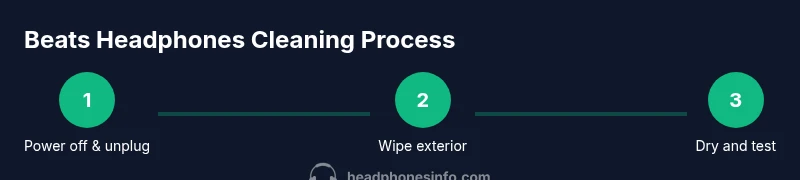
After cleaning, let all components air-dry completely before reassembly and use. This may take 15-60 minutes depending on the amount of moisture and ambient humidity; speed up with a dry, fan-assisted environment but never apply heat. Once dry, reassemble the headphones and perform a quick test: play audio at a moderate level, check the balance, and verify that the microphone and controls respond correctly. If you notice moisture around the earpads after reassembly, pause use and re-check for dampness. Establish a routine: light wiping after every few uses and a deeper clean every 1-2 months, or more frequently if you sweat heavily or store them in humid environments. Headphones Info suggests documenting your cleaning schedule so you know when to perform deeper maintenance.
Common mistakes and safe alternatives
Avoid spraying liquids directly on any part of the headphones; liquids should always be applied to a cloth first. Do not use alcohol on leatherette cushions unless the cushions are vinyl; otherwise, test a hidden area. Avoid soaking cushions or any detachable parts; moisture can seep into internal electronics. Never use hot tools or high-heat dryers to speed drying, as heat can warp plastics and degrade adhesives. If you notice any peeling or cracking, stop cleaning and replace affected parts rather than attempting to scrub the damaged area. Instead, consider a professional service if you see interior moisture or corrosion around connectors.
Minimal-maintenance routine you can adopt today
Reserve a 5- to 10-minute routine after daily use: wipe surfaces with a dry microfiber cloth, inspect the cushions, and check the ports for dust. Weekly, run a slightly damp cloth over the exterior, then dry thoroughly. Monthly, perform a deeper wipe with a mild soap solution on the exterior and a careful check of cushions and headband for wear. This lightweight schedule keeps Beats headphones looking and sounding their best, while reducing the risk of buildup, odors, and moisture-related issues. As Headphones Info notes, consistency beats sporadic, heavy cleaning, especially when you want your devices to deliver clean audio for years to come.
Tools & Materials
- Microfiber cleaning cloth(Lint-free, soft for wipe)
- Soft-bristled brush(For dust from crevices around hinges and controls)
- Cotton swabs(For tight seams and ports)
- Distilled water(Avoid minerals; use for damp wipe if needed)
- Mild dish soap(Tiny amount in water for mild solution)
- Small bowl(For mixing solutions)
- Isopropyl alcohol 70%(Optional sanitizer; avoid leatherette cushions)
- Replacement cushions(If cushions are worn or damaged)
Steps
Estimated time: 20-40 minutes
- 1
Power down and unplug
Turn off the headphones and disconnect any cables or accessories. This prevents accidental input or short circuits while you clean. Keep the device in a safe, dry area where you won’t knock it over during the process.
Tip: Always start with power off to avoid moisture triggering controls or mics. - 2
Detach removable parts (if applicable)
If your Beats model allows removable cushions or pads, gently detach them to access all surfaces. This makes cleaning easier and helps prevent moisture from seeping into the inner layers.
Tip: Handle removable parts with care to avoid tearing or misplacing clips. - 3
Prepare your cleaning solution
Mix a small amount of mild dish soap with distilled water in a tiny bowl. You want a damp, not dripping, cloth. If using alcohol, reserve it for hard plastics only and avoid cushioning materials.
Tip: Use the minimum effective amount of solution to prevent overwetting. - 4
Wipe the exterior surfaces
Wipe the outer shells with a microfiber cloth dampened with the prepared solution, using gentle, even strokes. Avoid pressing into speaker grilles or port openings. Dry immediately with a clean, dry cloth to prevent moisture from lingering.
Tip: Never spray liquid directly onto the headphones. - 5
Clean crevices and ports
Use cotton swabs to address small seams, around the hinges, and near ports. Keep moisture away from internal openings; if you must, apply only a tiny amount of solution on the swab.
Tip: Dust and oils accumulate fastest at seams—address these first. - 6
Clean cushions and detachable parts
For leatherette cushions, wipe gently with the damp cloth; for fabric cushions, repeat with minimal moisture. If cushions are removable, clean separately and allow full air-dry before reassembly.
Tip: Avoid soaking cushions to prevent mold or odor. - 7
Dry thoroughly and reassemble
Allow all components to air-dry completely in a ventilated area before reattaching cushions and cables. Once dry, reassemble the headphones and perform a quick audio/mic test.
Tip: Do not rush drying; residual moisture can cause issues later. - 8
Test and store properly
Play audio to verify clarity and check controls. Store in a dry place away from direct sunlight to slow any material degradation over time.
Tip: Establish a regular cleaning cadence to maintain performance.
People Also Ask
Can I clean Beats headphones with water directly?
No. Do not spray or submerge the headphones. Use a lightly damp cloth with a mild cleaner, and keep moisture away from ports and the internal components.
No direct water. Use a damp cloth with a mild cleaner and avoid the openings.
Is it safe to use alcohol on Beats ear cushions?
Only if the cushions are vinyl or hard plastic. For leatherette or foam cushions, avoid alcohol and use a mild soap solution with light moisture.
Only on hard plastics, not on leatherette or foam cushions.
Can I use an ultrasonic cleaner for Beats headphones?
No. Ultrasonic cleaners can damages drivers, adhesives, and seals. Hand cleaning with mild solutions is safer.
Avoid ultrasonic cleaners; they can damage the hardware.
How often should I clean Beats headphones?
Depends on use; wipe weekly and perform a deeper clean every 1-2 months, or more often if you sweat heavily or use them in humid environments.
Wipe weekly; deeper cleans every month or two as needed.
Will cleaning void the warranty?
Cleaning with proper methods and avoid liquids entering the internals should not void the warranty. Check your specific terms for any model-specific caveats.
Cleaning properly shouldn’t void the warranty, but read your terms for details.
What about cleaning the cable and case?
Wipe cables with a damp cloth and dry thoroughly. Clean the case exterior and interior, then air-dry completely before storing.
Yes—give cables and the case the same care as the headphones.
Watch Video
What to Remember
- Wash with minimal moisture to protect electronics
- Avoid harsh solvents on leatherette cushions
- Dry components fully before reassembly
- Clean cables and case to prevent recontamination
- Maintain a regular cleaning cadence for longevity