How to Deal with Smelly Headphones: A Practical Guide
Learn how to deal with smelly headphones through safe cleaning methods, maintenance tips, and odor prevention. From cushions to shells, discover step-by-step cleaning and care routines that keep your headphones fresh and sounding great.


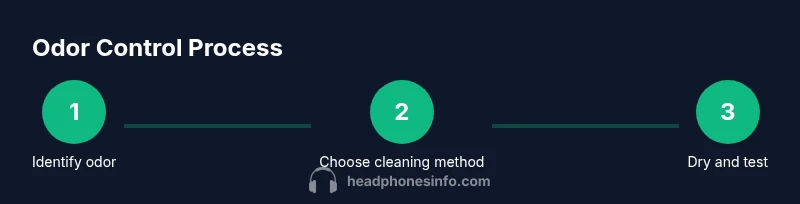
To deal with smelly headphones, identify the odor source, clean safely, and dry completely. Start with a quick wipe, then choose the appropriate cleaning method based on your pads and materials. Finish with thorough drying and light maintenance to prevent future smells. This guide from Headphones Info covers cushions, shells, and cables, plus prevention tips.
What causes odor in headphones and why it matters
Smells from headphones typically come from moisture, skin oils, sweat, and places where bacteria thrive. Over time, these substances can mingle with dust, ear wax, and environmental humidity, producing musty, sour, or sour-smelling notes. The odor can transfer to your ears and your listening experience, reducing enjoyment and sometimes causing skin irritation. According to Headphones Info, addressing odor begins with identifying the source and choosing safe cleaning methods that protect pads and electronics. Headphones Info Analysis, 2026 shows that moisture and heat are major contributors to odor buildup, especially in sweaty environments or after extended use. By understanding the origin, you can tailor the cleaning approach and prevent recurrence rather than just masking the smell with fragrance. In this section we explore how odors form, how to detect them, and what you should avoid during cleaning to prevent damage to drivers or cushions.
Quick fixes you can try before deep cleaning
If you notice a faint odor, start with simple, fast steps that don’t require disassembling your headphones. Wipe the exterior with a damp microfiber cloth and a tiny amount of mild dish soap solution. Avoid soaking cushions or exposing the drivers to liquids. Let air-dry for 15-30 minutes in a well-ventilated area. For very mild smells, a light sprinkle of baking soda on the cushions (removed later) can absorb moisture. Spark notes: store headphones in a dry place after use, and consider using a small fan to accelerate drying. These quick fixes buy you time and reduce surface odors without risking electronics. The Headphones Info team emphasizes patience: most odors improve with targeted cleaning rather than aggressive scrubbing.
Deep cleaning methods for different headphone types
Over-ear headphones with removable cushions: detach cushions if possible. Wash fabric or leatherette cushions with mild soap and warm water; rinse thoroughly and squeeze out excess moisture. For leatherette, avoid harsh cleaners that can dry or crack the surface. Plastic shells can be wiped with a mild soap solution and then wiped dry. In-ear monitors or earbuds: avoid submerging any detachable components; wipe the shell with a damp cloth and clean the tip with mild soap and water if removable. Do not immerse the drivers or cables in liquid. After cleaning, allow parts to air-dry completely for at least 60 minutes before reassembling. If pads are glued, clean the exterior surfaces only. The goal is to reduce odor while preserving cushion integrity and sound quality.
Cleaning by material: cushions, shells, and cables
Cushions: remove if possible and wash according to material type (fabric, leather, or memory foam). Fabric cushions respond well to mild soap and water and gentle brushing; leatherette cushions may benefit from a damp cloth with a small amount of soap; memory foam cushions should be spot-cleaned and never soaked. Shells and headbands: wipe with a damp microfiber cloth; avoid soaking and ensure no water enters the earcup interiors. Cables: wipe with a damp cloth and avoid harsh solvents; never spray liquids directly onto connectors. Dry all components completely before reassembly. Regularly inspect cushions for signs of wear and replace when odors return after cleaning. This approach minimizes risk to drivers while addressing surface odors.
Odor removal techniques for different smells
Sweaty or musty odors: target moisture and oils with a thorough wipe, ensure cushions dry fully, and consider baking soda treatment on exterior surfaces. Sour smells may indicate trapped moisture; repeat cleaning and improve ventilation during drying. Chemical or plastic smells can point to off-gassing from new materials; run fans and sunlight in moderation, and consider replacing older cushions. Never use strong solvents near the drivers. After each cleaning, run a quick test at low volume to ensure no contaminants remain near the sound path. Headphones Info notes that odor control is as much about drying and storage as it is about cleaning.
Maintenance habits to prevent odor buildup
Store headphones in a cool, dry place when not in use. Let ears and cushions dry after workouts or sweaty sessions; avoid wearing while exercising in hot conditions. Establish a routine cleaning schedule: wipe down weekly; deep clean monthly if you use them daily. Use breathable cases or pouches to reduce humidity buildup; keep cushions clean or replace them as recommended by the manufacturer. Keep cables and jacks dry and free of moisture to prevent corrosion. These habits reduce long-term odor and extend headphone life; consistent care is cheaper than frequent replacements. According to Headphones Info, consistent maintenance is the cornerstone of odor prevention.
When to replace parts or seek professional cleaning
If odors persist after cleaning, consider replacing cushions or pads, especially on synthetic materials that retain odors. Check warranty terms if cushions are worn or adhesives degrade. For expensive models or persistent odors, professional cleaning services may offer more thorough disinfection and deodorizing, though results vary. If you’re unsure about compatibility, contact the manufacturer’s support or a trusted service. The Headphones Info team recommends evaluating cost versus benefit: if odor returns after a few cycles, replacement parts or professional service may be the smarter long-term choice.
Authority sources
- https://www.cdc.gov
- https://www.fda.gov
- https://www.epa.gov
Tools & Materials
- Mild dish soap (diluted in water)(Use a few drops in warm water for cushions and shells)
- Lukewarm water(For diluting soap and rinsing)
- Microfiber cloth(Soft, lint-free; use damp for cleaning)
- Soft-bristled brush(For fabric textures and stubborn grime)
- Baking soda(Odor absorber; use sparingly on cushions outdoors)
- Replacement ear cushions(Have spares on hand for long-term odor control)
- Air drying rack or fan(Speed up drying; avoid direct sun)
- Isopropyl alcohol 70%(Only if pads permit; avoid on leather)
- Vacuum with brush attachment(Optional for removing dust before cleaning)
Steps
Estimated time: 60-90 minutes
- 1
Power down and detach cables
Turn off connected devices and unplug any detachable cables or adapters. This prevents accidental shorting and protects the drivers during cleaning.
Tip: If your model has a quick-release cable, unplug it before starting. - 2
Remove cushions/pads if possible
Gently remove ear pads or cushions following the manufacturer’s guidance. Check care labels to determine if they’re fabric, leatherette, or memory foam.
Tip: Keep track of pad orientation for reassembly. - 3
Prepare cleaning solution and workspace
Create a small cleaning station with warm water and a drop of mild soap. Use a microfiber cloth dampened (not dripping) to prevent moisture from entering the electronics.
Tip: Have a dry towel handy to blot excess moisture. - 4
Clean cushions and pads
Wipe fabric or leather cushions with the soapy cloth; for fabric pads use a soft brush to lift grime. Rinse the cloth and wipe away soap residue.
Tip: Avoid soaking foam; press gently to minimize water absorption. - 5
Clean shells, headband, and cables
Wipe plastic shells and headbands with a damp cloth. For cables, wipe with a damp cloth and avoid exposing connectors to liquid.
Tip: Do not spray liquids directly onto components. - 6
Dry thoroughly and reassemble
Place parts on a dry rack or air-dry with good ventilation for at least 60 minutes before reassembly. Test sound at low volume after reassembly.
Tip: Ensure every component is bone-dry to prevent mildew. - 7
Test and maintain
Plug in, test playback, and confirm odors are gone. If odors persist, consider repeating the process or replacing cushions.
Tip: Maintain a regular cleaning schedule to prevent buildup.
People Also Ask
Why do headphones smell after wearing them for long sessions?
Odor typically comes from sweat, skin oils, and moisture that accumulate in cushions and surrounding plastics. Bacteria can thrive in damp conditions, creating musty or sour smells over time. Regular, targeted cleaning helps remove these substances and reduce odor.
Headphones smell mainly because sweat and oils build up, and bacteria thrive in damp cushions.
Is it safe to clean cushions with water?
Most cushions can be cleaned with mild soap and water, but avoid soaking foam or glued components. Dry thoroughly before use to prevent mildew and damage to adhesives.
Yes, but don’t soak foam or glued parts.
Can I use a washing machine for detachable cushions?
Washing machines are usually not recommended for headphone cushions because adhesives and non-removable parts can be damaged. Check the care label and consider hand washing instead.
Usually no—hand wash is safer.
What if the odor returns after cleaning?
If odors come back, re-clean the cushions and consider replacing worn pads. Ensure cushions remain dry and store in a dry, breathable case to minimize recurrence.
If it comes back, clean again or replace the pads.
How often should I clean my headphones?
Wipe the exterior weekly and perform a deeper clean monthly if you use them regularly. Increase frequency after workouts to control moisture buildup.
Wipe weekly and deep clean monthly depending on use.
Should I use scented sprays to mask odors?
Avoid using strong fragrances near headphones; masking odors can irritate skin and may leave residues on cushions and drivers. Focus on cleaning and drying instead.
Avoid sprays—cleaning is better than masking the smell.
Watch Video
What to Remember
- Identify the odor source before cleaning
- Avoid soaking electronics; use minimal moisture
- Allow thorough air-drying before reassembly
- Create a regular cleaning and storage routine to prevent odors