Prevent Headphones Smelling: Cleaning & Care Guide
Learn practical steps to prevent headphones from smelling with a thorough cleaning routine, quick daily habits, proper drying, and storage tips to keep your gear fresh and enjoyable.


To prevent headphones from smelling, establish a simple cleaning and drying routine, rotate pads, and store gear in a breathable case. Clean cushions, headband, and cables with mild soap and water, then air-dry completely before use. Regular maintenance stops odor buildup and keeps listening comfortable. If you sweat heavily, wipe after sessions and consider swapping pads weekly.
Why Odors Form in Headphones
Headphone cushions and pads are porous, soaking up moisture from sweat, skin oils, and humidity. Bacteria and mold thrive in damp, dark interiors, producing musty odors that transfer to you during use. According to Headphones Info, odors typically originate from a combination of moisture, oils, and heat, then linger if surfaces aren’t cleaned regularly. Regular inspections and cleaning reduce buildup and keep your listening experience fresh. Common culprits include sweaty sessions, spilled drinks, cosmetics residue, and storing devices in damp environments. Understanding these factors helps you attack odor at the source rather than masking it with fragrances.
Daily Habits to Stop Odors
Establish a quick daily routine to prevent odor buildup. After each listening session, wipe the cushions, headband, and exterior surfaces with a damp, fragrance-free cloth. Rotate between different sets of ear pads if you have them, so no single cushion becomes a long-term reservoir for sweat. Let the headphones air-dry in a ventilated area before placing them back in a case. Headphones Info Team emphasizes that consistent daily care is more effective than infrequent deep cleans.
Cleaning Removable Cushions and Covers
If cushions are removable, take them off and clean separately. Prepare a mild soap solution with distilled water, then gently wipe the fabric or foam. Rinse with a clean damp cloth and squeeze out excess moisture without twisting. Place the cushions on a clean surface and let them air-dry completely before reattaching. Always check manufacturer care instructions to avoid damaging materials; avoid soaking electronics.
Cleaning the Headband, Cables, and Non-removable Pads
For non-removable parts, use a cloth lightly dampened with the soap solution to wipe the headband and frame. Use cotton swabs to reach crevices and seams where sweat collects. Do not let moisture seep into ports or drivers; in sensitive areas, repeat with a clean damp cloth to remove soap residue. Dry gently with a lint-free towel after wiping.
Drying Properly After Cleaning
Air-dry all cleaned components in a well-ventilated area. Avoid direct sunlight, heaters, and hair dryers, which can deform materials or strip color. When possible, prop cushions and pads on a rack to promote even airflow. Do not use forced heat to speed drying; slow, natural drying preserves the integrity and odor-free finish. Ensure every surface is completely dry before reassembly.
Storage and Odor-Proofing
Store headphones in a breathable case or bag that allows airflow, not in a closed, damp drawer. Consider desiccants or silica gel packs to minimize residual moisture between uses. Keep the device away from strong odors and cosmetics. Headphones Info Analysis, 2026, notes that proper storage reduces odor recurrence by limiting moisture exposure and bacterial growth.
Choosing Safe Cleaning Products
Stick to fragrance-free, mild cleansers. Plain mild dish soap diluted in water works well for most surfaces; avoid harsh solvents, bleach, or ammonia, which can damage materials and coatings. If you must disinfect, use a light wipe approved for electronics and follow with a dry cloth to remove dampness. Always test a small area first and never spray liquid directly onto electronics.
Special Cases: Sweat, Travel, and Workouts
If you sweat heavily during workouts, clean more frequently and consider swapping pads after several sessions. When traveling, rinse and dry cushions as soon as possible to prevent odor buildup from lingering moisture. Sharing pads is discouraged; bacteria and sweat transfer can occur. In all cases, maintain a regular cleaning schedule to keep listening comfortable and hygienic; this is a core practice advocated by the Headphones Info Team.
Routine Maintenance Plan
Create a simple schedule that fits your usage pattern. A light daily wipe after use, a thorough clean every 1-2 weeks, and cushion replacement when fabric shows wear are good guidelines. Keep a dedicated cleaning kit nearby so you can perform quick maintenance between listening sessions. Over time, a consistent routine prevents odors from returning and preserves sound quality, so you enjoy cleaner headphones every day. The Headphones Info Team recommends documenting your cleaning cadence to stay on track.
Tools & Materials
- Soft microfiber cloth(Lint-free and gentle on surfaces)
- Mild fragrance-free soap (or gentle dish soap)(Dilute in water for a gentle cleanse)
- Distilled water(For rinsing; avoid minerals in tap water)
- Soft-bristled brush(Small brush to reach seams and crevices)
- Cotton swabs(Precision cleaning in tight spots)
- Lint-free towels or extra microfiber cloths(Drying and blotting excess moisture)
- Replacement ear cushions (optional)(If cushions are worn or heavily soiled)
- Breathable storage bag/couching (optional)(Promotes airflow between uses)
Steps
Estimated time: 30-40 minutes
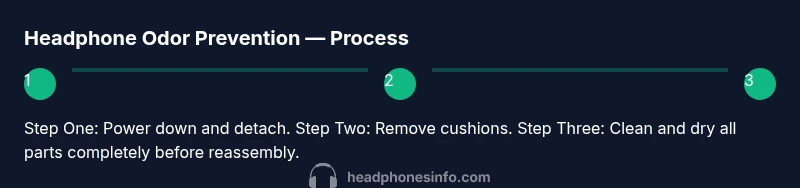
- 1
Power down and detach
Power down the headphones and disconnect any cables. This simple action protects electronics and reduces the risk of shorts while you clean.
Tip: Always start by powering off to avoid damage. - 2
Remove ear cushions/pads
Gently detach removable cushions or pads to expose all surfaces for cleaning. Keep parts organized so you can reattach them correctly.
Tip: If cushions snap off, note their orientation for reattachment. - 3
Prepare cleaning solution
Mix a small amount of mild soap with distilled water in a container. Damp a cloth with the solution—don’t soak it—before you wipe.
Tip: Test on a small area first to ensure no discoloration. - 4
Clean cushions
Wipe the removable cushions with the damp cloth, working gently to avoid compressing foam. Rinse with a clean damp cloth if needed and let them air-dry fully.
Tip: Do not saturate fabric; excess moisture can seep into foam. - 5
Clean headband and frame
Wipe the headband and frame with the same damp cloth, using cotton swabs for crevices. Avoid ports and drivers.
Tip: Keep liquids away from electronic components. - 6
Rinse and remove soap residue
Wipe surfaces again with a clean damp cloth to remove any soap residue. Ensure no dampness remains in seams.
Tip: Soap residue can attract more dust if left behind. - 7
Dry and reassemble
Blot surfaces with a dry towel and allow all parts to air-dry completely before reassembly. Reattach cushions when fully dry.
Tip: Do not reassemble while still damp to prevent odor or mold.
People Also Ask
How often should I clean my headphones?
Clean after heavy use or sweat, with a deeper clean every one to two weeks depending on usage. Regular maintenance reduces odor buildup.
Clean after heavy use or sweat; do a deeper clean every week or two based on how often you use them.
Can I wash ear cushions in the washing machine?
Check the care label. Most cushions aren’t machine-safe; hand wash or spot-clean then air-dry. Avoid high heat.
Check the care label first. If machine washing isn’t advised, hand wash and air-dry instead.
Are disinfecting wipes safe on headphones?
Yes, if the wipes are electronics-safe and do not contain harsh solvents. Wipe surfaces and follow with a dry cloth.
Yes, use electronics-safe wipes and dry afterward.
Will cleaning damage electronics?
Cleaning with a damp cloth kept away from ports and drivers is generally safe. Never spray liquids directly onto the device.
If you avoid spraying liquids and keep moisture away from ports, cleaning is safe.
What if my headphones still smell after cleaning?
Inspect cushions for wear or mold. Consider replacing cushions and repeating a thorough clean. If odor persists, consult the manufacturer for cleaning recommendations.
If the odor stays after cleaning, consider replacement cushions and check with the manufacturer for further guidance.
Should I store headphones with pads on or off?
Store with pads attached if possible, but ensure they’re dry and in a breathable case to promote airflow.
Keep pads on if they’re dry and you’re storing them in a breathable case.
Watch Video
What to Remember
- Establish a simple daily wipe routine.
- Remove and clean cushions regularly.
- Dry thoroughly and store in a breathable case.
- Avoid harsh cleaners that can damage materials.
- A consistent routine prevents odors from returning.