How to headphone jack: A practical repair and troubleshooting guide
Learn how to diagnose, clean, repair, or replace a 3.5mm headphone jack with safe, actionable steps. This guide covers common issues, tools, and step-by-step repair paths for wired audio reliability across devices.


In this guide you will learn how to diagnose, clean, repair, and, if needed, replace a 3.5mm headphone jack. You'll see practical steps, tool suggestions, safety cautions, and when replacement is wiser than repair. By the end, you can restore wired audio quality across most devices. This quick answer sets expectations and points you to hands-on steps below.
Why the headphone jack still matters\n\nThe 3.5mm headphone jack is a simple, universally compatible interface that remains common on many devices, from budget earbuds to premium audio gear. For many listeners, understanding how to headphone jack is essential because wired connections typically deliver low latency, reliable compatibility, and cleaner power management compared to wireless options. According to Headphones Info, wired jacks continue to offer dependable performance across desktops, laptops, and portable players, even as wireless trends rise. If you own multiple devices with different port standards, knowing how the jack behaves helps you troubleshoot faster and avoid unnecessary adapters. This article aims to expand your toolbox with practical diagnostics, safe repair paths, and clear decision points so you can extend the life of your favorite headphones.
Common issues with headphone jacks\n\nHeadphone jacks can fail in several ways. Dust or lint can block the contact, cables may fray near the plug, or the jack itself can wear loose connections after repeated inserting and removing. You might hear crackling, intermittent audio, one channel cutting out, or complete silence. Corrosion from moisture is another culprit, especially on older devices or when exposed to sweat. A jack that feels loose or wobbles when you wiggle the plug is a sign of worn contacts or a bent chassis. Before replacing parts, it’s worth ruling out a faulty cable, adapter, or device input, as these are common sources of the problem.
Diagnostic steps to identify the problem\n\nA systematic approach helps avoid unnecessary repairs. Start by testing with multiple headphones and another device to confirm the issue follows the jack, not the cable. If possible, test with a TRS (stereo) plug and, for compatible devices, a TRRS (headset with mic) to see if any controls or mic input behave differently. Check for static or crackling when moving the plug—this suggests dirty contacts or a loose connection. Use a soft brush or compressed air to remove dust from the jack opening. If you have access to a multimeter, you can check continuity between the jack’s ground and sleeve to confirm a proper ground path. If the problem persists after cleaning, the jack or solder joints may need replacement.
Cleaning and maintenance tips\n\nMaintenance is often enough to extend the life of a headphone jack. Power down the device before any cleaning. Use compressed air to dislodge dust, then wipe the exterior with isopropyl alcohol (at least 90%). Avoid liquid moisture inside the device. If dust returns quickly, consider a soft brush and a tiny vacuum with a nozzle attachment. For mechanical wear, reseating the jack or bending the housing back into alignment can restore contact. Regularly inspect cables for fraying and replace worn cables rather than forcing them through tight ports, which can damage both the plug and the jack.
Repair vs replacement: deciding the best path\n\nRepair is often worthwhile when the issue is a dirty or loose contact, or minor solder joint cracks. Replacement becomes more cost-effective when the jack hardware is damaged, the device has a non-removable assembly, or the cost of repair approaches or exceeds the device’s value. Always consider device architecture: some devices integrate the jack into the motherboard, favoring a professional service or a full replacement. If you’re technically inclined, you can perform a careful jack swap on many devices; if not, consult a technician or use official repair services.
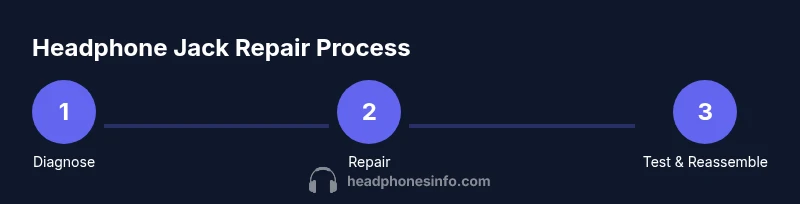
Step-by-step guide overview (high level)\n\nThis article includes a thorough, hands-on plan for diagnosing, cleaning, and replacing a headphone jack, including safety checks and tips to avoid common mistakes. You’ll learn how to identify the jack type (TRS vs TRRS), prepare your workspace, and verify results with multiple audio sources. Use this as a practical road map to bring back reliable wired listening without unnecessary gear purchases.
Tools & Materials
- Precision screwdriver set(Small Phillips #0 or #1; include Torx bits as needed)
- ESD wrist strap(Ground yourself to avoid static damage)
- Soldering iron (25-40W)(Temperature-controlled if possible)
- Solder (lead-free)(Rosin-core is helpful)
- Desolder braid (wick)(Useful for removing old solder)
- Multimeter(Check continuity and ground paths)
- Isopropyl alcohol (90%+)(For cleaning contacts)
- Replacement headphone jack (TRS or TRRS)(Match the device jack type)
- Plastic opening tools(Gentle pry without damaging housing)
- Small container or magnet tray(Keep small screws organized)
Steps
Estimated time: 60-120 minutes
- 1
Power down and prep
Turn off the device and unplug any power sources. If possible, remove the battery or ensure it’s disconnected to avoid short circuits. Set up a well-lit, static-free workspace and lay out all tools.
Tip: Take a photo of the jack area before disassembly to aid reassembly. - 2
Gather tools and safety gear
Collect all required tools and verify you have the replacement jack identical to the original type (TRS vs TRRS). Wear the anti-static wrist strap and ensure you have a clean, organized workspace.
Tip: Keep screws in labeled containers to prevent loss. - 3
Open the device casing
Carefully remove chassis screws and separate the housing to reveal the internal jack. Use plastic tools to avoid marring plastics. Do not force components apart.
Tip: Work slowly; take note of hidden clips or shields. - 4
Inspect the jack and connections
Visually inspect for bent pins, corroded contacts, or loose solder joints. Test the jack’s continuity with a multimeter if you’re comfortable, and gently test the plug’s fit in the jack to assess mechanical wear.
Tip: If contacts look dull or pitted, plan for replacement. - 5
Remove and replace the jack
Desolder old connections if necessary and detach the jack. Position the new jack and solder the connections with clean, neat joints. Re-check ground paths and insulation to prevent shorts.
Tip: Avoid overheating components; heat each joint briefly. - 6
Reassemble and test
Rebox the device, reinstall screws, and reconnect power. Test with multiple headphones and sources to verify proper function, including mic if applicable. Listen for crackling, imbalance, or missing channels.
Tip: If issues persist, re-check solder joints and ensure cable strain relief. - 7
Document and save
Take a quick record of parts replaced and settings adjusted for future maintenance. Consider keeping a small spare kit for on-the-go fixes.
Tip: Store parts in anti-static bags or containers.
People Also Ask
Can I fix a headphone jack without soldering?
Yes, if the issue is mechanical (dust, alignment, loose plug). Electrical faults typically require soldering or jack replacement.
You can fix dirt or looseness without soldering, but damaged circuits usually need a replacement.
Why does my headphone jack crackle or cut out intermittently?
Crackling often indicates dirty contacts, dust buildup, or a loose connection. Intermittent audio can also come from worn solder joints or a damaged cable.
Crackling usually means dirty contacts or a loose joint; cleaning or reseating often helps.
Is headphone jack repair safe for my device?
Repair safety depends on device design and skill level. Follow static precautions and work slowly to avoid damaging delicate circuitry.
With proper precautions, it’s safe to repair; if unsure, seek professional help.
Can a headphone jack also act as a microphone input?
TRRS jacks support microphone input on compatible devices. If your mic isn’t working, ensure the headset is TRRS or use an adapter.
If your headset has a mic, you may need a TRRS jack or adapter to use it.
What’s the difference between a TRS and a TRRS jack?
TRS is stereo (two channels), typically for audio only. TRRS adds a microphone channel, enabling headset mic and controls on compatible devices.
TRS = stereo only; TRRS = stereo plus microphone and controls.
How long does a headphone jack repair take?
Time varies by device and complexity but expect about an hour to a couple of hours for a full jack replacement and test.
Most repairs take about an hour or two, depending on your setup.
Watch Video
What to Remember
- diagnose jack problems with simple tests first
- choose repair vs replacement by cost and device design
- clean and reseat contacts for minor issues
- verify with multiple audio sources after repair