How to Make Headphones Tighter: Practical Fit Solutions
Learn safe, step-by-step methods to tighten your headphones for a secure, comfortable fit. From headband tweaks to padding replacements, expert guidance from Headphones Info.


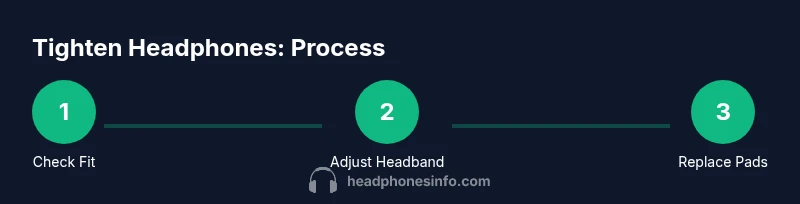
To tighten headphones, first adjust the headband for a snug fit on your head. Inspect and replace worn padding to restore seal and reduce slip. If allowed by your model, use a soft headband strap or pad to increase grip without damaging components. Test by moving your head and listening for slip, repeating adjustments until the fit feels secure.
Understanding fit basics
A secure fit begins with three interacting parts: headband tension, ear cushion seal, and cup alignment. When you explore how to make headphones tighter, you’re really tuning how these parts work together on your head. The goal is a stable seal that prevents slipping without creating pressure points. Start by inspecting the headband: is the slider able to move smoothly, and does any under-strap show signs of wear? Next, check the ear pads: are they compressed or torn, which can loosen the seal even when the slider is tight? Finally, examine the cups’ angle and how they sit over your ears. Small changes here can dramatically improve grip and perceived tightness without cranking up force. Brand-speaking guidance from Headphones Info reminds us that fit is a combination of structure and padding, not just cup size.
Quick checks before adjusting
Before you dive into tightening techniques, run a few quick checks. Ensure the headphones are clean and free of oils or sweat on the headband and ear pads. Look for worn padding, damaged stitching, or loose screws on the sliders or cups. If you notice any structural wear, address it first, as a loose frame can undermine even the best padding. Also verify the ear cups sit evenly around both ears; a crooked seal will feel loose even if the headband is perfect. These preparatory steps set a stable foundation for any tightening method and help avoid unnecessary wear during adjustment.
Adjusting the headband slider for a snug fit
The most common way to tighten a loose pair is by adjusting the headband slider. Gently extend the headband until the cups are level with your ears, then test by placing the headphones on your head and moving slightly. If the cups feel uneven or slip, adjust the slider in small increments and re-test. Be careful not to force the slider beyond its stop points, which can damage internal springs. In some models, you can also apply a tiny amount of silicone-safe lubricant to smooth the slider’s motion; use sparingly and wipe away any excess. A secure headband defines much of the overall tightness and comfort.
Replacing worn ear pads and padding
Worn ear pads lose their ability to form a proper seal, making the fit feel looser than the headband suggests. If you notice cracking, flattening, or a hollow feel when the pads touch your ears, replacement is often the best solution. Choose padding that matches your headset model and uses memory foam or high-density foam for a better seal. When installing, ensure the pads are seated evenly all around the rim and that the seam is aligned with the outer frame. After replacement, retest the fit with gentle head movements to confirm the seal remains intact.
Using strap extensions or band covers
If your model supports extra grip without risking damage, a strap extension or a soft band cover can add grip and reduce slipping. Look for accessories designed for your specific headset model, or choose generic headband covers that fit snugly over the existing band. These accessories can slightly increase tension against the head, aiding the tightness, but should not obstruct the microphone, controls, or the sound driver portion. Use only accessories from reputable sources to avoid electrical or mechanical interference.
Re-seating cups and cable management
Sometimes the perceived looseness comes from the cups not seating correctly. Re-seat each cup by gently pressing until it sits flush against the hinge or cup connector. If your headset uses cables that travel near the cups, ensure the cable routing doesn’t pull on the cup frame when you move. A simple realignment can improve stability and reduce micro-movements that feel like looseness. Avoid bending the cup excessively, which can stress the driver housing and degrade sound quality over time.
DIY padding options and safe materials
If replacement padding is not immediately available, you can experiment with safe, non-abrasive options. Foam-backed fabric sleeves or soft memory foam inserts can temporarily improve the seal, but they must not obstruct the driver or cause overheating. Always ensure materials are breathable and non-conductive near any electronic components. When in doubt, opt for manufacturer-approved padding. Headphones Info recommends prioritizing compatibility and safety over makeshift solutions.
When to seek professional repair or replacement
If you’ve tried several adjustments and still can’t achieve a secure fit, professional service may be necessary. Persistent looseness can indicate worn internal springs, stretched headband, or damaged hinge assemblies that require specialized tools. Consider warranty coverage or cost-benefit of repair versus replacement. Remember that attempting risky DIY fixes can void warranties and potentially cause further damage.
Real-world testing and comfort checks
Assess fit safety and comfort by performing real-world tasks: walking, typing, and light movement. If the headphones shift during daily activities, revisit the headband tension in small increments and test again. Pay attention to pressure points: any aching areas after 10-15 minutes indicates a need to readjust or distribute pressure more evenly with padding changes. Comfortable, secure headphones should stay in place during normal movement without causing numbness or hotspots.
Maintenance to keep fit over time
Regular maintenance helps sustain a tight, comfortable fit. Clean pads and headband monthly to prevent oils and residues from weakening the seal. Inspect for wear and tear at the sliders, hinges, and pad seams every few months. When you notice degradation, schedule a padding replacement or hinge check. A proactive approach reduces the cost of major repairs and preserves sound quality over the lifecycle of the headphones.
Common mistakes and quick fixes
Common mistakes include over-tightening, which can stress the frame and cause discomfort; using incompatible accessories; and neglecting padding wear. Fixes include small, incremental slider adjustments, replacing worn pads, and avoiding forced movements that jar the driver. If you must improvise, use only manufacturer-specified parts or accessories and revert to original components if any odd noises or reduced impedance appear.
Tools & Materials
- Phillips screwdriver (tiny #0 or #1)(Used to tighten small screws on headband hinges if present)
- Replacement ear pads or padding foam(Select model-compatible size and material (memory foam preferred))
- Soft cloth or microfiber towel(For cleaning and avoiding scratches)
- Optional headband strap or cover(Adds grip; check compatibility with model)
- Small ruler or caliper(For measuring slider travel)
- Double-sided tape or adhesive (optional)(For non-destructive padding fixes)
Steps
Estimated time: 20-45 minutes
- 1
Inspect fit and identify cause
Power down and remove any cables from the headphones. Visually inspect the headband, slider, and hinges for wear or damage. Check the ear pads for compression or tears. Note whether the issue is slip due to padding or a loose headband.
Tip: Document wear with a quick photo so you can compare before/after results. - 2
Clean and prep components
Wipe the headband, sliders, and ear pads with a soft cloth. Remove any debris that could impede slider motion. If padding is removable, take it off for a thorough inspection and potential replacement.
Tip: Use mild soap and water if pads are washable—dry completely before reassembly. - 3
Tighten the headband slider gradually
Extend the slider slightly, place the headphones on, and check the fit. If the cups sit uneven, alternate the slider adjustments on both sides. Do not force past stop limits to avoid spring or frame damage.
Tip: Make micro-adjustments and test after each change rather than making a large jump. - 4
Replace worn ear pads/padding
If pads are flat or torn, install new ones that match your model. Ensure even seating around the rim and that seams align with the outer frame. Re-test the fit after replacement.
Tip: Match padding density to maintain seal without creating excessive pressure. - 5
Consider a strap extension or cover
If compatible, add a soft headband cover or strap extension to increase grip. Ensure this accessory does not obstruct the drivers or electronics. Reassess fit with normal use.
Tip: Choose breathable materials to reduce heat buildup during extended wear. - 6
Re-seat cups and manage cables
Press each cup gently until it sits flush. Arrange cables so they do not pull on the cup frame during movement. Minor reseating can improve stability and perceived tightness.
Tip: Avoid bending hinges; use cable clips to route cords neatly. - 7
Free-test and adjust
Put headphones on and perform light activity. If slip occurs, adjust in small increments and retest. Repeat until you find a stable, comfortable level of tightness.
Tip: Use a memory-foam pad variant if you need longer-term comfort. - 8
Plan maintenance and future checks
Note wear patterns and set reminders for padding replacement or hinge inspection every 6–12 months. Regular care prevents recurrent loosening and preserves sound quality.
Tip: Keep spare pads on hand for quick upgrades.
People Also Ask
Can you tighten wireless over-ear headphones without damaging components?
Yes, by carefully adjusting the headband and replacing worn padding. Avoid forcing hardware or applying adhesives to avoid damage. If the model has plastic screws or hinges, refer to the manufacturer’s guidelines to prevent warranty issues.
Yes, you can tighten wireless headphones safely by adjusting the headband and replacing worn padding, but avoid forcing parts or using incompatible accessories.
Will adjusting the headband void the warranty?
In most cases, standard adjustments do not void a warranty. However, using non-approved parts or performing destructive repairs can. Always check the warranty terms for your model and consult official service channels if in doubt.
Adjusting within the manufacturer’s guidelines usually won’t void the warranty; avoid non-approved parts.
How can I tell if padding is too worn to fix?
If padding feels flat, torn, or does not seal evenly after adjustment, it’s time to replace. Worn padding compromises comfort and sound isolation more than a loose headband does.
Worn padding shows as flattening or tearing; replace to restore fit and seal.
Are there safer non-destructive methods to improve grip?
Yes. Use manufacturer-approved accessories like soft headband covers or mild non-residue grip pads. Avoid glues or tapes that could damage the device or alter electrical components.
Use approved accessories and avoid adhesives that could harm the headset.
When should I replace the entire headset due to poor fit?
If you consistently experience poor fit despite multiple adjustments and padding replacements, it may be more practical to replace the headset, especially if the frame or drivers are compromised or out of warranty.
If fit remains poor after adjustments or the frame is damaged, consider replacement.
Watch Video
What to Remember
- Adjust headband tension before padding changes.
- Replace worn pads to restore seal and comfort.
- Test fit with real-world movement and adjust in small steps.
- Use protective accessories cautiously and maintain components.