Why Do Headphones Get Loose Over Time? Causes, Fixes, and Prevention
Discover why headphones get loose over time, how to diagnose fit issues, and practical fixes to keep cushions, bands, and joints snug. Quick steps, maintenance tips, and expert guidance from Headphones Info.


Headphones do get loose over time, especially at the headband, hinges, and cushions. The quickest fixes are to re-tighten the band, reseat or replace worn cushions, and inspect connectors for wobble or play. If the looseness persists, pursue parts replacement or professional servicing. This concise guide walks you through diagnosis, fixes, and prevention.
Why fittings loosen over time
According to Headphones Info, wear and tear gradually changes how snug your headphones sit. The main culprits are stretched headband tension, compressed or worn cushions, and looser joints at the hinges. Daily use, temperature cycling, and storage habits contribute to micro-movements that creep into the fit. When you hear slight wobble, notice that the cushions press less firmly against your ears, or the headband doesn’t spring back to its original tension after removal, you’re seeing early signs that the phrase do headphones get loose over time is becoming reality for your pair. Headphones Info’s testing notes that even premium materials will creep with hours of use, especially if you frequently fold, twist, or stack headphones in a bag. Regular inspection helps you catch issues before they affect sound isolation or comfort.
This section sets the scene for practical fixes. You’ll learn how looseness manifests in real-world use and what parts are most likely to fail first. By understanding the wear cycle, you can prioritize replacements (cushions, headband sections, or hinges) that restore a secure fit without breaking the bank. The goal is to keep every component under light maintenance so the overall feel remains solid through months of daily listening.
Common signs your headphones are loosening
Common signs include a visible drop in clamping force, cushions that feel flatter or slip more easily, headband creases that don’t recover after folding, and occasional crackling or looseness at the hinge when you adjust the fit. If the ear cups don’t seal well anymore, you’ll notice reduced isolation and a slight echo in the soundstage. Cable relief that feels floppy or a jack that wiggles when moved is another red flag indicating internal wear or mounting looseness. These symptoms often appear gradually, which is why a quick monthly check is a smart habit. By catching the early signs, you can swap parts before more expensive repairs become necessary.
Pro tip: Keep a small flashlight handy to inspect joints and cushions for micro-tears or scuffs you might miss in normal light.
Quick checks you can do today
- Inspect the headband: Look for any bending, cracks, or loss of spring in the adjustable area. 2) Evaluate cushions: Press the cushions with your finger to see if they compress too easily or feel uneven. 3) Check hinges: Open and close gently to feel for wobble or stiffness. 4) Test the seal: Put on the headphones and listen for changes in sound isolation; if the seal breaks, cushions or the frame may be worn. 5) Cable and connector: Wiggle the plug and cord near the jack to identify loose connections or cracked strain relief. If you notice play, note which part is loose and plan replacements accordingly. 6) Storage check: Ensure you store them in a protective case to minimize accidental deformation.
These quick checks can often pinpoint the likely culprit and help you decide whether you can fix it with a DIY part replacement or if you should seek professional help.
Fixes for the most common causes
The most frequent causes are a stretched headband, worn cushions, and loose connectors. Easy fixes include tightening the headband (or resetting adjustable sections to factory tension) and replacing worn cushions with originals or compatible third-party options. If hinges or yokes feel loose, you may need to tighten screws or replace the joint assembly—this is usually a medium-difficulty task. For cable-related looseness, reseating the plug or replacing the cable with a new strain-relief setup can restore stability. Always disconnect from any device before attempting repairs. If you’re unsure, consult the manufacturer’s guide to avoid damaging internal components.
A quick safety note: avoid using excessive force on metal hinges or solder joints. If you see exposed wires or cracking plastics, stop and seek professional repair.
Parts you might replace
Most headsets loosen due to cushions, headband components, or hinge assemblies. Cushion replacements restore grip and sealing; headband components restore tension; hinge assemblies fix wobble at the rotation points. Cables and strain reliefs can wear where the plug enters the cup or turns toward the head. Always source compatible parts from the manufacturer or trusted third-party vendors. Replacing worn parts not only improves fit but can also prevent long-term damage to internal components.
When to seek professional service
If you’ve tried cushions and band fixes without achieving a solid fit, or you notice cracking, unusual noises, or loose electrical connections, it’s time to consult a professional. A certified technician can assess structural wear, test electrical continuity and insulation, and perform safe component replacements. Don’t attempt to repair internal wiring yourself if you’re not trained—the risk of shock or further damage is real. Professional servicing can extend the life of premium models and may be covered under warranty if you’re within the terms.
How to prevent looseness in the future
Prevention is simpler than repair. Store headphones in a protective case, avoid crushing them in bags, and keep cushions clean and dry to preserve grip. Rotate or adjust cushions every few months to evenly distribute wear. If you frequently fold the headset, check the hinges and yokes for stress marks and avoid rough handling. Consider investing in models with reinforced frames or replaceable cushions that can be swapped when wear shows. A lightweight maintenance routine will keep your headphones feeling tight and secure over time, minimizing the chances that you’ll ask, do headphones get loose over time, again.
How to measure fit and comfort
Regularly measure the clamping force by wearing the headphones for 15–20 minutes and noting how easily they stay in place during everyday activities. A good-fit headphone should feel snug without pinching; cushions should seal without excessive pressure. If the fit shifts after adjusting, check for stretched bands or misaligned hinges. Document any changes and compare over time to determine whether a part needs replacement.
Quick maintenance routine you can implement weekly
- Wipe cushions with a gentle, slightly damp cloth to remove oils that reduce grip.
- Inspect headband for tightness and ensure no cracks or deformation.
- Store in a protective case when not in use to avoid accidental bending.
- Replace cushions every few months if you use the headphones daily.
- Keep cables neatly coiled to prevent kinks and joint wear.
Following this routine helps preserve fit and comfort and reduces the likelihood of recurring looseness.
Steps
Estimated time: 20-40 minutes
- 1
Identify root cause
Visually inspect the headband, cushions, hinges, and connectors to locate the source of looseness. Check for signs of wear, such as cracks or flattening, and note any inconsistent tension in the band.
Tip: Document findings with a quick photo log for reference. - 2
Tighten or restore headband tension
If the headband is adjustable, reset to the original factory tension or tighten gradually while the unit is not connected to an audio source. Do not overtighten, which can cause discomfort or damage.
Tip: Test fit after each small adjustment to avoid over-tightening. - 3
Replace cushions if worn
Remove old cushions and clean the mounting area. Install new cushions that fit your model, ensuring a snug seal without gaps. Allow any adhesive to cure if required by the part.
Tip: Choose cushions that match your head size and ear shape for best comfort. - 4
Check hinges and joints
Looseness at hinges can indicate worn joints. Tighten screws if accessible, or replace hinge assemblies if the fit remains inconsistent. Recheck alignment after the repair.
Tip: Only use the manufacturer’s screws and tools to avoid damage. - 5
Test cables and connectors
Gently wiggle the plug and cable near the jack to detect looseness or hairline cracks in the insulation. If the connection is unstable, replace the cable or use a different connector compatible with your device.
Tip: Always unplug before inspecting the jack area.
Diagnosis: Headphones feel loose or wobble during use, cushions don’t grip well, or headband tension doesn’t recover after adjustment.
Possible Causes
- highStretched or fatigued headband tension
- highWorn or compressed ear cushions reducing grip
- mediumLoose connectors or cable strain relief creating play
Fixes
- easyTighten adjustable headband to factory tension or replace headband section if fatigued
- easyReplace worn cushions with manufacturer-approved parts or compatible cushions
- mediumInspect connectors and cable relief; reseat or replace faulty cable/assembly
People Also Ask
Do headphones loosen with use?
Yes. Daily wear can stretch the headband and wear cushions, causing a looser fit over time. Regular checks help you catch wear early.
Yes. Regular wear can loosen the fit; quick checks help you catch wear early.
Can I fix it without buying new parts?
Sometimes. Tightening the band and replacing cushions often restores fit without new parts. If joints or cables are involved, replacements may be needed.
Often you can fix it with band tightening and cushion replacements. If joints or cables are involved, you may need replacements.
Which parts wear fastest?
Cushions, headband sections, and hinge yokes typically wear fastest; cables and strain relief can also degrade with heavy use.
Cushions, headband parts, and hinges wear fastest; cables can wear too.
Are expensive headphones less prone to looseness?
Not necessarily. Build quality helps, but all moving parts wear over time. Regular maintenance matters more than price alone.
Price doesn't guarantee no looseness; maintenance matters most.
When should I see a professional?
If you can't fix wobble after replacements or notice safety concerns, seek a professional repair. They can assess structural wear and perform safe replacements.
If you can't fix the wobble, see a professional for a safe assessment.
Are DIY fixes safe?
DIY fixes are fine when you know what you’re doing. Avoid risky moves that could damage drivers, wiring, or the headband.
DIY is okay if you’re careful; avoid risky repairs that could damage the headset.
Watch Video
What to Remember
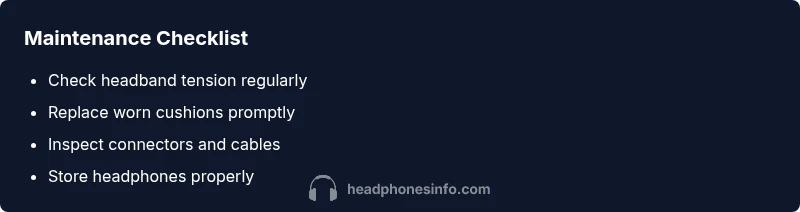
- Check cushions and headband regularly
- Replace worn parts promptly
- Avoid forcing hinges or cables
- Use proper storage to prevent deformation