How to Wash Headphone Foam
Learn how to wash headphone foam safely and effectively. This step-by-step guide covers materials, techniques, drying, maintenance, and common mistakes to extend foam life and keep listening hygienic.


This guide shows you how to wash headphone foam safely in a few clear steps. You’ll learn which materials to use, how to avoid damaging adhesives, and the best drying practices to preserve fit and comfort. Follow the steps to clean foam cushions without harming your headphones.
Understanding headphone foam and why it needs cleaning
Headphone foam cushions are designed for comfort, but they are highly porous and trap oils, sweat, and skin cells. Over time this buildup can cause odors and reduce cushioning efficiency. According to Headphones Info, regular cleaning of foam cushions can improve hygiene and extend foam life, especially for daily users. The Headphones Info Team found that consistent, gentle cleaning helps maintain fit and reduces the chance of skin irritation from long listening sessions. This block lays the groundwork for choosing safe methods that protect the foam’s structure while removing dirt and oils.
Types of foam used in headphones and how cleaning differs
Most user-facing foam comes in two broad forms: memory-foam cushions and polyurethane memory foam inside ear pads. Memory foam tends to be more delicate and can discolor if soaked, while polyurethane foam is sturdier but can break down with aggressive agents. Open-cell foams dry faster but may absorb moisture more readily, increasing the risk of microbial growth if not dried thoroughly. When cleaning, consider the foam’s construction and the adhesive bond to the shell. For example, over-ear cushions with fabric covers may tolerate gentle washing, while fully exposed foam may require surface cleaning only. Headphones Info emphasizes choosing a method that preserves the foam’s bounce and prevents crumbling.
Safe cleaning agents and materials
Begin with mild, soap-based cleaning rather than strong solvents. A small amount of gentle dish soap or wool-safe detergent dissolved in warm water is usually sufficient. Avoid bleach, hydrogen peroxide, or alcohol on foam, as these can degrade the material and alter texture. Isopropyl alcohol is sometimes suggested for skin oils, but it should be used sparingly and only on non-foam components. Always use a soft cloth or microfiber to apply the solution and avoid abrasive scrubbing that can tear delicate foam surfaces. Keep water contact minimal and never submerge closed foam assemblies where adhesives may fail.
Cleaning methods by foam type
For removable foam cushions, detach them from the headset to inspect for signs of wear or glue failure. If the foam is covered by fabric, you can commonly spot-clean the fabric and gently wipe exposed foam with a damp cloth. For foam that is glued to a shell, avoid soaking; instead, wipe with a damp cloth, then blot with a dry towel. Memory-foam inside ear pads may benefit from a light, quick rinse only if the pad is fully removable and can be air-dried. In all cases, ensure that you do not saturate the foam, as excessive moisture can lead to mold and persistent odor.
Step-by-step rationale and technique for safe cleaning
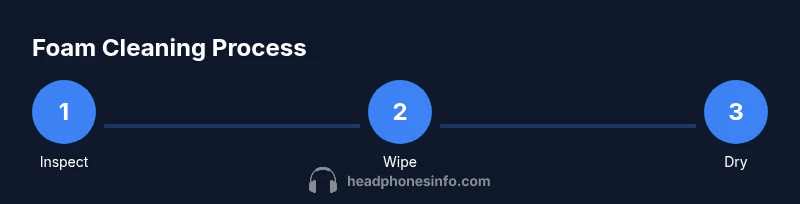
The core idea is to remove oils and debris without compromising the foam’s integrity or the adhesive bond to the headphone shell. Use a gentle approach: a soft brush to lift debris, a damp cloth to wipe, and a dry towel to blot moisture. Avoid aggressive squeezing or wringing, which can distort foam shape. If a cushion is heavily soiled, consider replacing it rather than risking damage. This approach aligns with best practices for consumer electronics care and helps preserve comfort and hygiene over time.
Drying, reshaping, and reassembly after cleaning
After cleaning, shape the foam back to its original contour and allow it to air-dry completely in a well-ventilated area away from direct heat or sunlight. A hot dryer or heater can warp foam and weaken adhesives. Depending on thickness and humidity, drying can take several hours to a full day. Once dry, reattach the cushions carefully and press around the edges to ensure a snug, even fit. Patience in drying prevents residual dampness that could foster mold or odor.
Maintenance tips to extend foam life and hygiene
Implement a light weekly wipe-down with a damp microfiber cloth, focusing on oils and sweat around the outer surface. Consider a protective fabric sleeve for fabric-covered cushions to reduce staining. Rotate or replace foam cushions as part of a regular maintenance cycle, especially if you wear headphones during workouts or daily commuting. Keeping hands clean before handling cushions also reduces the transfer of oils and skin cells. Headphones Info Analysis, 2026, highlights that consistent care reduces long-term grime buildup and preserves softness.
Common mistakes and troubleshooting
Common errors include soaking foam, using harsh solvents, or overheating during drying. Soaking can loosen adhesives and ruin shape, while solvents like acetone can degrade foam fibers. If a cushion develops a persistent odor after cleaning, check for trapped moisture inside layers or the presence of mold. If so, replace the cushion rather than re-clean with harsher methods. For stubborn stains, spot-clean with a tiny amount of soap solution rather than attempting a full immersion.
Final tips and getting the timing right
Plan cleaning for a time when you can let cushions dry completely before next use. Even indoor humidity can prolong drying, so allow extra time in damp environments. Document a simple maintenance routine, such as cleaning every 2–4 weeks for heavy users and monthly for casual listeners. This proactive approach keeps foam soft, cushions resilient, and listening comfortable.
Tools & Materials
- Soft microfiber cloth(Lint-free and gentle on foam)
- Mild liquid soap or gentle detergent(Dissolve in warm water)
- Warm water (not hot)(For dilution and rinsing)
- Small bowl or cup(For mixing cleaning solution)
- Soft-bristled brush or old toothbrush(For debris and stubborn spots)
- Towel or drying rack(To blot moisture and air-dry)
- Cotton swabs or Q-tips(Detail cleaning in crevices)
- Optional: isopropyl alcohol 70%(Use only for non-foam parts)
Steps
Estimated time: 25-40 minutes active work; 4-24 hours drying
- 1
Remove the cushions (if detachable)
Gently detach foam cushions from the headphones if possible. Inspect for wear and avoid forcing glue areas. This step reduces risk to the shell and makes cleaning more even.
Tip: Work slowly to avoid tearing fabric or loosening glue. - 2
Brush off loose debris
Use a dry brush or cloth to remove dust, skin cells, and hair from the surface. This reduces the amount of moisture needed later and prevents mudding when you wipe with liquid.
Tip: Do this before any damp cleaning for best results. - 3
Mix a mild cleaning solution
In a small bowl, mix a drop or two of mild soap with warm water. Dip a cloth into the solution and wring out well to avoid over-wetting the foam.
Tip: Always test a hidden area first for colorfastness. - 4
Wipe and spot-clean
Gently wipe the foam with the damp cloth, focusing on stained areas. For fabric-covered cushions, wipe only the outer surface and avoid soaking deeply.
Tip: Never scrub aggressively; foam fibers can tear. - 5
Rinse and blot moisture
Use a second clean damp cloth with plain water to remove soap residue. Blot with a dry towel to remove as much moisture as possible.
Tip: Do not leave soap film on foam, as it can irritate skin. - 6
Air-dry completely and reattach
Place cushions on a clean surface in a well-ventilated area away from heat. Let them dry fully before reassembling on the headphones.
Tip: Estimated drying time can range from several hours to a full day depending on thickness.
People Also Ask
Can I wash headphone foam with hot water?
No. Hot water can damage adhesives and deform foam. Use warm water and mild soap for safety. If foam shows color transfer, stop and reassess.
Avoid hot water; use warm water and mild soap to protect the foam and adhesives.
Is it safe to machine wash foam cushions?
Most headphone foam is not machine washable. The agitation and water exposure can damage foam and the bonding to the shell. Hand washing with care is preferred.
Machine washing is usually not recommended; opt for hand cleaning with a gentle approach.
How long does it take foam to dry after cleaning?
Drying times vary by thickness and environment but expect several hours to a full day. Ensure cushions are completely dry before reassembling to avoid mold.
It can take several hours to a day; ensure complete dryness before use.
Can I use alcohol to remove tough stains on foam?
Alcohol can degrade foam fibers; use only on non foam parts or as a last resort on stubborn non porous areas. Test first.
Only use alcohol on non foam parts or after careful testing.
What should I replace if foam is crumbling?
If foam shows crumbling, loss of shape, or persistent odor after cleaning, replacement is the safer option to maintain comfort and hygiene.
If it crumbles, replace the cushions to maintain comfort and hygiene.
Watch Video
What to Remember
- Wear guidance with mild soap and warm water.
- Avoid soaking and harsh solvents on foam.
- Dry thoroughly before reuse to prevent mold.
- Regular light cleaning extends foam life