Why Do Headphones Hurt My Ears? A Troubleshooting Guide
Learn practical steps to relieve ear pain from headphones, including fit, padding, and listening habits. Quick, data-driven troubleshooting for comfortable listening.


Most likely, headphones hurt your ears because of tight clamping, uncomfortable cushions, or pressure from the ear cups. Start by loosening the headband, swapping to softer pads, and ensuring a correct cup angle to avoid direct contact with the skin. Take short listening breaks and lower volume if pain returns; persistent pain warrants a clinician’s advice.
Why Do Headphones Hurt Your Ears?
If you’ve ever asked yourself, why do headphones hurt my ears, you’re not alone. Ear discomfort is usually not a sign of a flawed product; it’s a signal that fit, padding, and design are pressing on sensitive areas. According to Headphones Info, ear comfort matters as much as sound quality, and tiny adjustments can deliver big relief. This section explains the concrete reasons behind the pain and why certain headphones feel harsher than others. We examine clamping force, cup geometry, padding materials, and the balance between isolation and pressure. By understanding the anatomy of comfort, you can approach shopping and usage with a sharper eye for fit. The goal isn’t just better sound—it’s sustained comfort that lets you enjoy music, podcasts, and gaming without distraction or pain. In short, pain is a guide to improve your setup, not a verdict on your ears.
The Headphones Info Team
Steps
Estimated time: 25-45 minutes
- 1
Assess current fit
Inspect how the headband sits and whether the cups exert pressure on the ears. If the clamp feels strong, adjust the band tension and cup angle. A proper fit distributes pressure around the ear, not on it.
Tip: Start with a slight looseness and test for comfort. - 2
Check ear pads and cushions
Look for worn padding or hard edges. Replace with softer variants that match your ear shape. Gentle materials like memory foam or velour can reduce fatigue.
Tip: Choose breathable fabrics to reduce heat. - 3
Test different cup geometry
If you have small ears or wide ears, a larger cup can avoid pinching. Try models with deeper cups or a more open-back design if available.
Tip: Avoid tight on-ear designs if you're prone to pressure. - 4
Take short listening breaks
Use the 60/5 rule: 60 minutes listening with a 5-minute break, or shorter sessions if you feel discomfort early.
Tip: Set a timer so you don’t forget to rest. - 5
Check padding materials for sensitivity
If you notice skin irritation, consider padding made from hypoallergenic materials. Clean and dry pads between uses to avoid residue.
Tip: Test on a small skin area before extended use. - 6
Evaluate volume and duration
Lower volumes reduce ear pressure and fatigue; aim for safe listening habits. Long sessions at all-day volume can worsen discomfort.
Tip: Use built-in volume limiting features if available. - 7
Try alternate models
If pain persists after adjustments, borrow or rent a different model to confirm whether the issue is fit-related or design-related.
Tip: Focus on models with soft cushions and moderate clamp. - 8
Consult a professional
A licensed audiologist can assess ear health and advise on padding, fit, or custom cushions if needed.
Tip: Persistent pain warrants professional evaluation.
Diagnosis: Headphones cause ear pain after wearing for a short period
Possible Causes
- highExcessive clamping pressure from the headband or ear cups
- highIll-fitting cushions or cups pressing on the outer ear
- mediumEar-canal pressure from in-ear designs or tightly sealed cups
- lowAllergic reaction to padding materials or adhesives
- mediumProlonged use with minimal breaks causing heat/moisture buildup
- mediumListening at high volumes causing ear fatigue and pain
Fixes
- easyLoosen the headband and adjust cup position to relieve pressure
- easyReplace or swap to softer, breathable ear pads and larger cups
- easyTake regular listening breaks (e.g., 5 minutes every 30–60 minutes)
- easyTry a different model with gentler clamp or well-cushioned cups
- mediumConsult a clinician if pain persists after adjustments
People Also Ask
Why do headphones hurt my ears after a few minutes?
Pain after a few minutes is often caused by excessive clamp pressure, poorly padded ear cups, or ear contact with edges. Start by loosening the headband, swapping cushions, and testing a model with a softer fit.
Pain after a few minutes is usually due to clamp pressure or padding. Try adjusting fit and padding, and take breaks.
Are in-ear headphones more likely to cause ear pain than over-ear headphones?
In-ear designs can irritate the canal or push pads into the ear, leading to pain for some users. Over-ear can be gentler if they have comfortable padding and proper clamp. Consider your ear anatomy.
In-ear headphones can irritate the ear canal; over-ear may be kinder if they fit well.
Can padding materials cause skin irritation?
Yes. Some people react to synthetic leather, adhesives, or foam. If you notice redness or itching, switch to hypoallergenic padding and keep pads clean.
Padding can cause skin irritation for some people; try hypoallergenic options.
Should I replace my headphones if pain keeps happening?
If pain persists after adjusting fit and padding, testing another model is reasonable. Look for softer cushions, larger cups, and lighter clamps.
If pain continues after adjustments, consider trying a different model.
Does wearing headphones at high volumes cause pain?
High volumes can cause ear fatigue and pain, especially with long listening sessions. Lower volume and limit duration to reduce risk.
Yes, loud volumes can cause pain over time; lower the volume and take breaks.
How can I tell if I have an allergy to headphone padding?
Skin reactions from padding materials are possible. Test a new pad on your forearm or behind the ear and watch for redness or itching.
Allergic reactions happen; test pads first.
Watch Video
What to Remember
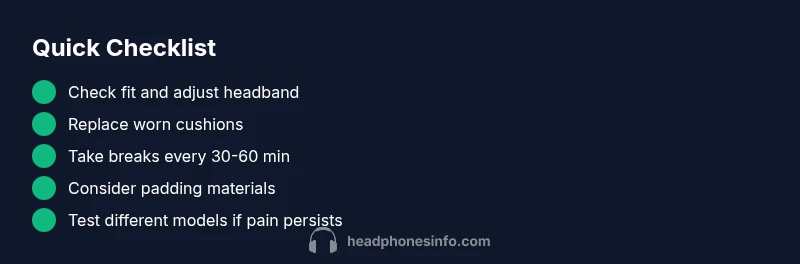
- Start with fit and padding to reduce pressure.
- Keep breaks and lower volume to protect ears.
- Try different models if pain persists.
- Check for skin sensitivity to padding materials.
- Consult a professional for persistent pain.