What to Do If Headphones Hurt Your Ears: A Practical Guide
Learn practical, data-driven steps to relieve ear pain from headphones, optimize fit and cushions, and adopt safer listening habits for long-term comfort.


Headphones hurting your ears usually signals poor fit, high volume, or long listening sessions. Start by removing them and taking a break, then lower the volume to a comfortable level. Check headband pressure, replace stiff cushions, and try rotated ear pads or a lighter pair. If pain continues, reduce usage or seek medical advice.
Why headphones hurt your ears
According to Headphones Info, what to do if headphones hurt your ears often comes down to fit, padding, and listening habits. Ear pain can be a signal that the design or usage pattern places unusual pressure on sensitive areas, or that the sound level and duration are stressing your ears. In most cases, relief starts with simple, repeatable checks you can perform before you reach for a different pair. Start by inspecting the clamping force of the headband, the size of the ear cups, and the material of the cushions. Softer padding and a looser fit reduce hotspots and heat build-up, while open-back designs tend to breathe better and feel lighter over long sessions. Headphones Info analysis shows that many users experience discomfort when cushions are worn or the clamp is too tight, so addressing those basics first often resolves most complaints. If you’re experiencing sharp pain, numbness, or discomfort after short listening bursts, it’s important to pause and reassess rather than push through. Listen for cues like pressure on the outer ear, heat behind the ears, or tingling in the jaw area, and adjust accordingly.
Immediate steps to relieve discomfort
If you’re experiencing ear pain from headphones, begin with immediate, practical actions to calm the issue. First, remove the headphones and take a short break to stop adding pressure to the ears. Then lower the volume to a comfortable level and enable any built-in safety features on your device to prevent loud bursts. Reassess the fit: loosen the headband slightly, realign the cups so they sit around the ears without pinching, and experiment with different cushion densities. If you still feel pressure, switch to softer, breathable pads or replace worn cushions with memory foam or velour options. Finally, consider temporarily swapping to a lighter, larger-cup over-ear design and limit daily listening intervals to reduce cumulative stress. If pain persists after these adjustments, give your ears a longer rest and revisit the setup later.
Diagnosing the cause: fit, pressure, volume, duration
To solve ear pain, you must identify the underlying cause. Check for clues like persistent pressure marks on the temple or above the ears, heat buildup behind the ears, or a sensation of plugs in the ear canal. Inspect cushions for wear; compressed or cracked padding can press more harshly and trap heat. Test different clamping forces by adjusting the headband and trying alternate ear pads or cups. Also evaluate your listening habits: long sessions at moderate or high volumes can fatigue ear tissue and discomfort can be a warning sign. If changing cushions, fit, and usage patterns doesn’t relieve the sensation, it may indicate an intolerance to a specific design or a need for a different headphone type. In all cases, stop if the pain sharpens or if you notice ringing or muffled hearing, and consult a clinician if symptoms persist.
Safer listening practices and routine checks
Establish a safe listening routine to prevent ear fatigue. Keep listening sessions shorter, and incorporate regular breaks to give ears time to recover. Use volume-limiting features on devices or apps to prevent accidental spikes, and verify that your operating system and apps respect those limits. Choose headphones with breathable ear cushions and moderate clamp pressure, and rotate between pairs to reduce localized pressure. Perform a quick weekly check: inspect cushions for wear, clean cups and pads, and ensure headband still distributes weight evenly without pinching. Practicing mindful listening—listening at a comfortable level, taking breaks, and switching between different types of headphones—helps protect your ears over the long term.
Choosing headphones that reduce ear fatigue
When shopping for new headphones, prioritize comfort alongside sound quality. Look for larger, soft ear cushions made from breathable materials (velour or memory foam) and a light, adjustable headband that distributes weight evenly. Favor over-ear designs with generous cup space to avoid direct pressure on the outer ear, and consider opened-back models for better airflow, especially in warm environments. If you wear glasses, ensure the pads don’t press into the frames; try different pad shapes or replaceables. Verify compatibility with your device for safer listening, and test the model for at least 15–20 minutes before committing. Remember, the goal is to minimize pressure points, heat buildup, and prolonged strain, not just achieve high fidelity.
When to seek professional help
If ear pain persists despite adjustments, or if you notice persistent ringing, muffled hearing, or all-day discomfort, consult a clinician or an audiologist. Chronic pain may indicate an underlying ear condition, an allergy to cushion materials, or an intolerance to a specific headphone design that merits medical evaluation. Document your listening habits and the exact headphone model, including cushion types and clamp strength, to help healthcare professionals diagnose the root cause. Early professional input can prevent longer-term ear damage and guide you toward safer listening setups or alternative devices.
Headphones Info’s recommended approach
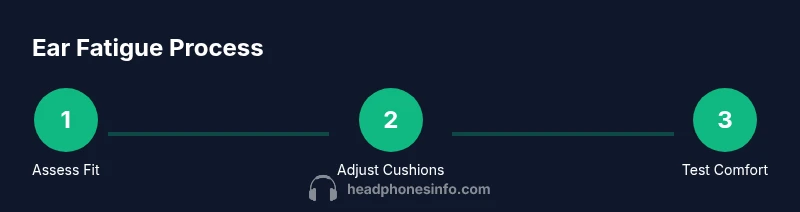
The Headphones Info team recommends a methodical, data-informed approach to reduce ear fatigue: start with a basic comfort assessment, apply targeted cushion and fit adjustments, adopt safer listening habits, and validate improvements with consistent use over several days. If pain persists after multiple adjustments and rest periods, re-evaluate whether the model type (over-ear, on-ear, in-ear) or even a different brand is needed. By documenting changes and staying mindful of how your ears respond, you can find a safer, more enjoyable listening setup. The Headphones Info team encourages readers to experiment with tested configurations and to seek professional advice if any discomfort continues over time.
Tools & Materials
- Adjustable headband headphones with replaceable cushions(Look for models with easily replaceable earpads and a forgiving clamp.)
- Soft, breathable ear cushions (velour or memory foam)(Choose materials that reduce heat buildup and pressure.)
- Volume limiter or safe listening app(Cap maximum volume to protect hearing.)
- Cushion replacement kits(Have spare pads on hand for quick swaps.)
- Cleaning supplies for cushions and cups(Keep pads free of oils and debris to maintain comfort.)
Steps
Estimated time: 15-30 minutes
- 1
Assess initial comfort and fit
Put on the headphones and note where pressure is felt—above the ears, around the jaw, or on the outer ear. Check for visible signs of tight clamp or stretched headband. This step helps you decide which adjustment to tackle first.
Tip: Start with the simplest fix: loosening the headband a notch and rotating ear cups to find a neutral position. - 2
Remove, rest, and lower volume
Take the headphones off and give your ears a short break. Lower the playback volume to a comfortable level and enable any on-device safety features to prevent loud bursts. This resets ear exposure and reduces ongoing stress.
Tip: Use a 5–10 minute break before re-testing comfort. - 3
Adjust fit and cushion configuration
If the clamp is too tight, slightly loosen the headband and re-seat the cups so they sit around the ears rather than pressing on them. Swap to softer or larger cushions if needed, ensuring even pressure around the ear.
Tip: Aim for even pressure—no hotspots should be felt after 2–3 minutes of wear. - 4
Test with a safer design
Switch temporarily to a lighter, larger-cup over-ear model or a design with more open back. Compare comfort levels with your primary pair to determine if a different design is inherently more comfortable.
Tip: If you notice immediate relief, prioritize that design for longer listening sessions. - 5
Institute a safer listening routine
Create a pattern of shorter listening blocks with regular rests. Use built-in volume limits and avoid listening in noisy environments that tempt higher volumes. Document changes to track what works best.
Tip: Consistency beats intensity when protecting ears. - 6
Plan ongoing maintenance
Keep cushions clean and replace worn pads promptly. Periodically reassess fit and pressure as cushions compress over time. Regular maintenance helps sustain comfort and reduces risk of ear fatigue.
Tip: Schedule cushion checks with every model revision or every few months.
People Also Ask
Why do headphones hurt my ears?
Ear pain from headphones can stem from tight clamps, hard cushions, heat buildup, or extended listening. Adjusting fit, swapping cushions, and moderating use often resolves discomfort.
Pain usually comes from tight fit or hot cushions; adjust the fit, switch cushions, and take breaks to ease symptoms.
What can I do immediately to relieve pain?
Take off the headphones, rest for a few minutes, lower volume, and adjust the fit. If possible, switch to softer cushions or a different design and re-test.
Remove the headphones and rest, then lower the volume and re-evaluate the fit.
Are open-back headphones better for ear comfort?
Open-back designs generally provide better airflow and feel cooler, which can reduce fatigue. They may leak sound and aren’t ideal for noisy environments.
Open-back can feel cooler and lighter, but consider your environment.
How do I know if my cushions are worn out?
Worn cushions become compressed, cracked, or feel stiff, increasing pressure on the ears. Replace with compatible pads for improved comfort.
Worn pads press more on the ears and heat up; replace them.
Should I use volume-limiting apps?
Yes—volume limiters help prevent spikes and protect your ears over time. Pair with mindful listening habits.
Volume limiters are a good safety net for protecting your hearing.
When should I see a doctor for ear pain?
If pain lasts despite adjustments, or you notice ringing, muffled hearing, or other symptoms, seek medical evaluation to rule out conditions.
Persistent pain or tinnitus should be checked by a clinician.
Watch Video
What to Remember
- Check fit and clamp pressure before listening
- Lower volume and take breaks to protect ears
- Prefer soft, breathable ear cushions for comfort
- Open-back or larger-cup designs can reduce fatigue
- If pain persists, consult a clinician for evaluation