How to Deal with Tight Headphones
Learn step-by-step methods to relieve tight headphones, improve comfort, and preserve sound quality with safe padding upgrades and fit adjustments. Expert guidance from Headphones Info helps you get lasting relief.


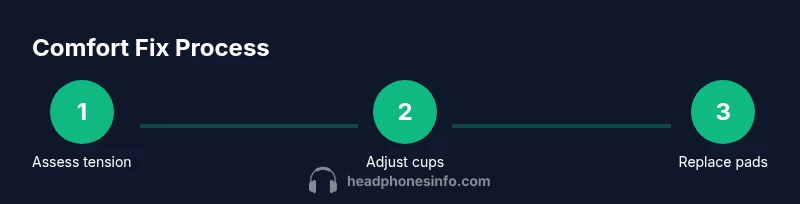
To deal with tight headphones, you’ll first relieve pressure points, then adjust how the cups sit on your ears and the headband’s clamp. Start with immediate relief moves, reposition the cups, and test different padding options. If discomfort persists, consider replacing pads or seeking brand-specific adjustments. This quick guide also covers long-term fixes and when to replace components rather than endlessly fiddling.
Why tight headphones happen
Headphones can feel tight for several reasons, from design choices to individual head shapes. The most common culprits are clamp pressure and ear-pad geometry. Some models use a strong metal arch to keep cups in place, which translates into noticeable pressure along the temples and above the ears after an hour or two of listening. Glasses or long hair can also alter how the cups sit, increasing perceived tightness. Ear pads that are too shallow or too hard fail to cup the ear properly, creating pinching and friction that radiates into the skull. In addition, if the headband padding is stiff or the sliders sit high on the head, the overall force distribution can feel concentrated in a few contact points rather than spread evenly. Finally, wear and age matter: padding compresses, leather or foam can stiffen, and glue can degrade, gradually increasing pressure. According to Headphones Info, most users report that small changes to fit and padding have outsized effects on comfort, often more than buying the next price tier of headphones. Understanding your own head shape, preferred wear style, and how you move while listening helps tailor fixes that are simple and effective.
Immediate relief: quick tweaks you can try today
If your headphones feel tight right now, start with non-destructive, quick adjustments. Reposition the cups so the ear opening aligns with the ear canal, and tilt the cups slightly to reduce pressure on the upper ear. If your headband feels overly clamped, see if the band allows a tiny amount of loosening at the sliders—do this in small increments and test fit frequently. Add a soft padding layer or trial memory foam liners if available, ensuring they don’t obstruct the driver or create new gaps. Wear with light attire first to gauge whether the fit changes with movement. Remember to take breaks during long listening sessions to prevent fatigue. Headphones Info notes that mild tweaks can often yield substantial relief without compromising sound isolation or bass response.
Fit adjustments for different head shapes
Head size and skull shape influence how a given headset feels. People with oval or wider heads may experience more pressure at the temples, while those with round heads may notice pressure across the crown. The goal is to distribute force evenly: align the cups with the ears, ensure an even seal without over-tightening, and avoid contact on sensitive spots like the cheekbone. If you wear glasses, consider adjusting the temple arms or choosing headphones with a looser clamp to avoid pinching. For users with longer hair, a slightly higher cup position and a gentle tilt can reduce friction. Personal experimentation is key, and keeping a small pad or liner on hand lets you tailor the feel for different activities.
Padding options: upgrading ear pads
Padding choice profoundly affects comfort. Plush velour or memory foam pads typically feel softer and distribute pressure more evenly than hard leather or dense foam. When selecting pads, verify compatibility with your model—check the inner diameter, thickness, and mounting method. Some third-party pads add a bit of spring or rebound that can change seal integrity, so replace in pairs for balanced feel. If you rely on passive noise isolation, softer pads may reduce isolation slightly but increase long-term comfort. Headphones Info emphasizes testing several pad options to find a balance between comfort, seal, and sound. Keep the original pads safe for resale or future use.
When to repair vs replace pads or headband
If pads become misshapen, tear easily, or lose their cushion, replacement is often the simplest fix. If the headband shows signs of metal creep, cracked coating, or reduced clamping due to worn sliders, consider repair options offered by the manufacturer or a reputable service. Some models allow you to replace the entire headband assembly or adjust the arch tension, while others require professional refurbishment. In many cases, upgrading to a higher-quality pad material or compatible third-party pad can restore comfort without altering the fundamental design. Headphones Info notes that choosing replacements that preserve the original seal and acoustic balance is crucial for maintaining sound quality.
Long-term comfort: routine maintenance and best practices
Regular cleaning of ear pads prevents oil buildup that can harden padding and irritate skin. Wipe with a gentle, non-abrasive cloth and allow components to dry fully before reassembly. Store headphones in a cool, dry place to slow padding degradation. Rotate usage between different listening sessions (if you own more than one pair) to minimize wear on a single model. Document any adjustments you make so you can reproduce successful setups later. Consistency in care extends the life of cushions and headbands, and helps preserve the original sonic character. The Headphones Info team recommends proactive upkeep as the simplest path to lasting comfort.
Common mistakes that make tightness worse
Avoid over-tightening clamps in an attempt to improve bass response or seal. Over time, excessive pressure can cause discomfort, headaches, and even driver misalignment. Don’t rely on padding alone to solve fit issues; uneven wear or misaligned cups will still pinch. Refrain from using harsh cleaners that can degrade padding or finish. If you notice pain or persistent pressure, stop using the pair and seek a professional adjustment or a pad replacement designed for your model. Small, measured adjustments are generally safer and more effective than large, abrupt changes.
Tools & Materials
- Headphones model documentation(Include model number and version for compatibility checks)
- Replacement ear pads compatible with your model(Check inner diameter and thickness before purchase)
- Memory foam or Velour ear pad liners(Optional for extra cushioning; ensure they don’t block the driver)
- Small screwdriver set(Only if your model allows official tuning of sliders)
- Measuring tape or ruler(Helpful for pad dimension checks)
- Soft microfiber cloth(For cleaning pads and headband)
- Fabric glue or double-sided adhesive (if required by pad type)(Only if pads are the DIY type and manufacturer-approved)
Steps
Estimated time: 60-120 minutes
- 1
Assess current fit and wear
Begin by wearing the headphones and noting pressure points. Check whether the cups sit centered over your ears and if the headband clamps evenly. Look for signs of wear on pads or the arch that might contribute to tightness. Take measurements of cup diameter and pad thickness to guide replacements.
Tip: Document where you feel pressure most and note any asymmetry in fit. - 2
Loosen clamp within safe limits
If your model allows, slightly loosen the headband sliders or clamps in small increments. Test fit after each adjustment to avoid over-widening. Ensure that the cups still align with your ears and do not slip during movement.
Tip: Make micro-adjustments; a 1–2 mm change can alter comfort dramatically. - 3
Reposition cups for ear alignment
Shift the cup position so the ear opening aligns with the center of the pad, and tilt the cups gently to reduce pressure on the upper ear. This often reduces pinching near the temple area without compromising seal.
Tip: Use a mirror to ensure symmetry on both sides. - 4
Try different padding or liners
Swap in different ear pads or add a thin liner if supported by your model. Memory foam or velour pads usually feel softer and distribute pressure more evenly than stiff leather. Test both the seal and comfort after each change.
Tip: Always confirm compatibility with the manufacturer’s guidance. - 5
Test fit with typical listening sessions
Play a few tracks across genres at normal listening volume to evaluate comfort over time. Note any fatigue, hot spots, or changes in clamping as you move. If discomfort appears, revert to a previous comfortable setup or try another pad option.
Tip: Take 15–20 minute test intervals to gauge comfort onset. - 6
Care and break-in of new pads
If you installed new pads, allow them to settle for 24–48 hours with light use. This helps padding conform to your ears and head shape, stabilizing the seal. Clean pads regularly to prevent buildup that reduces comfort.
Tip: Don’t rush the break-in; gradual use yields better long-term results. - 7
Evaluate sound and fit together
Reassess sound quality after fit changes; a loose seal can reduce bass while a perfect seal can enhance it. Confirm microphones and acoustic balance are not affected by pad changes. If audio balance shifts, revert to a previous setup.
Tip: Document what pad type provides best balance for your typical listening material. - 8
Decide on long-term solution
If comfort remains inadequate, consider professional adjustment or replacing the headband/pactory pads with model-specific parts. In some cases, investing in a different headset with a better initial fit is the wiser choice.
Tip: Avoid chasing comfort with incompatible parts; choose options proven for your model.
People Also Ask
Why do some headphones feel tight right out of the box?
New models can feel tight due to clamp design, headband tension, or stiff padding. Individual head shape and glasses can exaggerate this. If tightness persists, try initial gentle adjustments and test for comfort.
New headphones can feel tight because of the clamp and padding. If it keeps pinching, start with small, safe adjustments and retest for comfort.
Can replacing ear pads actually improve the fit?
Yes. Softer, well-fitting pads distribute pressure more evenly and can reduce hotspots. Always verify compatibility with your headset model before buying pads.
Replacing with compatible pads often improves comfort and seal.
Is it safe to bend the headband to loosen the clamp?
Only if the manufacturer allows headband adjustments. For many models, forcing bends or tweaks can damage components. Check the manual or consult support before attempting.
Only adjust if the manual says it's OK; otherwise avoid bending.
What padding materials are best for comfort and sound?
Memory foam or plush velour pads often feel more comfortable and distribute pressure better than stiff leather. Material choice can affect seal and bass; test a few options.
Memory foam and plush velour pads tend to be comfy and help with fit.
Will adjusting fit change sound quality significantly?
Minor shifts in seal can affect bass response and soundstage. Most changes are subtle, but a poor seal can noticeably alter the listening experience. Recheck sound after adjustments.
A good seal helps bass; adjustments might slightly change sound.
How long should I wait after adding new pads before judging comfort?
Give pads 24–48 hours to settle for most models. Short trials may not reflect long-term comfort once padding breaks in.
Give new pads a day or two to settle before deciding.
Watch Video
What to Remember
- Adjust fit before padding changes
- Use safe, incremental adjustments
- Test comfort with real listening periods
- Choose compatible, balanced pad replacements
- Maintain pads and headband for lasting comfort