Headphones and Mic for PC: Wired vs Wireless Guide
Compare wired and wireless headphones with integrated mics for PC use. Our data-driven guide covers sound, mic quality, latency, comfort, and value to help you choose.


Headphones and mic for PC decisions usually fall into wired vs wireless camps, each with trade-offs in latency, reliability, and freedom of movement. Wired USB-C headsets typically deliver lower latency and consistent audio, ideal for gaming and calls. Wireless models offer mobility, but may introduce occasional latency or battery considerations. This comparison highlights where each option excels to help you decide quickly.
Core differences between wired and wireless PC headsets
The choice between wired and wireless headsets for PC use hinges on latency, reliability, and freedom of movement. When you pair a headset with a PC, the phrase headphones and mic for pc becomes central to performance. According to Headphones Info, the decision should be guided by your primary tasks: fast-paced gaming, professional calls, or casual listening. Wired variants typically use USB-C, USB-A, or a 3.5mm jack, delivering consistent audio without the need to recharge. Wireless options trade some latency and potential interference for the comfort of a cable-free desk. In practice, many users blend approaches: a wired main headset for work or competitive gaming and a wireless set for casual listening or mobility. Beyond connection type, ear cup design, microphone boom quality, and software control (equalization, mic boost, noise suppression) play critical roles. This section sets the stage by clarifying when each category shines, so you can quickly map your needs to a practical setup.
Sound quality and microphone performance: what matters for PC use
Sound quality and microphone performance for PC use depend on several interrelated factors. First, the driver size and impedance influence how much loudness you can achieve without distortion, which matters for both games with aggressive sound design and video calls in noisy environments. Second, the mic pickup pattern (commonly cardioid on boom mics) determines how well you come through while rejecting room noise and side conversations. Third, software DSP features such as noise suppression, gain control, and automatic leveling can dramatically affect perceived clarity. For work calls, consistent midrange clarity and a natural tone are often prioritized over overt bass. For gaming and media, a broader soundstage and accurate directionality can improve immersion. In every case, ensure the OS and driver support are up to date, and check whether EQ profiles exist to tailor the headset to your room acoustics.
Gaming-focused features: latency, virtual surround, and mic clarity
Gaming headsets emphasize low latency and precise mic pickup because timing matters in fast-paced titles. Latency is the delay between a user input and the headset’s audio output; even small delays can affect reaction times in competitive scenarios. Virtual surround sound can help with positional cues in multiplayer games, but its usefulness depends on implementation and game support. Mic clarity remains essential in team-based play, where teammates rely on clear comms for strategy and coordination. Look for features such as low-latency USB dongles, software-based mic EQ, and wind noise suppression to reduce plosive sounds during loud moments. Real-world tests suggest that even some budget wired headsets provide solid mic fidelity and minimal delay, whereas premium wireless options compete with wired performance in many scenarios.
Work and collaboration: voice clarity, comfort, compatibility
For work or study, long sessions demand comfort, consistent enough audio for calls, and broad compatibility with conferencing software. A good PC headset should deliver natural vocal timbre with minimal fatigue over hours of use. USB-C or USB-A connectivity tends to offer plug-and-play ease across Windows, macOS, and Linux, while 3.5mm connections can be more flexible for devices lacking USB. Comfort factors—soft leatherette or fabric ear cups, adjustable headband, and light weight—affect endurance. A well-designed mic with a cardioid pattern and adjustable gain helps ensure your voice is clear without amplifying room noise. In this domain, wired models often win for consistency, while premium wireless options can provide a clean desk and roomier setups without frequent recharging.
Wired USB-C PC headsets: strengths, weaknesses, ideal scenarios
Wired USB-C PC headsets excel in stability and low latency. They are straightforward to use on most desktops and laptops, with minimal battery management concerns. They tend to be more affordable at equivalent sound quality levels and often come with a duplicated 3.5mm jack for devices that lack USB-C. However, the cable can restrict movement and desk layout, and some models may not offer the most immersive wireless-like experience. Ideal scenarios include competitive gaming where timing matters, professional work with consistent audio performance, and setups where charging access is limited or inconvenient.
Wireless PC headsets: strengths, weaknesses, ideal scenarios
Wireless PC headsets offer freedom of movement, a clutter-free desk, and flexibility across multiple devices. They are convenient for streaming, casual gaming, and mixed-use setups where mobility is valued. The main drawbacks can include higher latency on some codecs, potential interference in crowded wireless environments, and the ongoing need to keep the battery charged. Battery life varies widely; some models last many hours of continuous use, while others are more modest. If your workflow includes multiple devices or you frequently switch rooms, a wireless headset can be a strong fit, particularly when paired with a reliable USB dongle.
How to assemble a balanced PC audio setup
A balanced PC audio setup often benefits from pairing a capable headset with a separate mic or a dedicated USB audio interface in professional contexts. Consider whether you need a DAC or amp for higher-fidelity playback, and whether you want to keep the mic separate for editing flexibility. For home studios or content creation, a wired headset with a high-quality boom mic can be complemented by a standalone USB microphone and an audio interface to capture vocal tracks with optimal clarity. Headphones Info recommends testing different microphone positions and practicing gain staging to avoid feedback and clipping during long sessions.
Budget tiers and value considerations
Budgeting for headphones and mic for PC involves balancing build quality, sound fidelity, and mic performance. Entry-level options (roughly in the lower tier) can deliver solid sound and reliable calls but may sacrifice comfort over long sessions. Mid-range choices often provide better drivers, more robust construction, and refined mic quality, delivering a noticeable improvement for both gaming and calls. Premium setups typically combine high-end drivers, advanced DSP, detachable mics with studio-grade capture, and software ecosystems. When evaluating value, consider long-term costs such as battery replacements for wireless models and potential upgrade paths (DACs, dongles, or replacement mics) to ensure the setup remains capable as your needs evolve.
Comparison
| Feature | Wired USB-C PC Headset | Wireless PC Headset |
|---|---|---|
| Connection Type | USB-C/USB-A/3.5mm (single cable) | USB dongle or Bluetooth (multi-platform) |
| Mic Type | Boom mic with cardioid pickup | Boom or integrated mic; variable quality |
| Latency | Low (stable USB/analog routing) | Higher (depends on codec and interference) |
| Battery Life | N/A | Typically hours to days depending on usage |
| Noise Handling | DSP-based suppression; room noise depends on mic and setup | Varies by model; firmware improves performance |
| Price Range | $50-$200 | $80-$250 |
| Best For | Low-latency gaming and work calls | Mobility, streaming, casual gaming, and desks with fewer cables |
Upsides
- Reliable, low-latency performance with wired connections
- No battery management or charging interruptions
- Typically lower upfront cost for similar sound quality
- Consistent compatibility with desktop PCs
Disadvantages
- Limited mobility due to the attached cable
- Cable clutter can affect desk organization
- Wireless models add potential latency and require charging
- Battery degradation risk with some premium wireless sets
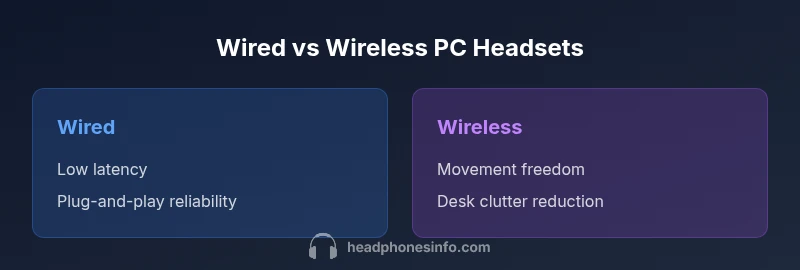
Wired headsets excel in fidelity and reliability; wireless headsets win on freedom and desk cleanliness
If latency sensitivity and consistent sound matter most, wired wins. If you value mobility and a cable-free setup, opt for wireless, keeping battery life and interference in mind.
People Also Ask
What is the best choice for PC gaming: wired or wireless?
For competitive gaming where timing matters, wired headsets generally offer lower latency and more consistent audio. Wireless options have improved and can be viable if you prioritize mobility and desk setup. The final choice depends on how much latency you can tolerate and the importance of a clean, cable-free environment.
For gaming, wired headsets usually win on latency and consistency, but wireless can work if you value freedom and fewer cables.
Do USB-C headsets work with all PCs?
Most modern PCs with USB-C or USB-A ports support USB-C headsets, but some older systems may require adapters. If a headset uses USB-C, check for driver support on your operating system and verify whether an audio interface or DAC is bundled. For 3.5mm variants, ensure your device still provides a compatible jack.
Yes, most USB-C headsets work on modern PCs; check drivers if you have an older system.
Is a separate microphone better than a headset mic?
A dedicated microphone and a separate audio interface can offer superior vocal clarity and gain control, especially for content creation or professional calls. However, high-quality headset mics are convenient and integrated, making them sufficient for many users. Your choice depends on your need for flexibility, editability, and space.
Separate mics can be clearer, but a good headset mic is often plenty for most uses.
How important is latency in PC headsets?
Latency matters most in fast-paced games and live streams where audio-visual sync affects performance. For casual listening and video calls, a small amount of latency is usually tolerable. Evaluate the headset's reported latency and use-case scenarios to determine suitability.
Latency is crucial for fast-paced gaming; for calls, a little latency is usually fine.
What should I look for in a mic without a USB interface?
If you want to connect a microphone without USB, ensure it outputs a standard analog signal and that your PC has an appropriate input. You may consider a USB audio interface or an inline mic with a compatible connector. For on-headset mics, check boom length and pattern to reduce plosives and room noise.
Choose a mic with a suitable connector and, if needed, an audio interface for best results.
Can I use a gaming headset for work calls?
Many gaming headsets perform well for work calls, especially those with clear mic pickup and comfortable earpads. If call quality is critical, test the mic clarity and ensure the headset works reliably with your conferencing software. Consider upgrading to a model with a dedicated mic or better voice processing if needed.
Yes, you can use a gaming headset for calls, but test mic clarity and software compatibility.
What to Remember
- Prioritize latency for gaming-focused PC use
- Choose wired for stable calls and predictable performance
- Evaluate battery life if you prefer wireless play
- Test mic quality independently when possible
- Balance comfort and build quality for long sessions