Headphones for the PS4: Wired, USB & Bluetooth Guide
A data-driven guide to pick PS4 headphones, covering wired, USB, and Bluetooth options, latency, mic quality, comfort, and budgets.


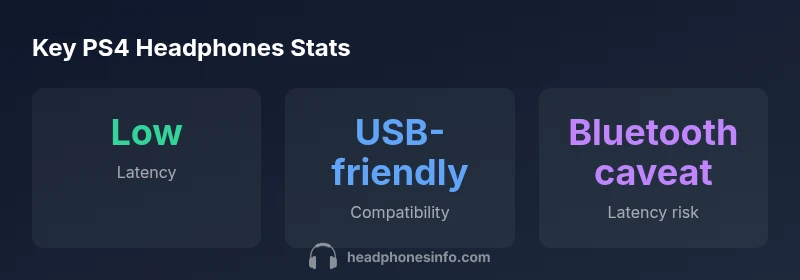
For PS4 gaming, wired headsets with a 3.5mm jack deliver the lowest latency and broadest compatibility with the console and controller chat. USB wired headsets offer similar audio quality with easy plug-and-play setup, while Bluetooth models can work but often introduce noticeable latency and compression. If you value mic quality and audio positioning for multiplayer, prioritize open-back or semi-open designs for space, and consider a headset with a detachable mic for flexibility.
Why Compatibility with PS4 Matters
Choosing headsets for the PS4 starts with compatibility. The console supports multiple input pathways—3.5mm analog jacks on controllers, USB audio devices, and some wireless dongles. A headset that plugs cleanly into the controller's jack often delivers the lowest end-to-end latency and simplest chat routing. If you rely on multiplayer chat, confirm the headset's mic is recognized by the PS4 and that your audio levels are adjustable in the system settings. A headset that works reliably across PS4 titles will also support voice chat through the controller, but some models may require adapters or software tweaks. For many players, headphones for the ps4 deliver the most predictable performance across titles, from fast-paced shooters to co-op adventures.
Wired vs Wireless: Latency, Comfort, and Chat
Latency is a critical factor for competitive play on the PS4. Wired headsets using a 3.5mm jack typically exhibit negligible latency and stable sync between audio and actions. USB wired headsets can provide equal or better sound quality with convenient controls, yet latency remains very low if drivers are up to date. Wireless options—whether Bluetooth or proprietary dongles—introduce additional delay that can become noticeable in fast-twitch games. Comfort and battery life influence long sessions, so consider weight distribution, ear cup padding, and suspension headbands. For voice chat, a reliable boom mic or a high-quality detachable mic ensures teammates hear you clearly, even in noisy rooms. If you value mobility, lightweight wireless models can be tempting, but test their latency and comfort during extended sessions to avoid fatigue.
Key features to evaluate for PS4 headsets
When evaluating headsets for the PS4, prioritize a few core features. First, mic quality: look for a cardioid or boom mic with adjustable gain and flip-to-mute functionality. Second, sound quality: a balanced sound profile with clear mids and controlled bass helps in all game genres, from stealth to action. Third, comfort: foam ear cushions, breathable materials, and adjustable clamps prevent fatigue during long sessions. Fourth, durability: reinforced headbands and steel or high-strength plastic can withstand daily wear. Fifth, PS4 compatibility: ensure the headset works with the controller jack and supports any software controls, including microphone monitoring. Sixth, software features: virtual surround sound can enhance space perception in games, but only if it translates well on PS4. Seventh, chat balance: a mute button and quick access to chat volume ensure smooth team coordination. Finally, consider whether a detachable mic suits your broader setup—especially if you switch between console gaming and PC use.
Connection types explained with practical setups
PS4 consoles accept both wired and wireless headsets, but the best choice depends on your play style. For casual couch gaming and chat, a wired 3.5mm headset is ideal because it requires no extra adapters and offers predictable performance. If you want simpler cable management and additional features like on-ear controls, a USB wired headset can be a solid option, provided the PS4 recognizes the device without driver conflicts. For players who value freedom of movement, a low-latency wireless headset with a dedicated dongle can work; just confirm the dongle is PS4-compatible and check reports of latency in your preferred games. Bluetooth headphones are convenient but typically introduce more latency, so reserve them for non-competitive gaming or single-player campaigns. Always run a quick chat test in a party after setup to validate mic clarity and sound levels.
Budgeting: Where to spend for PS4 gaming
Budget-driven decisions are common among PS4 players. Under $50, you can find wired headsets that deliver surprisingly solid sound and microphone performance, especially if you prioritize comfort and build quality. In the $50-$120 range, you’ll commonly encounter headsets with better materials, larger drivers, and more robust mic systems, delivering more immersive audio and clearer chat. Premium options above $120 offer advanced features such as virtual surround, better sound staging, and higher-fidelity materials, but the marginal improvements vary by game genre and personal preference. Before buying, list your priorities—latency, mic quality, comfort, and cord length—and test these in a few hours of gameplay. Remember that the PS4’s own audio settings can shape how much you actually gain from higher-end headsets.
Setup tips and best practices
Administrative setup saves time and reduces frustration. Start by plugging the headset into the PS4 or the controller and powering it on. If you’re using USB, go to Settings > Devices > Audio Devices and select 'Output to Headphones' with 'All Audio' for full game and chat audio, and set the mic level to a comfortable threshold. If you’re using the 3.5mm jack, ensure the controller’s chat volume is balanced and the mic is not muted. Calibrate the headset in the PS4’s audio settings and within the game's own audio options to avoid clipping or muffled voices. For mic quality, consider using the Boom mic option if available, and enable 'Chat Audio' monitoring if you want to hear your own voice. Regular maintenance—cleaning the ear cushions and replacing worn pads—extends the headset’s life.
Common myths and misconceptions
A frequent misconception is that Bluetooth headsets always offer the best mic quality for PS4; in reality, latency and compression can harm real-time communication. Another myth is that surround sound is a cure-all for spatial awareness; PS4 support varies by headset and software, and many users won’t notice a meaningful improvement in fast-paced games. Some players assume USB headsets require special drivers on PS4; most modern USB headsets are plug-and-play, but check for model-specific compatibility notes. Finally, many believe that higher price guarantees better mic quality; while build and mic design do matter, you can find excellent performance at midrange prices if you focus on the mic’s sensitivity and rejection of background noise.
Authoritative sources and further reading
For further validation on audio latency and headset design, see reputable sources on general audio latency and wireless tech. The FCC provides guidelines on wireless interference and latency considerations for consumer devices, while NIH/NLM resources discuss microphone technology and voice signal processing. Additional industry coverage from major publications discusses how latency affects competitive gaming and how headset design impacts comfort during long sessions. These sources complement practical PS4-specific testing and Headphones Info's data-driven guidance.
PS4 headset connection options comparison
| Connection Type | Latency/Delay | Best For | PS4 Compatibility Notes |
|---|---|---|---|
| Wired 3.5mm (TRS) | negligible latency | Competitive gaming and chat | Fully compatible with PS4 controllers; standard 3.5mm jack works normally |
| USB wired headset | low latency (driver dependent) | Mid-range to high-fidelity audio | PS4 supports USB audio; check mic and control compatibility |
| Bluetooth wireless | 20-120 ms (codec dependent) | Casual gaming and comfort | Bluetooth lag can affect sync; use low-latency codecs if possible |
| Proprietary wireless dongle | very low latency (gaming-grade) | Competitive play and wireless freedom | Confirm USB dongle compatibility with PS4; check charge times |
People Also Ask
Are USB headsets compatible with PS4?
Yes, many USB headsets work with PS4, but features like mic controls and volume may depend on the headset and PS4 software.
USB headsets usually work on PS4; you may need to adjust settings.
Do Bluetooth headsets have noticeable lag on PS4?
Yes, Bluetooth can introduce latency, especially with older codecs; try low-latency codecs where possible.
Bluetooth can lag on PS4, especially with older codecs.
What is the cheapest PS4 headphone option that still sounds good?
Under $50 wired headsets can provide solid sound and mic quality; comfort varies, so test for long sessions.
Under 50 dollars can still sound good; check comfort.
Should I buy a headset with a detachable mic for PS4?
Detachable mics offer flexibility if you switch between setups; ensure mic quality remains high.
Detachable mics are convenient; check mic quality.
Can I use standard gaming headsets on PS4 Pro/PS5?
Most PS4 headsets work with PS4 Pro; many also work with PS5 via USB or 3.5mm; verify model-specific notes.
Most PS4 headsets work on PS4 Pro; many also with PS5.
What about surround sound on PS4?
Virtual surround often depends on headset software compatibility with PS4; check supported formats.
Virtual surround can help, but check PS4 compatibility.
“For PS4 gaming, prioritize low-latency connections and a reliable microphone. The best value comes from wired headsets that balance comfort, sound, and build quality.”
What to Remember
- Prioritize wired PS4 headsets for latency-critical games
- USB headsets offer easy setup and good audio
- Bluetooth headsets can work but watch for lag
- Mic quality and comfort matter as much as audio
- Budget wisely: explore ranges from under $50 to midrange