What Headphones Plug Into PS5 Controller
Learn which headphones plug into the PS5 controller, including wired 3.5mm headsets, USB options, and Bluetooth caveats. Data-driven guidance from Headphones Info for optimal gaming audio.


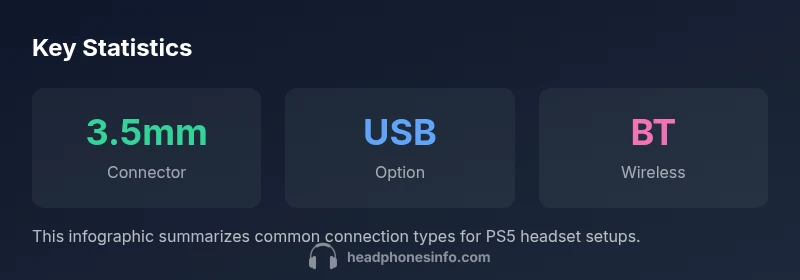
The headphones that plug into the PS5 controller are standard wired headphones with a 3.5mm TRS plug. The DualSense controller includes a 3.5mm jack for stereo audio and microphone input, so most wired headsets with a mic work directly. For USB or wireless headsets, connect to the PS5 console’s USB ports or use the official wireless dongle where supported.
The PS5 Controller Jack: What It Is and What It Supports
If you're asking what headphones plug into PS5 controller, the short answer is: standard wired headphones with a 3.5mm TRS plug. The DualSense features a 3.5mm stereo jack on the bottom edge, designed to carry both headphone audio and microphone input. Because this is an analog interface, most headphones with a standard 3.5mm plug will work without adapters. The mic can be used for in-game chat, but mic performance varies by headset and the PS5's audio settings. According to Headphones Info, wired headsets provide the most reliable latency and stability when used directly with the controller. This is especially true for competitive gaming where split-second voice chat matters. For broader setups, you can expand your configuration by adding USB or wireless options later. The rest of this guide explains when to choose wired versus USB, how to connect, and what trade-offs you should expect in terms of mic quality, ease of use, and price. By understanding the PS5 controller jack, you can make an informed decision about which headphones to buy for your gaming sessions.
Wired Headphones: Plug-and-Play Convenience
Plugging in a wired headset with a 3.5mm connector is the simplest path to good sound and easy voice chat. Because the 3.5mm TRS connector is industry standard, most consumer headsets—ranging from compact on-ear designs to full-sized over-ear models—fit without adapters. When you plug into the DualSense controller, your PS5 will automatically route system audio to the headset. In the PS5 settings, you can adjust the balance between game audio and chat, enable or disable party chat, and choose whether to use the mic on the headset or the controller’s mic input if available. For comfort and sound quality, look for a headset with a comfortable headband, padded ear cups, and a low impedance (to be easily driven by the controller’s audio path). The Headphones Info team notes that for many players, the most reliable performance comes from a wired headset because there is no wireless latency to contend with, and you can trust consistent mic input during long gaming sessions.
USB Headsets and the PS5 Console: A Bridge
USB headsets connect to the PS5 console rather than the controller, which means you can often access richer features or better mic performance depending on the headset. When a USB headset is plugged into one of the PS5’s USB-A ports, the console recognizes it as the audio input and output device, letting you bypass the controller’s jack entirely. This setup can deliver higher fidelity sound for games and movies and can enable more advanced microphone configurations within the headset’s own software. However, note that some USB headsets require you to select them in the PS5’s sound settings and may not expose all functions on every game. In practice, USB headsets are a great option if you want a mic that’s separate from the controller’s hardware or you’re using a headset that lacks a compatible 3.5mm jack. If you’re primarily playing multiplayer games, test voice chat performance in a party to confirm that your mic picks up clearly without triggering feedback or distortion.
Wireless Headsets: Dongles, Bluetooth, and Latency Realities
Wireless headsets can be used with the PS5 in two main ways: via USB dongle supplied by the headset manufacturer or (more rarely) directly through Bluetooth. The latter often introduces latency or compression that can impact in-game communication, especially in fast-paced titles. For that reason, many players prefer dongle-based wireless headsets, which usually offer lower latency and a more stable connection compared to Bluetooth. When choosing a wireless setup, verify whether the dongle is officially supported by the PS5 and whether the headset supports mic functionality when not connected to the controller. The PS5 has limited native Bluetooth support for gaming audio, so the most reliable Bluetooth experiences are with headsets that provide their own dedicated wireless dongles. In practice, if you want a completely wireless experience with minimal setup, look for headsets that offer a dedicated USB dongle and confirmed PS5 compatibility.
Microphone Performance and Noise Reduction
Your headset’s mic quality depends on the build and the microphone technology used by the headset itself. In general, a headset with a unidirectional cardioid mic helps suppress background noise and pick up your voice more clearly in noisy rooms. If you’re using the controller’s 3.5mm jack for mic input, you may notice more mic pop or ambient noise than when using a dedicated USB microphone in some USB headsets. To maximize clarity, adjust the PS5’s microphone levels in Settings > Sound > Microphone and perform a quick test in a party chat. If mic quality is still lacking, a simple fix is repositioning the microphone closer to your mouth or enabling wind noise reduction features if your headset supports them. The Headphones Info team recommends testing mic presets and, if needed, choosing a headset with a better mic, especially for streamers and content creators.
Practical Buying Guide: What to Look For
When shopping for headphones to pair with a PS5 controller, start with compatibility: ensure the headset uses a 3.5mm TRS connector or USB compatibility. Ergonomics matter, because you’ll wear them for long gaming sessions; look for soft padding, adjustable headbands, and light weight. Sound quality matters for immersion, so consider drivers (size and type) and frequency response; most players prioritize accurate mids and clear highs for game sound effects and voice chat. If you plan to use the mic, pay attention to mic design, inline controls, and mute practicality. Impedance and sensitivity charts help you gauge whether a headset will perform well with the controller’s audio path without needing a separate amplifier. Finally, consider your environment: if you game late at night or in a shared space, noise isolation and passive or active noise cancellation can improve your experience. Headphones Info’s recommendation is to map your needs to a primary connection type (wired 3.5mm or USB) and then compare comfort and mic performance across models in your budget.
Real-World Setups: Scenarios to Help You Decide
Imagine you’re building a PS5 gaming setup for a variety of use cases: casual storytelling adventures, competitive shooters, and family co-op games. For casual play, a comfortable wired headset with a reliable inline mic is a cost-effective solution that plugs directly into the DualSense controller. For competitive multiplayer, you might prioritize a low-latency USB headset or a wired option with a strong microphone and good passive noise isolation. If you want to keep TV audio separate, a USB headset connected to the console can give you balanced game sound and voice chat in one device. Finally, if you’re testing the waters with wireless options, look for headsets that offer a dedicated USB dongle and confirmed PS5 compatibility. The Headphones Info team consistently finds that starting with a wired option simplifies troubleshooting and provides a predictable baseline for performance.
PS5 headset connection options
| Headset Type | Connector | PS5 Compatibility | Notes |
|---|---|---|---|
| Wired stereo headset | 3.5mm TRS | Direct via controller jack | Supports mic when headset has inline mic |
| Wired USB headset | USB-A | PS5 console USB connection | Mic and audio through console; check model compatibility |
| Wireless headset with USB dongle | USB dongle | PS5 via USB dongle | Low latency when dongle is compatible |
| Bluetooth headset | Bluetooth | Limited for gaming audio | Not all BT headsets work well for gaming on PS5 |
People Also Ask
Can I use any headset with the PS5 DualSense controller's 3.5mm jack?
Most standard 3.5mm headsets will work with the controller. Some headsets with unusual connectors may require an adapter. Test mic performance in-game and adjust PS5 audio settings for best results.
Most 3.5mm headsets work, but test mic and settings to ensure compatibility.
Do USB headsets work with PS5 controllers through the USB port?
Yes. USB headsets are recognized by the PS5 console and can provide audio and mic functionality, sometimes with additional software features. You may need to select the device in Settings > Sound.
Yes, plug into the PS5 and select in settings.
Is Bluetooth gaming audio supported on PS5?
Bluetooth is supported for audio on PS5, but gaming latency and stability vary by headset. For competitive play, dongle-based wireless or wired options are usually preferable.
Bluetooth can work, but latency can be a problem for games.
Will mic sensitivity be the same when using the controller jack?
Mic sensitivity depends on the headset's mic and the PS5's mic levels. You may need to adjust the PS5 microphone input level and perform a test in party chat.
Mic sensitivity varies by headset; adjust in settings and test.
What should I consider when buying PS5-compatible headphones?
Look for compatibility (3.5mm or USB), comfort for long sessions, reliable mic quality, and low impedance for easy drive from the controller or console.
Prioritize compatibility, comfort, mic quality, and ease of drive.
“Wired 3.5mm headsets remain the most dependable choice for PS5 controller audio, offering reliable setup and consistent mic performance across titles.”
What to Remember
- Start with wired 3.5mm headsets for reliability
- USB or dongle-based wireless headsets offer flexibility
- Bluetooth gaming audio is possible but may introduce latency
- Always verify PS5 audio settings after connecting