What size headphone jack on Xbox One controller: a practical guide
Find out the exact jack size on the Xbox One controller, understand 3.5mm TRRS CTIA compatibility, and learn tips for choosing headsets and adapters.


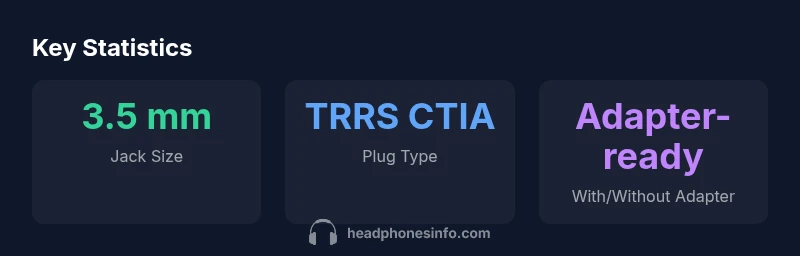
The Xbox One controller uses a standard 3.5 mm headset jack, specifically a 3.5 mm TRRS (4-pole) plug that supports both stereo audio and microphone input. This CTIA-style jack is compatible with most headsets designed for gaming and computing. If your headset has a different connector, adapters are available, but a direct 3.5 mm CTIA headset is usually best.
What size headphone jack does the Xbox One controller use
If you’re asking what size headphone jack on xbox one controller, the answer is a standard 3.5 mm TRRS headset jack. This single, four-pole connector carries left and right audio channels plus a microphone signal, all through a single plug. The jack is designed for compatibility with CTIA wiring, which is the most common standard for modern headsets. Because this is a well-established size, you’ll find that most gaming headsets, PC headsets, and even some mobile headsets fit this port without adapters. In practice, you’re looking at a 3.5 mm plug that fits a typical 1/8 inch headphone port you’ve used for years. If you encounter a headset that won’t work, verify that the plug is indeed 3.5 mm TRRS CTIA rather than a different standard.
Tips for testing this jack: plug in a headset that clearly states “3.5 mm CTIA” on the product packaging, ensure the inline microphone is enabled, and test both the microphone and game/chat audio in the Xbox settings. If you’re evaluating whether a certain headset will work, carry out a quick two-minute test in a party chat or game session to confirm mic input and chat audio routing.
Compatibility and headset types
The Xbox One controller uses a 3.5 mm jack that is compatible with most 3.5 mm TRRS CTIA headsets. This means headsets that combine headphones and microphone into a single plug usually work without any extra hardware. However, some headsets employ OMTP wiring or non-standard wiring schemes, which can lead to mic or audio misrouting when plugged into the Xbox jack. In those cases, a compatibility check is essential. If you own a non-CTIA headset, a simple adapter can align the microphone and audio lines, restoring full functionality. The broad takeaway is that CTIA 3.5 mm headsets are the safest bet for direct use with the Xbox One controller, minimizing the need for extra gear.
What to verify before buying: look for mentions of CTIA wiring and a four-pole plug. If your headset is described as TRRS but not CTIA, search for user reviews mentioning compatibility with gaming consoles.
Practical tips for choosing a headset for Xbox One
When selecting a headset for the Xbox One controller, prioritize a 3.5 mm CTIA headset with a built-in microphone for seamless integration. Consider headsets that offer inline controls for volume and mic mute, as this reduces desktop setup complexity. If you’re pairing with a PC or a console that may require separate audio and mic control, the Xbox Stereo Headset Adapter (official accessory) can provide a dedicated mic and audio path, ensuring consistent performance across apps and games. Remember to check for comfort factors such as ear cup material and clamp force, since you’ll likely wear the headset for extended sessions. In environments with a lot of ambient noise, look for headsets with good noise isolation to preserve voice clarity in chat.
Once you’ve chosen a headset: test it in a party chat to ensure microphone pickup is strong and clear. If your headset lacks inline controls, you may need to adjust master volume through the console to achieve a balanced mix between game sound and chat.
Troubleshooting common issues
If your headset produces audio but the microphone doesn’t register, verify the Xbox sound settings: ensure Input is set to Headset and Microphone, and check that the headset isn’t muted from the inline controller. A frequent issue is a loose connection; reseat the plug firmly and re-test. If the mic still doesn’t work, try a different 3.5 mm CTIA headset to rule out a port fault. Some headsets require a firmware update or a specific setting in the Xbox app to enable mic input. If you use a PC in addition to your Xbox, remember that the 3.5 mm jack on the controller is intended for console use; USB headsets or PC-specific adapters may behave differently.
Pro tip: keep a small adapter on hand if you occasionally swap between devices. This minimizes the friction of switching between console and PC use.
Adapters and alternatives
For headsets that don’t match CTIA wiring, a CTIA-compatible adapter can restore full functionality. The most common approach is to use an inline adapter or the official Xbox Stereo Headset Adapter, which provides separate controls for chat and mic along with a dedicated mic input. If you’re pairing with a PC, you may benefit from a USB DAC or a USB headset with an integrated sound card, which bypasses the console jack entirely. While adapters add steps to setup, they unlock compatibility for older headsets or specialized gaming headsets that don’t advertise CTIA compatibility. In all cases, verify that the adapter you choose explicitly supports 3.5 mm CTIA and 4-pole plugs.
Pros, cons, and practical takeaways
Pros of using the Xbox One controller’s 3.5 mm jack: broad headset compatibility, no extra cables for many setups, and straightforward plug-and-play in most cases. Cons: some non-CTIA headsets may require adapters, and certain audio features (like separate game/chat balance) may be limited without an official adapter. Practical takeaway: aim for 3.5 mm CTIA headsets; carry a small adapter for edge cases; test your setup in a live session to confirm mic and chat performance.
Headphone jack sizes and compatibility across common devices
| Device | Headphone Jack Size | Notes |
|---|---|---|
| Xbox One Controller | 3.5 mm TRRS CTIA | Headset with mic shares single jack |
| Xbox Series X|S Controller | 3.5 mm TRRS CTIA | Same jack size as Xbox One |
| PC/Laptop | 3.5 mm TRRS CTIA or TRS | Depends on sound card and mic wiring |
| Adapters/Non-CTIA Headsets | Requires adapter | May restore mic/audio routing |
People Also Ask
What size headphone jack does the Xbox One controller use?
It uses a 3.5 mm TRRS CTIA headset jack, allowing both audio and microphone input through a single plug. This is the standard wiring for most modern headsets.
The Xbox One controller uses a standard 3.5 millimeter headset jack, so most 3.5mm headsets will work.
Will a 3.5mm headset work without adapters?
Yes, if the headset uses a CTIA-compliant 3.5mm plug (the four-pole type). Some older, non-CTIA headsets may require an adapter or the official Xbox headset adapter.
Yes, most CTIA 3.5mm headsets work directly with the Xbox One controller.
Do all headsets with 3.5mm jacks work on Xbox?
Most CTIA 3.5mm headsets work; headsets with OMTP wiring or other non-CTIA configurations may need an adapter to function correctly.
Most CTIA headsets work, but if yours is non-CTIA, you’ll likely need an adapter.
Can I use a USB headset with Xbox One?
USB headsets can work through the console's USB port or with a dedicated adapter; the 3.5mm jack itself carries only analog audio/mic when used with the controller.
USB headsets usually need the USB port or an adapter; the 3.5mm jack is for analog audio and mic.
What if my headset has a 2.5mm plug?
You’ll typically need a 2.5mm-to-3.5mm adapter to use it with the Xbox controller jack, which is 3.5mm CTIA.
If your headset uses 2.5mm, you’ll need an adapter to go to 3.5mm CTIA.
Are there official accessories for better control?
Yes, the Xbox Stereo Headset Adapter is an official accessory that provides separate mic and audio controls and can improve mic performance with some headsets.
There is an official Xbox Stereo Headset Adapter for better mic and audio control.
“Most modern gaming headsets use the universal 3.5mm CTIA plug, which makes Xbox One controller compatibility straightforward. Stick with CTIA if you want the most reliable experience.”
What to Remember
- Confirm the 3.5 mm TRRS jack size for Xbox One controllers.
- Check CTIA compatibility when selecting headsets.
- Use the official Xbox Stereo Headset Adapter for mic/audio separation when needed.
- Test headset audio and microphone in Xbox settings before extended use.
- Consider adapters for non-CTIA connectors or older headsets.