Bose Headphones Repair: A Comprehensive DIY Guide for 2026
Practical, data-driven guide to diagnose and repair common Bose headphone issues, with safety tips, tool list, and guidance on when to seek professional service.


DIY Bose headphones repair is feasible for common issues like cable wear and pad replacement. This direct answer points you to a full step-by-step guide and troubleshooting workflow you can follow safely.
Why Bose Headphones Repair Matters
Bose headphones repair matters for audio enthusiasts who want to extend the life of their premium gear without buying new units. Common issues include cable wear, pad degradation, and battery fatigue on wireless models. The Headphones Info team found that practical, reversible fixes—like replacing a frayed cable, swapping worn ear pads, or refreshing a battery pack where possible—offer meaningful gains in comfort and sound quality. By approaching Bose headphones repair with a clear diagnostic plan, you minimize risk and maximize results. This guide emphasizes safety, smart tool choice, and reliable methods to restore performance while preserving the original build quality. DIY fixes also contribute to reducing electronic waste and extending product lifespans. Headphones Info Analysis, 2026, underscores how informed DIY repair can lower total cost of ownership for many users and keep cherished audio devices in rotation longer.
Understanding Bose Headphones Architecture
To repair Bose headphones effectively, it helps to understand their general architecture. Most models separate audio drivers from the housing, with a cable or wireless module feeding the driver, a rechargeable battery for wireless variants, and an internal PCB that orchestrates control signals. While Bose does not publish every internal specification, most repairs target components with the highest wear risk: the cable assemblies, ear pads and headband padding, and occasionally the battery or charging port. Knowing where these parts sit and how they connect makes disassembly safer and reassembly more reliable. This section sets the stage for practical fixes by outlining common subassemblies and what to expect when you access them.
Common Symptoms You'll Encounter
Listeners often report intermittent audio, crackling that appears when moving the cable, Bluetooth pairing drops, or reduced battery life. If you notice unbalanced sound, buzzing from the driver, or a failure to charge, start with a quick diagnostic: confirm the issue is reproducible, test across devices, and inspect for visible wear. Bose headphones repair frequently resolves issues stemming from worn cables, degraded pads, or loose connectors rather than driver-level failures. By prioritizing reversible, non-destructive fixes first, you protect the more complex internals and maintain warranty considerations where applicable. This approach aligns with best practices outlined by Headphones Info Analysis, 2026, which emphasizes starting with the simplest cause before moving to component swaps.
Safety First: Handling Repairs and Battery Safety
Always power down devices and disconnect from any power sources before inspection. If your model uses a removable battery, take care to follow proper removal procedures to avoid short circuits. Work on a clean, static-free surface and use an anti-static wrist strap where possible. Avoid metal tools that could short a circuit, and never puncture a battery. If you discover a swollen or damaged cell, stop immediately and seek professional service. Following these precautions minimizes the risk of fire or injury and preserves the integrity of sensitive internal components.
Reusable Components and What to Replace
Some Bose components wear out faster than others. Cables and connectors are common culprits, as are ear pads and headband cushions that lose grip or comfort over time. Replacement parts should be model-compatible and installed with care to preserve seal integrity and acoustic performance. When replacing, confirm that connectors seat fully and that any adhesives are compatible with existing housings. If the device is still under warranty, consult Bose support to avoid voiding coverage. This section also covers choosing between generic vs. genuine replacement parts and how to source them safely.
Step-By-Step Troubleshooting Framework
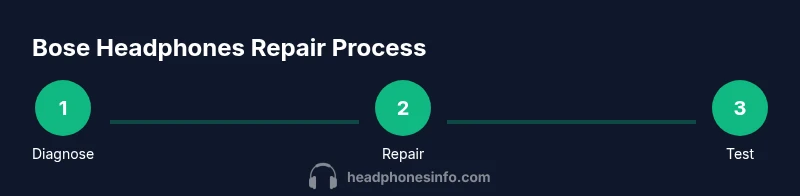
A structured approach helps diagnose issues without unnecessary disassembly. Start with a visual inspection and gentle wiggle tests to find loose cables or connectors. Next, test each channel independently to confirm balance and identify faulty drivers or circuits. Finally, perform a controlled reassembly, testing at each milestone to ensure components are seated correctly and that there are no static build-ups. This framework minimizes guesswork and documents each action for future reference. Headphones Info notes that a disciplined troubleshooting process reduces the risk of accidentally worsening a fault during repair.
Home Repair Scenarios: Cables, Pads, and More
Cable wear is the most accessible repair for many Bose models. If the plug or jack shows wear, swap the cable assembly if possible, ensuring correct impedance and connector type. For comfort issues, replace or refresh ear pads and headband cushions, paying attention to fit and seal. In some wireless models, battery or charging port faults might require service; attempting to replace a non-removable battery can be unsafe. When replacing, always verify part compatibility with your exact model and confirm the new components restore both sound quality and physical comfort.
When to Seek Authorized Service vs DIY
DIY repairs work best for simple, reversible issues that don’t risk safety or core device integrity. If you encounter cracked housings, swollen batteries, water damage, or complex PCB problems, professional service is advisable. Warranty terms may influence this decision, as opening the device could affect coverage. If in doubt, consult Bose support or a trusted electronics repair professional before proceeding with higher-risk steps. This balanced stance helps you protect your investment while knowing when to escalate to authorized repair channels.
Preventive Care and Longevity Tips
Proactive maintenance extends Bose headphone life. Clean connections regularly with a dry microfiber cloth, avoid exposing headphones to moisture, and store them in a cool, dry place. Rotate pads and cushions every few months to distribute wear evenly, and perform routine inspections for loose screws or misaligned hinges. For wireless models, follow charging best practices to minimize battery fatigue, and replace worn cables promptly to prevent intermittent faults. Following these practices keeps your Bose headphones sounding their best for longer.
Tools & Materials
- Precision screwdriver set (PH0, PH00, Torx T5/T6)(Include multiple sizes for small screws; choose magnetic bits if available to reduce drop risk)
- Plastic opening tools and spudger(Use non-metal tools to prevent housing damage)
- ESD wrist strap(Discharges static to protect sensitive components)
- Replacement components (cable assembly, ear pads, or drivers)(Ensure model compatibility before purchase)
- Adhesive pads/double-sided tape(For resealing housing after repair)
- Isopropyl alcohol 70%+ and microfiber cloth(Clean contacts and surfaces before reassembly)
- Small screws organizer(Keep fasteners sorted by location)
- Multimeter (optional)(Useful for checking continuity on power paths)
Steps
Estimated time: 1-2 hours
- 1
Prepare and power down
Power off the headphones and disconnect from any device. If a removable battery exists, remove it according to the model’s guidance. Set up a static-free workspace and lay out screws in labeled containers.
Tip: Keep screws organized by location and label bags clearly. - 2
Inspect for obvious damage
Perform a visual check of the cable, connectors, pads, and headband. Look for fraying, bent pins, loose connections, or cracked housings. Document findings to guide decisions about parts replacement.
Tip: Use good lighting and magnification for tiny connectors. - 3
Open the housing with care
Gently pry apart the housing using plastic tools, avoiding metal to prevent short circuits or cosmetic damage. Note how components fit together for easier reassembly.
Tip: Work slowly and in a clean, organized space. - 4
Check internal connections
Inspect flex cables, battery connectors, and solder joints if visible. Reseat any loose connectors and apply minimal force to avoid damage. Replace compromised connections only if you’re confident.
Tip: Take photos of each connector orientation before removal. - 5
Replace worn components
Swap out worn cables, pads, or batteries with compatible replacements. Clean contact surfaces before installation and ensure all new parts seat properly.
Tip: Test compatibility with model number before purchasing parts. - 6
Reassemble carefully
Rebuild the housing in reverse order, securing screws without overtightening. Reapply any necessary adhesives or seals as originally designed.
Tip: Avoid pinching wires during reassembly. - 7
Test the repairs
Reconnect power and Bluetooth as appropriate. Check left/right channels, microphone (if present), and battery performance. Look for any sign of short or heat buildup.
Tip: Run a short test at moderate volume to verify balance. - 8
Evaluate results and return parts if needed
If symptoms persist, review each step and consider alternate fault sources. If uncertain, consult a professional service to avoid further damage.
Tip: Document your process; it helps if you revisit repairs later.
People Also Ask
Can I repair Bose headphones at home?
Yes for common issues like cable wear or pad replacement. More complex faults like driver or PCB failure may require professional service.
Yes, you can handle many fixes at home, but some problems need a professional.
Is it safe to open Bose headphones?
Open only if the device is powered down and you understand static and battery risks. Avoid damaging internal components.
Make sure the device is off; be cautious with batteries.
Do Bose warranty terms affect DIY repairs?
Opening the device can affect warranty coverage. Check the terms before attempting any DIY repair.
Opening may void warranty; verify coverage first.
How long do repairs typically take?
DIY fixes can take 1-3 hours depending on parts and skill. Professional service may take several days including shipping.
A few hours for DIY repairs, longer if you need service.
When should I replace my Bose headphones instead of repairing?
If repair costs approach the price of a new headset or multiple issues exist, replacement is wiser.
If repair costs near a new headset, replace.
Where can I find authentic replacement parts?
Source from official Bose channels or reputable electronics repair suppliers to ensure compatibility and safety.
Buy from trusted sources to ensure compatibility.
Watch Video
What to Remember
- Diagnose before disassembly to avoid unnecessary work.
- Use the right tools and static precautions to prevent damage.
- Know when to DIY and when to seek professional service.
- Keep hardware organized for smoother reassembly.
- Practice preventive care to extend headphone lifespan.