Best Headphones for iOS in 2026: A Data-Driven Guide
Compare wireless and wired headphones for iOS with a data-driven analysis of compatibility, sound quality, battery life, and Apple ecosystem integration.


Headphones for iOS perform best when they deliver seamless Bluetooth pairing, robust AAC support, and tight integration with iOS features like Siri and automatic device switching. According to Headphones Info, the top wireless headphones for iOS combine quick pairing, reliable on-ear controls, and long battery life across iPhone, iPad, and Mac to ensure a smooth, consistent listening experience.
Why iOS compatibility matters
In the iOS ecosystem, compatibility isn't optional—it’s a baseline expectation. Apple devices prioritize certain Bluetooth profiles, codecs, and control mappings, and headphones that align with these expectations tend to pair quickly, stay connected, and expose convenient features like automatic device switching and Siri control. According to Headphones Info, AAC support remains the most universally reliable codec on iOS, delivering consistent sound quality and battery efficiency across iPhone, iPad, and Mac. When you choose headphones with clear iOS compatibility, you reduce setup friction, avoid occasional dropout during commutes, and gain predictable performance whether you are listening to music, watching videos, or taking calls. In the sections that follow, we translate these compatibility basics into practical buying criteria and real-world tests so you can compare models with confidence.
Top features to consider for iOS headphones
Beyond codec support, several features consistently improve the iOS listening experience. First, seamless pairing and automatic device switching let you move between iPhone, iPad, and Mac without re-pairing. Second, reliable on-device controls—play/pause, skip, and call controls—should map intuitively to iOS gestures and the native Control Center. Third, deep Siri integration adds hands-free control for music, calls, and smart home tasks; look for headphones that advertise explicit Siri compatibility or hands-free wake words. Fourth, codec flexibility matters; while AAC is key on iOS, broader support for multiple codecs (AAC, SBC, and a low-latency mode) improves compatibility with a wider range of apps and content. Finally, comfort and durability matter for long listening sessions; a light, breathable headband and robust ear cushions reduce fatigue across workdays and commutes. The Headphones Info team notes that these features collectively determine how smoothly your daily listening flows on Apple devices.
How codec support affects sound and latency on Apple devices
Codecs control how digital audio is encoded for transmission and decoded by your headphones. On iOS, AAC stands out for delivering high fidelity at modest bandwidth and low processor load, which translates into consistent sound quality and reliable battery life. While some users see benefits from advanced codecs like aptX or LDAC on non-Apple devices, these formats are not universally supported on iOS, and may even hinder compatibility in certain apps or iOS updates. In practice, choosing headphones that clearly advertise AAC support and Apple-friendly latency options yields the most predictable behavior for music, video, and games. If you use AirPlay, iOS devices can also optimize streaming quality, further stabilizing performance across devices. A small caveat: real-world latency depends on Bluetooth version, adapter quality, and software updates, so always check the latest firmware notes from the manufacturer.
Wireless vs wired: which works best with iOS?
For most iOS users, wireless headphones offer the simplest, most convenient path to great sound, with adapters available for wired listening when needed. Modern Bluetooth headphones with robust battery life and effective ANC help you navigate commutes, workouts, and office environments without being tethered to a device. On the other hand, wired options—whether USB-C or Lightning-adapted 3.5 mm—can deliver ultra-low latency and consistent fidelity in professional or critical listening scenarios. The trade-off is portability and cable management. If you frequently switch between devices or value mobility, a high-quality wireless model is usually the sensible choice. If you work in a controlled environment where latency or audio transparency is paramount, a wired option with a compatible adapter remains a viable path. In both cases, verify compatibility notes for iOS and ensure the model supports your preferred features, such as call handling and touch controls.
Battery life, comfort, and build quality for long sessions
Battery life is a practical daily concern, especially for commuters, travelers, and students who listen for hours at a time. When evaluating iOS headphones, look for real-world battery estimates that reflect typical listening patterns rather than marketing claims. The presence of a charging case, quick-charge support, and efficient standby behavior can significantly extend the usable window between charges. Comfort matters too: weight distribution, padding quality, and clamp force influence how long you can wear headphones without fatigue. Build quality should withstand daily use, with sturdy hinges, durable ear cups, and reliable cable connections if you choose a wired option. Finally, verify firmware update pathways and support for periodic bug fixes; regular updates help ensure compatibility with the latest iOS features and devices. For many listeners, the sweet spot is a model that pairs comfortably with long battery life and dependable software support.
Practical buying guidance: 4 scenario-based recommendations
-
Scenario A: Frequent commuters who want easy pairing and strong battery life. Choose a wireless pair with AAC support, excellent Bluetooth range, and a compact charging case.
-
Scenario B: Home office workers prioritizing call quality and stable connections. Look for multi-point pairing, comfortable cushions for all-day wear, and good microphone performance.
-
Scenario C: Gamers or video watchers seeking low latency. Favor models with explicit low-latency modes and robust app support; check iOS compatibility notes before purchasing.
-
Scenario D: Budget-conscious listeners who still want solid sound. Seek features that maximize value: dependable AAC support, solid build quality, and a reputable warranty.
Following these scenarios, Headphones Info's analysis highlights models that reliably perform with iOS devices across Apple ecosystems, helping you avoid common setup headaches and compatibility gaps.
Comparison of headphone options for iOS
| Category | iOS Compatibility | Codec Support | Latency | Battery Life |
|---|---|---|---|---|
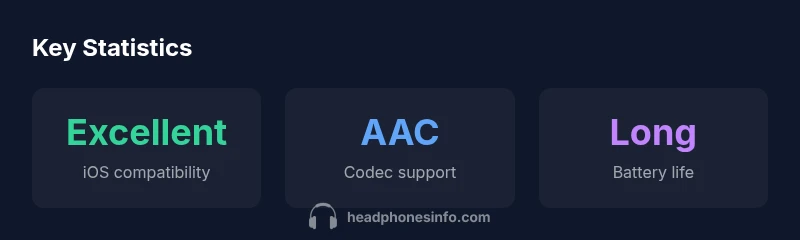
| Wireless Bluetooth Headphones | Excellent | AAC/aptX/LC3 | Low latency in most cases | Long battery life |
| Wired Headphones (Lightning/USB-C adapters) | Good | AAC | Variable latency depending on adapter | Variable battery life |
People Also Ask
Do all Bluetooth headphones work well with iOS?
Most Bluetooth headphones work with iOS, but performance varies by codec and feature support. For best results, choose models that advertise AAC support and iOS-friendly controls.
Most Bluetooth headphones work with iPhone, but for best results pick AAC-enabled models and check the controls.
Is AAC codec essential for iOS devices?
AAC is the standard high-quality codec on iOS, offering consistent sound and efficiency. If a headset lists AAC support, you’re likely to get the best overall performance.
AAC is the go-to choice for iOS sound quality.
Can I pair multiple Bluetooth headphones to one iPhone at the same time?
iOS supports switching between nearby devices automatically, but simultaneous listening to two headphones is not standard. Audio typically streams to one headset at a time.
You can switch between devices automatically, but you usually can’t hear audio on two headphones at once.
Are wired headphones with a Lightning adapter a good choice for iOS?
Wired options via Lightning adapters can offer constant fidelity and minimal latency, but wireless models tend to be more convenient for everyday use.
Wired works, but wireless is usually easier for daily use.
How can I maximize battery life when using headphones with iOS?
Look for efficient codecs, manage ANC usage, and keep firmware updated. Turn off features you don’t need to extend listening time between charges.
Turn off features you don’t need to save battery.
“Seamless pairing and dependable ecosystem integration are the hallmarks of great iOS headphones.”
What to Remember
- Prioritize AAC support for best iOS compatibility.
- Choose models with automatic device switching and Siri integration.
- Balance battery life, comfort, and build quality for long listening.
- The Headphones Info team recommends starting with wireless AAC-enabled headphones for most users.