How to Fix Headphones: A Practical Troubleshooting Guide
Learn practical, step-by-step methods to fix common headphone problems, from no sound to buzzing, with safe techniques, tools, and DIY tips. Includes when to repair vs replace and how to test across devices. 2026 guide by Headphones Info.


This guide helps you fix headphones problems, from no sound to crackling audio, by outlining symptom-based steps and safety tips. You’ll learn how to test connections, distinguish wired vs. wireless issues, identify worn components like jacks and cables, and perform safe, user-level repairs. If a repair seems risky, we outline criteria to seek professional service.
Understanding common headphone issues
Headphones can fail in several predictable ways, and recognizing the symptom is half the fix. The most common problems include no sound, crackling or buzzing when moving the cable, audio in only one side, low volume from one ear, distortion, or intermittent Bluetooth pairing. In many cases the fault isn't the driver itself but the connection between your headphone and the audio source. For example, a frayed cable near the plug or a loose 3.5mm jack can produce intermittent sound, while a dirty port can mute channels. The Headphones Info team notes that symptom-driven diagnosis reduces unnecessary disassembly and protects your warranty if applicable. If you’re unsure, start with simple checks on the source device, the cable, and the plug before opening any housing. Also consider whether the issue appears with wired or wireless usage, since the fixes diverge quickly between these two modes. Finally, keep a log of when the problem occurs and under what conditions; this helps isolate whether wear or a single faulty part is causing the fault.
Diagnosing the problem: symptoms and tests
A disciplined diagnostic process saves time and minimizes risk. Begin by swapping to a different audio source (phone, computer, or another player) to see if the problem persists. For wired headphones, gently tug the cable near the connector and around the earpieces to feel for breaks. If sound only comes through one side, inspect the jack and the plug tip for dirt or oxidation; clean with a small amount of isopropyl alcohol on a cotton swab. For wireless headphones, verify battery level, check for firmware updates, and re-pair the device from the Bluetooth menu. If a device still won’t pair, test with another device to determine whether the issue sits in the headphones or the transmitter. Do not rush to disassemble inner components; most faults are in the cable or connector. When you do open the housing, take static precautions and document the orientation of parts to avoid reassembly errors.
Fixes by category: wired, wireless, and mic issues
Wired headphones: Start with the simplest fixes first. Check the plug and the jack for debris and re-seat firmly. If the sound cuts in and out, inspect the cable for visible wear and try bending it near the junction where stress occurs. Clean the jack with isopropyl alcohol and re-test. If the problem continues, the cable or driver assembly may be damaged, and replacement cables or modules are the typical repair path. Wireless headphones: Reset the pairing, forget the device on both ends, and re-pair. Update firmware if available and ensure the battery is healthy. If you hear static or dropouts, check for radio interference and unfamiliar devices. Mic issues: If the microphone isn’t picking up sound, verify mute status, check app permissions, and test with a voice recorder. If the mic still fails, the mic capsule or connector could be loose; reseating or replacing the flex cable may be necessary. In most cases, optional repair services handle internal components; avoid DIY soldering unless you’re trained.
Maintaining and preventing future problems
Preventive care extends the life of headphones. Store them in a padded case or drawer away from sharp objects and moisture. Coil cables loosely rather than bending at a single point, and use a strain relief or cable tie to reduce stress near connectors. Clean connectors periodically with a soft brush and a little isopropyl alcohol, then allow to dry completely before use. Keep devices updated; firmware improvements can fix connectivity quirks in wireless models. For regular wear, inspect the cable and join areas every few months and look for cracking insulation or exposed conductors. If a problem recurs after a known fix, reassess the root cause; repeating the same repair can lead to more damage and higher costs. Finally, consider warranty options and professional service if you’re near the limit of the device’s expected lifespan.
When to replace vs repair: cost and durability considerations
Repair cost versus replacement is a practical decision. If a repair requires disassembling the driver or replacing a fragile component, compare the estimated labor and parts cost to the price of a comparable new model. In many cases it’s more economical to replace headphones rather than pursue a complex fix, especially with aging Bluetooth modules or battery packs. If the headband or ear cups are worn but the drivers still deliver solid sound, a dedicated repair may extend life at a modest cost. Headphones that are multiple years old or lack spare parts are often better candidates for replacement. Always balance convenience, warranty status, and the likelihood of recurring issues when deciding whether to repair or replace.
Tools & Materials
- Screwdriver set (precision, Phillips #0 and #1)(Small screws on many compact headphones; include both #0 and #1)
- Isopropyl alcohol (90%+)(For cleaning jacks and connectors)
- Cotton swabs (lint-free)(To apply alcohol without dripping)
- Multimeter (optional)(For testing continuity on cables)
- Replacement cables or jacks (as needed)(Only if you’re confident in DIY repair)
- Soldering iron and flux (optional)(Only for advanced repairs)
- Static-safe mat or wrist strap(Helpful for preventing ESD)
- Soft non-marring tool (spudger or nylon pry tools)(For opening housings without damage)
Steps
Estimated time: 60-90 minutes
- 1
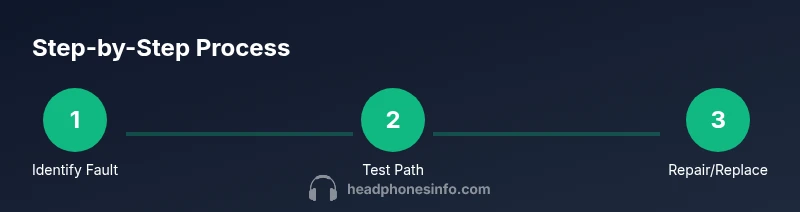
Identify fault and reproduce issue
Review the problem, reproduce it, and note exact symptoms. This helps you choose the correct repair path and avoids unnecessary disassembly.
Tip: Document the symptom details before touching the hardware - 2
Power down and prepare workspace
Unplug any connected devices and work on a static-free surface with good lighting. This reduces the risk of shock or damage to delicate components.
Tip: Use an anti-static mat or wrist strap if available - 3
Test wired path with alternate source
Connect the headphones to a different device to see if the issue persists. If it does, the problem is likely in the cable or jack; if not, the source device may be at fault.
Tip: Test with at least two devices to triangulate the cause - 4
Inspect and clean jack and plug
Look for dirt, corrosion, or wear on the jack and plug. Clean gently with isopropyl alcohol and a cotton swab; ensure all moisture evaporates before testing.
Tip: Do not spray liquid directly into the port - 5
Check the cable for damage
Examine the cable for cracks, kinks, or wear near stress points. Gently flex the cable to identify intermittent issues; avoid forcing bends.
Tip: If you feel a crackle when bending, the cable may need replacement - 6
Attempt safe repairs or replace parts
If you have a spare compatible cable or a known-good jack, perform a safe reseat or swap. Do not attempt soldering unless you’re trained.
Tip: Keep replacement parts organized and labeled - 7
Test again and evaluate next steps
Re-test the headphones across devices and usage scenarios to confirm the fix. If problems recur, consider professional service or replacement.
Tip: If unsure, stop and seek help rather than continue
People Also Ask
Why do my headphones crackle when I move the cable?
Crackling usually indicates an internal break or loose connection in the cable near stress points. Replacing the cable or part of the assembly is often required.
Crackling typically means the cable near the plug is worn; replacing the cable usually fixes it.
My headphones have no sound in one ear. What should I do?
No sound on one side can come from a failing driver, a damaged cable, or a dirty jack. Test with another device and inspect the cable and jack. If needed, replace the damaged component.
If only one ear has sound, check the cable and jack; you may need a part replacement.
How should I clean headphone jacks safely?
Power off, use a small amount of isopropyl alcohol on a cotton swab, and gently wipe the jack. Let it dry completely before testing.
Power off and clean the jack with alcohol; let it dry before testing.
Is it worth repairing Bluetooth headphones, or should I replace them?
If repair costs approach or exceed a new model, replacement is usually more economical. For minor fixes like firmware or battery, repair can extend life.
Consider the cost and age of the headphones; replacement is often cheaper for older models.
Can I fix a broken microphone on headphones myself?
Some mic issues are simple, like reattaching a loose connector or cleaning a mic port. Others require professional service or replacement parts.
Microphone problems vary; start with basic checks, then seek service if needed.
What safety precautions should I take before starting repairs?
Unplug devices, work on a static-free surface, and avoid applying liquids near electronics. If unsure, stop and seek professional help.
Always unplug and work on a static-free surface before you start.
Watch Video
What to Remember
- Identify the fault before disassembly.
- Unplug and work in a static-free space.
- Clean connectors gently and inspect cables.
- Test across devices to verify repair success.
- Balance repair costs with potential replacement.