Repair Headphones: Safe, Step-by-Step DIY Guide
Learn how to repair headphones at home with a clear, safety-first approach. Diagnose common faults, gather essential tools, follow a practical step-by-step workflow, and decide when replacement is wiser than repair—all backed by Headphones Info.


This guide shows you how to repair headphones at home with a safety-first approach. You’ll diagnose common faults, test cables and connectors, and follow a clear, step-by-step workflow. It’s designed for beginners but includes tips for confident DIYers to save money and extend the life of wired and wireless models.
Understanding common headphone problems
Headphones fail for many reasons, but most issues fall into a few predictable categories. Worn or damaged cables, frayed insulation, loose connectors, and degraded housings are frequent culprits for wired models. For wireless headphones, problems often involve battery wear, faulty charging, or subtle software glitches. If you hear crackling, left-right imbalance, or intermittent sound, start by isolating the fault: test with another device, swap cables if possible, and move the connector while listening for changes. According to Headphones Info, most routine repairs focus on mechanical wear rather than driver failures, so a careful, tool-assisted at-home repair is often worth attempting. Document changes in behavior to decide whether a repair is cost-effective or if replacement is wiser later. This article covers the tools, steps, and precautions you need to repair headphones confidently.
Safety first: when to repair vs replace
Repairing headphones can save money and reduce waste, but not all problems justify a DIY fix. Cable kinks, connector wear, and housing cracks are typically repairable with basic tools, while damaged drivers or severely cracked enclosures may warrant replacement. Headphones Info analysis shows that structured cable or jack faults comprise the majority of practical repairs. Do not attempt fixes if you see exposed conductors, obvious internal damage, or buzzing from a driver—these indicate higher risk or limited durability. In such cases, replacing the module or buying a refurbished unit is safer. Always unplug devices and power down before opening casings. When in doubt, consult a professional technician. The aim is a safe, durable, and cost-effective outcome.
Tools and materials you’ll need
Gather a focused set of tools and spare parts. A precision screwdriver set, a fine-tipped soldering iron, lead-free solder, flux, a multimeter, and replacement cables or jacks are essential. Heat shrink tubing, electrical tape, isopropyl alcohol, and lint-free cloth help with insulation and cleaning. For accuracy and safety, work on a non-static surface, keep screws labeled, and use a magnifying glass for tiny components. This preparation reduces the risk of accidental damage and speeds up the repair process.
Common repair approaches by component
Cables and jack: inspect for frayed insulation, broken conductors, or loose solder joints. Repair by replacing the damaged section or the entire cable, ensuring correct polarity and strain relief. Drivers: if you hear distorted sound or missing channels, the driver itself may be fine; reseating or replacing internal components may be needed. Housing: cracked shells or misaligned grills can be reinforced with mesh or sturdy epoxy, ensuring no pressure on internal parts. Microphones: if the mic is intermittent, check connector pins and flex cables. Wireless modules: battery contacts and charging ports often fail; test with a known-good charger and check for swelling. Each repair should preserve the original fit and avoid active components rubbing against the housing.
Post-repair testing and care
Before final reassembly, test continuity with a multimeter and perform a quick sound check on both channels. Reassemble slowly, confirm cable strain relief, and verify that cushions and foam are reinstalled to avoid rubbing. After testing, clean metal contacts with isopropyl alcohol and inspect for loose components. Store repaired headphones in a cool, dry place away from direct sunlight to prolong life. Regular maintenance, like inspecting cables every few months, helps prevent future failures.
Tools & Materials
- Precision screwdriver set(Phillips #0 to #2; magnetic, with small bits)
- Soldering iron (fine tip, 15-25W)(Temperature control preferred)
- Lead-free solder, 0.6-0.8 mm(Rosin core preferred)
- Flux pen(Optional but helpful for clean joints)
- Multimeter(For continuity checks)
- Replacement cables or 3.5mm/2.5mm jack modules(Model-specific parts as needed)
- Heat shrink tubing & electrical tape(Protect and insulate exposed conductors)
- Spare headphone cables(Optional for compatibility trials)
- Isopropyl alcohol (70-99%) and lint-free cloth(Clean surfaces before soldering)
- Safety glasses(Eye protection during cutting/soldering)
Steps
Estimated time: 60-90 minutes
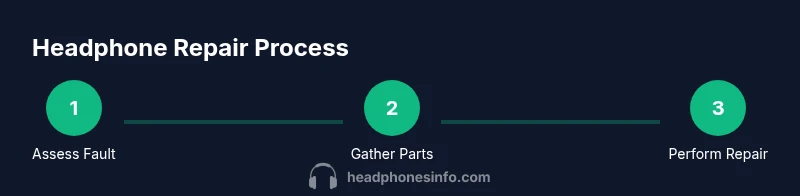
- 1
Gather your repair toolkit and set up a clean workspace
Lay out tools and spare parts on a non-static, organized surface. Check lighting and temperature, and prepare containers for tiny screws. This upfront organization reduces mistakes and speeds the repair.
Tip: Label containers by component (cable, jack, driver) to avoid mix-ups. - 2
Power down and unplug all devices
Turn off your audio source and disconnect any power. If the headphones have a removable battery, take it out and set it aside safely. This minimizes electrical risk while you work.
Tip: Use a magnet tray for screws to prevent loss. - 3
Inspect exterior and connectors
Check for cracks, kinks, or loose connectors. Wiggle the cable near the plug and housing to identify the fault location. Visual inspection helps you decide whether to repair or replace components.
Tip: Photograph the assembly before disassembly for reference. - 4
Open the housing carefully
Loosen screws without forcing the shell apart. Use a plastic pry tool to avoid damaging the plastic. Keep small parts in a labeled container as you expose internal components.
Tip: Work slowly and evenly to prevent snapping clips. - 5
Trace the fault to the cable or jack
Test continuity along the cable with a multimeter. If the fault is at the connector, replace the jack or the cable segment. If the driver shows abnormalities, proceed with driver-specific checks.
Tip: Bear in mind that re-terminating a cable requires correct polarity and strain relief. - 6
Perform the repair on the faulty component
Solder loose joints, replace damaged sections, or swap the jack as needed. Use heat shrink and avoid applying heat for too long to protect plastics. Recheck connections after each step.
Tip: Keep solder joints small and clean to minimize bulky profiles. - 7
Reassemble with proper strain relief
Reattach cushions and housings, ensuring the cable is routed without sharp bends. Confirm the jack sits flush and the cord exits at a right angle to prevent future wear.
Tip: Use a small amount of adhesive only if the design allows; otherwise rely on mechanical strain relief. - 8
Test and seal the enclosure
Power the device and test both channels and any microphone. If sound is balanced, seal the enclosure and secure all screws. Return to normal use and monitor for new issues.
Tip: Record final test results and keep a note of any warranty implications.
People Also Ask
Can I repair headphones without soldering?
Yes, many fixes involve cable and connector replacements that do not require soldering. Some repairs, however, may still require soldering for internal connections.
You can often fix cables or external connectors without soldering, but some internal repairs will need soldering.
Is it safe to repair headphones with the battery inside wireless models?
Power down completely and remove the battery if possible. Avoid short circuits and never puncture a swollen battery. If you’re unsure, consult a professional.
Always power off and remove the battery before opening wireless headphones.
How long does headphone repair typically take?
Simple cable or jack fixes can take under an hour; more complex driver work may take longer. Plan for roughly 30-90 minutes depending on the fault and skill level.
Most fixes are under an hour, but some tasks can take longer.
What if I damage the driver during repair?
If the driver is compromised, repair may not restore original performance. You may need to replace the driver module or consider a replacement unit.
Driver damage can limit repair viability; replacement may be necessary.
Should I repair or replace if the headphones are under warranty?
Check warranty terms and contact the manufacturer before opening the unit. Repairs can affect coverage, so weigh cost and likelihood of success against replacement.
If under warranty, contact the maker before DIY repairs to avoid voiding coverage.
How do I test the headphones after repair?
Reconnect to a trusted device, test left and right channels, microphone (if present), and check for static or buzz. If anything sounds off, re-check connections.
Test both channels and mic, listen for any issues, then adjust as needed.
Is professional repair ever a better choice?
Yes, when internal components require delicate work, when safety is uncertain, or when warranty coverage remains unclear. A pro can reduce risk and often provide a durable fix.
Consider a pro for complex, risky, or warranty-sensitive repairs.
What safety precautions are essential for DIY repairs?
Work in a dry, static-free area, power off all devices, keep away from liquids, and use eye protection. Avoid forcing parts apart and stop if anything smells hot or shows signs of damage.
Always prioritize safety: dry space, power down, and protect your eyes and hands.
Watch Video
What to Remember
- Identify fault areas before disassembly
- Use proper tools and safety precautions
- Cable and jack repairs are often most cost-effective
- Test systematically after each repair step
- Know when to replace a component or the entire unit