Repair Headphones Near Me: A Practical How-To Guide
Learn how to locate reliable repair options for headphones near you, diagnose issues, choose the right tools, and decide when to repair versus replace, with expert guidance from Headphones Info.


To repair headphones near me, begin by diagnosing the most common faults, then pull together a basic toolkit and follow a safe, step‑by‑step plan. Focus on cable wear, loose jacks, and simple connector or solder repairs. If the issue involves the battery or Bluetooth circuitry, or if costs rise high, consider professional service.
Why repairing headphones near me matters
Repairing headphones locally can save money, reduce e‑waste, and extend the life of your gear. When you fix a frayed cable or a loose jack, you avoid the cost of a new pair and keep a favorite model in rotation longer. The Headphones Info team emphasizes that small, well‑executed repairs can restore sound quality and comfort without demanding a full replacement. By choosing repair, you also contribute to greener electronics practices and support local technicians who understand common headphone architectures. This guide uses practical, data‑driven guidance to help you decide when DIY makes sense and when professional service is wiser.
Common failure modes and how to identify them
Headphones fail for a handful of predictable reasons. Cable wear and frayed wires typically produce intermittent sound, crackling, or complete loss of one side. Loose or worn 3.5 mm jacks can cause crackling as you move the plug. Bluetooth wireless models may exhibit pairing instability or abrupt dropouts due to battery degradation or control board faults. Drivers can develop rattle or muffled sound if the housing is loose or the driver is damaged. By listening closely to symptoms and testing with multiple devices, you can narrow the culprit and choose a repair path with higher success odds.
Safety considerations and risk assessment
DIY headphone repairs carry electrical and physical risks, so proceed with caution. Always unplug devices and discharge static before opening housings. Avoid applying excessive force to delicate connectors, and never solder near your ear cups without proper insulation. For high‑risk components like battery packs or wireless control boards, professional service is recommended. Headphones Info analysis shows that most DIY fixes involve cables and jacks, which are safer entry points for beginners when performed with care.
Workspace setup and essential tools
Create a clean, well‑lit workspace with a stable surface. Use an anti‑static mat or wrist strap if possible, and keep small parts organized in labeled containers. Essential tools include a fine‑tip soldering iron, lead‑free solder, a multi‑meter for continuity checks, fine‑tooth wire strippers, a replacement jack or cable of the same impedance, heat‑shrink tubing, electrical tape, and a magnifying glass for inspecting tiny connections. A camera or notebook helps you document wiring before disassembly, which simplifies reassembly and reduces mistakes.
Diagnosis workflow: verify the issue, not the assumption
Start with source swapping: test the headphones with multiple devices to rule out the source. Use a known‑good cable or dongle when testing wired units. For wireless models, re‑pair the device after fully charging the battery to see if the issue persists. Check for loud playing across both channels, consistent volume, and balance with different audio sources. A clear symptom map speeds repair and avoids unnecessary replacements.
Repair approaches: cable, jack, or driver
For cable or jack faults, replacing the affected wire or the connector is often sufficient. When drivers or internal boards fail, repairs become more complex and may require service parts from the manufacturer or a donor unit. Always confirm part compatibility, including impedance and connector type, before committing to a repair. If you’re unsure, price out a replacement part versus a budget model of similar quality to determine the best value.
Soldering basics and best practices
Soldering is a common DIY skill for headphone repairs, especially for reattaching loose wires or replacing broken connectors. Use flux to improve joint quality, pre‑tin wires, and avoid cold joints by keeping the tip clean and molten only as long as needed. Work in a well‑ventilated area and wear eye protection. If you’re new to soldering, practice on scrap wire first and use heat shrink to seal joints after soldering.
Reassembly, testing, and long‑term care
Reassemble with attention to cable routing to avoid pinching or flexing wires. After sealing joints with heat shrink, test the unit with multiple sources and at various volumes to ensure stability. Perform a few gentle flex tests to check for hidden stress points. For longevity, store headphones in a protective case and inspect the cable for wear every few months. Regular cleaning and gentle coiling reduce future failures.
When to replace instead of repair
If the fault affects the battery, Bluetooth module, or a blown driver, replacement parts may be scarce or costly. In such cases, compare the repair estimate to the price of a new or refurbished model with similar or better performance. Manufacturers often provide limited repair options or authorized service centers with warranty coverage, which can influence your decision to repair or replace.
Tools & Materials
- Soldering iron(At least 30W; temperature control preferred)
- Lead-free solder(Rosin-core recommended for joints)
- Multimeter(Continuity, resistance, and diode checks)
- Fine wire strippers(Fine gauge headphone wire)
- Replacement 3.5mm jack or suitable connector(Only if the jack is damaged)
- Electrical tape or heat‑shrink tubing(Insulation and strain relief)
- Solder wick (desoldering braid)(Control excess solder)
- Magnifying glass or loupe(Inspect tiny connections)
- Small screwdrivers set(Precision Phillips/flat for housings)
- Adhesive remover and optional glue(If housing detaches)
Steps
Estimated time: 45-120 minutes
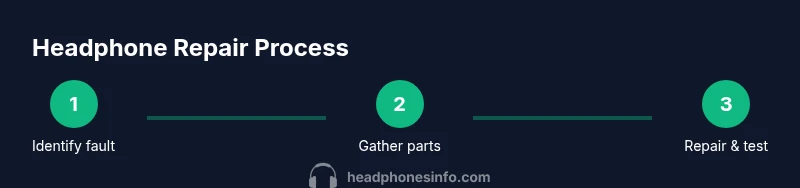
- 1
Identify
Listen to the symptom and determine whether the issue is with the cable, jack, driver, or wireless electronics. This defines the repair scope and prevents unnecessary disassembly.
Tip: Document the exact symptom and device used for testing. - 2
Gather
Assemble the tools and replacement parts you anticipate needing. Double-check compatibility (impedance, connector type, and model) before buying.
Tip: Lay out parts in labeled containers to avoid mix-ups. - 3
Open
Remove screws and gently pry apart the housing. Keep track of screws and connectors; photograph connections before disconnecting.
Tip: Work slowly to avoid tearing cables or damaging mounting points. - 4
Inspect
Check for frayed cables, loose connectors, cracked jacks, or damaged drivers. Use a magnifier and compare with a known‑good unit when possible.
Tip: Mark damaged areas with tape to guide replacement. - 5
Test
With power off, test continuity across wires and joints to locate breaks. Verify that drivers respond to signals when connected to a device.
Tip: Use a low‑current test to avoid further damage. - 6
Replace
Replace any damaged wire or connector with compatible parts. Ensure strain relief and routing minimize future wear.
Tip: Avoid stretching or twisting wires near joints. - 7
Solder
Re‑solder joints cleanly, using flux and avoiding cold joints. Trim excess wire and protect with heat shrink.
Tip: Keep soldering session brief to prevent heat damage. - 8
Reassemble
Carefully reassemble the housing, ensuring all cables aren’t pinched and the case seals properly.
Tip: Test fit before final adhesion to catch misalignments. - 9
Test again
Power up and test across multiple devices and sources. Listen for balance, stereo fidelity, and any new issues.
Tip: Leave the device powered on for a few minutes to confirm stability.
People Also Ask
Can I repair headphones at home?
Yes, for basic issues like cables, jacks, and simple solder joints. More complex failures, especially battery or wireless module faults, may require professional service or replacement parts.
Yes, you can repair simple cable or jack problems at home, but reserve battery or wireless module failures for a professional.
What tools do I need for headphone repair?
A basic kit includes a precision screwdriver set, a fine soldering iron, lead-free solder, a multimeter, wire strippers, heat shrink, and a replacement jack or cable when needed.
You’ll want screwdrivers, soldering gear, a multimeter, and some spare cables or jacks.
Is soldering safe on headphones?
Soldering is generally safe if you take precautions: work in a ventilated area, wear eye protection, and avoid overheating delicate parts. Practice on scrap wires first.
Soldering is safe with care and practice; ventilate, wear protection, and don’t rush joints.
When should I replace rather than repair?
If the fault affects the battery, Bluetooth module, or driver cost, or if parts are unavailable, replacement may be more economical or reliable in the long run.
Replace when battery or core components are faulty or parts are hard to obtain.
Where can I find replacement parts?
Check manufacturer official parts, authorized service centers, or reputable third‑party suppliers. Ensure compatibility with impedance and connector type.
Look for official parts or trusted suppliers ensuring compatibility.
How long does a typical headphone repair take?
Most basic repairs take 30–90 minutes, depending on access to parts and the complexity of the fault. More involved repairs may take longer.
Most fixes take under a couple of hours, more if parts are scarce.
Watch Video
What to Remember
- Identify the fault before disassembly.
- Prioritize cable and jack repairs for beginner DIYs.
- Use proper safety practices and insulation.
- Document connections to ease reassembly.
- Know when to replace parts or seek pro help.