When to Change Headset: A Practical Guide
Discover how to tell when your headset needs replacement, understand wear indicators, and compare upgrade options. A data-informed, user-friendly guide for audio enthusiasts and everyday listeners.


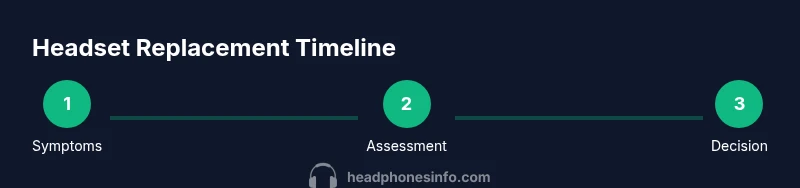
You should plan a headset replacement when you notice persistent mic quality decline, inconsistent charging or battery behavior, frequent connectivity dropouts, or clearly uncomfortable wear. This quick guide gives you a simple decision framework to decide between repair, upgrade, or continuing to use your current headset.
Why Timing Matters for Headset Quality
Timing matters for headset quality because the moment you lose reliable microphone clarity, stable connectivity, or comfortable wear, your overall experience declines. The Headphones Info team emphasizes that performance drops often precede cosmetic wear, and choosing the right moment to upgrade can preserve call quality, gaming cues, and listening enjoyment. According to Headphones Info Analysis, 2026, real-world performance factors—not cosmetic appearance—should drive replacement. In this section we explore how wear, environment, and usage interact to influence when a headset crosses from serviceable to overdue for retirement. By understanding these signals, you can avoid surprise failures during important calls or game sessions and plan upgrades with confidence. The goal is to keep your audio setup aligned with your needs and budget while maintaining a consistent baseline for sound and comfort.
Signs It's Time to Change Your Headset
If you start noticing one or more of the following signs, it may be time to consider replacement:
- Persistent mic quality problems (distortion, low volume, delayed transmission)
- Audio distortion or crackling, or uneven channel balance that won’t normalize after cleaning or re-pairing
- Inconsistent charging, rapid battery drain, or device not charging reliably
- Frequent Bluetooth or USB connectivity dropouts across multiple devices
- Uncomfortable wear that causes headaches or fatigue after short sessions
- Physical damage like frayed cables, loose earpads, or exposed wiring
Headphones Info Analysis, 2026, notes that mic quality and battery life are common drivers behind headset replacement. If you can’t restore performance through standard maintenance, upgrading often yields clearer calls and more reliable gaming cues. In practice, use a simple checklist to rate each area and decide if a replacement will deliver meaningful gains.
Factors That Accelerate Wear and Tear
Wear is rarely uniform; certain conditions accelerate aging more than others. High usage hours compounded by travel and rough handling can shorten the usable life of a headset. Environmental factors matter too: heat, direct sun exposure, humidity, and frequent cleaning with harsh chemicals can degrade cushions, cables, and drivers. Poor storage—such as tossing the headset into a bag without protection—can cause cable stress and connector wear. Even routine cleaning, if done aggressively, can loosen pads and degrade sound seals. By understanding these factors, you can slow deterioration with better storage, gentler handling, and mindful cleaning habits. Headphones Info’s approach emphasizes identifying the main wear drivers in your routine and adjusting care to extend reliability where possible.
How to Test Headset Longevity in Daily Use
A practical method is to monitor performance across three scenarios: calls/video chats, gaming, and casual listening. Use the same devices and the same charging method to keep comparisons fair. Track mic clarity, volume consistency, latency, and any unusual noises for a two-week period, logging observations and dates. If issues persist week after week, they are less likely to be temporary quirks and more likely signs that the headset’s reliable lifespan is nearing its end. Keep a simple log—notes, dates, and a quick rating for each area—and review it before making a purchase decision. This approach helps you separate transient issues from persistent faults that justify replacement. Headphones Info’s guidance encourages evidence-based decisions rather than reacting to a single bad day.
Replacements by Use Case: Gaming, Travel, and Office
Different use cases demand different headset strengths. A gaming setup may prize low-latency wireless performance, robust surround sound, and a comfortable long-session fit. For travel, compact design, strong battery life, and reliable Bluetooth pairing matter more, along with noise reduction and portability. In office environments, clear mic quality, reliable connectivity, and durable materials take precedence. While you can upgrade incrementally, align your choice with your primary use case to maximize value. If your current headset excels in one area but lags in another, weigh the importance of the weaker trait against the potential gains from a new model. Headphones Info’s research supports choosing a headset that matches your most frequent scenario to minimize compromises over time.
How to Compare Replacement Headsets Today
Start with the basics: decide wired vs wireless, weight and comfort, and microphone quality benchmarks (based on your most-used apps). Then compare battery life, charging speed, and warranty terms. Look for reputable brands with consistent support and a return policy that protects your investment. Don’t overlook driver quality and frequency response, as these influence perceived detail and space in music or games. Finally, set a realistic budget and factor in upgrade cycles—some users prefer a mid-range model with solid reliability, while others opt for flagship devices for peak performance. Headphones Info’s verdict is to choose a headset that offers predictable performance, robust support, and a clear upgrade path if your needs evolve.
Quick Maintenance to Extend Headset Life
Even without a full replacement, you can extend lifespan by following a simple maintenance routine. Store headsets in a protective case, avoid bending cables sharply, keep connectors clean, and replace worn cushions to preserve seal and comfort. Regularly inspect cables for signs of cracking and replace damaged components promptly. Use a drying period after sweats or moisture exposure and avoid leaving devices plugged in at full charge for extended durations. A modest maintenance routine can significantly delay replacement while preserving comfort and sound quality.
Tools & Materials
- Headset under evaluation(Any model; use standard fit and mic checks)
- Charging cable/adapter(To assess charging performance and battery behavior)
- Device to test compatibility(Phone, PC, or console to test connectivity and latency)
- Notepad or note-taking app(Record symptoms, test results, and dates)
Steps
Estimated time: 30-60 minutes
- 1
Assess current performance
Start by listing symptoms across mic, audio quality, battery, connectivity, comfort, and durability. Note when issues started and whether they recur. Compare to your baseline from when you first purchased or last tested the headset.
Tip: Be specific about symptoms and dates to build a clear history. - 2
Check battery and charging behavior
Charge the headset fully using the original charger. Monitor how long it lasts on typical use and observe whether it charges reliably every time. If charging is inconsistent, log the failure instances.
Tip: Use the same charging method for consistent results. - 3
Evaluate microphone performance
Make calls or record short samples and compare with previous recordings. Listen for distortion, background noise, or volume changes. If possible, have someone else listen to verify your perception.
Tip: Record a 30-second sample and keep a reminder of baseline quality. - 4
Test audio fidelity and comfort
Play a familiar track and run through a few voice chats. Check for distortion, clipping, or imbalance between channels. Try different head sizes and positions to ensure a stable seal and comfort.
Tip: Move around, bend, and adjust for comfort to reveal real-world wear. - 5
Check connectivity stability
Test Bluetooth/USB connectivity across multiple devices. Note any dropouts, latency, or pairing issues. Re-pair if needed and test again to confirm whether the issue is device-specific or headset-related.
Tip: Document latency and dropouts with timestamps. - 6
Inspect physical wear
Look for frayed cables, loose connectors, worn cushions, or cracks in the headband. Photograph any damage. Physical wear is a strong indicator that replacements may soon be necessary.
Tip: Photographic records help when negotiating warranties or returns. - 7
Make a decision framework
Use a simple decision framework: if multiple areas show persistent issues over time, replacement is likely warranted. If issues are isolated and fixable, maintenance may be enough. Prioritize issues that affect core use: mic and battery.
Tip: Focus on the impact on essential tasks, not every minor nuisance. - 8
Plan next steps
Decide whether to repair, upgrade, or hold. Check warranty terms and expected lifespan, and set a reasonable budget. If upgrading, note upcoming cycles and new features that align with your needs.
Tip: Have a budget and a short list of must-have features before shopping.
People Also Ask
How do I know when I should replace my headset?
Look for persistent mic issues, growing audio distortion, battery problems, and frequent connectivity dropouts. If these persist after basic maintenance, replacement is worth considering. Use a short test period to compare your current headset with a potential upgrade.
Look for ongoing mic issues, worse audio, battery and connectivity problems that don’t improve with maintenance.
Is it worth repairing a headset or should I replace it?
Repair can be sensible for minor issues like cushioned wear or loose cables, especially if the headset is still within warranty. However, once core components like mic quality, battery life, or driver integrity degrade significantly, replacement is often the better long-term value.
Repair makes sense for small issues, but major component wear usually favors replacement.
Are wired and wireless headsets evaluated the same way for replacement timing?
Both types should be evaluated on mic quality, battery and charging health (for wireless), comfort, and durability. Wireless headsets add battery longevity as a key factor, while wired headsets emphasize connector integrity and wear on the cable.
Both look at mic quality and comfort; wireless adds battery wear as a factor.
Do warranties affect when I should replace my headset?
Yes. If a headset is still under warranty and shows manufacturable defects, a replacement may be covered. If wear is due to user damage, it might not be. Always check warranty terms and coverage before deciding.
Warranties can cover replacements for defects; check terms before buying.
How long should a headset last on average?
Lifespan varies with usage and care, but most listeners start considering upgrades when comfort or performance declines noticeably. Regular maintenance can extend life, but a clear threshold often appears when fit, mic, or connectivity degrade beyond reliable repair.
Lifespan varies; expect to reassess as comfort and performance decline.
What signals indicate a severe wear issue that requires immediate replacement?
Severe wear includes exposed wiring, consistent failure to hold charge, or mic distortion that cannot be corrected with settings or cleaning. If you notice these, consider a replacement sooner rather than later to avoid workflow disruption.
Severe wear includes exposed wires, charging failures, or irreparable mic distortion.
Can I upgrade gradually or should I jump to a flagship model?
Gradual upgrades can spread costs and let you test what matters most, but for some users a flagship headset with modern tech offers a longer-term solution and better future-proofing.
Gradual upgrades help manage cost; flagship models offer longer-term value for some users.
Watch Video
What to Remember
- Assess symptoms across mic, battery, and comfort.
- Test in real-use scenarios before deciding.
- Match replacement to your primary use case.
- Maintenance can extend life, but every headset has a limit.
- Choose a replacement with a clear upgrade path and warranty.