When to Replace Beats Headphones: A Practical Guide
Learn when to replace Beats headphones with data-driven guidance from Headphones Info. Identify battery life, sound quality, wear, and connectivity issues that affect performance and value.


Here’s what you’ll accomplish: determine if your Beats headphones should be replaced or repaired, based on battery life, sound quality, wear, and connectivity. Steps include assess symptoms, weigh repair versus replacement costs, compare model options, and plan a smooth transition to a new pair.
Why timing matters for Beats headphones
Beats headphones are designed for long-term listening, but they don't last forever. Determining when to replace Beats headphones means weighing ongoing reliability against the cost and benefits of upgrading. The Headphones Info team notes that the decision should balance typical wear patterns, performance degradation, and personal priorities like feature needs and budget. In this section we’ll explore why timely decisions matter and outline practical signs that it might be time to move on to a newer model. According to Headphones Info, timely replacements help maintain listening quality and avoid frustration.
Signs your Beats headphones may need replacement
Look for clear indicators that signal it might be time to consider replacement rather than repair. Battery degradation is common in wireless beats; if the device no longer holds a charge effectively or needs frequent recharging, this is a major red flag. Listen for distorted or inconsistent sound, loss of bass response, or channel imbalance that persists after cleaning and re-pairing. Connectivity issues such as frequent dropouts or trouble pairing with devices also point toward evaluating a replacement. Finally, physical wear like cracks in the housing, exposed wiring, or deteriorated ear pads can compromise safety and comfort, making replacement a sensible option. Even if a model still works, a poor user experience over time often justifies an upgrade.
Weighing repair vs replacement
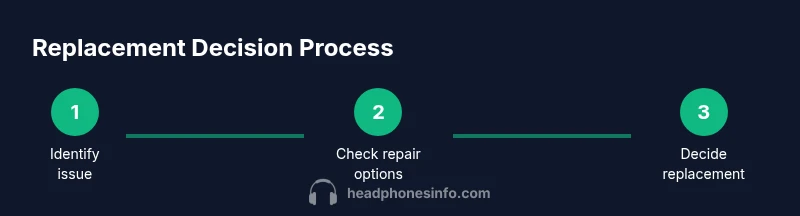
Before committing to a repair, assess both practical and financial aspects. If a repair would require parts or labor that approach the price of a new unit, replacement often provides a better value, newer features, and extended warranty support. Warranty status matters: in-warranty issues are typically repaired or replaced at little to no cost, while out-of-warranty repairs may not be economical. Headphones Info analysis shows that many users simplify decision-making by comparing final repair costs to the current price of a comparable model with modern features. Remember to factor in expected remaining lifespan, the likelihood of recurring issues, and the potential gains from newer hardware such as improved drivers or faster Bluetooth.
How to evaluate battery health and lifespan
Battery health is a core consideration for replacement decisions. For wireless Beats, rapid battery drain, noticeably longer charging times, or the device failing to hold a charge after typical use are strong signals to re-evaluate. If the battery can no longer sustain daily listening without frequent recharges, a replacement becomes more appealing. The reliability of charging accessories and any heat or swelling observed during charging are also important indicators. When guessing battery health, keep a simple log of charging cycles and performance in a week or two to see if trends are declining.
How to choose a new Beats model
If you decide to replace, define what you need from your next pair. Consider form factor (over-ear vs on-ear), fit and comfort for long listening sessions, active noise cancellation, and battery life. Evaluate codec support, app compatibility, and the ease of updates. Price is a practical boundary; balance your budget with the value of newer features like improved ANC, better call quality, or stronger wireless stability. Use a favorites list or a comparison chart to weigh options side-by-side, and seek hands-on testing if possible.
Practical steps to extend the life of your next pair
Proactive maintenance can delay replacement. Keep ear pads clean and replaced when worn, store headphones in a protective case, avoid exposing them to high heat or moisture, and regularly update firmware when available. Proper storage and gentle cleaning help preserve drivers and connections. Regular cable inspection and careful handling will reduce eventual wear, while timely repairs of minor issues can keep performance stable longer.
What to do with old headphones
If you decide to replace, explore recycling programs offered by manufacturers or local electronics recyclers. If the unit still functions, consider selling or donating to extend its useful life. Avoid throwing electronic devices in regular trash, and follow local guidelines for disposal. Proper end-of-life handling reduces environmental impact and can often fund part of your upgrade.
Tools & Materials
- Precision screwdriver set (Phillips #00 and flathead)(Essential for models with removable housings)
- Spudger or plastic opening tool(Non-metal to avoid shorting components)
- Replacement ear pads or cushions(Optional for refreshing fit and hygiene)
- Replacement battery (if applicable)(Only for models with user-serviceable battery; check official service guidance)
- Multimeter or test leads(Helpful to verify electrical continuity)
- Replacement charging cable or port parts(Beats models may require different connectors)
- Isopropyl alcohol and microfiber cloth(For cleaning connectors and pads)
- Anti-static wrist strap(Optional safety for electronics work)
- Small containers for screws and small parts(Keep components organized during disassembly)
Steps
Estimated time: 60-90 minutes
- 1
Assess symptoms
Document the issues by category (battery, sound, connectivity, wear) and note when they occur. This baseline helps you decide whether repair or replacement offers the best long-term value.
Tip: Keep a short log for a week to confirm patterns before deciding. - 2
Check warranty and service options
Review warranty terms for your Beats model and region, and determine if in-warranty repair or discounted replacement is available. Consider official service routes first for reliability.
Tip: Have your proof of purchase and serial number ready. - 3
Estimate repair viability
Get a rough repair estimate from an authorized service provider and compare it to the current price of a new model with similar features. If repair costs approach new-model pricing, replacement is often wiser.
Tip: Ask about part availability and estimated turnaround time. - 4
Set your criteria for a new model
List must-haves (ANC, battery life, comfort, weight) and preferred form factor. This helps you narrow choices quickly.
Tip: If you travel frequently, prioritize battery life and comfort for all-day wear. - 5
Make a transition plan
Unpair devices, back up Bluetooth pairings, and prepare accessories. Decide where to buy and review return policies and warranty terms.
Tip: Keep receipts and registration details to streamline returns or warranty claims. - 6
Purchase and set up
Choose a reputable retailer, verify warranty terms, and set up the new headphones with your devices. Test immediately to confirm fit and performance.
Tip: Test mic quality and ANC performance in a real environment.
People Also Ask
When is the right time to replace Beats headphones?
Replace when reliability and performance decline to a level where frequent repairs or poor listening experiences outweigh the price and value of a newer model.
Replace when reliability drops and repairs don’t feel worth it anymore.
Is repair cheaper than buying new Beats headphones?
Repair costs can vary, but if parts and labor approach the price of a new unit with modern features, replacement is often the better long-term choice.
Repair can be cheaper, but compare final costs and benefits before deciding.
Do Beats warranties cover battery replacement?
Warranty terms differ by model and region. Batteries may be covered if the issue is manufacturing-related, otherwise they may not be.
Check your warranty terms or contact support for battery coverage.
Is a refurbished Beats headphones a good deal?
Refurbished units can save money and often come with a warranty. Verify seller credibility and terms before buying.
Refurbished models can be smart buys if properly backed by a warranty.
What should I do with old Beats headphones after replacement?
Recycle through manufacturer programs or local e-waste facilities. If usable, consider resale or donation to extend life.
Recycle or donate when possible to reduce waste.
Watch Video
What to Remember
- Assess symptoms before deciding.
- Weigh repair vs replacement based on value and features.
- Prioritize warranty status and safety considerations.
- Choose a model that aligns with your listening needs.