What is Wrong with My Beats Headphones? A Practical Troubleshooting Guide
Urgent Beats headphone troubleshooting guide: diagnose power, pairing, firmware, and audio issues with step-by-step fixes from Headphones Info.


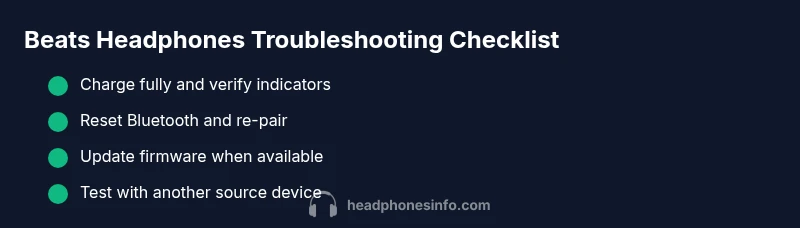
Most problems with Beats headphones come from power, Bluetooth pairing, or software glitches. Start with a quick triage: fully charge the buds, perform a soft reset, and re-pair to your primary device. If problems persist, update firmware and test with a different source to isolate whether the fault lies in the headset or the device.
What is wrong with my beats headphones: Common failure points
Beats headphones issues most often fall into a few predictable buckets: power, connectivity, and software. When users ask what is wrong with my beats headphones, the most frequent culprits tend to be a drained battery, Bluetooth pairing hiccups, or firmware glitches rather than a blown speaker or defective driver. According to Headphones Info, these issues are usually solvable with a handful of focused checks rather than expensive repairs. The Headphones Info team has found that isolating the symptom to the headset, the phone, or the app dramatically speeds up recovery. In real-world use, you’ll notice that many symptoms map to one of these categories, making the path to a fix clearer and faster.
Quick home checks you can perform
- Charge fully: connect to a charger and wait for indicators to confirm a full battery before testing playback.
- Power cycle and reset: turn the headphones off, then back on, and perform a soft reset per your model's instructions.
- Re-pair: forget the device on your phone or computer, then pair again from scratch to refresh the Bluetooth link.
- Try a different source: test with another phone or computer to see if the problem follows the headset or stays with the original device.
- Check for firmware updates: use the Beats app or the device OS update mechanism to apply the latest firmware if available.
- Inspect for obvious damage: look for frayed cables, loose jacks, or cracked hinges that could cause intermittent issues.
If you’re wondering what is wrong with my beats headphones, these quick checks help you rapidly triage hardware vs software causes and decide on the next steps.
Software and connectivity: Bluetooth, firmware, and device compatibility
Software and connectivity issues are a leading cause of Beats headphones problems. When diagnosing what is wrong with my beats headphones, it’s common to find that outdated firmware, Bluetooth profile mismatches, or compatibility quirks with the paired device are at fault. Firmware updates often resolve pairing drops, audio dropouts, and occasional one-sided audio. Make sure your phone or computer supports the headset's Bluetooth version and that any necessary device permissions (audio routing, mic access) are granted. If the headset pairs but no audio plays, check app-specific audio outputs and ensure the Beats device is selected as the default audio device in your OS.
Audio symptoms and diagnosing issues: no sound, distortion, or dropouts
When sound fails or stutters, the problem could lie in the audio path, not just the Bluetooth link. If you notice no sound on one side, intermittent crackling, or heavy distortion, first verify that the problem is consistent across apps and sources. Check the volume balance and mono/stereo settings on the source device. Test with wired mode if available to determine whether the issue is with the wireless path or the headphones themselves. If the symptom persists after these checks, you’re likely facing a hardware issue or a deep software snag that requires a targeted fix.
Wired connectivity and physical wear: cables, adapters, and ports
Wired use can reveal wear the wireless mode hides. If you use a 3.5mm cable, inspect the plug, cable shield, and the headset jack for signs of wear or loose connections. Frayed cables or bent adapters can cause intermittent audio and dropouts. If you rely on adapters for a computer or airplane seat, ensure the adapter is compatible and not introducing resistance or grounding issues. In many cases what is wrong with my beats headphones becomes a simple cable fault found with a visual inspection and a quick replacement.
Resetting, re-pairing and updates: a practical fix kit
A robust fix kit for Beats headphones includes a full charge, a factory-like reset sequence (where applicable), re-pairing with a fresh connection, and a firmware update. Sequence matters: start with a battery reset, then clear Bluetooth pairings, re-pair to the primary device, and finish with any available firmware update. If the device still misbehaves, test with another source to isolate the problem, and document step-by-step what you tried for support later.
When to replace parts or seek professional help
If core fixes fail and the symptoms persist after updating firmware and re-pairing, it may be time to consider component replacement or professional service. Battery degradation, faulty drivers, or jack wear are common culprits requiring service. Check the warranty status and consult authorized service centers before opening the device yourself. In many cases, manufacturers offer affordable repair options or replacement programs for older models.
Maintenance tips to prevent future problems
Proactive care reduces the frequency of future failures. Regularly update firmware, keep the charging case and cables clean, store headphones in a protective case, and avoid exposing them to moisture or extreme temperatures. Periodically reset Bluetooth pairings to clear cached connections and test with multiple devices to ensure continued compatibility. Adopting these habits makes the ongoing life of your Beats headphones more predictable and reduces the chance of repeated issues.
Quick diagnostic recap: what is wrong with my beats headphones
To recap, most issues fall into power, Bluetooth/software, or hardware categories. Start by charging fully, resetting, and re-pairing. If audio issues persist, check firmware, test with another device, and consider physical inspection of cables and ports. When in doubt, escalate to official support with a detailed summary of what you tried and the symptoms observed.
What is wrong with my beats headphones? Understanding the common failure points helps you triage quickly and decide whether you can fix it at home or need professional help. The goal is to isolate whether the problem is headset-based, device-based, or software-based, which guides the next steps and speeds up resolution.
Steps
Estimated time: 20-40 minutes
- 1
Charge and power on
Plug in the Beats headphones and allow a full charge. Once charged, power the device on and confirm the status indicators. This ensures the issue isn’t caused by a low battery or a faulty charging circuit.
Tip: If indicators don’t light, try a different charger or cable and inspect the charging port for debris. - 2
Soft reset
Perform a soft reset following your model’s instructions. This typically involves holding a button or combination for several seconds to clear temporary memory and reset the wireless stack.
Tip: Note the exact steps for your model in the manual to avoid unintended resets. - 3
Forget and re-pair
On your source device, forget the Beats headphones, then re-pair them from scratch. A fresh pairing often resolves stubborn Bluetooth glitches and improves stability.
Tip: Pair with one device at a time to prevent cross-device conflicts. - 4
Update firmware
Check for a firmware update via the Beats app or your device’s software update mechanism. Install any available updates to improve compatibility and fix known issues.
Tip: Back up settings if the update resets preferences you care about. - 5
Test with another source
Connect the headphones to a different phone or computer to determine if the problem follows the headset or is tied to the original device.
Tip: If the issue occurs on all devices, the headset is more likely at fault. - 6
Inspect for hardware issues
Visually inspect cables, connectors, and earpads for wear or damage. Feel for loose parts and listen for unusual noises that might indicate a hardware fault.
Tip: Avoid forcing connectors or yanking cables to prevent further damage. - 7
Try wired mode (if available)
If your model supports wired listening, connect via the 3.5 mm jack to verify whether the issue is strictly wireless.
Tip: Wired testing helps confirm if the problem lies in the Bluetooth path. - 8
Contact support for warranty options
If steps above do not resolve the issue, reach out to official support to discuss repair or replacement under warranty.
Tip: Have your model, serial number, and purchase date ready to speed service.
Diagnosis: Beats headphones exhibit no audio, intermittent sound, or failed pairing
Possible Causes
- highBattery is drained or degraded
- highBluetooth pairing cache or compatibility issue
- mediumOutdated firmware causing instability
- lowDamaged wired cable or port (if used wired)
- mediumSource device compatibility or settings fault
Fixes
- easyCharge headphones fully and test again
- easyForget device and re-pair, then perform a soft reset
- mediumUpdate to the latest firmware via the Beats app or supported OS
- easyInspect wired cable/port and replace if frayed
- easyTest with another source device to isolate the issue
- easyIf problems persist after steps, contact support under warranty
People Also Ask
Why won't my Beats headphones pair with my iPhone or Android device?
Bluetooth pairing failures are common. Try forgetting the device, resetting, and re-pairing. Check firmware and ensure your phone has the latest OS updates. If it still won’t pair, test with another device to confirm where the fault lies.
Bluetooth pairing failures are common. Forget the device, reset, and re-pair, then check for firmware and OS updates. If it still won’t pair, test with another device to confirm where the fault lies.
Why is there no sound from Beats headphones on one side?
This can be related to balance settings, a partial driver fault, or a damaged cable. Check balance in the source device, try a wired connection if available, and inspect the cable and jack for damage. If the issue remains, service may be required.
No sound on one side can be caused by balance, a loose cable, or a hardware fault. Check the balance, try wired mode, and inspect the cable; if it doesn’t resolve, seek service.
How long do Beats headphones take to charge?
Charging time varies by model and battery condition. If you notice unusually long charging times or devices that never fully charge, that can indicate battery wear or a charging fault. Use a reliable charger and check for firmware updates that might affect power management.
Charging time varies by model and battery health. If charging seems unusually slow, check the charger and battery health, and consider updating firmware that manages power.
What should I do if my Beats headphones still won't connect after updating?
If trouble persists after a firmware update, re-check device compatibility, re-pair with a fresh Bluetooth link, and verify audio output settings. If it still fails, contact support to verify if your model requires service.
If it still won’t connect after an update, re-pair and verify output settings. If issues persist, contact support.
Is there a warranty for Beats headphones?
Beats headphones typically come with a manufacturer warranty. Check purchase date and serial information when contacting support, and review terms for repair or replacement options.
Beats headphones usually have a manufacturer warranty; have your purchase date and serial ready when you contact support.
Can I use Beats headphones wired if Bluetooth fails?
Many Beats models support a 3.5 mm wired connection as a fallback. If Bluetooth fails, test wired mode to verify whether the issue is wireless-only or a broader headset fault.
If Bluetooth fails, try the wired connection to see if audio works; this helps isolate the problem.
Watch Video
What to Remember
- Charge fully before troubleshooting
- Reset and re-pair to refresh the wireless link
- Update firmware to fix known issues
- Test with another source to isolate the fault
- Consult official support if issues persist