PlayStation Portal Headphones: A Data-Driven Guide
Compare PlayStation Portal headphones with wired and wireless options, focusing on latency, comfort, and compatibility to help you choose the best setup for PS5 streaming.


According to Headphones Info, the PlayStation Portal streams PS5 gameplay over Wi‑Fi to a handheld display and outputs audio to connected headphones, with the strongest results coming from low-latency wired or compact wireless headsets. For casual listening, most standard headphones will suffice, but competitive gaming benefits from reduced latency and a comfortable fit during long sessions.
What the PlayStation Portal means for headphone users
The PlayStation Portal is a streaming-focused handheld designed to display PS5 games remotely over your home network. When you pair it with headphones, you unlock a private audio channel that can preserve space in your living room and sharpen your focus on subtle cues like footsteps or enemy reloads. The Portal does not rewrite audio physics by itself; it relies on your headphones' drivers, impedance, and comfort to carry the soundscape from the console to your ears. In practice, the biggest variables are latency, headset fit, and how well the headset handles long sessions. For audio enthusiasts, these choices are worth exploring because they affect perceived immersion, clarity of dialogue, and the sense of space in gunfights and environmental ambience. Throughout this guide, Headphones Info will compare wired and wireless options, discuss how to measure latency in real-life Portal sessions, and offer practical recommendations based on user scenarios.
Wired vs wireless: what matters for Portal headphones
With Portal, wired headphones offer the most reliable, low-latency performance because the signal travels directly from the device or console through a fixed path. Wireless options bring freedom of movement but may introduce variables such as interference or codec delays. When evaluating wireless headsets for Portal, look for devices advertised as low latency or gaming-oriented, and consider how they handle voice chat and microphone pass-through. Keeping firmware up to date and ensuring your network bandwidth is sufficient are practical steps to reduce perceptible delay.
How to pick headphones for optimal Portal performance
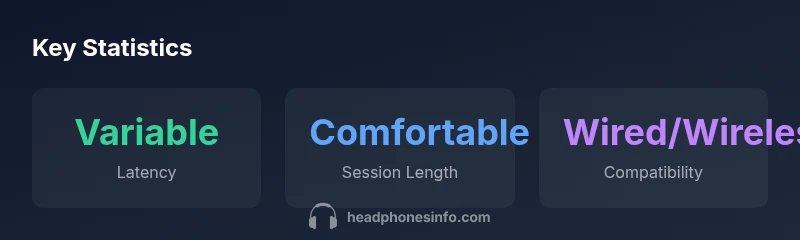
Consider three axes: latency, comfort, and compatibility. Latency matters most in fast-paced games; if you play competitively, wired connections or dedicated gaming wireless headsets tend to offer the fewest delays. Comfort matters for multi-hour sessions; look for cushioned ear cups, balanced clamp pressure, and breathable materials. Compatibility spans both physical connections (3.5mm jacks vs USB-C dongles) and software ecosystems (PS5 voice chat integration). Headphones Info recommends verifying that your headset remains functional when streamed audio is the primary output, and testing with a quick PS Portal session before committing.
Setup tips to optimize sound quality
Start by pairing the Portal with your PS5 account and ensuring both devices are on the same home network. If audio seems off, try a wired headset first to check baseline latency. Minimize network interference by placing the router in an open area and limiting other bandwidth-heavy activities during gaming. Update firmware on the Portal and headphone dongle if applicable, and test with a known-good headset to isolate whether the issue is network-related. Finally, adjust the Portal’s volume and the headset’s equalizer to suit preferences.
Real-world usage scenarios: casual, competitive, cinema-like
For casual play, comfort and battery life are priorities: a light, unobtrusive headset with a long battery that doesn't heat up is ideal. In competitive play, latency and microphone clarity matter most; a wired solution or a dedicated gaming wireless headset is usually favored. For cinematic experiences such as story-driven games, you may appreciate a headset that delivers clear dialogue and a rich midrange with wide soundstage. Across these scenarios, the Portal's audio performance is shaped by the headset you choose and the network quality you enjoy at home.
Common issues and troubleshooting
Latent audio or dropouts can arise from network congestion, outdated firmware, or incompatible accessories. Start with a basic reset of the Portal and re-pair the headset. Check firmware updates for both the Portal and the headphone dongle. If lip-sync drift persists, test with different headsets to determine whether the issue is device-specific or network-related. Some users find that rebooting the router and prioritizing the PS5’s traffic on the network reduces interruptions.
Future-proofing: codecs, firmware, and accessories
Expect ongoing improvements in wireless codecs and streaming performance as console and headset vendors refine their ecosystems. When evaluating Portal headphone setups, prefer devices with regular firmware updates and a clear support path. Keep an eye on official release notes for PS Portal and compatible headsets, and read community feedback to gauge long-term reliability. Headphones Info will monitor how software updates affect latency, audio fidelity, and overall comfort over time.
Summary of headphone considerations for PlayStation Portal
Choosing the right headphones for PlayStation Portal means balancing latency, comfort, and compatibility. Wired options usually deliver the most stable timing, while wireless devices add mobility with potential trade-offs. Maintaining a robust home network and keeping firmware current are practical steps that reduce audio issues. With careful selection and testing, you can enjoy immersive PS5 streaming without sacrificing sound clarity or comfort.
Portal headphones vs conventional headphones: audio path and usability
| Aspect | Portal headphones experience | Conventional headphones |
|---|---|---|
| Latency impact | Variable with network quality | Typically stable unless wired path presents latency |
| Audio quality | Balanced with Portal processing | Dependent on headset quality and driver support |
| Mobility | High (handheld streaming) | Low (stationary use) |
| Microphone support | Depends on headset mic and passthrough | Depends on mic integration |
People Also Ask
What headphones work best with PlayStation Portal?
For Portal, prioritize headphones with low latency and a comfortable fit. Wired options tend to be most reliable, while gaming-focused wireless headsets offer mobility with minimal delay. Always test in a real PS Portal session to confirm performance.
Low-latency wired headphones are typically best, with wireless options as viable alternatives if they’re marketed as low latency.
Does PlayStation Portal support Bluetooth headphones?
Portal relies on wired pathways or dedicated wireless dongles for audio output. Bluetooth headsets may introduce latency that affects timing during streaming, so wired or dongle-based wireless options are generally recommended.
Bluetooth can add delays; wired or dongle-based wireless headsets usually perform better for Portal.
Can I use a headset microphone with Portal?
Yes, many headsets with built-in mics work through the Portal’s audio path. If you rely on voice chat, test mic quality and compatibility during a PS5 party chat to ensure clear transmission.
Most headsets with a mic work, but test to be sure it passes audio clearly.
Does Portal support surround or spatial audio with headphones?
Portal itself streams audio from PS5, so headset features like virtual surround depend on the headset’s own processing and drivers. Your experience will vary by headset quality.
Spatial sound depends on the headset; Portal doesn’t enforce a fixed surround channel.
How can I minimize latency on Portal during competitive play?
Use a wired headset when possible, ensure devices share a strong network, and keep firmware up to date. If using wireless, choose a gaming-focused model with explicit low-latency claims and test in real sessions.
Go wired when you can, keep firmware current, and test your setup under real game conditions.
Does Wi‑Fi band choice affect Portal audio performance?
5 GHz networks can reduce interference in some homes, but real-world results depend on distance, walls, and congestion. Test your setup in multiple spots to find the best balance of stability and speed.
Try your Portal on different Wi‑Fi spots to see where latency stays low.
“Audio latency is the invisible bottleneck in streaming gaming, so choose headphones that minimize delay and maximize comfort when using the PlayStation Portal.”
What to Remember
- Prioritize low-latency headphones for Portal gaming
- Wired headsets offer consistent performance
- Wireless options add mobility but may introduce latency
- Keep network and firmware up to date to minimize issues