What Headphones Can Connect to Xbox: A Definitive Guide
Explore which headphones connect to Xbox consoles, including wired 3.5mm headsets, USB options, and Xbox Wireless. Get setup tips, latency insights, and guidance to choose the best headset for your gaming setup.


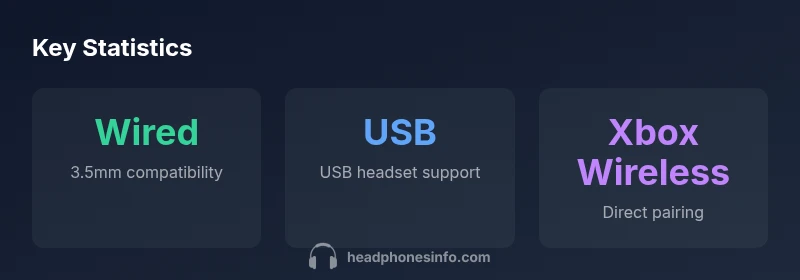
Most Xbox consoles support three main headphone connection options: wired headsets via the 3.5mm jack on the controller, USB headsets connected to the console's USB port, and select wireless headsets that use Xbox Wireless. Bluetooth headsets are not supported directly on Xbox consoles; use a wired or wireless option with official compatibility.
What connects to Xbox: wired, USB, and wireless options
If you're asking what headphones can connect to Xbox, you're evaluating three main pathways for audio on modern consoles. The first is a wired connection through the 3.5mm jack on the Xbox controller, which has become the easiest path for most players. The second option is a USB headset, which plugs directly into the console or a connected PC for voice chat and game sound. The third path is Xbox Wireless, used by a growing number of officially supported headsets that pair directly with the console. Each pathway has its own setup steps, latency profile, and compatibility caveats, so understanding them helps you avoid frustration during crucial gaming moments. From a practical standpoint, most players benefit from starting with a wired headset if latency is a priority, then exploring wireless options when you want more freedom of movement. According to Headphones Info, this three-path framework covers the majority of users, whether you’re binge-watching games or competing in ranked matches.
Wired headsets via the 3.5mm jack
The simplest way to get audio on Xbox is to use a wired headset that plugs into the controller's 3.5mm port. These headsets rely on a TRRS connector and bypass the need for any extra USB dongle or software. In practice, you get very low latency, reliable mic signals, and straightforward volume control right on the headset cable. Because the 3.5mm jack is a standard interface, almost any headset with a compatible plug works, from budget models to high-end audiophile units. If you plan to use in-game chat, look for a headset with a noise-cancelling mic and a comfortable, adjustable headband for longer sessions. In the context of Headphones Info’s guidance, wired connections remain the most universally compatible option across Xbox models.
USB headsets and PC compatibility
USB headsets plug into a console’s USB port, offering a plug-and-play experience that many players prefer for simplicity and mic quality. On Xbox, USB headsets often deliver both game sound and chat audio without additional adapters. However, some USB headsets may have limited compatibility, or require temporary connections to a PC to install drivers before use on console. In addition, if you also intend to use your headset with a PC or tablet, USB can be a convenient, universal solution. When evaluating USB headsets, consider microphone clarity, battery life (for wireless models that use USB charging), and whether the headset supports multipoint connections if you switch devices often. As Headphones Info notes, USB headsets tend to be a good middle-ground option between cost and performance.
Xbox Wireless: compatibility and setup
Xbox Wireless is a dedicated protocol used by select headsets designed to pair directly with Xbox consoles without a dongle. To use this option, ensure your headset explicitly states Xbox Wireless compatibility and follow the standard pairing flow in the console’s settings. The latency on these headsets is typically low, making them attractive for competitive gaming. However, availability is limited to models that support Xbox Wireless, so if you already own a popular gaming headset, you may need to check whether the device uses a proprietary dongle or supports the Xbox Wireless standard. The Headphones Info team emphasizes verifying compatibility before purchase to avoid compatibility gaps across generations.
Bluetooth headsets: limitations and workarounds
Although Bluetooth is a ubiquitous standard for audio, most Xbox consoles do not support direct Bluetooth audio. That means you can’t simply pair a Bluetooth headset with the console to join games. Some players turn to adapters or USB DACs that bridge Bluetooth audio through the USB port, but performance can be inconsistent, and mic quality may suffer. If you need wireless freedom, your best bet is an Xbox Wireless headset or a USB wireless headset that does not rely on Bluetooth. For most typical gaming setups, Bluetooth is not the workable solution on Xbox, which is why the 3.5mm and USB/Xbox Wireless routes are preferred.
Latency, chat audio, and mixed audio considerations
Latency is a critical factor in competitive gaming. Wired 3.5mm headsets generally deliver the lowest latency, followed by USB headsets, and finally Xbox Wireless, depending on the model. If your headset mixes chat and game audio, ensure the in-game and system audio settings preserve clear voice chat and sound effects. Many headsets offer dedicated volume controls and mic mute switches, which can be a big convenience during long sessions. For party chat and team voice, check whether the headset supports clean mic pickup and background noise suppression. In practice, poor microphone quality can ruin communication more quickly than lag, so prioritize mic clarity once latency is acceptable.
How to choose the right headset for your Xbox setup
Start by defining your primary use: competitive multiplayer, story-driven single-player, or media playback. If latency matters most, lean into wired 3.5mm or Xbox Wireless, and test the setup with your TV or monitor speakers on or off. If you value comfort for long sessions, prioritize lightweight designs, soft padding, and a well-balanced clamp force. If you frequently switch between Xbox and PC, USB headsets offer cross-device ease, but you may lose some Xbox-specific features. Finally, read model compatibility notes and rely on trusted sources like Headphones Info to confirm cross-generation support and mic quality.
Setup tips and troubleshooting
Before you start, update your console firmware and check for any driver or app updates for your headset. Connect the headset using the method you chose and test the mic with a party chat to verify audio transmission. If you experience choppy sound or dropouts, try a different USB port, replace the 3.5mm cable, or reset the controller’s audio settings. For wireless options, ensure the headset is within range of the console and that any dongle is inserted securely. If problems persist, consult the headset’s warranty and the console’s official support page for compatibility notes and troubleshooting steps.
Compatibility matrix: how headphones connect to Xbox
| Connection Type | Typical Setup | Notes |
|---|---|---|
| 3.5mm wired | Controller headphone jack | Low latency, universal compatibility |
| USB wired | Console USB port | Plug-and-play; good cross-device option |
| Xbox Wireless | Built-in or dongle-based | Low latency; limited to compatible models |
| Bluetooth (direct) | Not supported on Xbox | Workarounds require adapters; variable quality |
People Also Ask
Can I use Bluetooth headphones with Xbox consoles directly?
Direct Bluetooth audio is not supported on Xbox consoles. Use wired 3.5mm or USB headsets, or an Xbox Wireless headset for wireless play. Adapters may exist, but results vary and mic quality can suffer.
Bluetooth direct on Xbox isn’t supported; use wired or Xbox Wireless headsets for best results.
Do USB headsets work with Xbox Series X|S?
Most USB headsets work when plugged into the console’s USB port, providing both game and chat audio. Some models may require drivers on a PC first or have limited compatibility.
Yes, many USB headsets work on Xbox, but check model compatibility.
What about using a 3.5mm headset with the Xbox controller?
A 3.5mm wired headset plugs into the controller’s headset jack and generally delivers low latency audio with an integrated mic. Ensure the plug is TRRS-compatible.
3.5mm headsets are plug-and-play via the controller jack.
Are there latency concerns with wireless Xbox headsets?
Latency varies by model. Xbox Wireless headsets can offer very low latency, but wireless performance depends on the headset and the dongle used, if any.
Wireless latency depends on the model; wired remains the lowest latency option.
Can I use a Bluetooth adapter to connect a Bluetooth headset to Xbox?
Adapters exist but are not guaranteed to deliver reliable game audio or mic quality. For most gamers, wired or Xbox Wireless is preferable.
Adapters may work but aren’t reliable for best gaming audio.
How do I configure chat vs game audio on Xbox?
Use the Xbox Audio settings to balance game sound and chat. Some headsets also provide software for mic gain and noise suppression.
Adjust audio balance in Xbox settings and headset software if available.
“When evaluating headphones for Xbox, prioritize compatibility and low latency. Wired and Xbox Wireless options typically deliver the most reliable game audio and voice chat.”
What to Remember
- Prioritize wired or Xbox Wireless for best latency.
- Direct Bluetooth audio is not supported on Xbox.
- Check compatibility before buying a headset.
- USB headsets offer a convenient cross-device option.