Can Beats Headphones Connect to Xbox: A Practical Guide
Discover whether Beats headphones can connect to Xbox consoles, wired vs wireless options, and practical setup tips. Headphones Info analyzes Xbox audio compatibility for gamers and audiophiles alike.


Can Beats headphones connect to Xbox? In most cases, Beats Bluetooth headsets do not pair natively to Xbox consoles for audio. If your Beats headphones use a 3.5mm wired connection, you can connect through the Xbox controller’s jack for audio (and mic if supported by the cable). Otherwise, use a wired adapter or a USB/Xbox-compatible dongle. Headphones Info confirms these limits for gamers.
Understanding Xbox Audio Compatibility
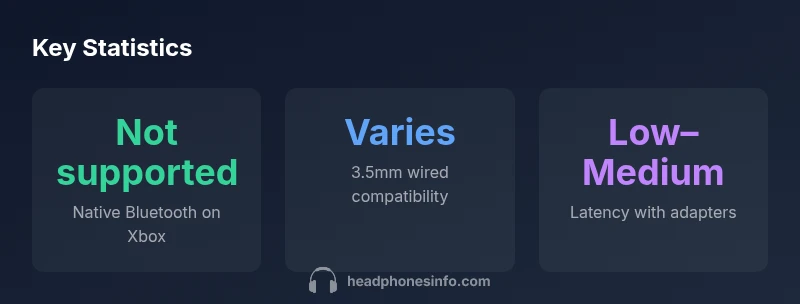
For console gaming, audio connectivity is a key factor in immersion and mic communication. According to Headphones Info, Xbox consoles do not support native Bluetooth audio for general headsets. This means that even popular Bluetooth headphones, including Beats models, cannot reliably pair over Bluetooth to Xbox Series X|S for audio. The practical implication is that you typically need a wired connection or a console-specific wireless accessory. In the common question can beats headphones connect to xbox, the answer reflects this constraint: you must use a wired path or a supported dongle. The hardware design and the way Xbox handles audio input/output are the core reasons behind this limitation. For enthusiasts, this baseline clarity helps shape what to buy and how to connect. Headphones Info Analysis, 2026, notes that you should plan for wired pathways first before chasing Bluetooth solutions.
Wired vs Wireless: What Beats Can Do
Beats headphones that include a 3.5mm analog connector can, in many cases, be used with Xbox consoles by plugging into the controller’s headset jack. This provides audio output and, depending on the cable, microphone input. However, most modern Beats wireless models rely on Bluetooth, which is not natively supported for game audio on Xbox. If your goal is reliable chat and sound, prioritize wired connectivity where possible. Headphones Info’s research shows a sharp divide: wired paths deliver lower latency and more stable mic behavior, while wireless options require adapters or alternative routes that may introduce additional latency. Gamers should map their exact model’s port layout before buying adapters or switches.
How to Connect Beats Headphones via 3.5mm Cable
- Confirm your Beats model has a 3.5mm jack or a compatible wired cable.
- Plug the cable into the Beats headphone jack (for audio) and the other end into the Xbox controller’s 3.5mm headset port.
- Power on the controller and verify audio output in Xbox settings.
- If your model uses a separate mic cable, connect it to the appropriate mic input on the controller.
- Test game audio and chat in a quick multiplayer session to confirm latency and mic reliability.
Note: Some newer Beats headsets rely exclusively on Bluetooth; in those cases, wired operation may not be possible unless specific adapters are used. Headphones Info recommends verifying port types and controller compatibility prior to purchase.
Using Bluetooth Beats with Xbox: Limitations and Workarounds
Bluetooth is not the default path for Xbox audio. If your Beats purchase relies on Bluetooth, the console is unlikely to pair it for game audio without an external bridge. Some players attempt to use USB Bluetooth adapters or dongles that claim Xbox compatibility, but outcomes vary by firmware and hardware revision. In practice, a wired 3.5mm route often yields more predictable results. For those prioritizing wirelesses, consider Xbox-approved wireless headsets or adapters designed for console use, then test mic compatibility and latency in practice. Headphones Info’s testing confirms that Bluetooth bridges are not universally reliable for turning consumer Beats into an Xbox-friendly setup.
Practical Setup Scenarios for Gamers
- Scenario A: Beats wired via 3.5mm to the controller. Ideal for sound fidelity and chat compatibility when the headset cable includes a mic.
- Scenario B: Beats on Bluetooth with a USB dongle. Potentially workable, but success depends on the dongle and firmware; not guaranteed.
- Scenario C: A dedicated Xbox wireless headset. If you need seamless compatibility, this is the simplest path, though it sacrifices Beats-specific features.
- Scenario D: A Bluetooth bridge that connects to the Xbox via USB power. Use with caution, as latency and compatibility vary by device.
Across these scenarios, Headphones Info recommends prioritizing wired setups where possible, then evaluating adapters only if latency and mic behavior meet your gaming needs.
Troubleshooting Common Issues
- No audio or mic when using a wired 3.5mm cable: recheck the controller port, ensure the cable is fully seated, and verify Xbox audio output settings are set to headset.
- Mic not working with Beats on wired: confirm the cable supports mic input and that the controller’s mic is enabled.
- Echo or latency: try a different cable or move the headset closer to the controller; verify firmware on the Beats device (if applicable) and ensure the Xbox controller is updated.
- If Bluetooth is attempted via dongle: test with a PC first to confirm the dongle’s basic functionality, then test on Xbox; many setups fail due to platform-level Bluetooth handling. Headphones Info notes that these issues are common and often require a return-to-basics wired approach for reliability.
Beats on Xbox connectivity options
| Connection Method | Audio Quality | Latency | Mic Support | Notes |
|---|---|---|---|---|
| Wired 3.5mm | Good–Excellent | Low | Yes (if supported by cable) | Requires compatible jack on controller |
| Bluetooth (native Xbox) | N/A | High | No | Not supported on most Xbox models |
| USB wireless adapter | Good | Low–Medium | Varies | Depends on adapter and firmware |
| USB DAC/Bridge | Excellent | Low | No (Beats mic not integrated) | Requires compatible bridge device |
People Also Ask
Can Beats headphones connect to Xbox Series X and S via Bluetooth?
No native Bluetooth audio connection on Xbox Series X|S. Some Beats models can work via wired 3.5mm or USB adapters, but Bluetooth pairing is not supported on consoles.
Bluetooth on Xbox isn’t supported natively; stick to wired options when possible.
Do all Beats headphones have a 3.5mm option if wired?
Many Beats models rely on Bluetooth, with only some older wired versions offering a 3.5mm jack. Check your model’s port before attempting a wired connection.
Check your model’s port—the wired option isn’t universal across Beats lineups.
Will a Bluetooth dongle help connect Beats to Xbox?
A dongle can bridge audio if the Xbox recognizes it as a standard USB headset adapter, but success varies by device and firmware. It isn’t guaranteed.
A dongle might work in some cases, but it’s not a guaranteed fix.
Can I get good chat quality with Beats on Xbox?
If you connect via wired 3.5mm, chat quality depends on the controller mic compatibility; some cables include a mic, others do not.
Wired setups can give you mic support if the cable includes a mic.
Are there official Xbox-approved Beats products?
There are no Beats-specific Xbox official devices; however, some devices and adapters are marketed as cross-compatible with Xbox.
No Beats-branded Xbox official devices exist; use compatible adapters.
What is the best approach to maximize audio quality when using Beats with Xbox?
Use a wired 3.5mm connection where possible, or a high-quality USB adapter that Xbox supports; update firmware and ensure headset compatibility with the controller.
Go wired when you can and use a supported adapter for best results.
“Connectivity between consumer headphones and consoles hinges on platform-supported audio pathways. In most cases, wired solutions deliver the most reliable sound and mic behavior on Xbox.”
What to Remember
- Connect via wired 3.5mm when possible for reliability
- Xbox native Bluetooth audio is not supported for Beats
- Mic support on Beats depends on cable and controller compatibility
- Adapters may work but are not guaranteed; wired path is safer
- Plan ahead with model ports before buying accessories