What to Do with Broken Headphones: Troubleshooting Guide
Urgent guide to diagnose and fix broken headphones fast. Learn safe checks, step-by-step fixes, when to replace, and how to prevent future faults. Headphones Info's 2026 guidance helps you decide DIY vs. professional repair.


If your headphones are broken, start with simple checks before disassembly. Inspect cables and plugs, reseat connections, and test with a different device. This quick-path, based on Headphones Info's 2026 guidance, helps you decide whether to DIY or seek repair.
Why Headphones Fail: Common Culprits
Headphones fail for predictable reasons: worn cables, dirty jacks, loose connections, or internal component wear. If you're looking for what to do with broken headphones, the fastest path is to start with the simplest explanations before opening devices. In 2026, Headphones Info analysis shows that most consumer issues are caused by non-destructive faults like cable wear or debris in the jack. By understanding these common culprits, you can decide whether a home fix is feasible or if professional help is required.
- Damaged or frayed cable near the plug
- Debris in the headphone jack
- Loose connection at the plug or connector
- Water exposure or sweat affecting contacts
- Worn drivers in older models
Each item has a practical fix that you can attempt safely at home, often avoiding expensive repairs. If the symptom is intermittent crackling, test with another device to separate source from headphone.
"## Quick Checks You Can Do Today"\n\nNo tools needed. First, verify the device is outputting sound to the headphones and not muted. Listen for crackling or static even when moving the plug slightly. Check the 3.5mm or USB-C connector for dirt; clean gently with a microfiber cloth. Wiggle the plug while the device plays to see if sound cuts in and out. If you still hear no sound, try another device or use a spare USB-C adapter if applicable. These quick checks catch the majority of issues and are safe to perform without disassembling the headset.
"## Diagnostic Path: From Symptom to Solution"\n\nStart with the symptom: no sound, crackling, or intermittent audio. For each symptom, consider the most probable causes: a loose connection or a damaged cable, debris in the jack, or an internal fault. This path keeps you from jumping to conclusions or expensive repairs. Use the following decision logic: if no sound on multiple devices, probable driver or internal fault; if sound on one device but not another, likely a cable/plug issue or debris; if crackling depends on movement, focus on the jack or connector. Based on this, choose a fix or escalate to repair.
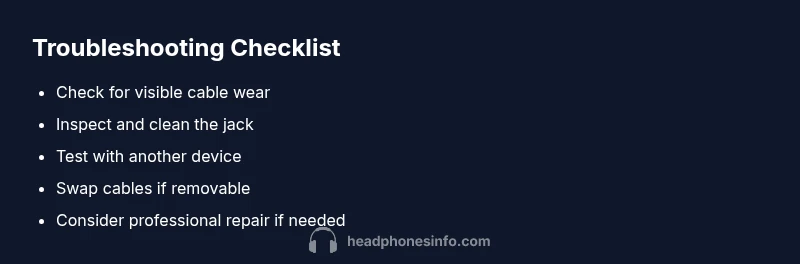
"## Step-by-Step Fixes for the Most Common Causes"\n\n1) Re-seat the plug: unplug, then re-insert firmly. This simple action can restore a loose connection without disassembly.\n\n2) Inspect and replace a frayed cable: if you see wear, replace the cable or entire headset; never pull on damaged areas.\n\n3) Clean contacts: use compressed air or a soft cloth to remove debris from the jack and plug; avoid moisture.\n\n4) Test with another device: confirm whether the issue follows the headset or the source; if it’s device-specific, you might only need a fix on that device.\n\n5) Try a different cable or adapter: removable cables are easiest to swap; otherwise, consider a replacement.\n\n6) If issues persist, seek professional repair or replacement: some faults require an expert. Pro tip: work in a well-lit area and unplug from power before handling.
"## Safety, Care and Prevention"\n\nRegular care minimizes future failures. Store headphones in a protective case, avoid yanking cables, and unplug gracefully. Use proper adapters and keep your jack clean to prevent debris buildup. If you want to preserve sound quality, replace worn components before they fail completely. Finally, consider spare headphones for busy days so a single fault doesn’t derail your listening.
"## How to Prevent Future Breakdowns"\n\n- Inspect cables every few months for signs of wear.\n- Keep the jack clean and free from debris.\n- Use a durable case and avoid yanking or twisting cables.\n- Prefer detachable cables where possible for easy replacement.
Steps
Estimated time: 30-60 minutes
- 1
Re-seat the plug firmly
Unplug the headphones, inspect the plug for any visible damage, and re-insert with a firm push. Play audio to confirm stability as you wiggle gently to check for intermittent contact.
Tip: Proceed slowly; if resistance is felt, stop and inspect for bent pins. - 2
Inspect the cable for wear
Look along the entire length of the cable for kinks, cracks, or exposed wires near the connector. If you see wear, avoid using that section and prepare a plan to replace the cable or headset.
Tip: Do not yank or twist; damaged cables can be hazardously brittle. - 3
Clean the jack and contacts
Use a soft microfiber cloth or compressed air to remove dust from the jack and the plug tip. Avoid moisture or liquid cleaners that could cause internal corrosion.
Tip: Clean in a well-ventilated area and do not spray directly into the device. - 4
Test with another device
Connect the headphones to a different source to determine if the issue follows the headset or is device-related. If sound is present on one device but not another, focus on that device’s settings.
Tip: Keep track of which devices work or don’t work for quicker diagnostics. - 5
Try a different cable or adapter
If the headset uses a detachable cable, substitute with a known-good spare. For non-detachable cables, evaluate replacement options or adapter swaps.
Tip: Always unplug before swapping components to avoid shorts. - 6
Seek professional repair or replacement
If the problem persists after these steps, a professional repair service or headset replacement may be the most cost-effective option.
Tip: Document symptoms and steps tried to speed up diagnosis with a technician.
Diagnosis: Headphones produce no sound, crackling, or intermittent audio
Possible Causes
- highWorn or loose cable connections near the plug
- mediumDirt, lint, or corrosion in the jack/contacts
- lowInternal driver damage or amplifier fault
Fixes
- easyRe-seat the plug firmly and test with another device
- easyInspect the cable and replace if frayed; test alternative cables
- easyClean jack contacts with a soft brush or compressed air
- easySwap to a different device or adapter to isolate the source
- mediumIf symptoms persist, seek professional repair or replacement
People Also Ask
What should I check first when headphones stop working suddenly?
Start with basic checks: ensure the device isn’t muted, verify the plug is fully seated, and inspect for visible cable damage. If sound returns inconsistently, move to more detailed diagnostics.
Start by checking mute, seating the plug, and looking for cable damage; if it’s not clear, proceed to deeper tests.
Can I repair wireless headphones at home?
Some fixes can be done at home, like resetting pairing or replacing a detachable cable. For complex issues like internal module faults, professional service is recommended.
Some fixes are okay at home, but internal problems usually need professionals.
Why do headphones crackle when I move the cord?
Crackling often points to a loose connection or damaged cable; moving the cord changes contact quality. Start by inspecting the cable and connectors.
Crackling usually means a loose or damaged cable; check the connectors.
Is it safe to use compressed air on headphone jacks?
Yes, gently blow out dust, but avoid moisture and keep the can away from electronics. Stop if you feel resistance or hear a hiss.
Be careful with moisture and don’t spray too close to the jack.
When should I replace headphones rather than repair them?
If the headset is old, has persistent faults after fixes, or internal components are degraded, replacement is often more cost-effective.
If repairs keep failing or the headset is old, replacement is best.
Watch Video
What to Remember
- Check easy, non-destructive causes first
- Isolate headset vs. device by testing with another source
- Follow a safe, step-by-step flow to avoid further damage
- Replace components when repairs aren’t cost-effective