How to Tell If Headphones Are Damaged: A Step-by-Step Guide
Learn how to tell if headphones are damaged with visual checks, sound tests, and practical maintenance tips. A detailed, data-informed approach from Headphones Info helps you diagnose issues and decide between repair or replacement.


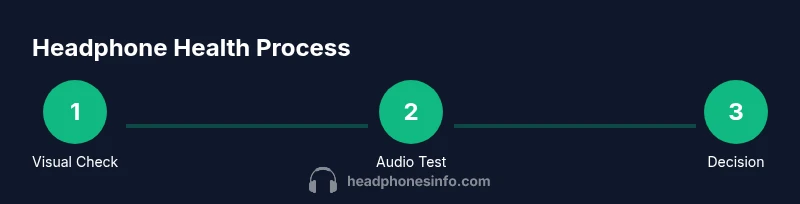
To tell if headphones are damaged, run a structured test of physical condition, cables, drivers, and audio performance. Start with visual checks, then test with both wired and wireless connections, listening for distortion, imbalance, crackling, or intermittent sound. If issues persist after basic fixes, replacement may be needed. Document findings for future reference. This approach is from Headphones Info.
What counts as damaged headphones?
According to Headphones Info, determining whether headphones are damaged hinges on distinguishing cosmetic wear from functional impairment. A healthy pair should deliver clean, balanced sound with minimal noise from the cable or connectors. Common failure modes include frayed cables, cracked housings, loose jacks, driver rattle, and intermittent connections. Audio symptoms can be subtler: distortion, channel imbalance, muffled highs or lows, or unexpected pauses. For wireless models, degraded battery life and unstable connections are additional clues. This section lays the groundwork for a repeatable assessment so you aren’t relying on impression alone. Keeping a focused checklist ensures you cover the most likely failure points while avoiding unnecessary parts swaps. The goal is to catch issues early before they escalate into costly repairs or replacements.
Visual and physical checks: what to inspect up close
Begin with a careful visual survey of every external surface, port, and cable. Look for cracks in the housing, bent or corroded connectors, and kinks or fraying in the cable. Wiggle the plug gently while listening for crackling or intermittent sound—as a loose connection often manifests as crackling in one channel. Inspect the ear cushions and headband for cracks or detached components, which can indicate stress on internal parts. If the cable is detachable, examine the connector pins for corrosion or misalignment. A clean, well-lit work area helps prevent missing small but important signs that could indicate looming failure.
Functional tests you can run at home (wired and wireless)
Testing headphones functionally requires both a controlled listening environment and reliable reference equipment. Start with a wired test: plug into a known-good audio source, play a variety of tracks, and listen for clean left/right channels, stable volume, and no distortion at moderate levels. For a more thorough wired check, swap the cable and adapters to rule out a faulty connection. Next, test wireless operation: pair with a common device, check pairing stability, and listen for latency or dropouts during playback. Ensure the firmware is up to date if applicable. If you notice one of the channels missing or persistent crackling, it’s a strong sign of internal damage in the driver or cable. Document each result and set aside tests that produced inconsistent outcomes so you can revisit them later. The goal is to identify whether the issue is intermittent, channel-specific, or global across all inputs.
Driver health and driver-related symptoms to watch for
The driver is the heart of sound reproduction. Subtle driver issues can produce distortion, buzz, or a hollow sound that changes with volume. If you hear fluttering, intermittent distortion, or a drop in one frequency range, it may indicate a damaged diaphragm, coil, or magnet assembly. A pressed or rubbing sound when you move the cord or ear cup suggests a loose internal component. Compare with a reference pair or a known-good set to isolate whether the issue is driver-based or a cabling problem. For over-ear models, check that the driver housing is seated correctly and that no debris is lodged behind the grille. Consistent alignment and secure housing are essential for accurate, undistorted audio.
Cable health and connectivity: testing for wear and tear
Cables carry the risk of wear long before the housing fails. Inspect the entire length of the cord for kinks, cuts, or flattened spots. Test for continuity with a multimeter if you have one, paying attention to both conductors and shielding. A common symptom of a damaged cable is intermittent sound that returns when you flex a specific area; this usually means the inner wires are stressed. Check the plug for looseness or bent pins, and ensure detachable cables engage snugly without excessive play. If detachment or poor contact occurs frequently, replacing the cable or connectors can restore performance without touching the drivers themselves. Treat cables gently to prevent future wear and avoid yanking the plug during testing.
Bluetooth and battery health indicators for wireless models
Wireless headphones introduce a different failure domain: battery degradation and Bluetooth radio performance. If you notice shorter-than-expected battery life, longer re-pair times, or frequent disconnects, consider battery health and firmware. Re-pairing with the device and performing a reset can clear occasional software glitches. If dropouts persist across multiple devices, the issue could be internal to the radio circuitry or the battery. Document battery performance and pairing stability over time to determine if a professional assessment is warranted. This section helps you separate wireless faults from physical damage to the drivers or cables.
Common scenarios by headphone type: wired vs wireless vs hybrid
Wired headphones usually present issues related to cables or jacks; a damaged 3.5mm jack often causes loss of one channel or crackling. Wireless or hybrid models may show temporary audio gaps, pairing instability, or degraded battery metrics. Hybrids can suffer from both cable wear (when used wired) and battery or Bluetooth issues (when used wireless). Always test across the intended modes of use to avoid biased conclusions. If you own multiple devices, test with each to rule out device-specific faults. A thorough assessment should cover all practical usage scenarios, ensuring your diagnosis matches real-world conditions.
Troubleshooting guide: when to repair vs replace
After completing the checks, you’ll face a practical decision: repair or replace. If the problem is isolated (e.g., a damaged cable or loose jack) and a replacement part is affordable and readily available, repair is often the most economical option. If the driver shows signs of wear, the housing is cracked, or frequent damage recurs, replacement is usually wiser. Battery degradation in wireless models can sometimes be repaired with a professional battery replacement, but not always. Always compare the total cost, including potential delayed availability for parts, against the price of a new pair. Consider warranty coverage and the age of the headphones in your decision. The aim is to maximize value while minimizing time without usable headphones. The Headphones Info team emphasizes documenting findings to support a clear repair vs replace choice.
Caring for headphones to prevent future damage
Prevention is better than repair. Store headphones in a protective case and avoid wrapping cables tightly around devices. Detangle cables gently and store in a cool, dry place to prevent material fatigue. Regularly clean ports and jacks with a soft brush or cloth, and inspect cushions for wear. When transporting, use a rigid case and avoid heavy pressure on the ear cups. Treating connectors and cables with care can extend both cable life and driver reliability. Finally, perform periodic checks (every few months) to catch wear before it becomes audible. Regular maintenance keeps performance consistent and reduces the likelihood of unexpected failures.
Documenting findings and building a reference log
Create a simple log to record test results, dates, and any changes in performance. Include the model, serial, and observed symptoms. A running log makes it easier to identify patterns over time, such as gradual distortion or worsening battery life. Use a consistent rating system (e.g., 1–5 scale for each test) and attach photos of any physical damage. This documentation proves invaluable when negotiating warranties or repairs, and it helps you track whether changes correlate with usage or environment. The log should be easy to skim, enabling quick decisions about repair vs replacement in the future.
Tools & Materials
- Headphones (wired or wireless)(Essential for all tests; ensure they are the model you want to diagnose.)
- Audio source device (phone, laptop, or audio DAC)(Stable playback source; tests should use a consistent level.)
- 3.5mm audio cable or detachable cable(Needed for wired tests; have a spare if possible.)
- USB-C/Lightning to 3.5mm adaptor(Optional adapter for devices without a jack.)
- Digital multimeter (optional)(Useful for continuity and impedance checks.)
- Replacement cable or connectors (optional)(If you find a faulty cable, replacement can restore function.)
- Cleaning cloth(Use to clear dust from ports before inspection.)
- Small flashlight or magnifier(For close inspection of ports and drivers.)
Steps
Estimated time: 60-120 minutes
- 1
Inspect physical condition
Examine the headphones for cracks, loose parts, or visible wear on the housing, ear cushions, and headband. Check the cable entry points for stress lines or kinks. A careful visual inspection is the foundation of diagnosing damage. If you see obvious damage, you know where to start for fixes or replacements.
Tip: Use good lighting and a magnifier if available to spot hairline cracks. - 2
Check cables and jacks
Inspect the entire length of any cables for fraying, cuts, or stiff spots. Wiggle the plug and cable while listening for crackling or intermittent sound. If detachable, test each connector for tight seating and proper contact. Cable wear is the most common cause of intermittent audio.
Tip: Try a different cable to confirm whether the issue is with the original cord. - 3
Run a wired audio test
Connect to a known-good source at a comfortable listening level. Play a variety of tracks across genres to check for channel balance, distortion, or volume inconsistencies. Repeat with reverse channel to detect any left-right imbalance. Keep notes of any anomalies.
Tip: Avoid max volume; use a moderate level to prevent masking issues with loudness. - 4
Run a wireless test (if applicable)
Pair with a stable device and test across several devices to rule out device-specific issues. Check pairing latency and dropped connections during playback. Update firmware if available and reset the headphones to factory settings if needed.
Tip: If disconnects persist after a reset, battery or radio hardware may be at fault. - 5
Test drivers and impedance (advanced)
If you have a multimeter, measure continuity between the driver terminals and the voice coil. Compare impedance to the manufacturer’s spec if accessible. Look for abnormal resistance values or open circuits which indicate driver damage.
Tip: Only perform electrical tests if you are comfortable with electronics to avoid damage. - 6
Check the drivers visually
Gently move the driver housing and cables to see if a loose assembly or rubbing sound emerges. Listen for a dragging or rubbing sensation in the ear cups, which indicates a misaligned driver. If you hear unusual noise when pressing the housing, the interior may be compromised.
Tip: Do not apply excessive force to avoid further damage. - 7
Evaluate cushion and bracket integrity
Inspect ear pads, mesh grills, and mounting brackets for separation or tearing. Worn cushions can affect seal and perceived bass response, while damaged grills can let dust into the drivers. If components are loose, consider professional repair or part replacement.
Tip: Replace worn cushions to restore comfort and sound balance. - 8
Document findings and decide
Summarize results in a simple log, noting symptoms, tests performed, and any repairs attempted. Decide whether to repair (cable, jack, or driver alignment) or replace based on the severity, cost, and expected lifespan.
Tip: Keep simple notes for future reference and warranty claims. - 9
Take care and plan preventive steps
Store in a protective case, avoid wrapping cables tightly, and clean connectors regularly. Schedule periodic checks to catch wear early. Regular maintenance reduces the chance of surprising failures.
Tip: Preventive care extends headphone life and preserves sound quality.
People Also Ask
What counts as visible damage to headphones?
Visible damage includes cracked housings, bent or detached parts, frayed cables, and damaged jacks or connectors. These signs often indicate deeper internal issues that may affect performance. If you see visible damage, begin your assessment with the affected component.
Visible damage includes cracks, frayed cables, and loose jacks. Check these first during inspection.
Can headphones be damaged but still work?
Yes. Internal components like drivers or wiring can degrade without immediately affecting playback. You might notice subtle distortion, channel imbalance, or intermittent sound even when the headphones seem to function. A thorough test helps confirm the extent of damage.
Yes, damage can exist even if sound still comes out; thorough testing reveals hidden faults.
How do I test drivers without specialized tools?
Use varied audio tracks and compare left/right balance at different volumes with a known-good source. If you hear distortion, rattling, or imbalance that persists across tracks and volumes, drivers may be damaged.
You can test drivers with common audio and careful listening. If distortions persist, drivers may be damaged.
What should I do first if I suspect damage?
Stop using the headphones if you suspect a safety issue or obvious damage. Swap to a known-good cable or source to isolate the fault, and document what you observe.
First, stop using them if there’s obvious damage and test with a different cable or device.
Should I repair or replace the headphones?
If the fault is a replaceable cable or a simple component, repair is often cost-effective. If drivers or the enclosure are damaged, replacement is usually the better option. Consider warranty and the overall cost.
Repair is worth it for simple issues; otherwise replacement is typically wiser.
How long do headphones last before replacement?
Durability varies by model and use. Well cared-for headphones can last several years, but frequent wear, drops, or water exposure can shorten life. Use the test log to decide when performance no longer meets your needs.
Headphones can last years with proper care, but it depends on use and build quality.
Watch Video
What to Remember
- Check physical condition first.
- Test audio across channels.
- Document results and logs.
- Decide repair vs replacement based on data.
- Maintain regular care to prolong headphone life.