Why Do Headphones Give Me a Headache? Practical Troubleshooting
Explore why headphones can trigger headaches and how to prevent them with practical, data-driven guidance from Headphones Info. Learn fit, volume, and equipment choices to enjoy safer listening.


Headphone headaches are usually caused by tight fit, excessive volume, or poor earcup comfort. Start by loosening the headband, repositioning the cups for a gentler seal, and reducing volume. Take regular breaks and try a lighter, better-padded model to relieve pressure quickly. Keep sessions short and listen for signs of strain.
Why Headphones Can Trigger Headaches
If you’ve ever wondered why do headphones give me a headache, you’re not alone. The answer usually starts with something simple: pressure, heat, and time. When you wear headphones, the headband and ear cups press against soft tissue, nerves, and cartilage. In some people, even modest pressure can cause tenderness behind the ears or above the jawline, which can quickly escalate into a throbbing headache. The Headphones Info team notes that headaches are more likely when the clamp is tight, padding is hard or uneven, or the ear pads trap heat and moisture. In many cases, the cause isn’t a defect in the headphones but a mismatch between device design and your head shape, ear anatomy, and listening habits. The phrase why do headphones give me a headache is a signal to check fit, pressure distribution, and listening practices. If you keep using a poorly fitting pair, the problem tends to worsen with sessions. The good news is that relief often comes from small adjustments: loosen the band, swap pads for softer materials, and give your ears regular breaks.
Common Culprits Behind the Pain
- Clamp pressure and cup shape: On-ear styles press directly on the ears; over-ear models with firm padding can still pinch if the headband is tight.
- Volume and duration: Loud sound and extended listening can cause ear fatigue and tensing of the jaw and scalp muscles.
- Ear padding and seal: Poor seal leads to extra effort to hear sound and creates hotspots.
- Ear canal pressure for in-ear designs: In-ear models with small tips can seal too tightly and cause irritation.
- Temperature and moisture: Sweat and heat around the ears can magnify discomfort.
- Noise cancellation modes: Active NC can alter perceived pressure and sometimes create a muffled, pressure-like sensation.
- Individual factors: Migraine, TMJ, or sinus issues can amplify sensitivity to headphone pressure.
Immediate Fixes You Can Try Right Now
Start with the simplest adjustments and work toward more involved changes. If you still feel pain after trying these, stop listening and switch to another audio source.
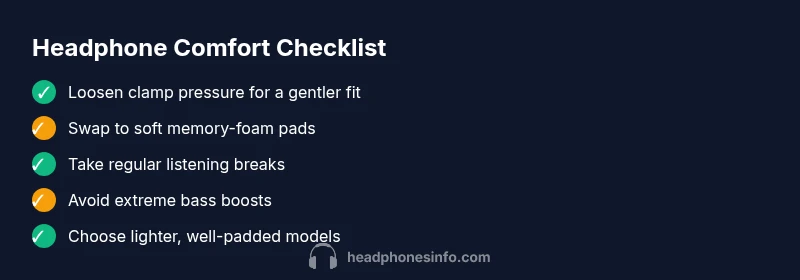
- Loosen the headband or clamp and reposition the cups so they rest around the outer ear rather than pressing directly on tender spots.
- Swap to softer pads or memory-foam ear cushions; sometimes a different padding material reduces hotspots.
- Take short breaks between listening periods and avoid long, continuous sessions.
- Lower the volume and adjust the EQ to reduce heavy bass or loud peaks; a smoother response is less fatiguing.
- If you wear glasses, adjust the frame to reduce pressure on the temples.
- Try an alternative headphone type, such as a lighter over-ear model, to see if comfort improves.
How to Choose Headphones That Minimize Headache Risk
Choosing comfortable headphones is as important as the sound. Look for:
- Low-to-moderate clamp force and an adjustable headband to distribute weight evenly.
- Soft, breathable padding with memory foam that evenly cushions the ears.
- Light weight and balanced weight distribution to reduce fatigue over long sessions.
- Circumaural (around-the-ear) design with generous ear cups rather than tight on-ear cups.
- Materials that stay cool and dry, such as breathable fabrics and skin-safe straps.
- Test fit before buying: wear them for at least 10-15 minutes in-store or during a trial period.
- Check brand comfort reputation and return policies if you’re unsure.
Practical Listening Habits for Longer Sessions
Establish safe listening habits that minimize fatigue. Set a comfortable listening level and avoid boosting bass or treble to extreme levels; apply a mild EQ to smooth the overall tone. Build a routine: short listening bursts followed by breaks, so your ears have time to recover. Alternate between headphones and speakers when possible, which reduces continuous pressure on your ears. Keep headphones clean and dry and replace worn pads when they lose softness. Consistency in your habits is the best defense against headaches over time.
Special Scenarios: Travel, Work, and Focused Listening
Travel can intensify headaches due to cabin pressure, dry air, and variable noise. Choose a pair with plush padding and comfortable headband and use noise-cancelling modes judiciously. At work, take micro-breaks and keep a steady listening rhythm to avoid fatigue. For focused listening, avoid wearing headphones for tasks that require constant concentration if you start feeling pressure; switch to ambient listening or external speakers for a while. If you must use a headset, ensure cables are not pulling on the cups, which can shift weight and increase pressure.
Quick Reference: When Headache Signals Something Bigger
If headaches persist despite adjustments, or if you notice dizziness, vision changes, or jaw pain, seek medical evaluation. Headphones Info recommends listening to your body and seeking professional advice if pain continues beyond short sessions or recurs frequently. If you’re unsure about a specific model’s comfort, prioritize fit and padding over raw sound quality.
Steps
Estimated time: 25-40 minutes
- 1
Check fit and clamp pressure
Inspect how the headband sits on your head. If it leaves red marks or feels like it’s squeezing, adjust the band to reduce pressure. Ensure the cups cradle the ears without pressing on sensitive areas.
Tip: Use a mirror to verify symmetrical pressure on both sides. - 2
Adjust padding and cups
If padding is worn or hard, replace with memory foam or velour pads. Re-seat cups so they surround the ear rather than compressing the outer ear tissue.
Tip: Soft padding makes a big difference after 5–10 minutes of listening. - 3
Lower volume and tweak sound
Set volume to a comfortable level and avoid heavy bass boosts. A smoother, balanced sound reduces ear fatigue over time.
Tip: Avoid rapid bass transients that spike pressure in the ear canal. - 4
Test a different model
If pain persists, swap to a lighter, larger-cup over-ear model and compare comfort after a short trial.
Tip: Choose a model with pivoting cups to distribute weight better. - 5
Take breaks and track symptoms
Schedule short breaks during listening sessions and note when symptoms begin. This helps you identify patterns and prevent future pain.
Tip: If pain returns quickly after resuming, stop and switch to speakers for a while. - 6
Seek professional guidance if needed
If headaches persist despite changes or are accompanied by other symptoms, consult a clinician to rule out underlying conditions.
Tip: Document your listening setup and symptoms to share with a professional.
Diagnosis: User reports frequent headaches while using headphones
Possible Causes
- highTight headband/clamp pressure
- highListening at high volumes for extended periods
- mediumPoor padding or uncomfortable ear cups
- lowIn-ear design causing ear canal pressure
- lowUnderlying medical issues (migraine, TMJ)
Fixes
- easyLoosen headband/clamp and reposition cups
- easyLower listening volume and adjust EQ
- easyReplace pads with softer memory-foam options
- mediumTest alternative headphones with softer, lighter design
- mediumConsult a clinician if symptoms persist
People Also Ask
What causes headaches from headphones?
Headphone headaches are often caused by tight clamps, heavy padding, or high listening volume. Other factors include poor earcup fit, extended listening, and individual conditions like migraines or TMJ.
Headphone headaches usually come from pressure, padding, or volume. Start by loosening the fit and reducing volume, then reassess.
How can I reduce headaches when using headphones?
Loosen the headband, reposition cups, lower volume, and take regular breaks. Try pads with softer material and test a lighter model to see if comfort improves.
Loosen and reposition, lower volume, and take breaks. If pain continues, try a lighter pair.
Are certain headphone types more likely to cause headaches?
On-ear and tight over-ear designs can create pressure points. Opt for circumaural cups with ample padding and a forgiving clamp.
Tight on-ear or heavy over-ear designs are more likely to hurt after long use.
When should I see a clinician about headphone headaches?
If headaches persist despite adjustments, are severe, or accompanied by dizziness or vision changes, seek medical advice.
If pain continues despite changes, it's time to see a clinician.
Can EQ or noise cancellation affect headaches?
Moderate EQ with smoothed bass and a balanced noise-cancellation level can reduce fatigue and pressure sensation.
Balanced sound and moderate noise cancellation can help prevent pain.
Watch Video
What to Remember
- Loosen fit to relieve pressure
- Use softer padding to minimize hotspots
- Keep listening sessions brief and spaced with breaks
- Choose lighter, well-padded headphones for longer use