How to Make JBL Headphones Louder
Learn how to make JBL headphones louder with a safe, data-driven approach. Source quality, EQ wisely, and consider a DAC/amp for wired listening while protecting your hearing.


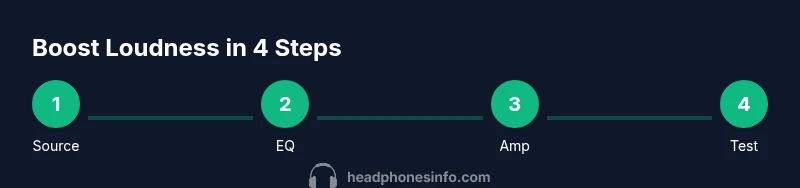
To safely increase perceived loudness on JBL headphones, start with your source device and codec quality, then apply careful EQ boosts and listening enhancements. Use JBL app features or a lightweight DAC/amp for wired listening if needed, and avoid extreme boosts that cause distortion or risks to hearing health.
Why boosting loudness is a mixed bag
If you’re wondering how to make JBL headphones louder, you’ll quickly discover that the loudness you hear is a combination of source volume, how music is mastered, and your own listening perception. According to Headphones Info, push comes with trade-offs: cranking the dial can introduce distortion, reduce dynamic range, and fatigue your ears over time. The goal isn’t simply to reach the highest number on a screen, but to achieve a noticeable, clean lift that remains pleasant and safe. In this section we’ll lay groundwork on why loudness should be thought of as a multi-factor signal path rather than a single control. This approach also helps you avoid common missteps that degrade audio clarity while chasing volume.
Understanding JBL headphone limits
JBL headphones, like most consumer models, have hardware boundaries defined by drivers, impedance, and built-in protections. Pushing beyond these limits can cause crackling, clipping, or long-term driver stress. Headphones Info analysis shows that most gains in perceived loudness come from optimizing the signal path rather than forcing the hardware to a higher ceiling. By recognizing these limits, you can tailor a safe, repeatable method to listen louder without sacrificing fidelity. This section sets expectations for what can and cannot be changed in typical JBL setups.
Safety first: hearing health and distortion
Loud listening can be enjoyable, but it also increases the risk of hearing fatigue or damage if done repeatedly. The safest approach is to boost perceived loudness in small, controlled increments and to listen for distortion clues like harsh sibilants or crackling. Staying within moderate levels preserves dynamic range and musical nuance. As you experiment, monitor how your ears respond and take breaks to prevent fatigue. For long-term listening, the goal is clarity and comfortable loudness, not just the highest peak.
Quick wins: software volume controls on connected devices
A practical starting point is to optimize what you can control on your source device. Ensure your device’s own volume limit is not capping your perceived loudness, and enable any loudness or dynamic range features if available. If you’re streaming, choose lossless or high-bitrate files to maximize clarity at higher volumes. Remember that EQ alone won’t create more power, but it can shift energy to critical ranges that your ears perceive as louder without increasing distortion.
Using EQ to enhance perceived loudness
EQ can make certain frequencies feel louder, especially by boosting midrange presence and bass with restraint. A mild boost in the bass or presence region can raise perceived loudness without heavy clipping. The key is to avoid boosting all bands aggressively, which creates a muddy sound. Use a reference track that you know well and adjust one knob at a time while listening for natural balance. Save your settings as a personal profile if your device or app supports it.
JBL app and firmware considerations
The JBL app often provides an EQ, preset, and sometimes a ‘Loudness’ or ‘Bass Boost’ option. Firmware updates can unlock improved DSP behavior or better codec handling, which may affect loudness perceptually. Always check for the latest firmware and test your changes with a few representative tracks. If the app has a loudness feature, enable it and compare the before/after experience to ensure the boost remains musical rather than aggressive.
Does a wired amp help? When to consider
A wired amplifier or DAC/amp can dramatically improve headroom for louder listening, particularly with higher-impedance JBL models or in crowded environments where you want clean sound at higher levels. When you switch from wireless to wired, you’ll often notice increased headroom and dynamic range. If you use a dongle DAC or desktop amp, choose a reputable unit that matches your headphones’ impedance. Avoid using low-quality adapters, which can introduce noise and reduce perceived loudness.
Cables, sources, and latency: the quiet truth
Source quality matters just as much as amplification. Bluetooth streaming relies on codecs and compression, which can limit peak output and alter dynamic responses. If you want maximum clean loudness, consider a wired setup with a good DAC or a high-quality USB-C/3.5 mm adapter, and ensure you’re on a clean, low-latency path. Latency is less about loudness and more about synchronization with video or gaming, but it’s worth noting when you switch from wireless to wired.
Testing louder audio: careful methods and examples
Develop a repeatable method to test louder listening: use a consistent reference track, compare across connection types, and note where distortion appears. A calm, controlled listening session helps you discern real gains from artifacts. Document the changes you make, the device you’re using, and the track so you can reproduce or revert settings easily. This method makes the pursuit of louder listening reliable rather than impulsive.
Common myths about louder headphones
Many believe that louder always equals better. In reality, excessive boosts often degrade clarity and can flatten the bass/treble balance. Others think JBL headphones magically become louder with more powerful devices, which isn’t always true. By debunking these myths, you’ll focus on practical steps that improve perceived loudness while maintaining fidelity. This awareness helps you avoid overboosting and protects your listening experience.
Realistic expectations: what you can achieve
The goal is a noticeable, clean lift, not a miracle increase. With thoughtful source selection, EQ, and possibly a DAC/amp, you can reach higher perceived loudness while preserving detail. If you’re currently listening at max volume and still not satisfied, it may be time to consider a model with higher efficiency or different impedance that better matches your listening setup. The Headphones Info team emphasizes safe listening and sustainable listening habits as part of any loudness strategy.
Tools & Materials
- Audio source device (phone/PC/tablet)(Ensure it supports high-quality output and can play lossless formats.)
- EQ app or built-in EQ features(Use the JBL app if available; otherwise native OS EQ works.)
- External headphone amplifier or DAC (for wired use)(Useful for higher headroom with wired connections.)
- 3.5mm to 6.3mm adapter (if needed)(Needed for some desktop amps or high-impedance setups.)
- Clean microfiber cloth and soft brush(Keep drivers free of dust before testing.)
- Reference test tracks(Choose tracks with wide dynamic range for accurate testing.)
Steps
Estimated time: 45-75 minutes
- 1
Set baseline source volume
Power on all devices and set the source volume to a safe, moderate level. Verify no loudness features are active yet and play a reference track to gauge current loudness without DSP boosts.
Tip: Start with 60-70% of max volume and adjust gradually. - 2
Check fit and seal
Ensure the headphones sit snugly with a good seal to maximize low-end response. Poor seal can mask perceived loudness and flatten dynamics.
Tip: Reposition on-ear cups or adjust headband for a better seal. - 3
Clean and inspect drivers
Inspect the driver area for dust or debris. Gently clean with a microfiber cloth to prevent any obstruction that could dull the sound.
Tip: Do not use liquids or aggressive cleaners near the driver diaphragm. - 4
Verify connection method
Decide between wireless and wired. If possible, test wired with a DAC/amp to compare headroom and peak levels.
Tip: If wireless, ensure you’re using the highest quality codec supported. - 5
Enable conservative EQ boosts
Open your EQ and boost bands cautiously—avoid boosting all frequencies. Target midrange presence and crisp bass to improve perceived loudness without harshness.
Tip: Make small one-dB or smaller adjustments and listen critically. - 6
Test with a reference track
Play a well-known track to compare previous and new loudness. Focus on clarity, not just peak volume.
Tip: Use tracks you know well across genres. - 7
Activate JBL app features (if available)
If your model supports it, enable any DSP, loudness, or preset EQ in the JBL app and compare to baseline.
Tip: Save different profiles for different listening scenarios. - 8
Consider a DAC/amp for wired use
A dedicated DAC/amp can provide more headroom than a phone/tablet. Use adapters carefully to avoid interference.
Tip: Check impedance compatibility before purchasing. - 9
Experiment with codecs (Bluetooth)
If you’re on Bluetooth, try different codecs that your device and headphones support; higher-quality codecs can preserve more detail.
Tip: Avoid testing with low-bitrate streams when chasing loudness. - 10
Monitor for distortion
Listen for any crackling, clipping, or harsh highs. Distortion means you’ve pushed too far.
Tip: If you hear distortion, back off the boost slightly. - 11
Document settings
Record which profiles and tracks yielded the best perceived loudness with minimal distortion.
Tip: Having a quick reference keeps testing efficient. - 12
Re-evaluate safety and comfort
After achieving your target loudness, verify that it remains comfortable and safe for regular listening.
Tip: Take breaks and limit listening sessions at high volumes.
People Also Ask
Can JBL headphones be louder than the device's max volume?
No. The maximum loudness is constrained by the device and headphone hardware. You can improve perceived loudness within those limits using safe EQ and better source quality, but you cannot exceed the built-in ceiling.
No, the loudness limit is fixed by hardware; you can improve perceived loudness safely within those limits.
Will boosting loudness damage the headphones?
Extreme boosts can cause distortion and stress the drivers over time. Keep boosts modest and monitor for clipping. If you hear distortion, back off the settings.
Yes, excessive boosts can damage drivers; back off if you hear distortion.
Does the JBL app offer a loudness boost?
Many JBL models include an EQ and sometimes a loudness or bass-boost feature in the app. Model-specific features vary, so check your device’s documentation and test with and without DSP.
Some JBL apps include loudness or EQ features; check your model’s docs and test both with and without DSP.
Is Bluetooth codec quality important for loudness?
Yes. Higher-quality codecs preserve more dynamic range and can affect perceived loudness. If your device supports it, select the best codec available to you during testing.
Yes, codec quality can affect perceived loudness; use the best supported codec.
Are wired connections louder than Bluetooth for JBL headphones?
Often, wired connections offer more headroom and less compression, resulting in higher perceived loudness. However, the difference depends on the model and source quality.
Wired setups often feel louder due to more headroom and less compression.
What’s a safe listening approach when increasing volume?
Increase volume in small increments, take breaks, and listen for distortion. Prioritize clarity and comfort over peak loudness. Use safe listening guidelines as your benchmark.
Increase in small steps, monitor for distortion, and take breaks to protect hearing.
Should I buy a separate headphone amplifier for louder JBL sound?
A dedicated amp can improve headroom for certain JBL models, especially high-impedance ones. Check impedance compatibility and ensure the amp matches your headphones.
A separate amp can help if your headphones require more headroom; verify compatibility.
Watch Video
What to Remember
- Set a safe baseline before boosting.
- Boost perceived loudness with careful EQ adjustments.
- Use a DAC/amp for wired listening when possible.
- Choose high-quality sources and codecs for clearer sound.
- Protect hearing by avoiding distortion and taking breaks.